How to Make a TikTok Video in 2026: Easy Guide
 RoboNeo TeamJuly 21, 2026
Figure out how to make a TikTok video doesn’t mean you need fancy cameras or high-end editing software. Honestly, as long as you come up with a clear idea, shoot steady vertical video, throw in some easy-to-read text, and hook viewers right from the start, you’re good to go.
The steps below will walk you through everything—from brainstorming your content all the way to getting it out there.
What Makes a Good TikTok Video in 2026?
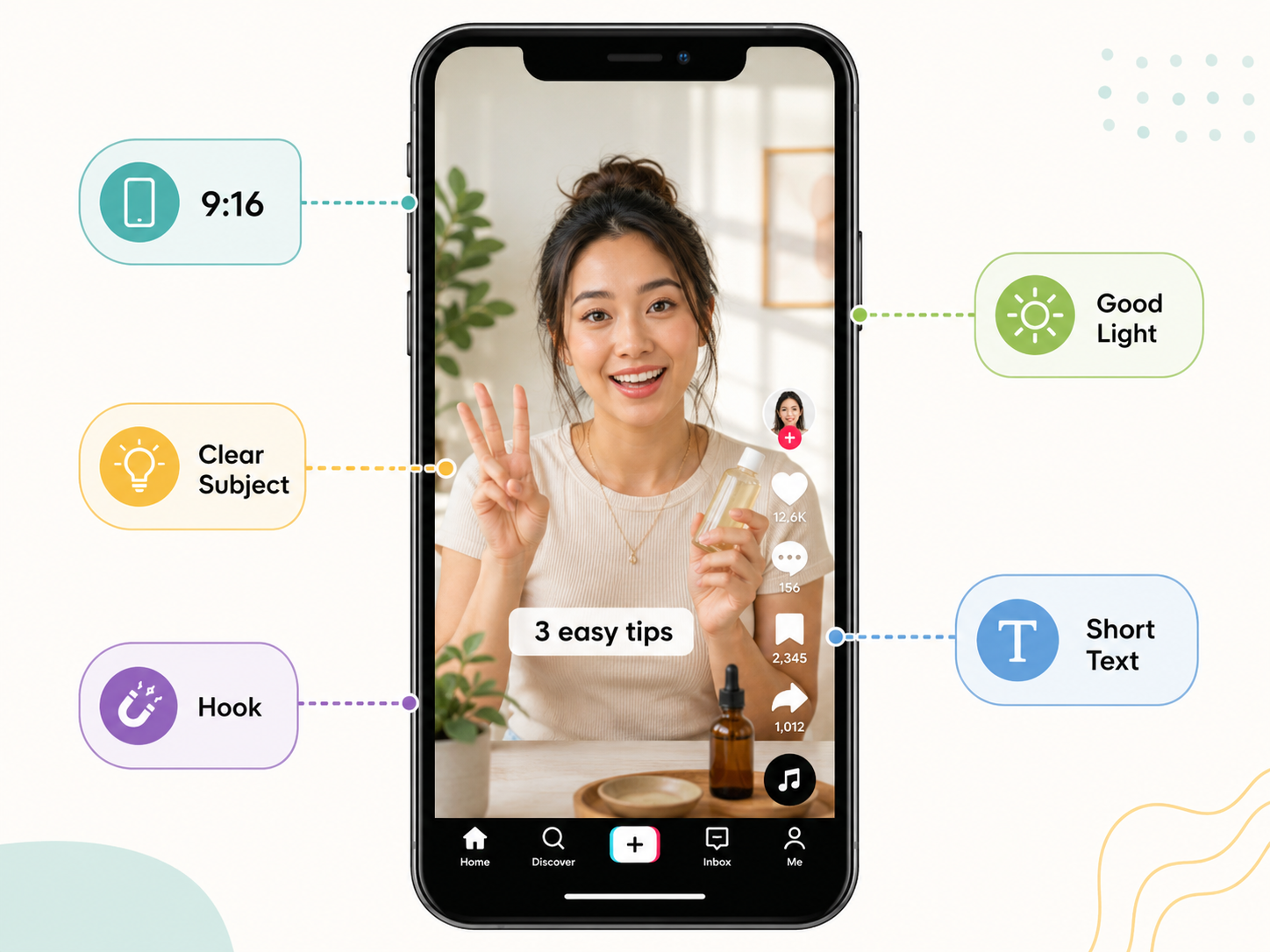
A good TikTok video communicates its main idea within the first few seconds. Viewers should immediately understand the subject and what they will gain from watching.
Strong videos usually include:
A clear topic or subject
Vertical 9:16 framing
Bright, balanced lighting
Short, readable text
A hook near the beginning
A simple background keeps attention on the person, product, or activity. Captions should remain clear of faces and TikTok interface buttons, while natural window light is often enough for tutorials and product demonstrations.
The most interesting moment usually belongs at the beginning. A cooking video can open with the finished meal, while a room makeover may begin with the cluttered space and a quick look at the final result.
How to Make a TikTok Video Step by Step
The following process explains how to make a video on TikTok using new footage or clips already saved on your phone.
Step 1: Choose a Topic and Opening Hook
One focused idea gives the video a clear direction. Quick tutorials, short reviews, daily routines, and before-and-after transformations all work well because viewers can understand the purpose quickly. Broad subjects are often harder to fit into a short post. “How I organize my work bag” feels more specific than a general video about organizing an entire home.
The opening should introduce the value immediately. A beauty creator may show the finished makeup look before explaining the process. At a weekend craft market, a small business owner could begin with, “This is the item customers always pick up first.”
Step 2: Record or Upload Your Video
Inside TikTok, tap the “+” button and choose a video length. New footage can be recorded in the app, while Upload allows you to select clips from your phone. Creators who prefer generated scenes can also create an AI video from a script, then import the finished clips into TikTok.
Vertical framing fills the mobile screen and keeps the video looking native to TikTok. A tripod is helpful, though a shelf, table, or stack of books can keep the phone steady during a quick recording session.
Camera position depends on the subject. Talking videos usually look natural when the lens sits near eye level. Food, crafts, and product demonstrations need a closer angle so smaller details remain visible.
Step 3: Trim and Arrange the Clips
During editing, pauses, repeated lines, camera adjustments, and setup footage can be removed. Creators who prefer a prompt-based workflow can use RoboNeo’s AI video editing feature to describe how clips should be trimmed, arranged, or refined.
The remaining clips should follow a simple sequence:
Opening hook
Main action or explanation
Final result or takeaway
A desk makeover might begin with the crowded workspace, move through the main changes, and finish with the organized setup. For a coffee tutorial, the opening could show the finished drink before the video moves through each preparation step.
Pacing should feel active without becoming difficult to follow. A product label or finished result may need an extra second on screen, while a clip of someone reaching for the camera can usually be removed.
Step 4: Add Sound, Text, and Captions
Music, original speech, or a voiceover can shape the mood of the video. When spoken information matters, background audio should remain low enough for every word to stay clear.
Short text works well for section labels, product names, prices, or main takeaways. A long paragraph can cover the subject and force viewers to pause.
Captions also help people who watch with the sound turned off. Automatic captions should be reviewed before publishing because brand names, slang, and technical terms may be transcribed incorrectly.
Step 5: Add a Caption and Post the Video
A post caption should add context without repeating everything shown in the video. A meal-prep clip might use, “A quick work lunch that stays fresh until noon.” An outfit post could say, “Three ways I wore the same oversized shirt this week.”
Relevant hashtags can help TikTok understand the topic. A small group of specific terms is usually more useful than a long list of unrelated trending hashtags.
Before publishing, preview the complete video. The first frame, text placement, captions, audio level, and ending should all feel intentional. Once those details look right, select the preferred privacy and interaction settings and post the video.
Optional Tip: How to Enhance a Downloaded TikTok Video
Downloaded footage should only be edited when you created the video or have permission to reuse it. Public access does not automatically allow someone else’s content to be downloaded, changed, or reposted.
When an authorized file looks blurry or compressed, it can be uploaded to RoboNeo video enhancer for light enhancement. The tool can improve clarity, reduce visible noise, and clean up compression artifacts caused by repeated exporting or sharing through messaging apps.
For footage that mainly needs higher resolution and clearer details, RoboNeo’s AI video upscaling feature can be used before the final TikTok export.
A careful preview matters before export. Faces, subtitles, product labels, and moving objects should still look natural. Excessive sharpening may create rough skin texture or flickering around fast movement.
After the result has been checked, export the video in a size and format suitable for TikTok. RoboNeo improves existing video files; it does not function as a TikTok video downloader.
Common TikTok Video Mistakes to Avoid
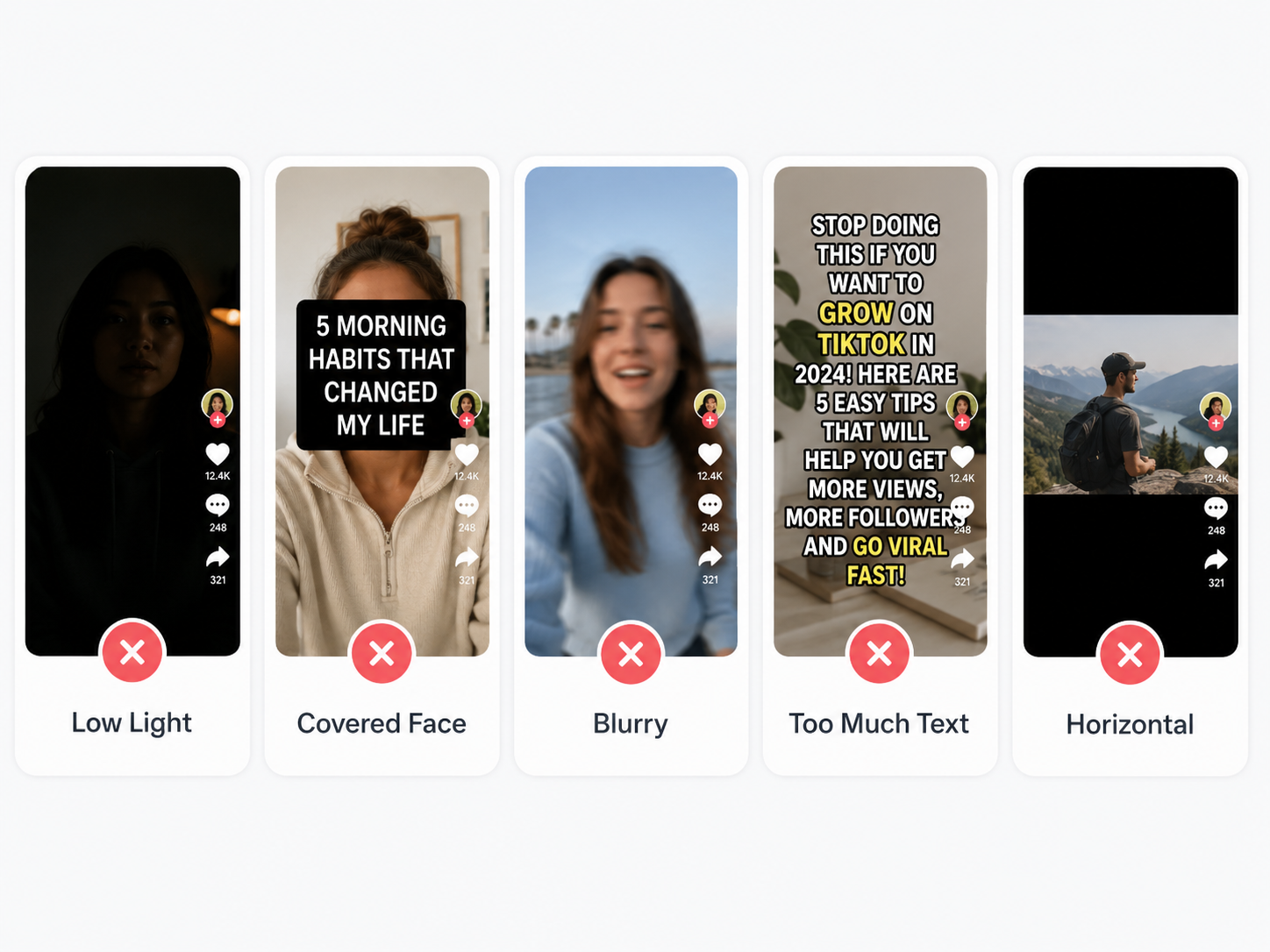
Even a strong idea can lose impact when the opening feels slow, the screen becomes crowded, or the footage lacks clarity. These common problems are worth checking before the video goes live.
Starting With a Long Introduction
Several seconds of greetings or background information can cause viewers to leave before the main topic begins.
The strongest moment usually works better near the start. During a product test, the visible result can appear first, followed by the testing process and final opinion.
Adding Too Much Text
Large text blocks make viewers choose between reading and watching. Important faces, products, or actions may also become hidden.
Short phrases are easier to scan. In a morning routine video, “5:30 AM,” “Breakfast,” and “Leave for work” provide enough context without covering the screen.
Uploading Low-Resolution Footage
Blur and compression make small details harder to see, especially in beauty tutorials, food videos, crafts, and product reviews.
Good lighting, a steady phone, and the highest-quality source file usually produce a cleaner result than heavy enhancement later.
Using Unrelated Hashtags
Trending hashtags may attract people who have little interest in the actual subject. When the audience and content do not match, viewers are more likely to scroll away quickly.
A home-office organization video benefits more from workspace and productivity terms than unrelated entertainment tags.
Reposting Videos Without Permission
Another creator’s public post still belongs to them. Unauthorized reposting may lead to complaints, content removal, or loss of audience trust.
Clear permission should be obtained before footage is edited, shared, or used in promotional content. A visible watermark does not count as authorization.
FAQ
How do I start a video on TikTok?
Tap the “+” button in TikTok, then record new footage or upload clips from your phone. The first visual or sentence should introduce the topic immediately.
What equipment do I need for TikTok?
A smartphone is enough for most videos. A tripod, small light, or clip-on microphone can improve stability, lighting, and sound, but beginners can start without them.
Can I make a TikTok video with photos?
Yes. TikTok supports photo posts and slideshow-style videos. They work well for travel recaps, outfit collections, room transformations, product details, and progress updates.
How long should a TikTok video be?
The right length depends on the topic. A quick tip may take 15 to 30 seconds, while a tutorial or personal story may need more time. Every section should contribute something useful.
You May Be Interested
How to Download YouTube Videos and Remove Watermarks
Best TikTok Script Generator in 2026
How to Write a Video Script: 7 Steps for Beginners
Best Free Tools to Remove Watermark from Video 2026
How to Remove Watermark from Video with AI (2026)