Blog-How to Write a Hook: Use AI to Create Stronger Video Openings
 RoboNeo TeamSeptember 29, 2026
Learning how to write a hook starts with one goal: make the topic clear and give viewers a reason to stay. You can use AI to create stronger video openings by testing different wording. AI can suggest lines, but it cannot decide what your video can prove. This guide shows how to write, edit, and test each opening.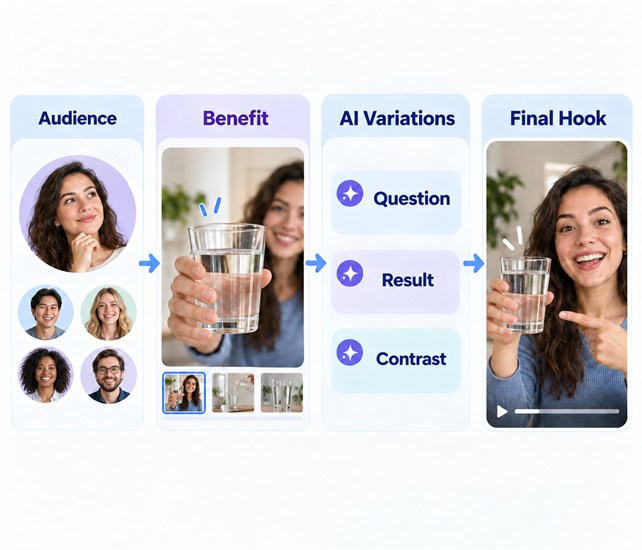
What is a good video hook?
A good hook tells viewers what they are watching and why it matters without hiding the subject.
Make the topic clear
The first few seconds should introduce one problem, result, change, conflict, or question. "Make better videos" is too broad. "This phone setting is why your indoor videos look grainy" gives viewers a clear subject.
Once the subject is clear, the hook still needs to create interest. Curiosity can help, but it should not hide the topic. "You will not believe what happened" gives no context. "I changed one ingredient, and my pizza crust stopped tearing" leaves one useful question: which ingredient fixed it?
Give viewers a reason to stay
A viewer may want an answer, a skill, a result, or the end of a story. The hook should make that benefit clear.
The video must also keep the promise made in the opening. "I cut my grocery bill in half" needs receipts and a final total. A few general shopping tips cannot support that claim.
Make every part support the same idea
The hook may include a first frame, spoken line, on-screen text, and sound. Each part should support the same point. They do not need to repeat the same words.
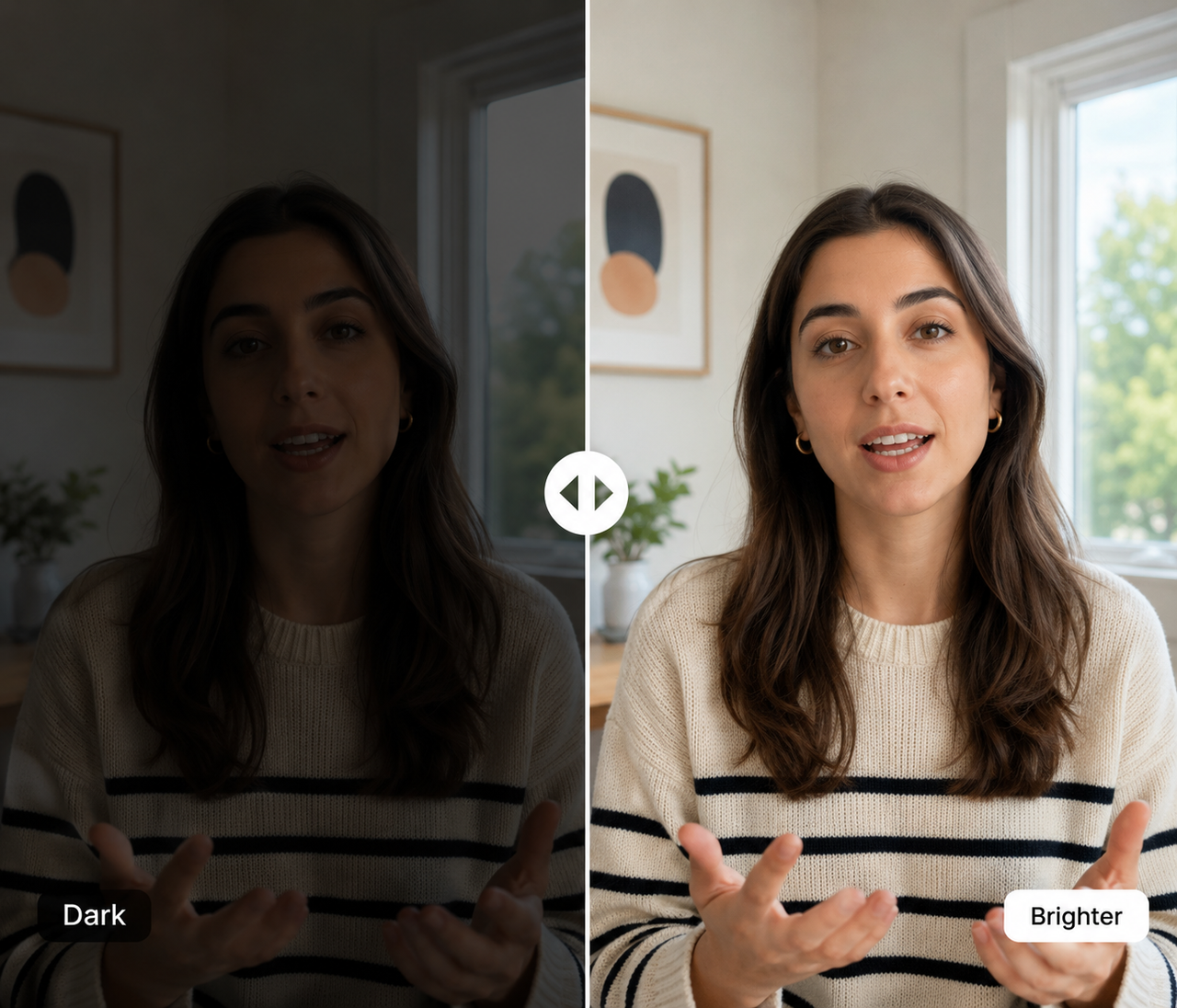
A desk setup video could open with a dark video call. The creator says, "Your desk is facing the wrong way." The text reads, "Fix harsh shadows." The image shows the problem, while the words explain the cause.
How do you write a good video hook with AI?

Writers often ask how to write a good hook with AI, but the first decision has nothing to do with the prompt. Choose the audience and result first.
Step 1: Define the viewer and what they will get
Before writing, decide who the video is for and what they should get from it.
"Meal planning" is too broad. "Five dinners under $60 for parents who get home after 6 p.m." names the audience and the result.
What viewers get may be an answer, a skill, a visible change, or the ending of a story. The video must provide what the hook promises.
If you cannot sum up the audience and benefit in one sentence, make the topic more specific first.
Step 2: Write the core hook
Turn the main idea into one plain sentence. State the problem, result, change, or conflict without extra setup.
A tutorial can start with a mistake: "Your basil keeps dying because the pot holds too much water." A product video can show a result: "This scanner turned a box of receipts into searchable files."
A story can begin when the situation changes: "Twenty minutes before the ceremony, the cake started leaning." An opinion video should state its position: "Posting every day will not help if every post targets a different audience."
Keep the first sentence on the main idea. The hook should also fit the structure used when planning how to write a video script, so the rest of the video can deliver the result promised in the opening. Greetings and background can come later.
Step 3: Ask AI for different angles
After writing the core hook, use AI to test other wording. Keep the audience and viewer benefit the same.
Do not enter only the topic and ask for a "viral hook." That request gives AI little direction. It often leads to vague wording or claims the video cannot support.
Include these details in the prompt:
Target audience and viewer problem
Video topic and what viewers will get
Video format and tone
Facts, numbers, or claims AI must not add
Then ask for several short openings. Try a question, result, contrast, opinion, or story moment.
Read every option before using it. Check the facts, numbers, and product claims. Remove anything the video cannot show or prove.
Step 4: Select and rewrite the best hook
Choose a version that a new viewer can understand. Add context if it depends on an earlier video.
Replace broad claims with details people can picture. "This simple trick changed my workspace" says little. "Moving my desk closer to the window removed the shadows from my calls" names the action and result.
Read the new line aloud. Shorten phrases that sound stiff. Remove ad-like words and promises that the video cannot support.
If the hook still feels unclear, check the video's main benefit again. The problem may be the idea, not the wording.
Step 5: Create the opening visual
Choose a first shot that supports the spoken hook. Show the problem, result, product, or start of a conflict.
A kitchen video could open with a drawer getting stuck. The line says, "This drawer wastes more space than you think." The next shot reveals the new layout.
Use existing footage when it fits. When a scene is hard to record, RoboNeo can create a clip from a written description. Reference images can guide its look.
The scene should match the hook and next shot. Use real footage for product controls, software steps, and measured results.
Create Your Opening with RoboNeo
Step 6: Connect the hook to the video
The body should continue the idea introduced by the hook. A question needs an answer. A shown result needs a process. An opinion needs a reason.
After saying, "Your basil keeps dying because the pot holds too much water," show the drainage hole or wet soil. Do not stop for a logo animation or personal introduction. Viewers are waiting for the answer.
On-screen text can highlight one phrase instead of copying the narration. A background music generator can provide an original track, but keep it below the voice. Play the first ten seconds together before publishing. The move from the hook to the next scene should feel natural.
How should hooks change for different types of videos?
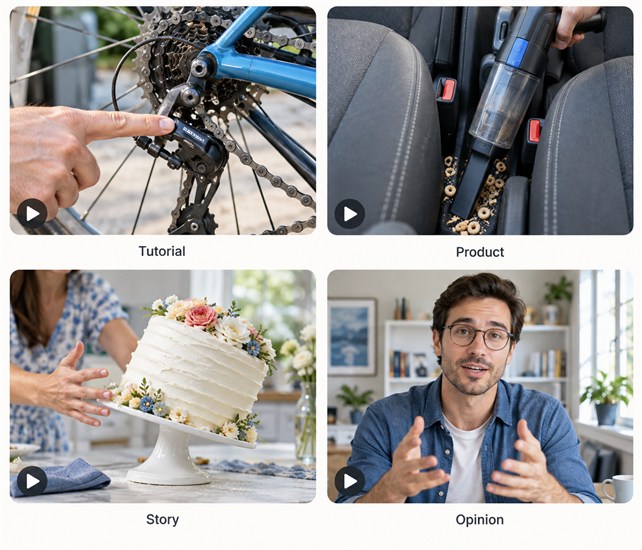
Each format gives viewers a different reason to watch. The opening should match it.
Tutorial video hooks
A tutorial hook should show the problem or result. A bike repair video could open with a slipping chain. "Check this part before buying a new chain" tells viewers what they will learn. The main video can then explain the steps.
Product video hooks
Product hooks should focus on one use case. The same focus matters when planning how to make a product video: show the product handling one clear task under normal conditions. A compact vacuum review could begin with cereal between two car seats. The first pass shows whether it can remove the mess.
Story video hooks
A story hook can begin with a conflict, decision, or sudden change. "At mile 18, my knee gave out, and I had to decide whether to stop" gives the story a clear direction. Background details can come later. The next scene should continue the same conflict.
Opinion video hooks
An opinion hook should state the view directly. "Working from home is not flexible when every hour is booked with meetings" names a specific issue. The rest of the video should give reasons or evidence.
How can you tell whether a video hook is working?

Use retention, watch time, and comments together. They show what happens after people see the opening.
Check where viewers leave
The retention graph shows when viewers lose interest. A drop during the first frame usually points to the image, screen text, or an unclear topic. If the first shot is relevant but visibly soft, AI video upscaling can improve a usable source clip before the next test. If viewers leave after the spoken line, check whether the next scene starts answering the hook. A later drop usually comes from the pace or structure of the main video.
Test one change at a time
Once you know where viewers leave, test the element shown at that point. If the drop happens on the first frame, change the image but keep the spoken line and screen text. If it happens after the opening line, test new wording without changing the visuals. This lets you connect a change in retention to one part of the hook.
Do not judge by views alone
After testing the hook, do not use total views as the only result. Topic demand, posting time, and platform distribution can all affect reach. Opening retention shows whether the hook held attention. Average watch time shows whether the main video kept viewers. Comments can tell you whether people understood the topic and promise correctly.
FAQ
How long should a video hook be?
There is no fixed length. A short video should state the topic and viewing benefit quickly. A longer video may need more context. In both cases, remove setup that does not help viewers understand what comes next.
Should you write the hook before or after the script?
Define the audience, topic, and viewer benefit first. Draft the hook before the script. Finish it after the script has a clear structure. Check it again after editing.
Can you create a strong hook without showing your face?
Yes. Product footage, screen recordings, animation, voice-over, and on-screen text can carry the opening. The first frame still needs to show the problem, result, or change. Random background footage will not fix an unclear hook.
Does a video hook need to be clickbait?
No. A clear problem, honest result, real conflict, or useful question can hold attention. Clickbait makes a promise that the video cannot keep. Viewers often leave as soon as they notice the gap.
Should you use the same hook on TikTok, Reels, and YouTube Shorts?
The main idea can stay the same, but the opening may need changes. Test different lines, text, and images on each platform. Review each platform separately.
You May Be Interested

Best AI Video Generators for Anime Style 2026: 7 Picks

6 Best Tools to Fix Blurry Videos in 2026

How to Repair Video Blocking Artifacts: Causes and Fixes
How to Enhance Sora AI Video Quality in 2026?
How to Make a Dark Video Brighter with AI: 5 Easy Steps