
Studio-Quality Retouching, Zero Manual Labor
Professional high-end retouching used to take hours of "Frequency Separation" in Photoshop. Roboneo’s Portrait Agent does it in seconds. Simply upload your raw portrait, and the AI automatically detects facial features to remove acne, smooth wrinkles, and brighten eyes—all while preserving natural skin texture.
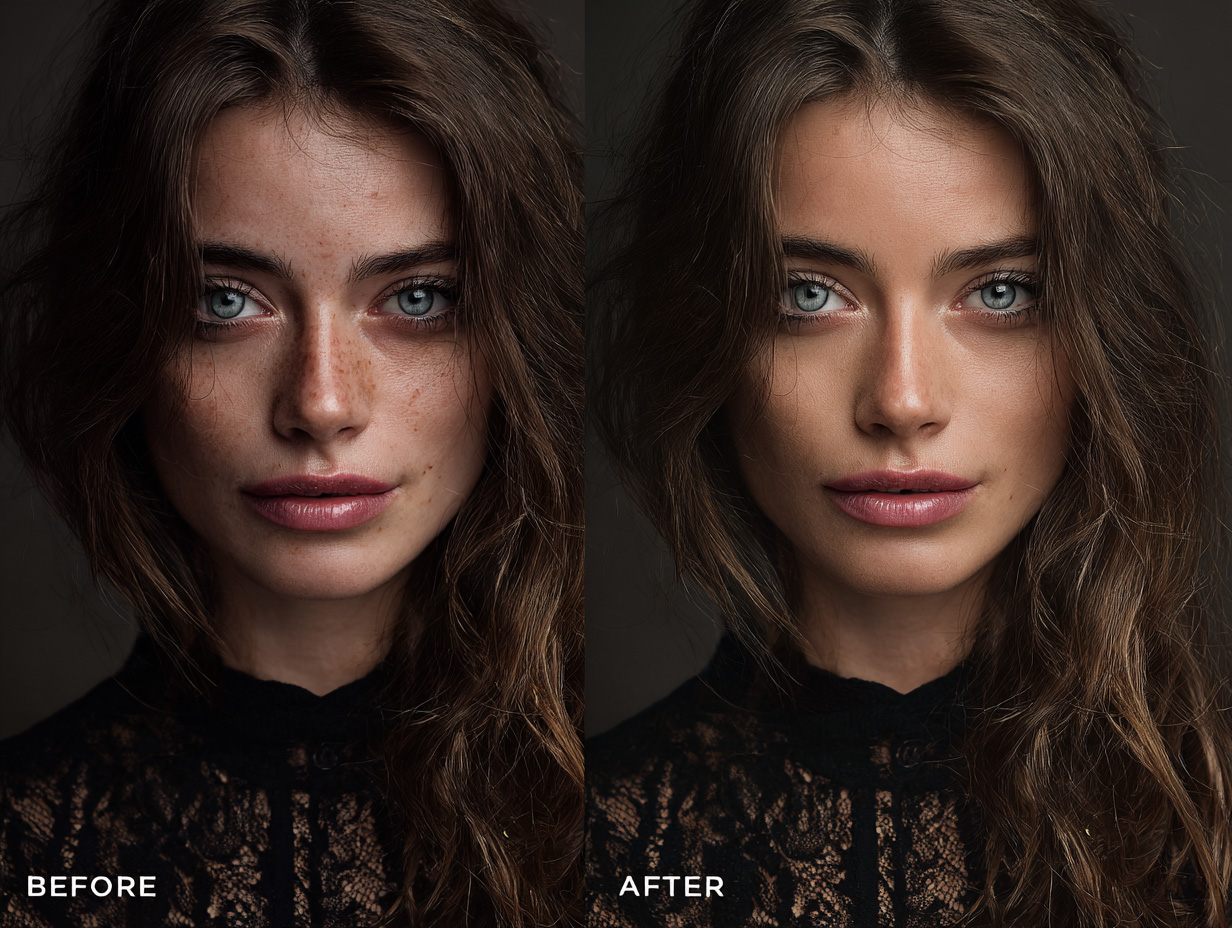
Why Choose RoboNeo for Portrait Retouching?
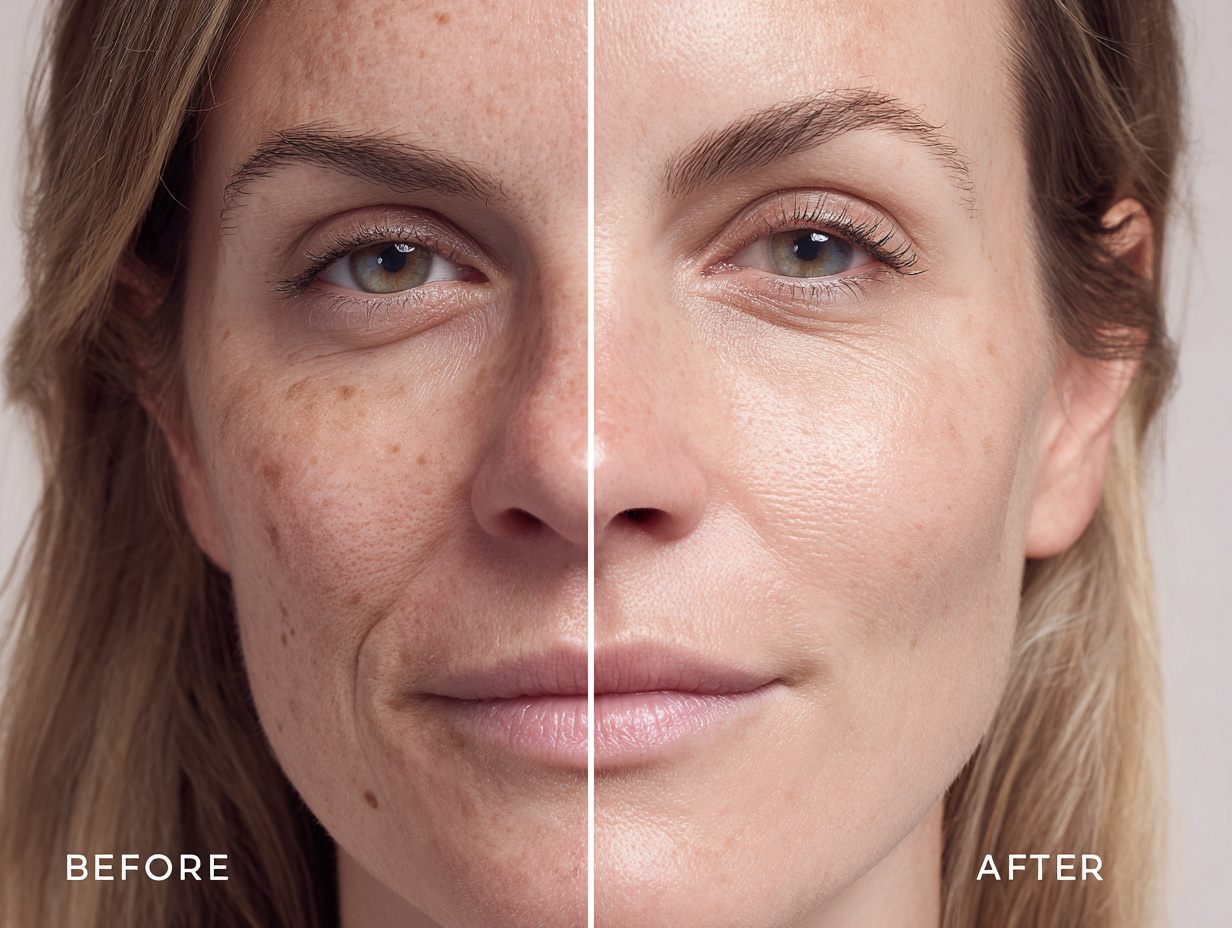
Smart Skin Texture Retention
Most apps just blur the face, making it look like plastic. Roboneo is different. Our Agent intelligently distinguishes between "bad" details (acne, scars) and "good" details (pores, moles, freckles). It removes the imperfections while keeping the skin looking real and high-definition.
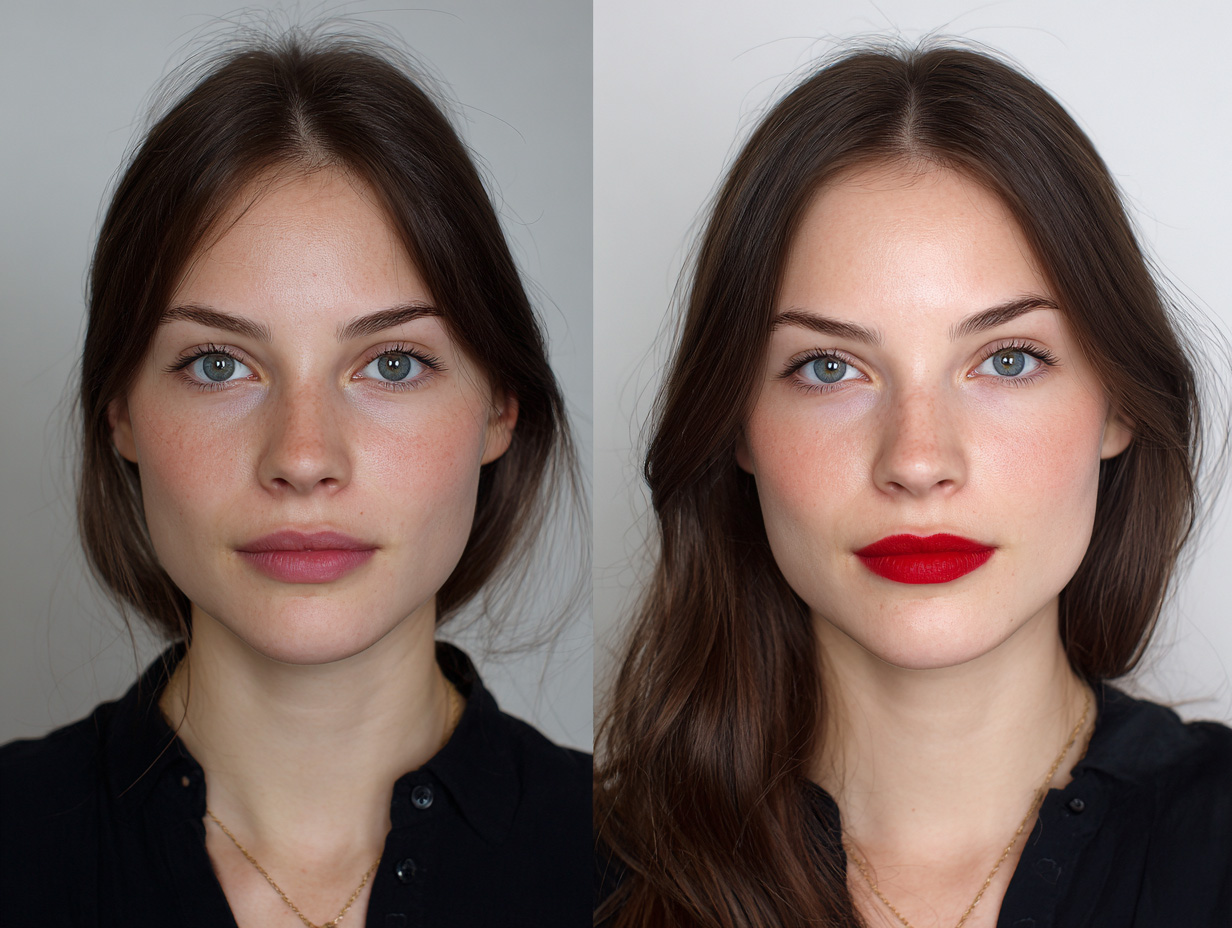
AI Face Sculpting & Makeup
Forgot to put on lipstick? Lighting made your face look flat? No problem. The Agent can apply digital makeup (foundation, blush, lipstick) and subtly reshape facial features. Slim the jawline, enlarge the eyes, or fix a crooked nose with simple prompt, looking completely natural.
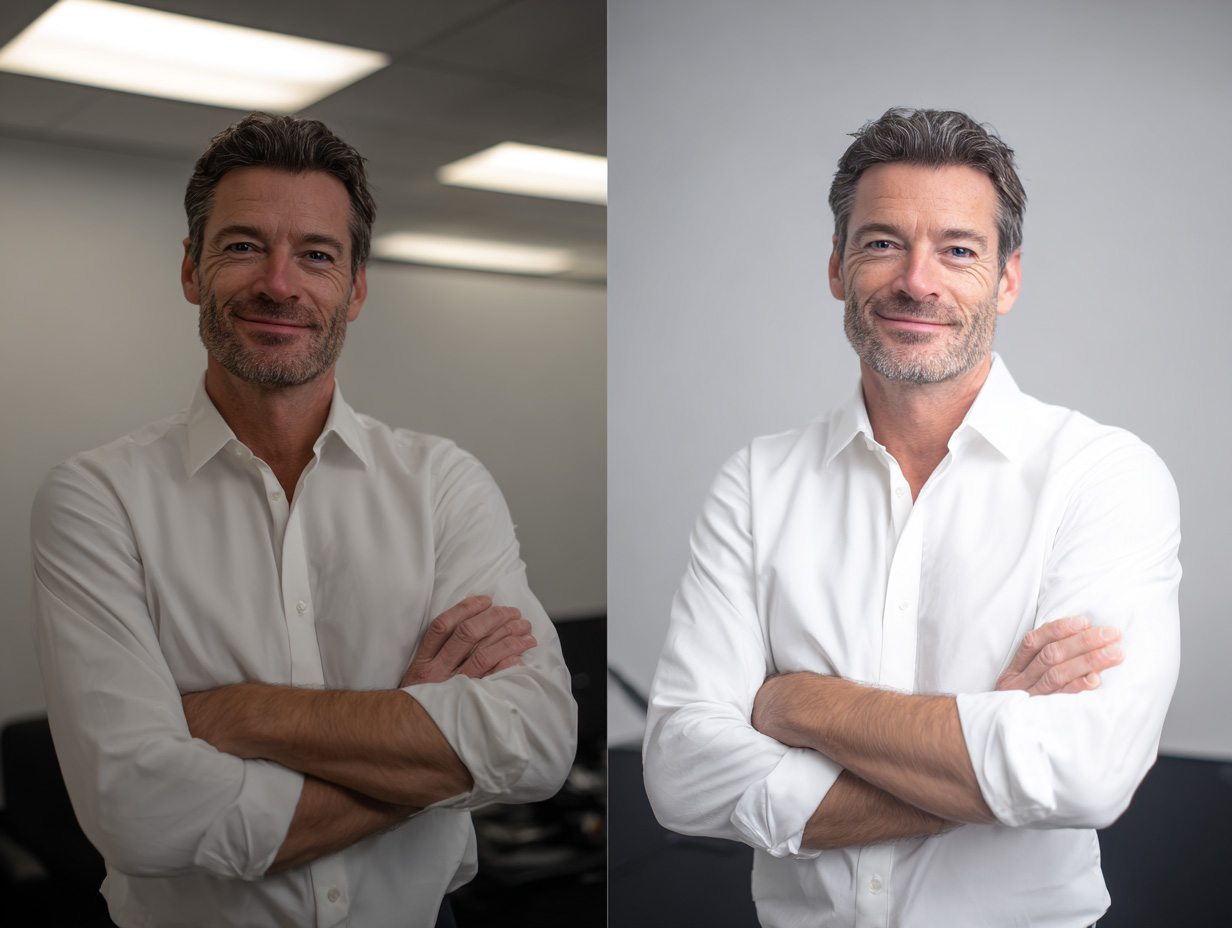
Instant Background Change
Great lighting means nothing if the background is messy. Roboneo instantly separates the subject from the clutter. Turn a car selfie into a studio headshot by replacing the background with a professional gradient, office blur, or solid color in one click. No manual masking needed.
Perfect for Every Portrait
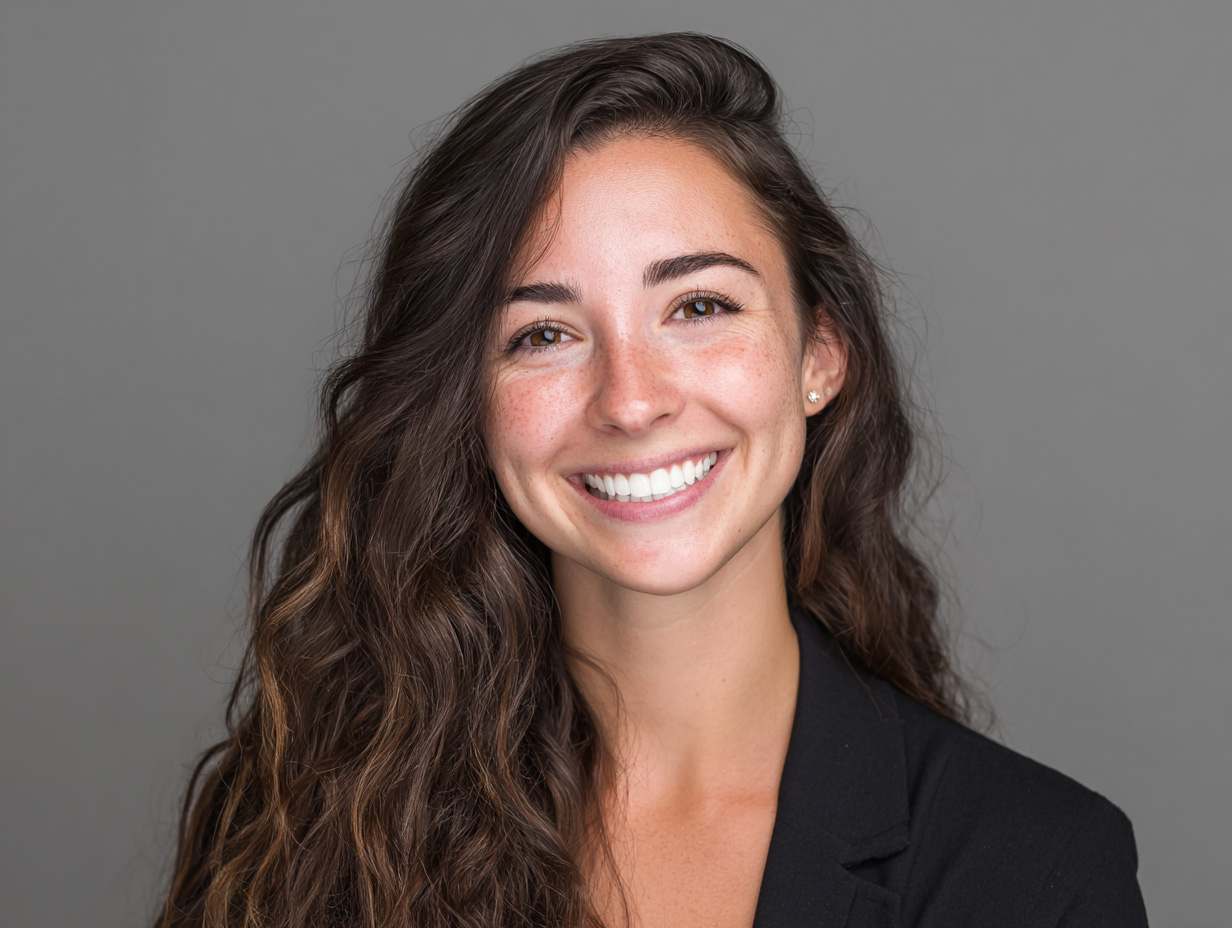
Ace Your First Impression
Your LinkedIn profile picture is your digital handshake. Use Roboneo to remove temporary stress breakouts, whiten teeth, and brighten your smile. Create a trustworthy, polished corporate image that helps you land the job, without paying for a professional studio session.
Frequently Asked Questions
Will my skin look fake or plastic?
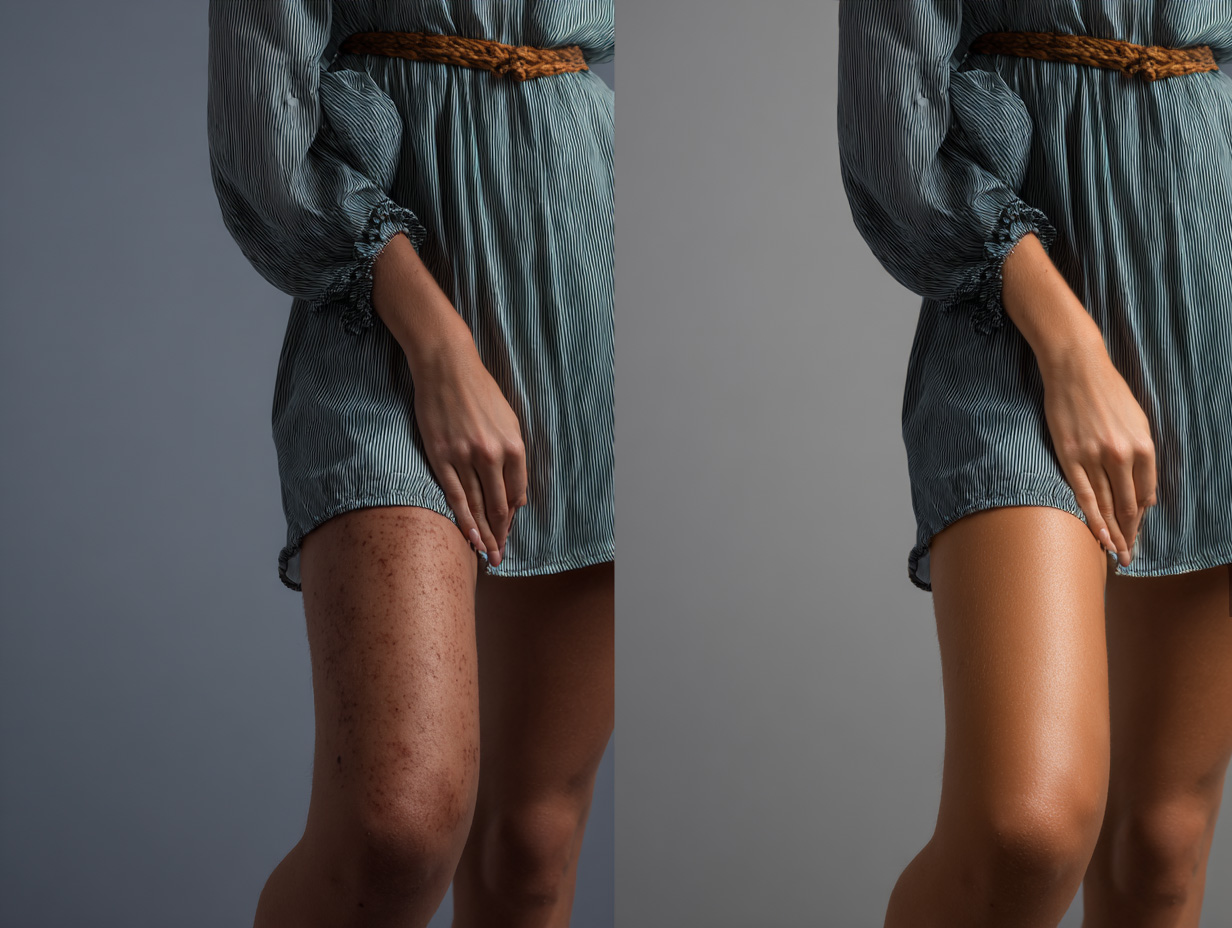
Does it work on full-body photos?
Yes. The AI detects skin across the entire body, not just the face. You can smooth skin on arms, legs, and neck just as easily.
Is it safe to upload my photos?
Absolutely. Your photos are processed securely and are deleted from our servers after a set period. We do not use your private photos for training without permission.
Reveal Your Best Self
Roboneo gives you the power of a high-end beauty studio in your browser. Flawless results, every time.