Best Tool for Creating Branded Social Media Video Content in 2026
 RoboNeo TeamSeptember 29, 2026
The best tool for creating branded social media video content in 2026 depends on the work your team already does. Some brands need original video scenes. Others need reusable templates, faster editing, or hundreds of ad versions. The right choice should protect the brand while reducing repeated work.

Why use a dedicated tool for branded social media videos?
Brand videos reuse logos, fonts, colors, product images, and closing screens. A dedicated tool keeps those items together and reduces repeated setup.
One project may include generated scenes, recorded footage, captions, music, and simple edits. The team can then prepare versions for TikTok, Reels, and YouTube Shorts.
Templates and batch tools make frequent publishing easier. Teams comparing the best AI tools for content creators should focus on the specific jobs each tool handles. Human review is still needed for the idea, product details, claims, and final export.
Which tools are best for branded social media videos in 2026?
Each tool solves a different part of video production. The best choice depends on whether the team needs new visuals, reusable layouts, editing, or large numbers of ads.
Tool | Best for | Brand control | Main limitation |
RoboNeo | Original product scenes and branded visuals | Reference images and guided video generation | Product and logo details need review |
Canva | Reusable social video templates | Brand Kit and saved brand assets | Less suited to fully original motion scenes |
Adobe Express | Controlled content made by teams | Brand assets and locked template elements | Focused on lighter video work |
CapCut | Editing short-form footage | Custom captions, text, timing, and formats | Brand rules require team setup |
Batch platforms | Large groups of catalog-based ads | Brand controls vary by platform | Best value comes at higher volume |
RoboNeo for original branded video visuals
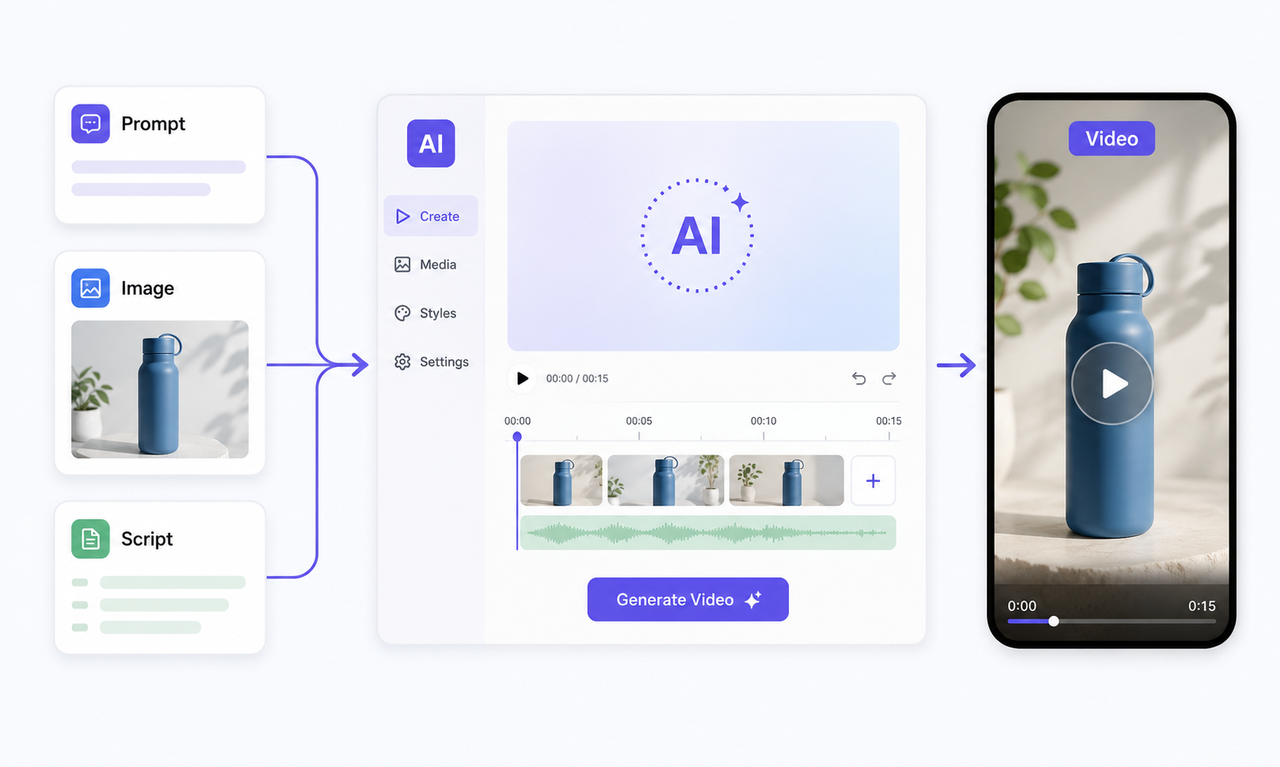
RoboNeo is useful when a brand has a visual idea but cannot easily film the scene. Text can describe the setting and action. Product, character, or location images can guide how the subject appears in the clip.
This works well when a team has product photos but lacks video footage for a campaign. A skincare brand preparing a product launch could upload a studio photo and create a moving shelf shot. Keeping one product and one action in the scene also makes the result easier to edit.
The generated shot can introduce the product or set the mood at the start of the video. Recorded footage can follow with the actual product demonstration. Before publishing, the team should check the product shape, logo, text, hands, and background.
Create Branded Videos with RoboNeo
Canva for reusable brand templates
Canva works well for small teams making promotions, announcements, and text-led videos. Brand Kit stores logos, fonts, colors, graphics, and templates. The same design can be resized for several platforms.
This helps when one message needs several versions. A coffee shop can turn one weekend offer into a Reel, Story, and square post without rebuilding the design.
Canva can also frame recorded or generated footage with the same title, captions, and closing screen. The main visual can change without losing the brand style.
Adobe Express for controlled team content
Adobe Express suits teams that need approved templates and shared brand assets. Locked elements let people change a date, image, or offer without moving the logo.
A restaurant group could give every location the same event template. Local managers update the address and menu item, while the main design stays fixed.
Its strength is controlled daily content. Teams can handle simple edits, animation, captions, and social formats in one project.
CapCut for editing short-form social videos
CapCut suits brands with recorded footage, UGC, product clips, or generated scenes. Editors can adjust pacing, captions, music, and transitions.
A fitness brand could turn one workout shoot into three videos for different audiences. Set fixed fonts, caption colors, and sound levels to keep every TikTok, Reel, and Short consistent.
Specialized batch platforms for social video ads
The top platform for batch-creating social media video ads should place product data into a fixed brand layout.
An online shoe store could create fifty ad versions by changing the product image, name, price, and link. Check data imports, render speed, export limits, and version tracking before choosing a platform.
How do you choose the right video tool for your brand?
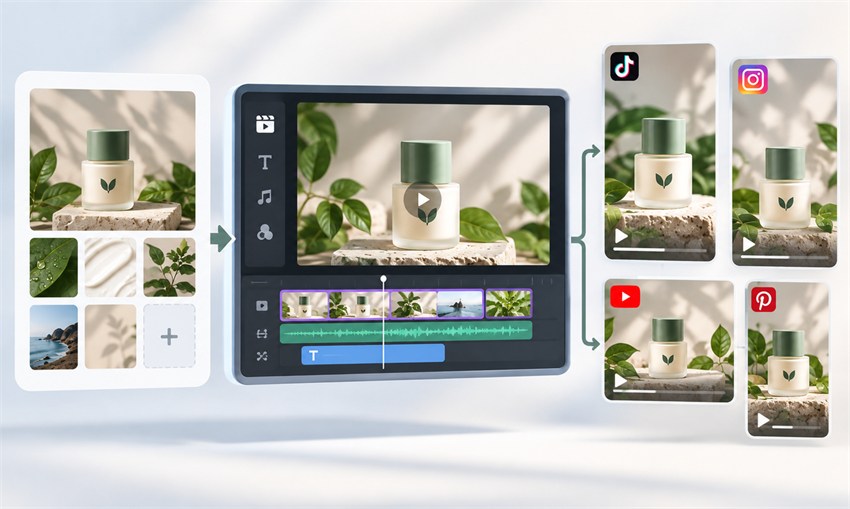
The decision should begin with the work the team already has. Assets, video format, publishing volume, and team size reveal which tool will save the most time.
Start with the content you already have
If the team has ideas and product photos but little footage, an AI video generator can turn a description or reference image into a starting clip. Saved logos and layouts make a template tool more useful. Recorded footage calls for editing, captions, and platform formatting. A complete product catalog may justify batch production. Avoid paying twice for a task the team already handles well.
Match the tool to your main video format
Product ads need accurate colors, packaging, and logos. UGC-style videos depend on speech, captions, and a natural social pace. Brand stories need steady visuals, clean scene changes, and suitable sound. Promotions often work well with templates. Vertical export alone does not make a tool suitable for short-form content.
Consider your content volume and team size
Solo creators often need simple controls and a lower price. Busy teams benefit from saved settings and reusable projects. Shared assets, comments, approvals, and version history matter when several people take part. Batch production becomes useful when repeated copying slows down the schedule.
Test brand control with your own materials
Use the trial period with real logos, product images, colors, and fonts. Testing with real materials is especially important when deciding how to make a product video that accurately represents the brand. Export vertical, square, and horizontal versions. Check the product shape and logo in every shot. Read captions on a phone screen. Count how many attempts are needed before the video is ready to publish.
Compare the real cost of finished videos
The subscription price does not show the full cost. Add generation credits, failed clips, storage, team seats, export limits, and repair time. Free plans may add watermarks or limit resolution. Before publishing, check the commercial terms for templates, music, fonts, stock media, and generated content.
Tips for keeping brand videos consistent across platforms
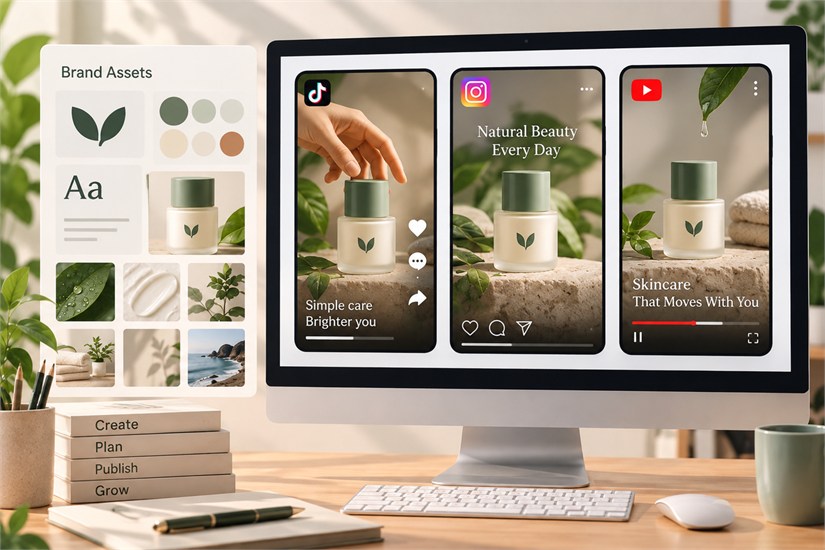
Brand consistency should help people recognize the company. It should not make every video look the same. A few shared rules can protect the brand while leaving room for new ideas.
Store logos, fonts, colors, product photos, and approved reference images in one shared library.
Set standard styles for captions, end cards, and calls to action. An AI video cover can help adapt the cover for each platform while the team checks the crop and text placement.
Keep the main message, then change the opening and pace for each platform.
Check faces, products, captions, and logos after changing the video size.
Change one main item in each version, such as the offer, audience, or opening.
Review prices, product facts, captions, logos, and export size after every batch run.
File names should include the platform, product, concept, and version. This makes performance results easier to trace. The team can keep an effective idea without copying the same video across every channel.
FAQ
Can free video tools produce professional branded content?
Yes. Free tools can make simple promotions, product explainers, and short social posts. The result still depends on the brand assets, script, footage, and editing. Free plans may limit resolution, exports, or brand features. Some also add a watermark. Check commercial-use terms before starting a paid campaign.
Do you need separate tools for video generation and editing?
Not always. One platform may cover generation, captions, simple edits, and export. Separate tools help when the brand needs both original scenes and detailed editing. The generator can create new shots, while the editor combines them with recorded footage and UGC.
Should every branded social media video include a logo?
No. Colors, fonts, products, voices, and filming style can also identify a brand. A large logo may cover the subject and make the video feel like a traditional ad. It can appear on packaging, the final screen, or the call to action instead.
How often should brands update their social video templates?
There is no fixed schedule. Update a template when it no longer fits the brand, platform, or campaign. Falling watch time or clicks may also point to a tired format. Keep the core logo, fonts, and colors while changing the layout, opening, or pace.
Can AI-generated brand videos be used commercially?
Commercial use depends on the tool, plan, source material, and output. Check the license for video, images, voices, music, and stock assets. You still need rights to logos, people, products, and third-party material. Review every visual, word, and sound before release.
You May Be Interested

Best AI Tools for Content Creators 2026: Free Picks by Use

Best Free AI Text to Video Generators 2026: 7 Tools
5 Best Free Tools to Remove Watermark from Video in 2026 | RoboNeo

Where Can I Use Seedance 2.0: Compare the Best Platforms
Best Free AI Video Generator: Top Tools to Try