How to Create Anime Character: From Prompt to Art
 RoboNeo TeamJuly 8, 2026
If you try to create anime character with AI, start with a clear idea, a structured prompt, and the right tool for your goal. You no longer need years of drawing practice. With the right workflow, you can turn a idea into polished anime art in minutes.
The real challenge comes after the first image: keeping the character consistent and usable across scenes, videos, or brand assets. This article covers basic tools, a repeatable workflow, prompt structure, adaptable templates, and limits around quality, control, and commercial use.
Basic Tools for Anime Character Creation
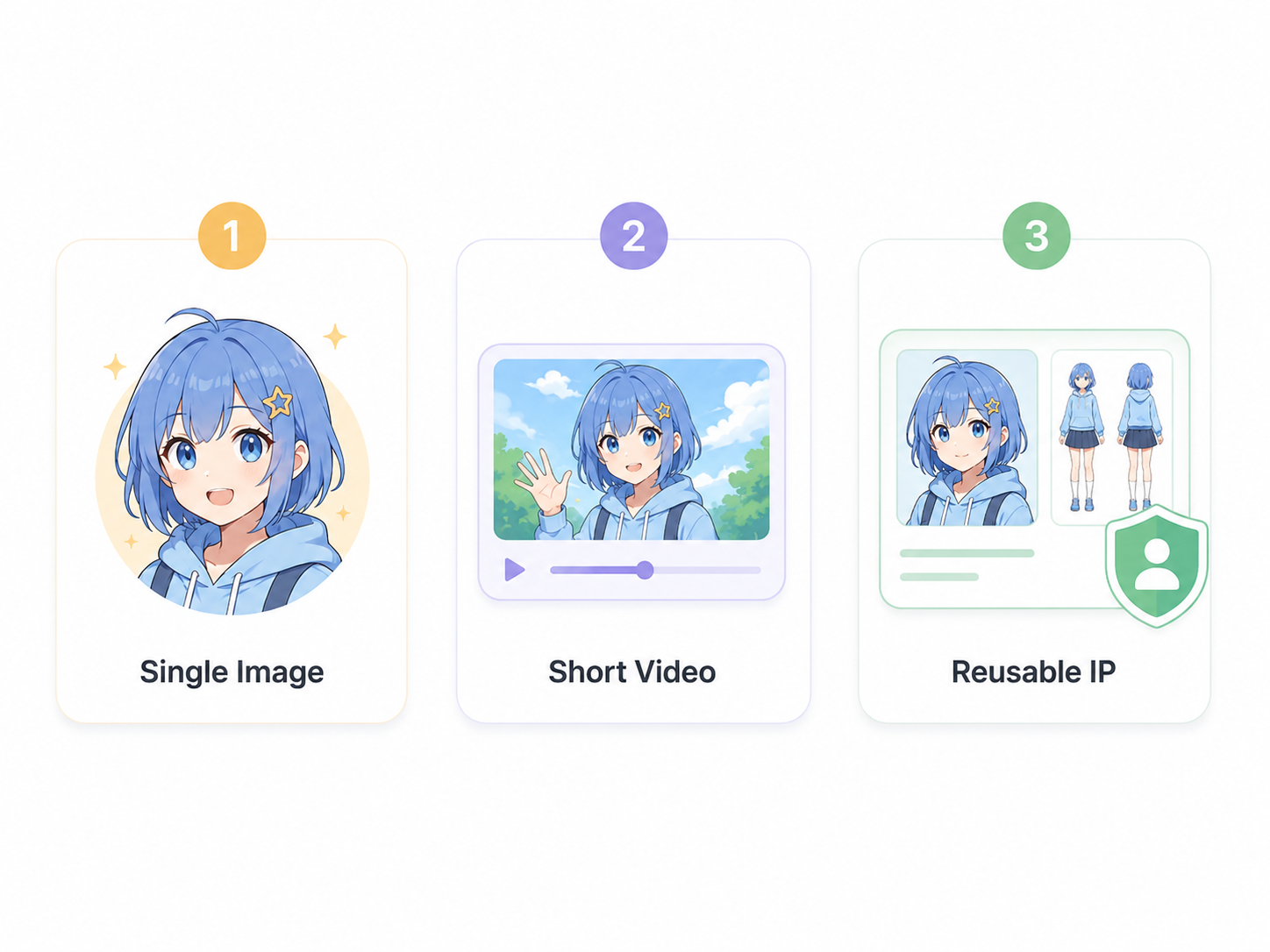
A one-off avatar, a short video clip, and a reusable original character (OC) each require different levels of consistency, control, and review. Match the tool to the output you actually need before spending time on a workflow.
Generate Anime Characters from Text or Photo
For quick single images, an AI anime generator is the easiest place to start, especially when you only need a text-to-anime or photo-to-anime workflow. Tools like zawa let you type a description or upload a photo and turn it into anime art. This works well for profile pictures, mood boards, and quick concept tests where exact consistency does not matter yet.
Tools for Anime Short Videos
For short animated clips, pairing a script tool with a video tool reduces guesswork. You can draft scenes and dialogue in ChatGPT, then generate motion in a video tool. RoboNeo's anime generator, for example, can turn photos or video clips into anime-styled footage, while its AI video morphing feature builds smooth transitions between two defined frames. Confirm current features on the live pages before you plan a project around them.
Tools for Reusable Original Anime Character IP
If you want a character you can reuse across many scenes, plan for consistency from the start. Use ChatGPT to build a detailed character sheet, then a model-trainable tool such as NovelAI or AutoWeeb to lock the look. Trained character models hold features steady across poses far better than re-prompting from scratch each time.
| Goal | Suggested tools | Output | Review effort | Consistency |
| Quick single image | zawa, Canva, Firefly | Static anime art | Low | Low |
| Short video clip | ChatGPT + RoboNeo | Animated scenes | Medium | Medium |
| Reusable OC | ChatGPT + NovelAI/AutoWeeb | Character model | High | High |
Step-by-Step Guide to Create an Anime Character
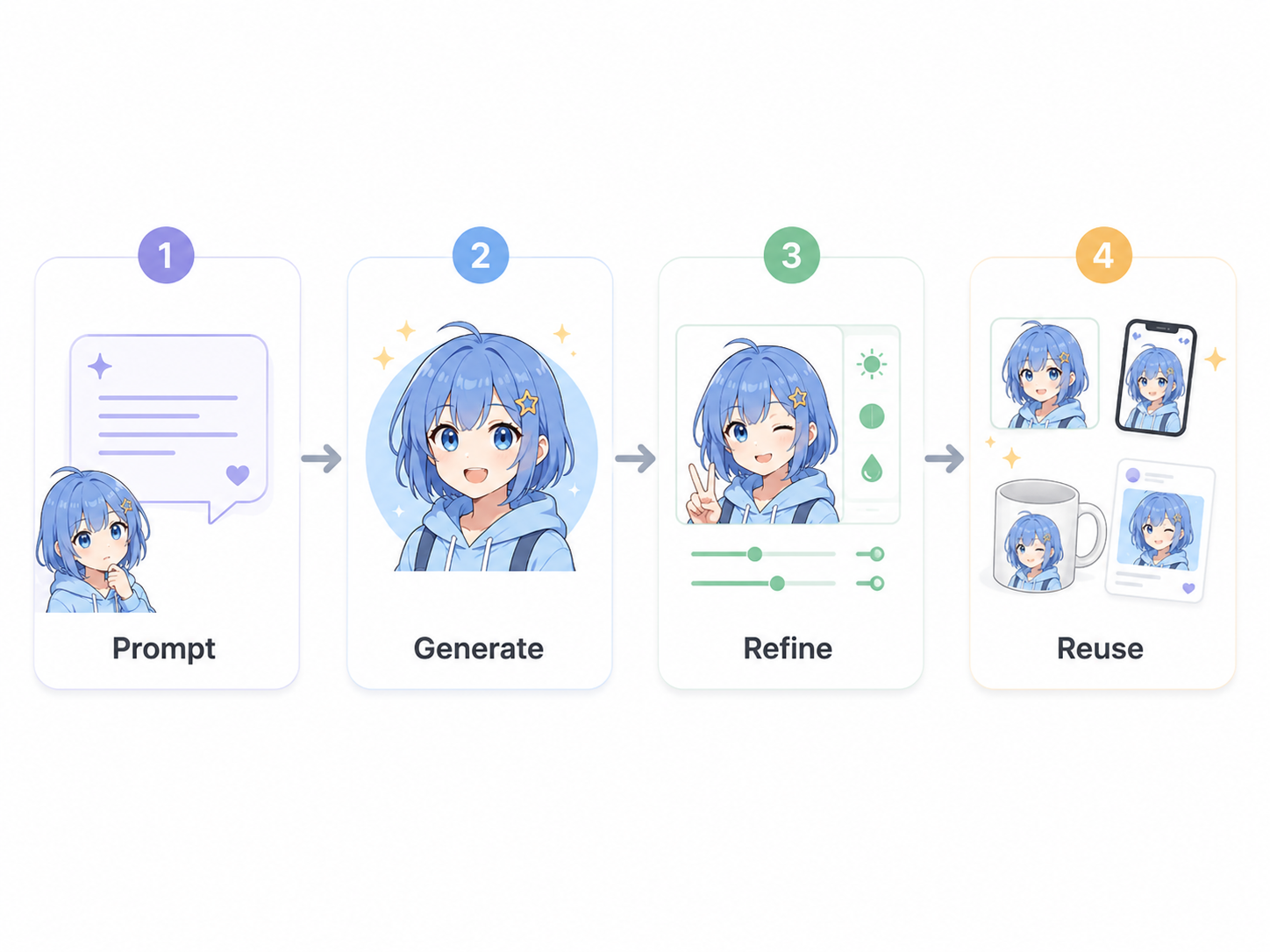
A clear sequence helps you avoid wasted generations and keeps your character easier to reuse later. The steps below move from a single prompt to video and then to a reusable identity, with checkpoints so you can catch problems early.
Step 1. Generate an Anime Character from a Prompt
1. Write a structured prompt covering identity, hair, eyes, outfit, pose, style, and framing.
2. Use an AI image generator to create three to five variations from the same prompt and compare directions.
3. Pick the strongest result and note which prompt words created the features you liked.
4. Refine one detail at a time, then regenerate. Stop when the character matches your idea.
Step 2. Create an Anime Short Video
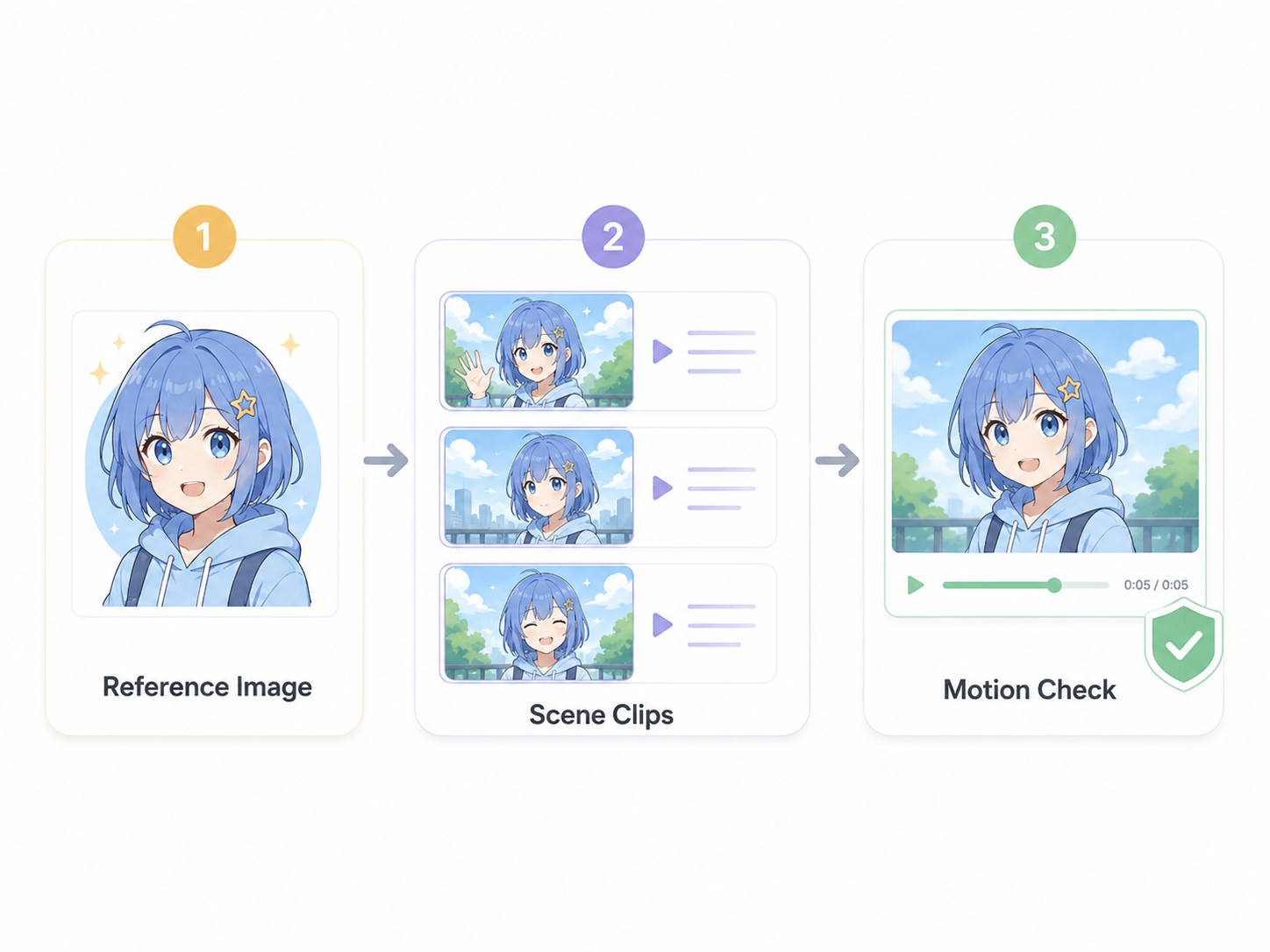
1. Draft a short script and shot list in ChatGPT, including dialogue and scene beats.
2. Bring your locked character image into a reference image to video workflow.
3. Generate clips scene by scene, checking that the face and outfit stay consistent across cuts.
4. Review motion, timing, and lip sync. Regenerate any clip where the character drifts off-model before assembling the full edit.
Step 3. Build a Reusable Original Anime Character IP
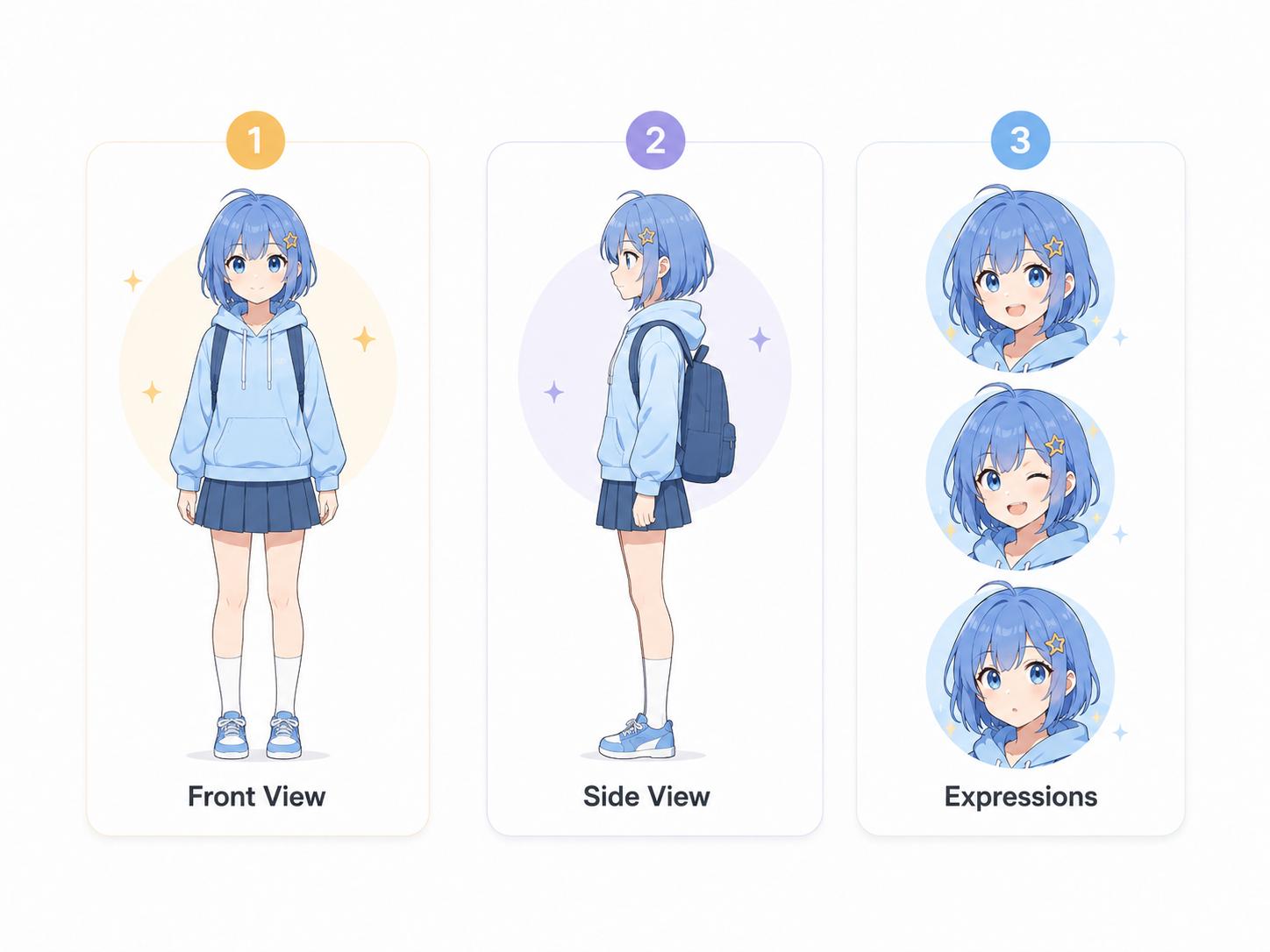
1. Write a full character sheet with the name, personality, color codes, signature outfit, and key poses.
2. Generate a clean reference set with front, side, and expression views.
3. Train or save a character model so the look can be reused across new scenes.
4. Test the character in three unfamiliar settings. If the key features hold, the IP is ready to use.
Tips for Better Anime Character Prompts
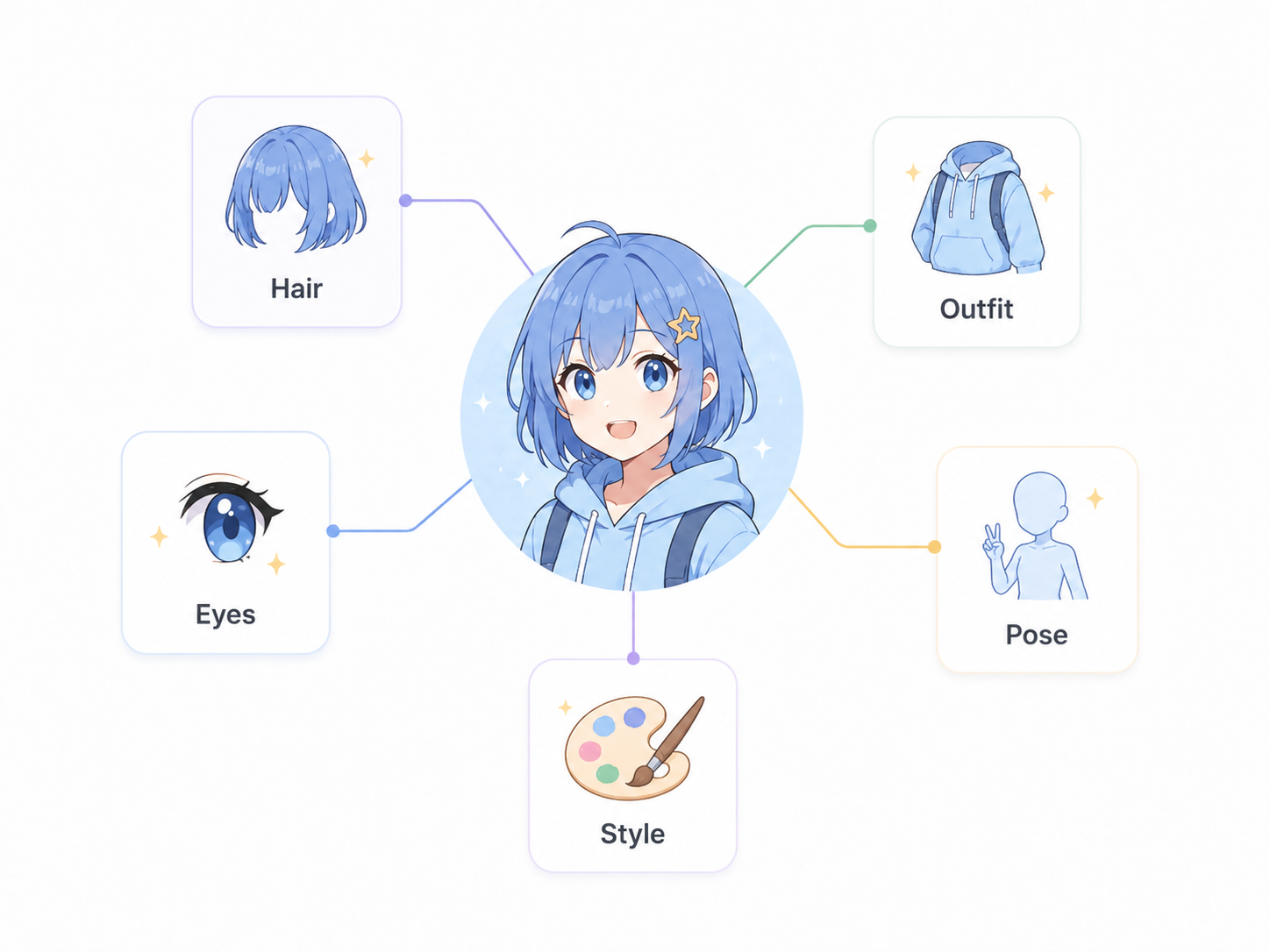
1. Write the Main Details First
Start with the character type, key features, art style, and camera angle. Put the most important details early so the AI knows what to focus on.
2. Describe the Character Clearly
Define the hair, eyes, face, outfit, and signature details. Use specific words like blue twin tails, red ribbon, sailor uniform, or metal armor instead of broad descriptions.
3. Set the Style and Mood
Add one clear style keyword, such as cel-shaded, 90s anime, or watercolor. Then include a simple pose, expression, and framing to show the character’s personality.
Useful Anime Character Prompt Templates
These templates show how the parts fit together. Adapt the bracketed fields and regenerate until the output matches your intent. They are starting points, not guaranteed results, since the output varies by model.
1. Cute School Anime Character Prompt
"Cheerful teenage girl, short brown bob with ahoge, large amber eyes, pleated navy sailor uniform with red ribbon, gentle smile, bust portrait, soft cel-shaded modern anime style, eye-level framing."
2. Fantasy Warrior Anime Character Prompt
"Young female knight, long silver braided hair, sharp violet eyes, ornate steel armor with blue cloth accents, holding a longsword, confident stance, full-body shot, detailed light-novel illustration style, low angle."
3. Cyberpunk Anime Character Prompt
"Rebellious young man, messy neon-pink hair, glowing cyan eyes, black techwear jacket with LED trim, leaning against a wall, smirking, three-quarter view, high-contrast neon cel-shaded style, night city background."
4. Original Anime Character Prompt Template
"[Name], [age/build], [hair color + style + signature feature], [eye shape + color], [signature outfit + materials], [pose + expression], [framing], [one dominant art style]." Lock these values in a character sheet so every future generation reuses the same wording.
FAQ
Do I need a reference image for an anime character?
You do not need a reference image for the first concept, but it becomes useful once you want consistency. A clean reference image helps the tool keep the same face, hairstyle, outfit, and color palette when you create new poses, scenes, or videos.
How can I keep the same anime character consistent?
Keep a fixed character sheet with the same name, hair, eyes, outfit, colors, accessories, and style. Reuse the same wording in every prompt, and generate reference views such as front view, side view, and expression shots. For larger projects, a trained model or saved character profile can give better consistency than prompting from scratch.
How do I make an anime character look more original?
Avoid relying only on generic labels like “cute anime girl” or “cool anime boy.” Add specific details such as a signature hairstyle, unusual color combination, personal accessory, unique outfit material, or personality-driven pose. Originality often comes from combining familiar anime traits in a way that feels specific to the character.
Can I use AI-generated anime characters commercially?
It depends on the tool, model, input materials, and license terms. Before using AI-generated anime characters for ads, games, merchandise, social media, or paid content, check the platform’s commercial-use policy. Also avoid copying protected characters, recognizable art styles, or copyrighted images.
You May Be Interested
How to Make a Realistic Avatar in Roboneo: Easy Guide
Best 3D Character Creator to Make Custom Characters