What Is 8K Resolution? Everything You Need to Know
 RoboNeo TeamAugust 18, 2026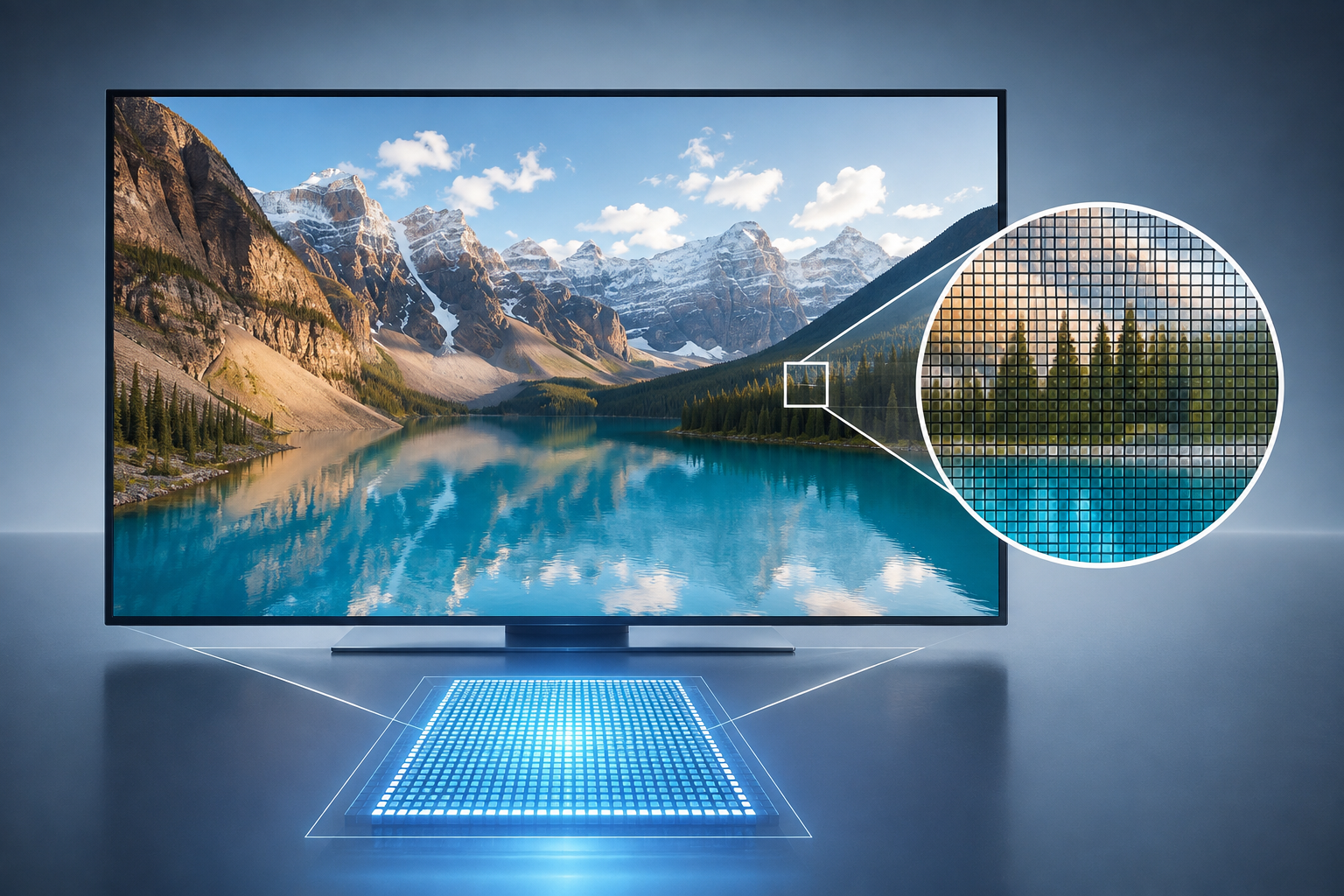
8K sits near the top of today’s consumer display market, offering far more pixels than 4K or Full HD. Yet a higher pixel count does not automatically produce a better viewing experience.
So, what is 8K resolution, and when does it make a noticeable difference? This guide explains its dimensions, image detail, common uses, hardware demands, and practical value for viewers and video creators.
What Does 8K Resolution Mean?
8K UHD has a resolution of 7680 × 4320 pixels in a 16:9 aspect ratio. Multiply those dimensions, and the image contains 33,177,600 pixels—usually rounded to 33.2 million. You may also see this format labeled 4320p because the picture has 4,320 vertical lines displayed through progressive scanning.
The name “8K” comes from its nearly 8,000 horizontal pixels. This naming convention differs from 1080p, which refers to vertical resolution rather than horizontal width.
People asking what is 8K may also encounter more than one set of dimensions. Consumer televisions and most online discussions use 7680 × 4320. Digital cinema can use a wider format, commonly 8192 × 4320, with an aspect ratio closer to theatrical production. Both may carry the 8K label, but 8K UHD remains the standard format for televisions and general consumer video. The ITU also identifies 7680 × 4320 as the UHDTV 8K format.
Resolution describes pixel count only. It does not reveal the full quality of an image. Lens quality, lighting, compression, color depth, dynamic range, frame rate, and viewing conditions can have an equally strong effect on the final picture.
How Does 8K Compare With 4K and 1080p?
The differences between 8K, 4K, and 1080p become clearer when the three resolutions appear side by side.
| Parameter | 1080p Full HD | 4K UHD | 8K UHD |
| Pixel Dimensions | 1920 × 1080 | 3840 × 2160 | 7680 × 4320 |
| Total Pixels | About 2.1 million | About 8.3 million | About 33.2 million |
| Relative Detail | Baseline | 4× the pixels of 1080p | 4× 4K and 16× 1080p |
| File Size | Smallest | Larger | Largest |
| Common Uses | Video calls, small screens, general streaming | TVs, gaming, editing, commercial video | Large displays, signage, high-end production |
Each side of an 8K UHD frame is twice the corresponding side of a 4K frame. Its width grows from 3,840 to 7,680 pixels, while its height grows from 2,160 to 4,320 pixels.
That does not mean the image contains only twice as many pixels. Doubling both dimensions creates four times the total pixel count. Compared with 1080p, 8K has four times the horizontal resolution, four times the vertical resolution, and sixteen times the total pixels.
More pixels allow an 8K image to preserve fine patterns, distant objects, hair, fabric, and small text. Whether viewers can see that extra detail depends on the display. On a 32-inch monitor viewed from normal desk distance, the improvement over 4K may be difficult to notice. A 98-inch television viewed from a relatively short distance provides a much stronger chance of revealing it.
Storage requirements also rise sharply. A one-minute 8K clip may take several times as much space as its 4K counterpart, although the exact difference depends on frame rate, codec, color settings, and compression.
Where Is 8K Video Used Today?
8K has clear professional and specialized uses, but it has not replaced 4K as the everyday viewing format. Most current applications benefit from either very large displays or the flexibility of having extra pixels during production.
Large-Screen TVs and Digital Signage
A large screen spreads an image across a wider physical area. With insufficient resolution, individual pixels and jagged edges become easier to see. The extra density of 8K can keep an 85-inch or 98-inch television looking smooth when viewers sit close enough to notice the difference.
Digital signage presents a similar case. A high-end showroom may place one large display close to customers, while a museum installation might show detailed artwork that visitors inspect from only a few feet away. In these settings, 8K can preserve small visual elements more effectively than a lower-resolution source.
Many 8K televisions also use AI video upscaling for 4K and 1080p content. Upscaling fills the additional pixels and may improve edge presentation, but it cannot turn a lower-resolution source into true native 8K detail.
Professional Filmmaking and Post-Production
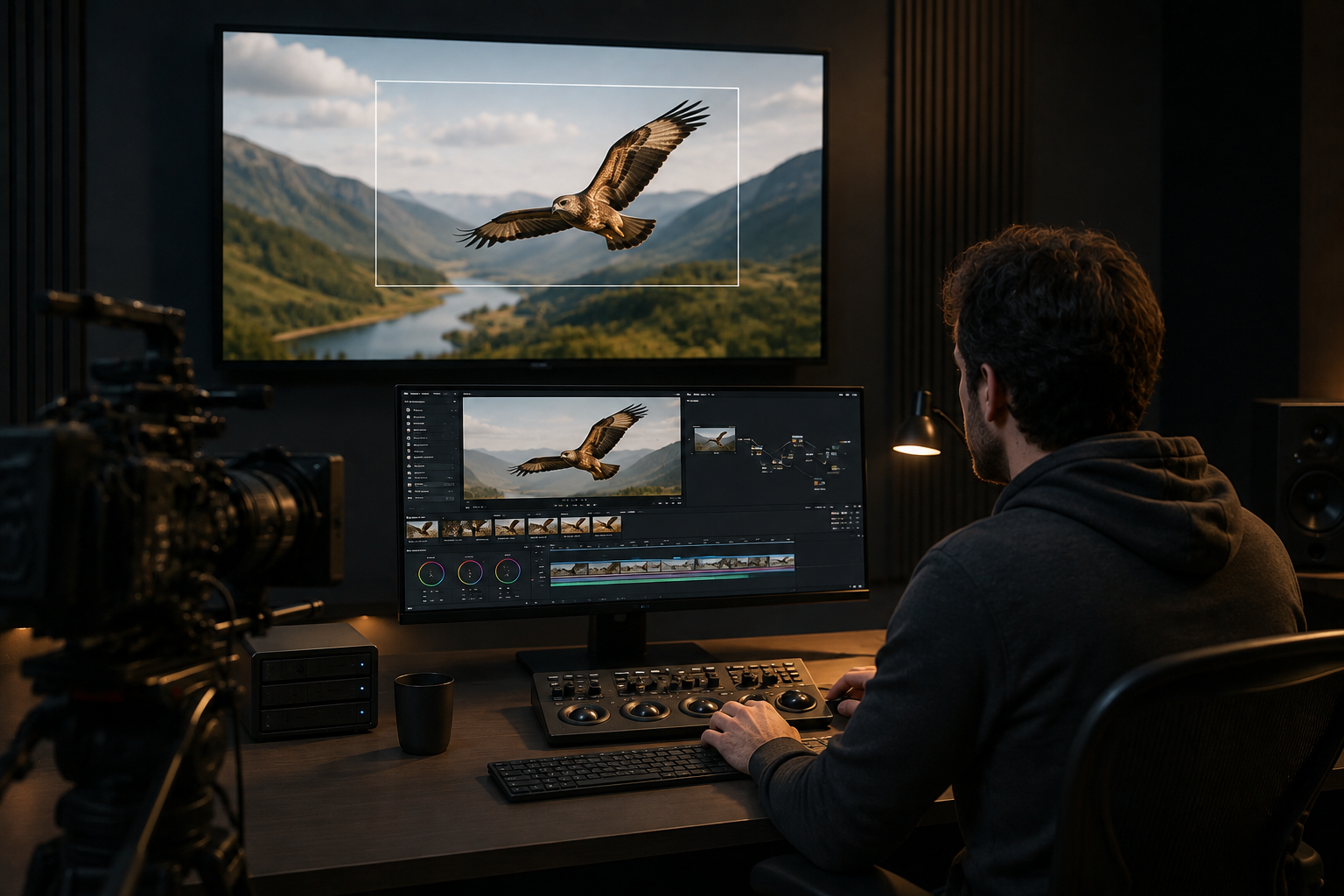
Some cinema cameras record in 8K even when the finished film or commercial will arrive in 4K. The additional resolution gives editors more information to work with.
A wildlife crew filming a bird from a fixed position may not have time to change lenses before it flies away. An 8K recording lets the editor enlarge the bird during post-production while retaining enough pixels for a sharp 4K sequence. Visual effects teams can also use the larger frame for stabilization, tracking, masking, and detailed compositing.
The trade-off appears throughout the workflow. 8K recording generates larger files, shortens available recording time, demands faster storage, and places a heavier load on editing hardware. Proxy files often become necessary for smooth editing.
Cropping and Reframing for 4K Delivery
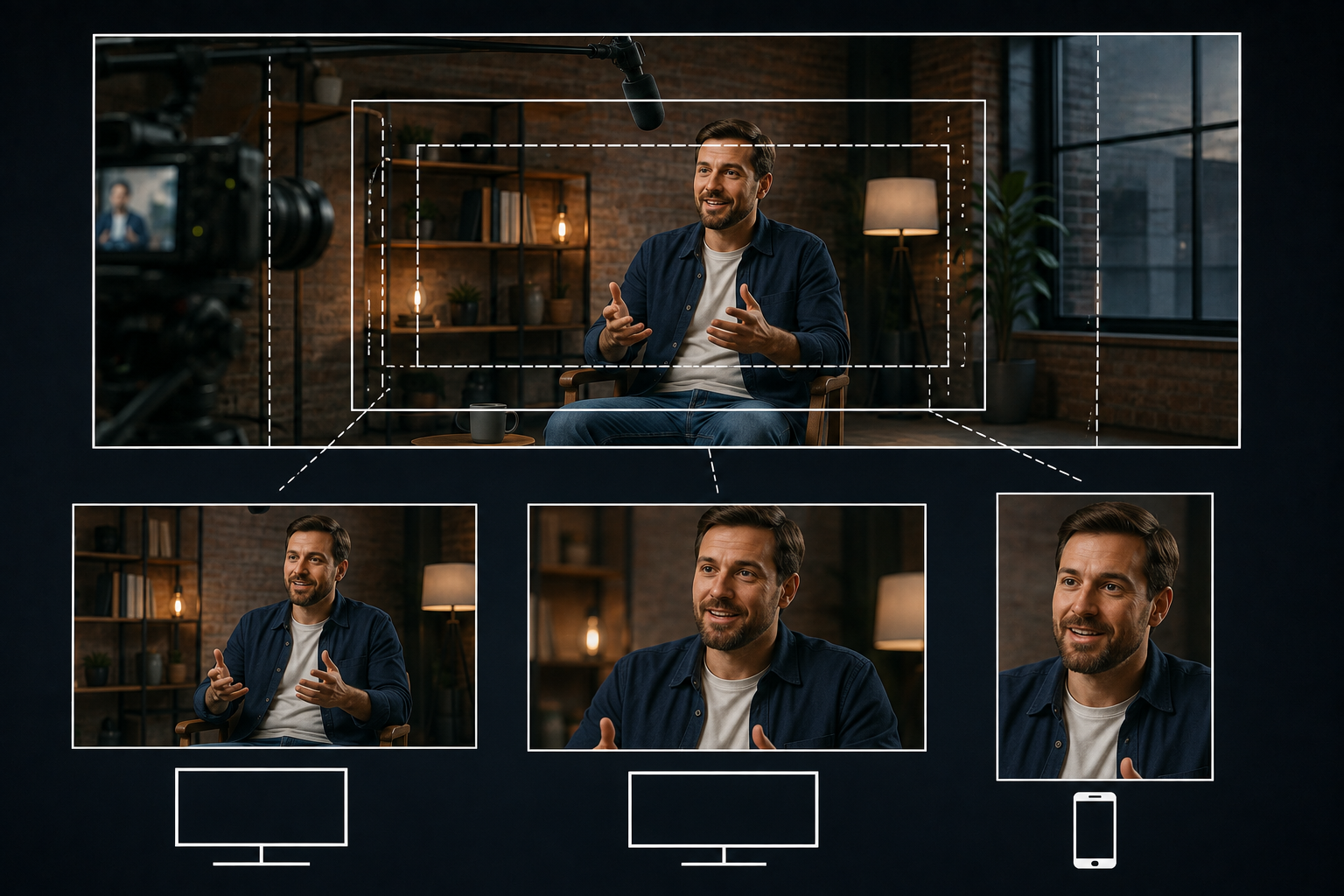
Reframing is one of the strongest reasons to shoot in 8K. A 4K crop uses only one-quarter of an 8K frame, so an editor can select a smaller area without dropping below the intended 4K delivery resolution.
One wide interview shot can become a medium shot and a close-up during editing. A horizontal 8K recording can also provide more room to create vertical clips for social platforms. This flexibility cannot replace thoughtful camera placement, but it can rescue compositions and support several output formats from one recording. This differs from 4K upscaling, which enlarges lower-resolution footage.
Is 8K Worth It for Most Viewers and Creators?
For most people, 8K remains a specialized upgrade rather than a basic requirement. Its value depends on the entire viewing or production setup, not the resolution label alone.
When 8K Can Provide a Visible Benefit
8K makes the most sense when several favorable conditions come together:
The screen is very large, and the viewing distance is relatively short.
Native 8K footage is available.
The production requires substantial cropping, reframing, or stabilization.
The computer, camera, storage system, and network can handle large files.
The content contains fine textures or details that benefit from extra resolution.
A filmmaker preparing footage for both a 4K documentary and several cropped promotional clips may gain useful flexibility from 8K capture. Someone replacing a television in a small living room, however, may see little improvement over a strong 4K model.
When 4K Is the More Practical Choice
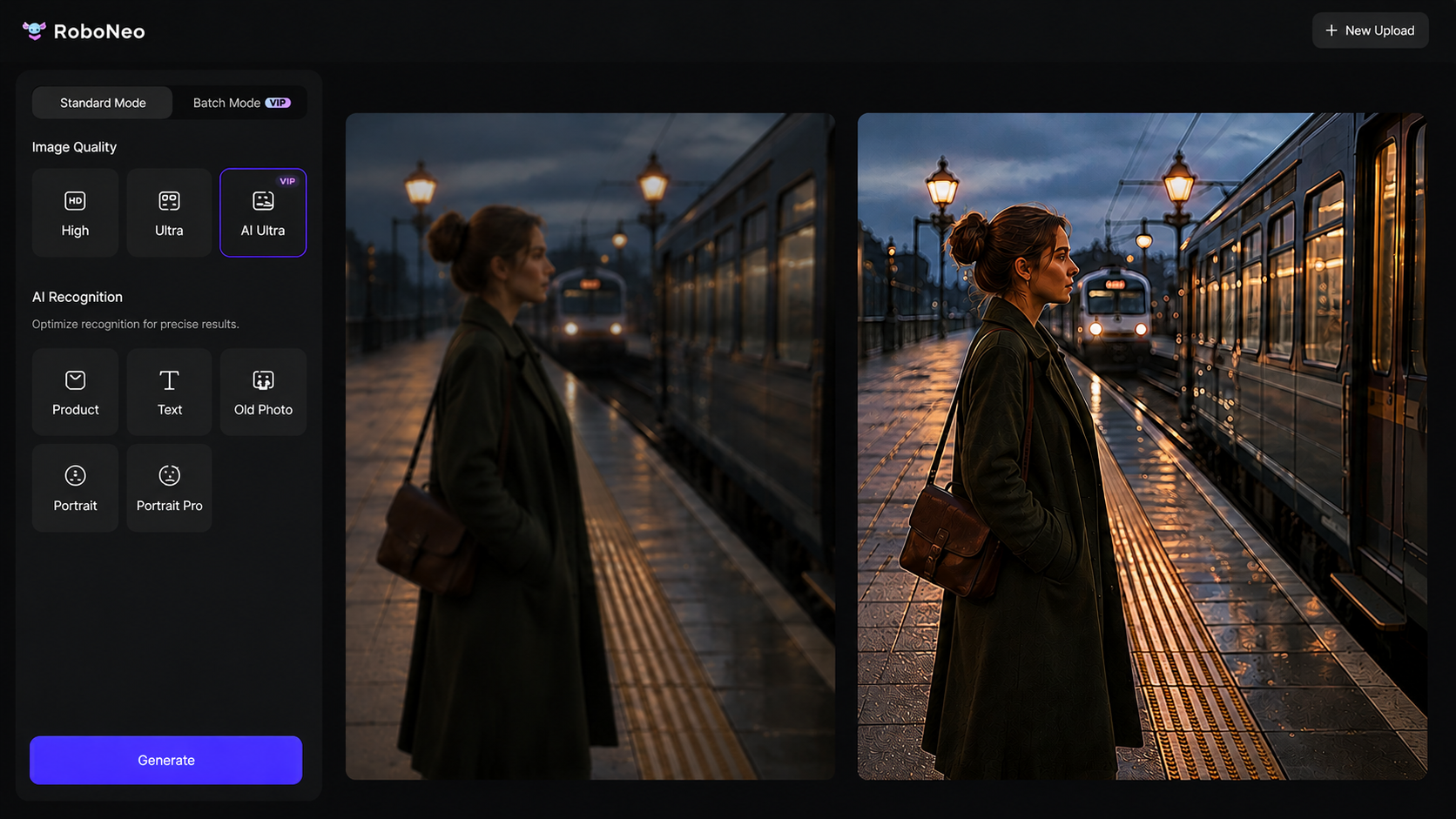
4K works across far more TVs, monitors, editing setups, social platforms, and streaming services. Cameras and computers handle it easily, while files upload, transfer, and render much faster.
For creators who don't truly need native 8K, AI video enhancers can improve older or low-res footage for 4K delivery, which usually makes more practical sense than aiming for an 8K export. RoboNeo AI Video Enhancer can bump video up to 720p, 1080p, 2K, or 4K while cleaning up blur, noise, and soft details. The output fits right into common screens and publishing workflows without the heavy storage and processing demands of 8K.
Quality matters more than the number printed next to your export setting. A clean, well-lit 4K video often looks better than a noisy or heavily compressed 8K file.
How Screen Size and Viewing Distance Affect the Decision
Pixel differences become harder to detect as viewing distance increases. From across a living room, viewers may struggle to distinguish 8K from 4K on a moderately sized television. Move closer to a much larger screen, and the finer pixel structure becomes more useful.
Before choosing 8K, consider native content availability, screen size, seating distance, production cost, storage capacity, editing performance, and the amount of cropping required. Resolution should match the job. More pixels alone do not guarantee a more enjoyable or convincing image.
FAQ
Are 8K UHD and 8K Cinema the same?
No. 8K UHD usually comes in at 7680 × 4320 with a 16:9 aspect ratio, while digital cinema formats often run at 8192 × 4320 with a wider view. Both hover around 8,000 horizontal pixels, but their frame sizes do not match.
Can you play an 8K video on a 4K TV?
Yes, as long as a compatible device or app scales down the 8K video to fit the screen. The TV will show it in 4K or lower because its panel cannot handle native 8K. Codec support and device performance can also affect playback.
Which HDMI connection do you need for 8K?
HDMI 2.1 handles modes like 8K at 60 Hz, though real-world support boils down to your source device, display, ports, compression, and color settings. A certified Ultra High Speed HDMI cable supports up to 48 Gbps of bandwidth and is built for setups that run 8K at 60 Hz.
Is native 8K content widely available?
No. You will find some web videos, demo clips, niche productions, and raw camera shots in native 8K, but most movies, broadcasts, games, and streaming shows still come in at 4K or lower. Because of this, many 8K TVs lean heavily on upscaling.
Can you upload and stream 8K video online?
Some platforms let you post 8K, but support hinges on the service, browser, device, and internet connection. YouTube’s upload guide calls for 8K bitrates of 80–160 Mbps at standard frame rates and 120–240 Mbps at high frame rates, showing just how demanding the format is.
You May Be Interested

How to Use an AI Video Generator Online to Create Viral Content

Best AI Features for Enhancing UGC Video Quality in 2026

How to Choose the Best AI Text to Video Generator in 2026 (+ Our Top Pick)

5 Best Free AI Story Generators in 2026: Tested & Ranked
5 Best Free Tools to Remove Watermark from Video in 2026 | RoboNeo