Is 4K Better Than HD? A Complete Video Quality Comparison
 RoboNeo TeamAugust 14, 2026
Think a 4K label automatically guarantees a stunning video? Guess again. While packing four times the pixels of standard HD gives 4K a massive lead in raw detail, higher specs don't always mean a better picture.
Bitrate, compression, lens quality, and even how close your viewer sits to their screen dictate what actually hits their eyes. On a small phone screen playing a crushed stream, those extra pixels basically drop off a cliff.
Let's pit HD, Full HD, and 4K against each other so you can pick the right fix for your next edit.
What Do HD, Full HD, and 4K Mean?
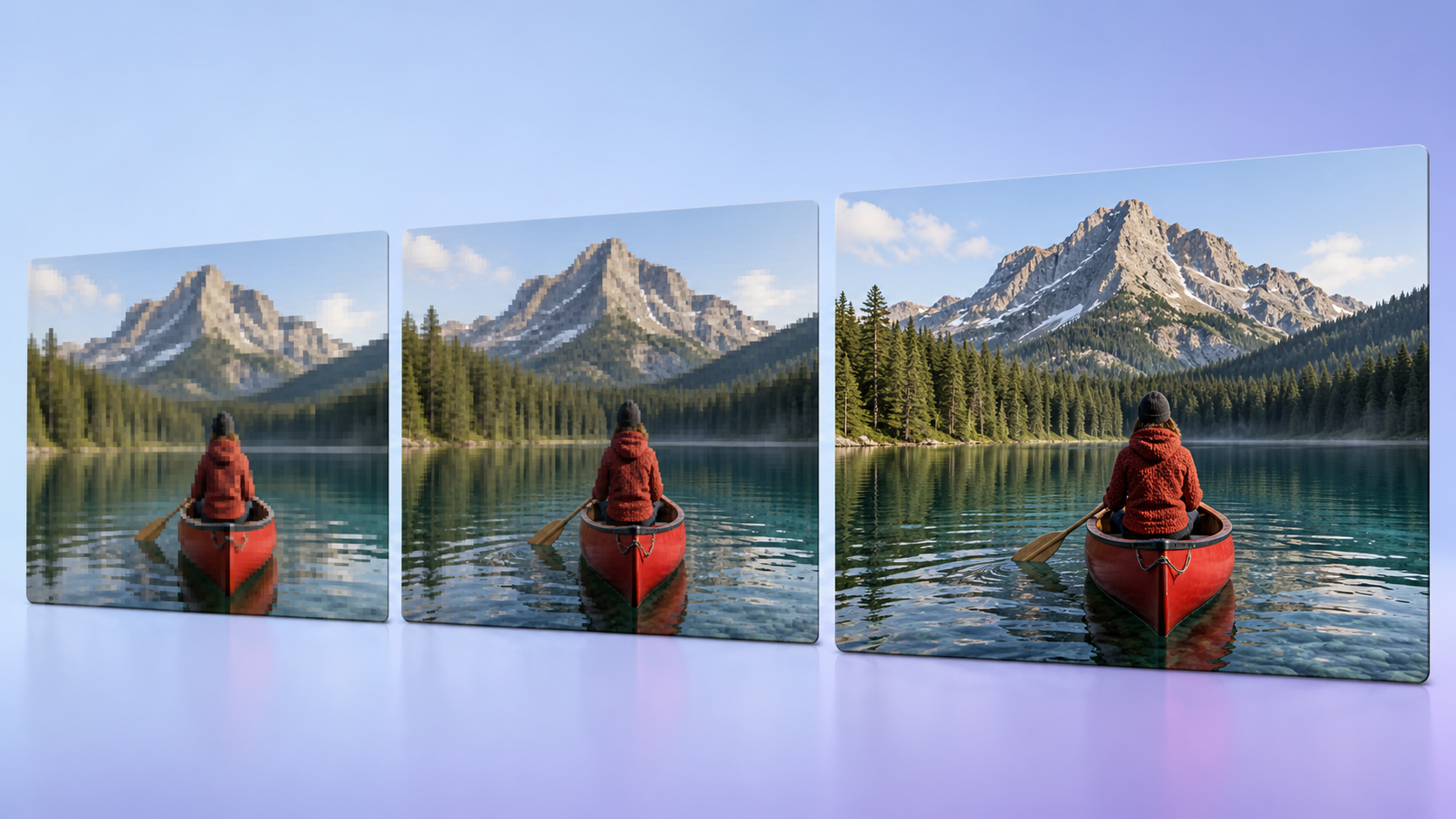
Resolution describes the number of pixels that form each video frame. More pixels can preserve smaller details and create cleaner edges, but only when the camera captures enough information at the start.
HD (720p): 1280 × 720
HD, commonly called 720p, contains 1280 horizontal pixels and 720 vertical pixels. That equals approximately 0.9 million pixels per frame.
This format still works for video calls, previews, and small mobile screens. A 720p clip may look clear enough during a phone conversation. Once enlarged on a television, however, faces, text, and background objects often appear softer.
Full HD (1080p): 1920 × 1080
Full HD contains about 2.1 million pixels per frame, more than twice the number found in 720p. It remains a common choice for online videos, presentations, gaming, and everyday recording.
For many creators, 1080p offers a useful balance between clarity and file size. A teacher producing several online lessons each week can maintain sharp visuals without filling a hard drive too quickly or placing heavy demands on an older laptop.
4K UHD (2160p): 3840 × 2160
Consumer 4K UHD measures 3840 × 2160 and contains approximately 8.3 million pixels per frame. In total, it has four times the pixels of Full HD.
Small details such as hair, fabric stitching, leaves, and product labels can appear more defined. Editors also gain room to crop or reposition a shot. A wide 4K interview can become a closer 1080p composition without an obvious loss of clarity.
4K vs HD: What Are the Main Differences?

Resolution creates the clearest distinction, but it also affects file size, hardware requirements, compatibility, and the types of projects each format suits.
| Factor | HD (720p) | Full HD (1080p) | 4K UHD (2160p) |
| Resolution | 1280 × 720 | 1920 × 1080 | 3840 × 2160 |
| Total Pixel Count | About 0.9 million | About 2.1 million | About 8.3 million |
| Image Detail | Basic | Clear for most uses | Finer textures and edges |
| File Size | Smallest | Moderate | Largest |
| Device Compatibility | Very broad | Broad | Best on newer devices |
| Best Use Cases | Calls, previews, small screens | Tutorials, social media, general viewing | Large screens, films, cropping, product videos |
Four times as many pixels does not make 4K appear four times sharper. Heavy compression can remove much of its fine detail, leaving a clean 1080p file looking better than a low-bitrate 4K version.
Camera quality matters too. If the lens misses focus while someone records a birthday party, exporting the footage at 4K will not restore sharp facial features. The larger frame simply contains more pixels representing the same blurry image.
File size presents another tradeoff. An hour of 4K footage may occupy far more storage than the same recording in 1080p. Moving, editing, and backing up those files also takes longer.
When Can You Actually See the Difference Between 4K and HD?
Under suitable viewing conditions, 4K can look noticeably sharper. Change the screen, distance, or source quality, and the difference may become surprisingly small.
Screen Size and Viewing Distance
Large screens make softness easier to notice. On a 65-inch television, a 4K nature documentary may reveal individual feathers and blades of grass that blend together in Full HD. Those differences become much harder to identify on a six-inch phone.
Viewing distance changes the result as well. Someone sitting close to a desktop monitor can see small textures and fine lines more easily. Across a large living room, many of those details disappear from view. Will everyone notice the jump to 4K? Not necessarily.
Source Quality and Bitrate
A convincing 4K image begins with strong source footage. Accurate focus, stable exposure, and good lighting preserve more useful information than the resolution setting alone.
Bitrate determines how much data represents each second of video. When it drops too low, textures disappear and fast-moving areas can break into visible blocks. Understanding how video bitrate affects quality can help creators avoid producing a large 4K file that still looks heavily compressed.
A properly recorded 1080p interview may therefore look cleaner than a 4K copy compressed into a much smaller file.
Compression and Streaming Quality
Streaming platforms compress uploads to reduce bandwidth and loading times. The version shown to each viewer can vary according to internet speed, playback settings, and device performance.
A creator may upload a sharp 4K concert recording filled with moving lights, confetti, and a dancing crowd. On a slow mobile connection, the platform might deliver a softer, lower-quality stream. Scenes with constant movement put far more pressure on compression than a person speaking against a still background.
HDR, Color Depth, and Display Quality
Resolution controls pixel quantity, not color accuracy or contrast. A well-made 1080p display with rich blacks and natural colors can look more pleasing than an inexpensive 4K screen with weak contrast.
HDR helps preserve bright highlights and dark shadows when both the footage and display support it. Greater color depth can produce smoother skies and reduce visible bands in gradual color transitions. Although brands often promote these features alongside 4K, they remain separate parts of picture quality.
Should You Choose 4K or HD for Your Videos?
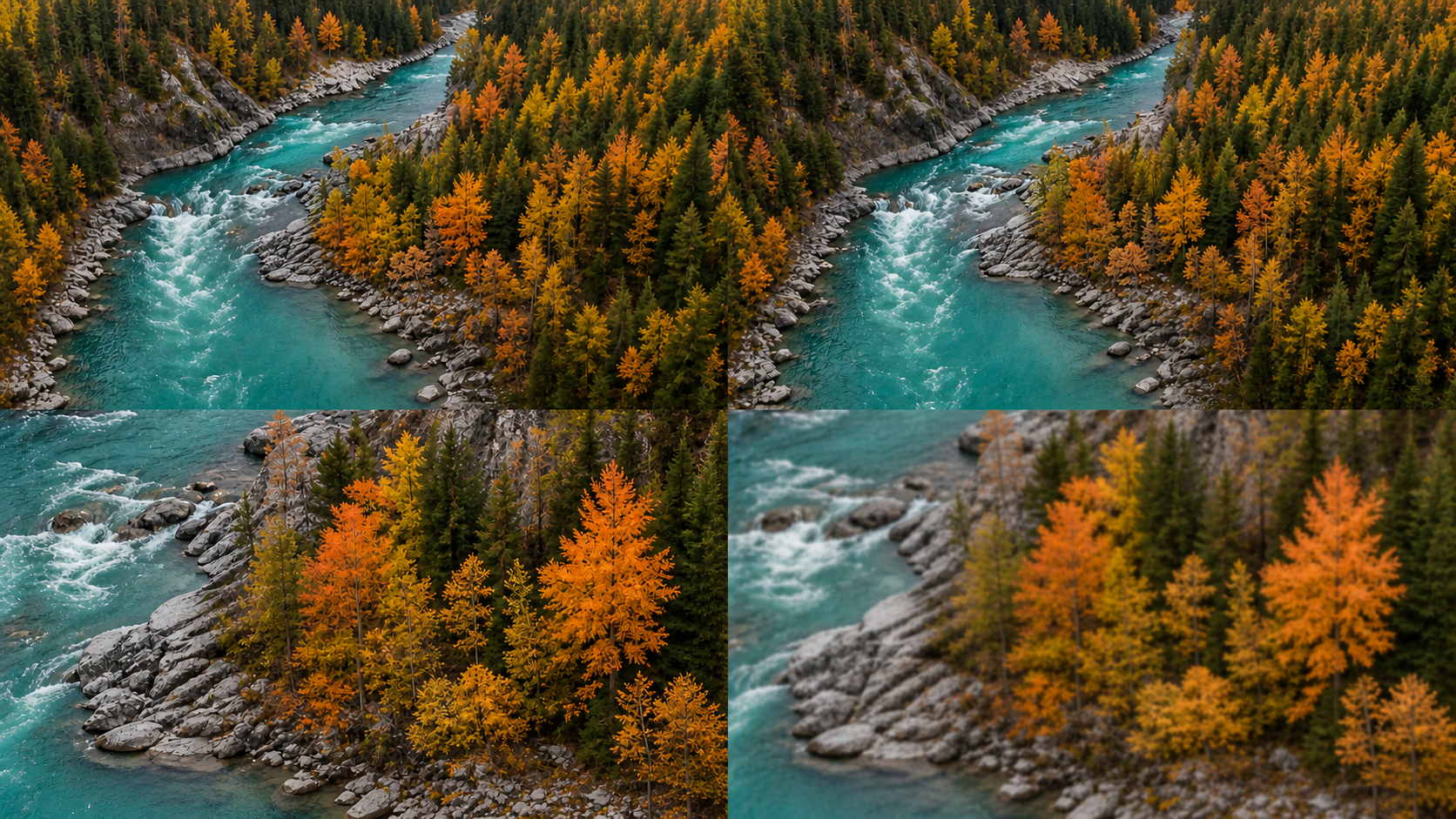
People comparing camera settings often ask, “Is 4K or HD better?” The right choice depends on where the finished video will appear, how much editing it needs, and whether the added detail justifies the larger files.
Choose 4K for Large Screens and Detail-Rich Content
4K works well when fine detail contributes to the purpose of the video. Landscapes, property tours, product demonstrations, films, and large-screen presentations can all benefit from the higher pixel count.
The format also gives editors more flexibility. During a one-camera interview, a wide 4K shot can later provide both a medium composition and a close-up in a 1080p project. That extra room can save a small production team from arranging another recording session.
Choose Full HD for Faster Editing and Smaller Files
Anyone wondering “Is HD better than 4K?” should look beyond image sharpness. Full HD takes up less space, transfers faster, and runs more smoothly on modest editing hardware.
Full HD often makes more sense when:
Viewers will mainly watch on phones or laptops.
Fast editing and publishing matter more than maximum detail.
The editing computer struggles with 4K playback.
Storage space or upload bandwidth remains limited.
The source lacks enough detail to benefit from a 4K export.
A real estate agent posting a quick office update does not always need 4K. Good lighting and clear audio will probably improve the result more, while 1080p keeps the workflow fast. Creators dealing with blur, noise, or weak source footage may also want to compare the capabilities of different AI video enhancers before choosing a higher export resolution.
Choose the Right Resolution for Your Platform
YouTube supports 4K and suits detailed, long-form videos. Short content on Instagram and TikTok usually appears on smaller screens, where composition, lighting, and clean compression may matter more than the difference between Full HD and 4K.
Future use deserves some thought too. Native 4K leaves more room for cropping and works well for large-screen playback. For online lessons, routine company updates, and quick social posts, Full HD usually provides enough clarity without adding unnecessary work.
Can You Upscale HD Video to 4K?

Software can enlarge HD footage and export it with 4K dimensions. It cannot recover every detail that the camera failed to capture. The distinction between native 4K and upscaled 4K matters because matching frame dimensions do not mean that both files contain the same original information.
Traditional Upscaling vs AI Video Enhancement
Traditional upscaling calculates new pixels from the ones already present. The process makes an HD video fill a 4K frame, although soft edges may remain. Noise and compression artifacts can also become more noticeable after enlargement.
An AI video upscaling tool takes a more involved approach by analyzing frames, motion, edges, and recognizable visual patterns. Depending on the source, it may reduce noise and produce cleaner-looking textures. Severe motion blur, completely black areas, and details hidden in the original footage still limit what the process can recover.
Enhance HD Footage With RoboNeo AI Video Enhancer

RoboNeo AI Video Enhancer offers a straightforward way to improve existing footage without managing a complex editing timeline. Users can upload a video and apply scene recognition and visual enhancement to reduce noise, improve perceived clarity, and increase the output resolution.
Output options include 2K, 4K, and AI 4K+, allowing users to match the setting to their source and intended display. An older Full HD family recording may look cleaner on a modern television. A business could also prepare an archived product clip for a new presentation without recording the entire scene again.
The best available source will still produce the strongest result. Enhancement can make footage cleaner and more useful, but it cannot turn every HD video into genuine native 4K.
FAQ
Is 4K the same as Ultra HD?
Consumer brands generally use 4K and Ultra HD to mean the same thing: a 3840 × 2160 resolution. Cinema 4K actually measures 4096 × 2160, so video pros treat them as two different formats.
Does 4K look better on a 1080p screen?
A 1080p display physically cannot show every single pixel from a 4K video. Still, downscaling a high-quality 4K source down to 1080p can make the picture cleaner with smoother edges and better details.
Can a 4K TV make HD video look like native 4K?
A 4K TV can blow up and process HD footage to fill the screen, but it cannot recreate the actual details captured by a real 4K camera.
Is HD or 4K better for YouTube and social media?
It comes down to your content and audience. Detailed YouTube videos and product demos look great in 4K. Short clips meant for phone screens usually look sharp enough at 1080p and save you plenty of time when editing and uploading.
How much more storage does 4K video require?
The exact file size depends on your bitrate, frame rate, and compression. Under similar settings, 4K simply takes up way more space than 1080p. If you plan to film long events like weddings or conferences, double-check your storage before pressing record.
You May Be Interested
4K vs 1080p: Should You Upscale 1080p Video to 4K?

How to Create Stunning Visuals with the Best AI Music Video Generator

Best Prompt for YouTube Script in 2026

Character AI Alternative: Better AI Chat Tools

How to Use Agent Teams on RoboNeo: From One Prompt to a Full Creative Pipeline