
How to Choose the Best AI Text to Video Generator in 2026 (+ Our Top Pick)
 RoboNeo TeamApril 27, 2026
Introduction
Video has become the default language of the internet. Whether you're a brand running paid ads or a creator building an audience from scratch, one thing is clear: if you're not producing video content consistently, you're losing ground. The good news? You no longer need a production crew, a studio, or a six-figure budget. AI text to video generators have fundamentally changed what's possible, and in 2026, the tools are better, faster, and more accessible than ever.
But with dozens of options on the market, how do you know which one is actually right for your workflow? This guide breaks down exactly what to look for and shows you why the best AI text to video generator isn't just the one with the most features, but the one built for how you actually work.
What Is an AI Text to Video Generator?
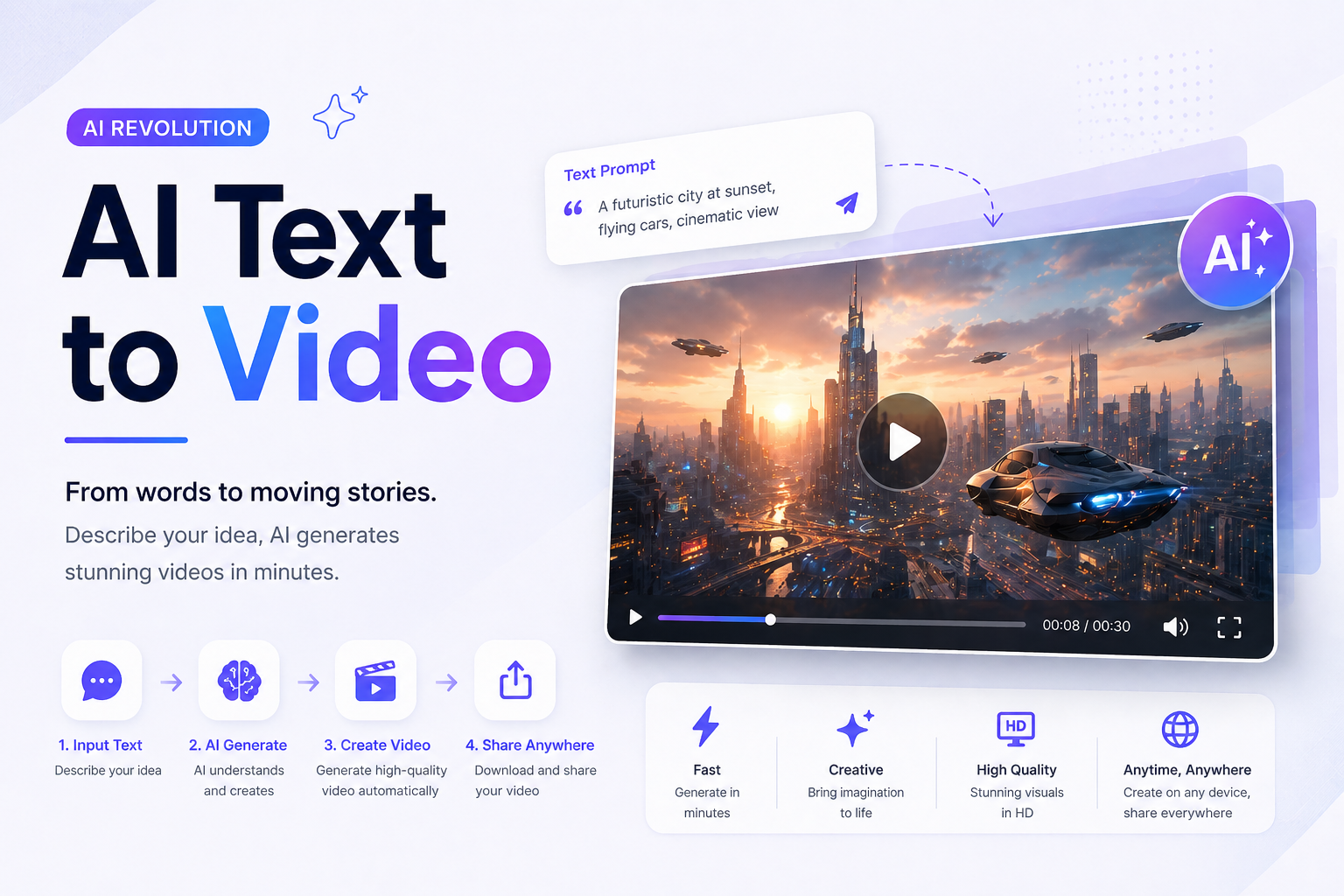
An AI text to video generator takes written input,such as a script, a prompt, a product description, or even a blog post and transforms it into a complete video with visuals, motion, and audio. No timeline editing. No stock footage hunting. No voiceover recording sessions.
In 2026, the best tools go far beyond basic clip generation. They understand narrative intent, apply cinematic camera logic, simulate real-world physics, and deliver platform-ready outputs optimized for TikTok, Instagram, YouTube, and beyond.
3 Things to Evaluate Before Choosing a Tool
1. Output Quality
The gap between a polished AI video and an obviously generated one comes down to motion realism, visual coherence, and lighting. Look for tools that use physics simulation to drive natural movement, such as water rippling, fabric draping, and hair responding to wind, rather than tools that simply animate pixels without context. Low-quality output will hurt your brand, not help it.
2. Full Pipeline vs. Single Feature
Some tools only generate raw footage from a prompt. Others handle the complete workflow: script to visuals to voiceover to subtitles to export. For marketers and creators who need to publish consistently, a full-pipeline tool saves enormous amounts of time. Ask yourself: how many other tools would you need to use alongside this one?
3. Platform Optimization
Are the outputs actually formatted for where you're publishing? Vertical video for TikTok and Reels requires different aspect ratios, pacing, and hook structures than a YouTube ad or a landing page video. The best tools in 2026 have platform-specific presets built in rather than forcing you to manually resize and reformat after the fact.
RoboNeo: The All-in-One AI Video Generator Built for Results
Built for Marketing, Not Just Generation
RoboNeo operates as a full AI creative agent. Its underlying models are trained specifically on marketing and brand content, which means the videos it produces are optimized for conversion, storytelling, and audience engagement, not just visual novelty. You type your message. The AI understands the goal.
Motion That Looks and Feels Real
RoboNeo's physics simulation engine understands what's actually in your image. It knows how water moves, how fabric drapes, how hair responds to motion. Combined with professional-grade camera controls including tracking shots, cinematic zooms, and drone-style pans, the output doesn't look generated. It looks produced.
RoboNeo also supports advanced video models for creators who want more control over generation. You can try the Sora 2 video generator to create AI videos with Sora 2.
Designed to Scale With Your Team
For teams running high-volume content production such as weekly social posts, ad creative variants, and product demo videos, RoboNeo supports batch production and is designed to maintain visual consistency across a content library, not just produce one-off clips.
Whether you're a solo creator publishing daily on TikTok or a brand marketing team running multi-platform campaigns, RoboNeo gives you the tools to produce more, faster, without compromising on quality.
A Free Tier That's Actually Useful
RoboNeo offers a free tier with daily credits and zero watermarks from day one. Most platforms either watermark free-tier output or give you a single generation to test and call it a free trial. With RoboNeo, you can build a real content workflow before spending a dollar.
How to Get Started
Create Your Free Account
Visit roboneo.com and sign in. New accounts receive welcome credits automatically, no credit card needed.
Enter Your Text
Type in your script, product description, campaign brief, or a simple prompt describing what you want.
Generate and Refine
RoboNeo handles the visuals, motion, subtitles, and voiceover automatically. Review the output, make any adjustments using the built-in editing tools, and finalize your video.
FAQ
How does AI text to video actually work?
What kind of input can you use?
You can use almost anything that describes a visual outcome. That could be a short prompt, a detailed script, a blog post, or even structured scene instructions. In general, the clearer and more visual your input is, the better the result will be. Vague prompts can still work, but they usually produce less controlled outputs.
What types of videos can be created?
AI text to video tools are most commonly used for short-form content like social media videos, ads, product demos, and explainer clips. They’re also increasingly used for storytelling and concept visualization. While they can support longer formats, they perform best when content is broken into shorter, well-defined scenes.
How long can AI-generated videos be?
Most AI-generated clips are relatively short, often just a few seconds per generation. Longer videos are usually created by generating multiple clips and combining them into a sequence. This scene-by-scene approach tends to produce more consistent and controllable results.