Native 4K vs. Upscaled 4K: What Is the Difference?
 RoboNeo TeamAugust 6, 2026

Two videos can carry the same 4K label and look nothing alike on a big TV. Hair and lettering may stay crisp in one, while edges shimmer or turn oddly smooth in the other. The television may be fine. The real difference is often how those videos became 4K.
Native 4K begins with a 4K capture, scan, or render. Upscaled 4K begins with fewer pixels—often 1080p—and creates the rest through interpolation or AI. Both can end up as a 3840 × 2160 file, but matching dimensions do not mean matching picture information. Here is how the two compare, and when each one makes sense.
What Is Native 4K?
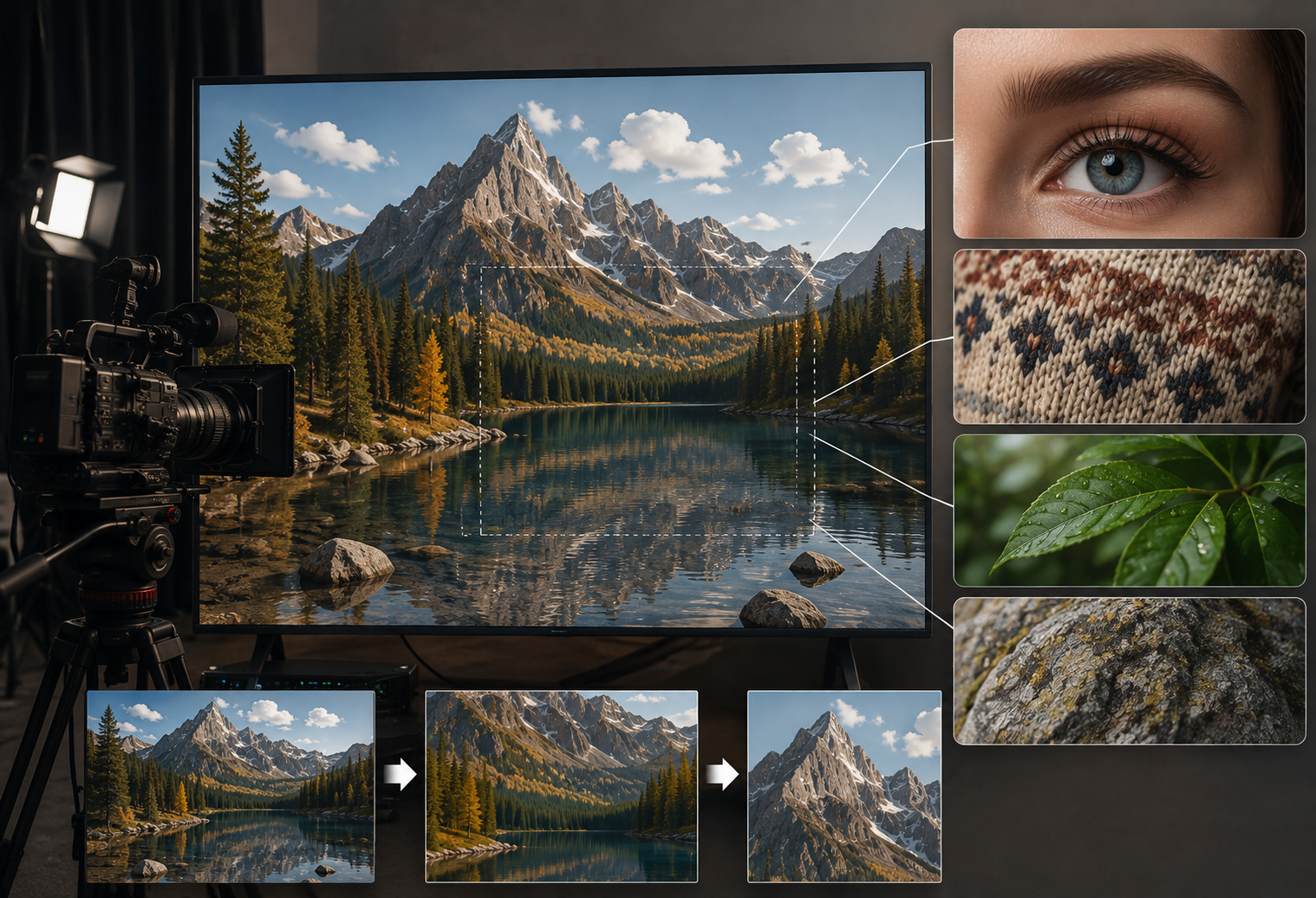
The word “native” points to the source, not the export menu. That distinction matters more than the resolution badge shown by a media player.
Native 4K content is captured, scanned, or rendered at a 4K resolution from the start. Consumer 4K UHD is commonly 3840 × 2160, while digital cinema also uses 4096 × 2160. In either case, the source was created at that level rather than enlarged from a smaller frame afterward.
More original information usually preserves eyelashes, clothing texture, leaves, and small lettering more reliably. It also gives an editor room to work. A 4K interview delivered in 1080p can often be cropped for a tighter shot without dropping below the final resolution.
Native resolution is not a quality guarantee. A shot can still be noisy, out of focus, badly exposed, or heavily compressed. Native 4K raises the ceiling; it does not rescue weak production choices.
Camera originals and high-quality masters also use more storage and place a heavier load on editing hardware. That tradeoff makes sense for many commercial shoots, but perhaps not for a ten-second phone-first clip.
What Is Upscaled 4K?
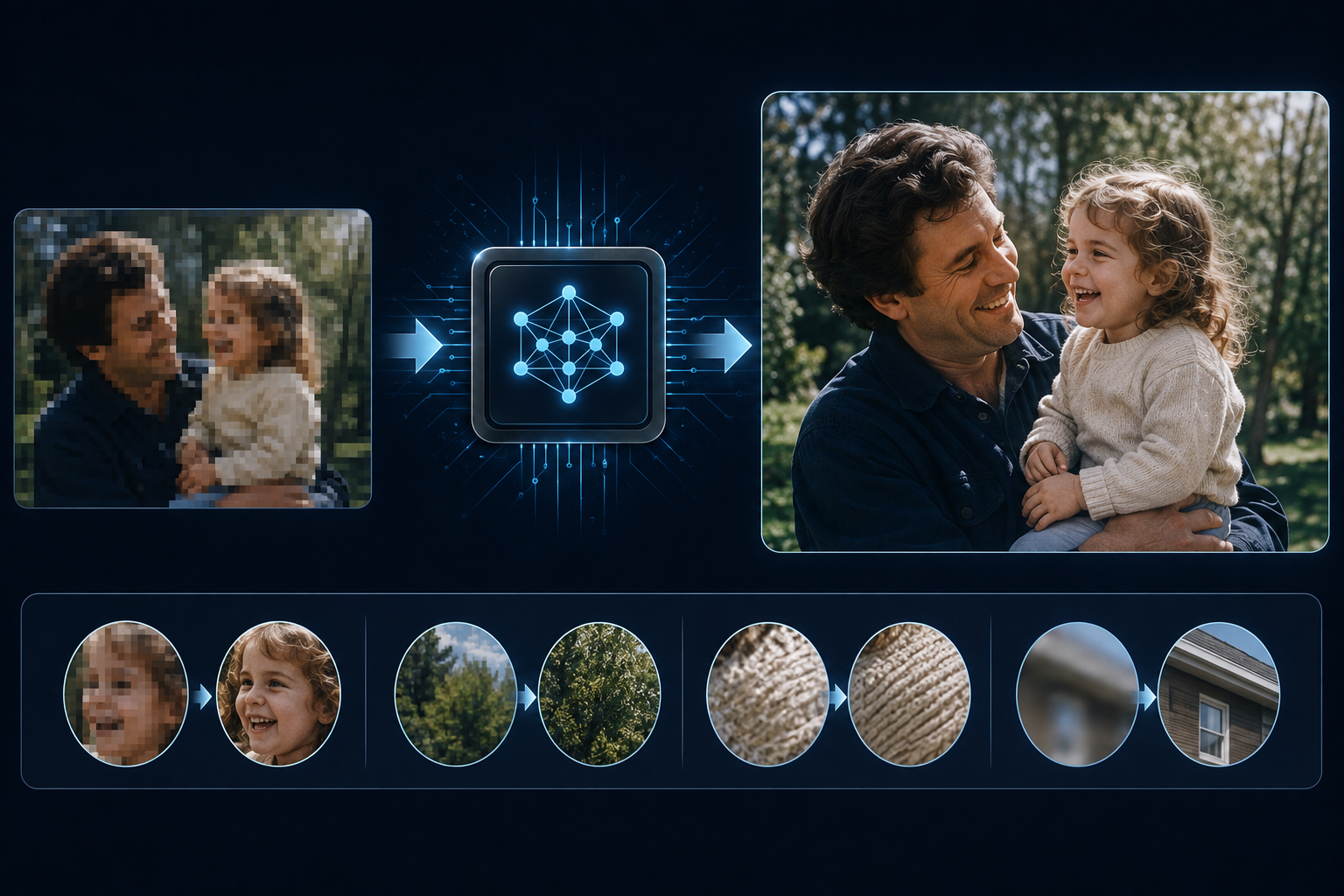
Most people do not have the option to reshoot an old 1080p project. Upscaling exists for that situation: it helps a smaller source fit a modern 4K screen or production timeline.
Upscaled 4K is made by converting 1080p, 720p, or lower-resolution video into a 4K-size output. Traditional resizing estimates new pixels from nearby ones. AI tools analyze recognizable features—faces, lettering, object edges, and texture—and and predict what the added pixels should look like. For a closer look at the workflow, see how to upscale a video to 1080p or 4K with AI.
A good upscale does more than stretch the frame. Lines may look smoother, edges better defined, and some noise less distracting. Older family videos and finished 1080p projects can then sit more comfortably beside newer material.
Software can only interpret what remains in the source. If a license plate is unreadable, an enhancer cannot guarantee the correct letters. Newly defined features on a badly out-of-focus face are plausible inventions, not recovered evidence. “Upscaled 4K” is the honest description.
Native 4K vs. Upscaled 4K: Key Differences
Look past the 3840 × 2160 label. Detail stability, project needs, and the condition of the source tell you more.
| Comparison | Native 4K | Upscaled 4K |
| Source resolution | Created at 4K | Usually begins at 1080p or lower |
| Original detail | Contains more captured information | Some added detail is estimated |
| Edges and texture | Usually more natural and stable | Depends on the source and algorithm |
| Common artifacts | Generally fewer with a strong source | May enlarge noise, halos, or compression |
| File size | Camera files and masters are often larger | Depends on codec, bitrate, frame rate, and length |
| Processing | No upscaling step, but demanding to edit | Requires a TV, player, or software to upscale |
| Best use | Professional capture and large displays | Archives, reuse, and display compatibility |
Hair, plaid shirts, tree branches, distant signs, and fast movement are useful test areas. Native footage tends to keep those details consistent from one frame to the next. An upscale may create glowing edges, repeated texture, or tiny features that blink during motion when the algorithm guesses incorrectly.
From a sofa across the room, clean 1080p can look surprisingly good on a 55-inch 4K TV. Move closer to a 75-inch screen, pause, or crop the frame, and the gap becomes easier to spot. Viewing distance and source quality matter.
File size is not decided by “native” versus “upscaled.” A high-bitrate 1080p master can exceed a heavily compressed 4K file. Codec, bitrate, frame rate, and duration control the result.
A phone-first social clip will not reveal everything native 4K offers. A theater projector, trade-show wall, or major crop is less forgiving. For mixed-resolution projects, an AI video upscaling tool may help when the intended screen justifies the additional processing.
Native 4K or Upscaled 4K: Which One Should You Choose?
There is no automatic winner for every job. Start with three questions: Can the footage be captured again? Where will people watch it? Will the edit require cropping, stabilization, or close inspection? Those answers are more useful than a 4K badge.
Choose Native 4K for Maximum Image Quality
Native capture is the safer choice for commercials, branded product videos, documentary interviews, theatrical work, and large event screens. It supplies more real information for color work and reframing, while product labels, fabric, and hair depend less on algorithmic guesswork.
The production chain must keep up. Fast cards, backup drives, transfer time, GPU performance, and proxy workflows all add cost. For a phone-first release, that spending may produce a difference few viewers see.
RoboNeo can help move existing media through an AI-assisted creative workflow, from enhancement to further video production. It does not change the basic production rule: when you still control the shoot, a clean, properly exposed source is more valuable than trying to repair problems later.
Choose Upscaled 4K for Existing Lower-Resolution Content
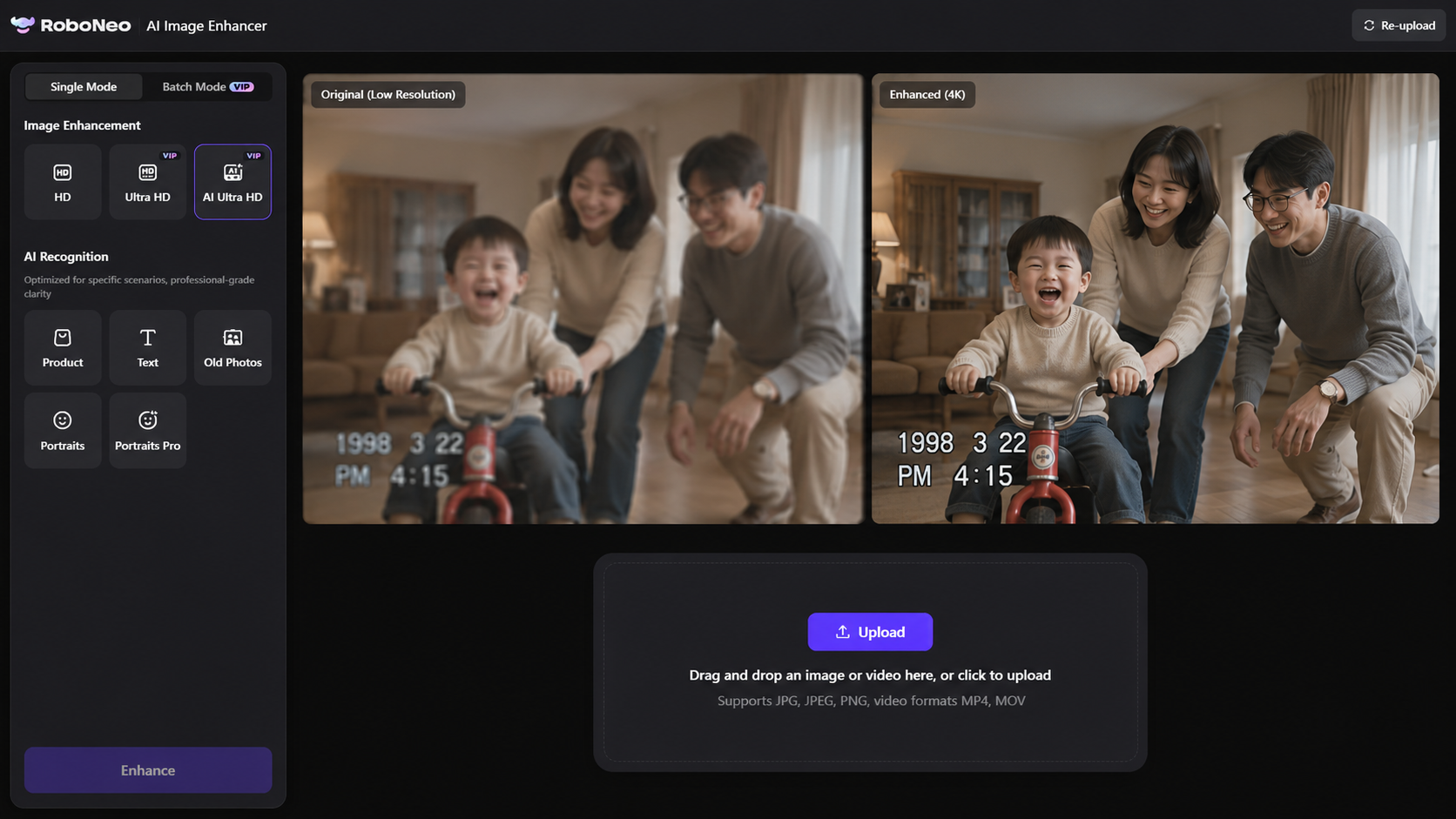
Wedding tapes, family recordings, and completed 1080p jobs may never have another take. When the original is usable and not crushed by compression, upscaling can improve 4K playback and soften the jump between older B-roll and a new interview.
For footage with mild softness, noise, or compression damage, RoboNeo AI Video Enhancer can combine resolution enhancement with visual cleanup. It offers 2K, 4K, and AI 4K+ output, plus Auto-Detect modes for Portrait, Product, Night View, Natural, Game, and Animation content. This AI video upscaling guide walks through the broader process.
Test 20 or 30 seconds containing a face, text, texture, and movement. Compare it at 100% view and on the final device. Plastic skin, changing letters, flicker, or bright outlines are signs to back off. Keep the untouched master.
Consider Quality, Cost, and Processing Time
A new project that needs accurate fine detail and room for post-production favors native capture. Existing footage headed for ordinary playback often makes upscaling the sensible choice, especially when time and budget rule out a reshoot.
Traditional interpolation is often enough for clean video that simply needs new dimensions. AI has more to offer when slight noise, compression, or soft edges also need attention. Before choosing software, compare different AI video enhancers by restoration quality, controls, processing requirements, and suitable use cases instead of shopping by maximum output resolution alone.
Finally, play both versions in the real viewing environment. If nobody sees a meaningful difference, the smaller file may be right. If text, texture, and motion hold together better, the extra processing has earned its place.
FAQs About Native 4K and Upscaled 4K
These short answers cover the questions that most often come up when people compare a new 4K source with enhanced older footage.
Does 4K Upscaling Actually Work?
Yes, but the source sets the limit. A clean, well-exposed 1080p video may gain smoother edges and better large-screen presentation. Severely blurred or repeatedly compressed footage offers far less to work with.
Does Upscaling Lose Quality?
Upscaling does not damage the untouched source. However, excessive denoising, sharpening, or another heavy compression pass can create halos, plastic texture, and unstable detail. Test a short section and keep the master.
Is It Better to Upscale or Buy 4K?
If a legitimate native 4K edition was made from a high-quality master or film scan, it is generally the better choice. Upscaling makes more sense when no native version exists or the footage is a personal archive.
Is AI-Upscaled 4K True 4K?
The output can be 3840 × 2160, but the extra pixels were predicted rather than captured. It is correctly called upscaled 4K, not native 4K.
Does Upscaling a Video Increase Its File Size?
Usually, though not always. Resolution is only one factor. Codec, bitrate, frame rate, and duration can make a low-bitrate 4K export smaller than a high-bitrate 1080p master.
Conclusion
Native 4K preserves more real picture information and is the stronger option when you control production, need accurate fine detail, or expect substantial post work. Upscaled 4K gives existing lower-resolution video a practical route into newer displays and workflows.
Do not let the output label make the decision. Judge the source, intended screen, viewing distance, processing time, and stability of the result. For many archives and everyday 1080p projects, restrained enhancement looks more convincing than aggressive sharpness—and that is the version worth keeping.
You May Be Interested
Best 3D Character Creator to Make Custom Characters
How to Choose the Best AI Text to Video Generator in 2026 (+ Our Top Pick)

5 Best Free AI Story Generators in 2026: Tested & Ranked-copy