Best 3D Character Creator to Make Custom Characters
 RoboNeo TeamJuly 7, 2026
Most teams searching for a “3D character creator” aren’t trying to rig a game-ready model in Blender. They want a character they can reuse—for ads, social posts, thumbnails, and short clips—without hiring a 3D artist.
This guide covers the middle ground : faster than Blender, more repeatable than one image prompt. Pick control or speed—and decide if you need a real 3D file or just a stylized render that holds up in ads and short video. AI is strong on the second option; we’ll flag where it falls short before you commit.
What Is a 3D Character Creator?
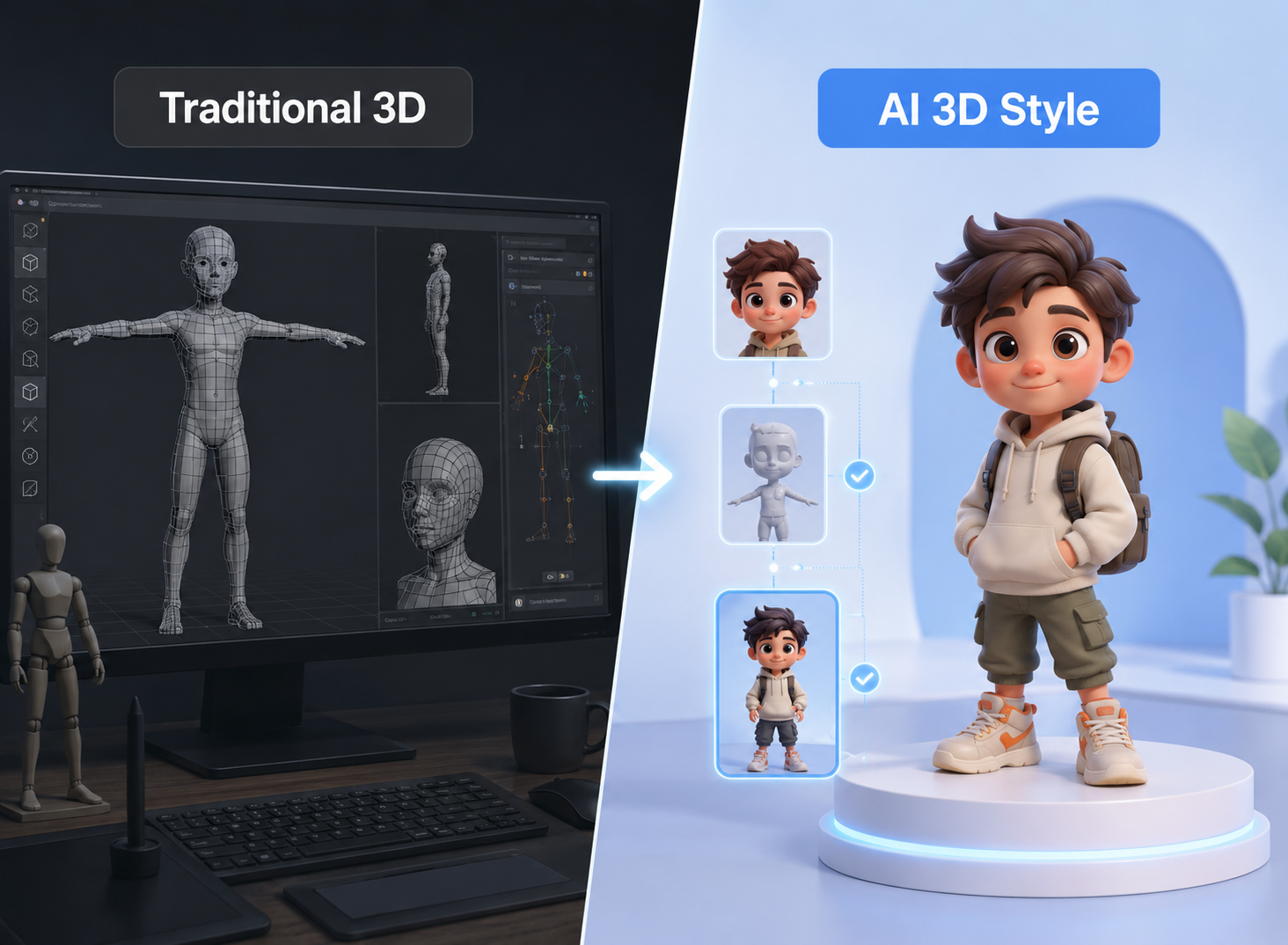
A 3D character creator is a tool that helps you make a dimensional-looking character you can pose, style, and reuse. Traditional tools create a true 3D mesh that you can sculpt and rig. AI-driven tools generate 3D-style images from text or reference photos, which is often enough for marketing and social content.
The practical difference is control versus speed. Mesh-based tools offer precise geometry and animation control, but they take more skill and time. AI generators give up some structural control in exchange for faster testing, which suits growth teams creating many variations.
What Makes a Good 3D Character Creator?
Define what “good” means for your output before comparing tools. A tool that works well for a game studio may frustrate a paid-social team that needs ten variations by Friday. The criteria below help separate real fit from feature-list noise.
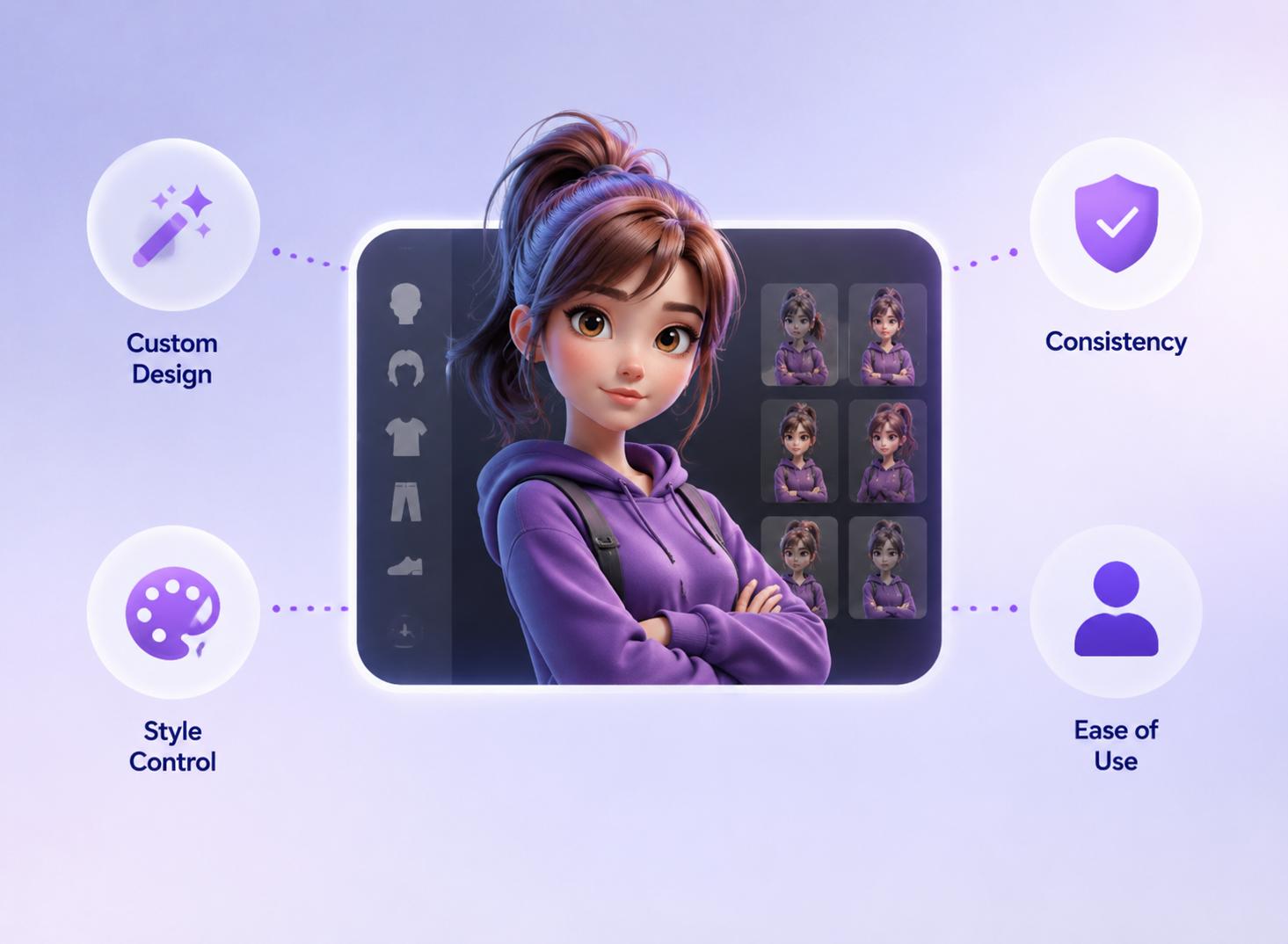
1. Custom Character Design Options
A good 3D character creator should let you control the face, hairstyle, outfit, pose, expression, and overall personality. Reference images also help when the same character needs to appear across multiple assets.
2. 3D Style and Visual Realism
Choose a tool that matches your target style, whether realistic, cartoon-like, anime-inspired, or stylized 3D. The character should fit your brand, not just look impressive in one demo.
3. Consistency Across Images and Videos
A single good render is easy. The hard part is keeping the same face, proportions, and outfit consistent across many assets. Tools that maintain character continuity reduce the manual cleanup that can raise the cost of each usable asset.
4. Ease of Use for Non-Designers
Many teams using these tools are marketers and operators, not 3D specialists. Prompt-based interfaces, reference uploads, and automatic styling lower the skill barrier. If your team needs a week of training, the speed advantage is gone.
RoboNeo: Best for Fast, Publish-Ready 3D Character Visuals
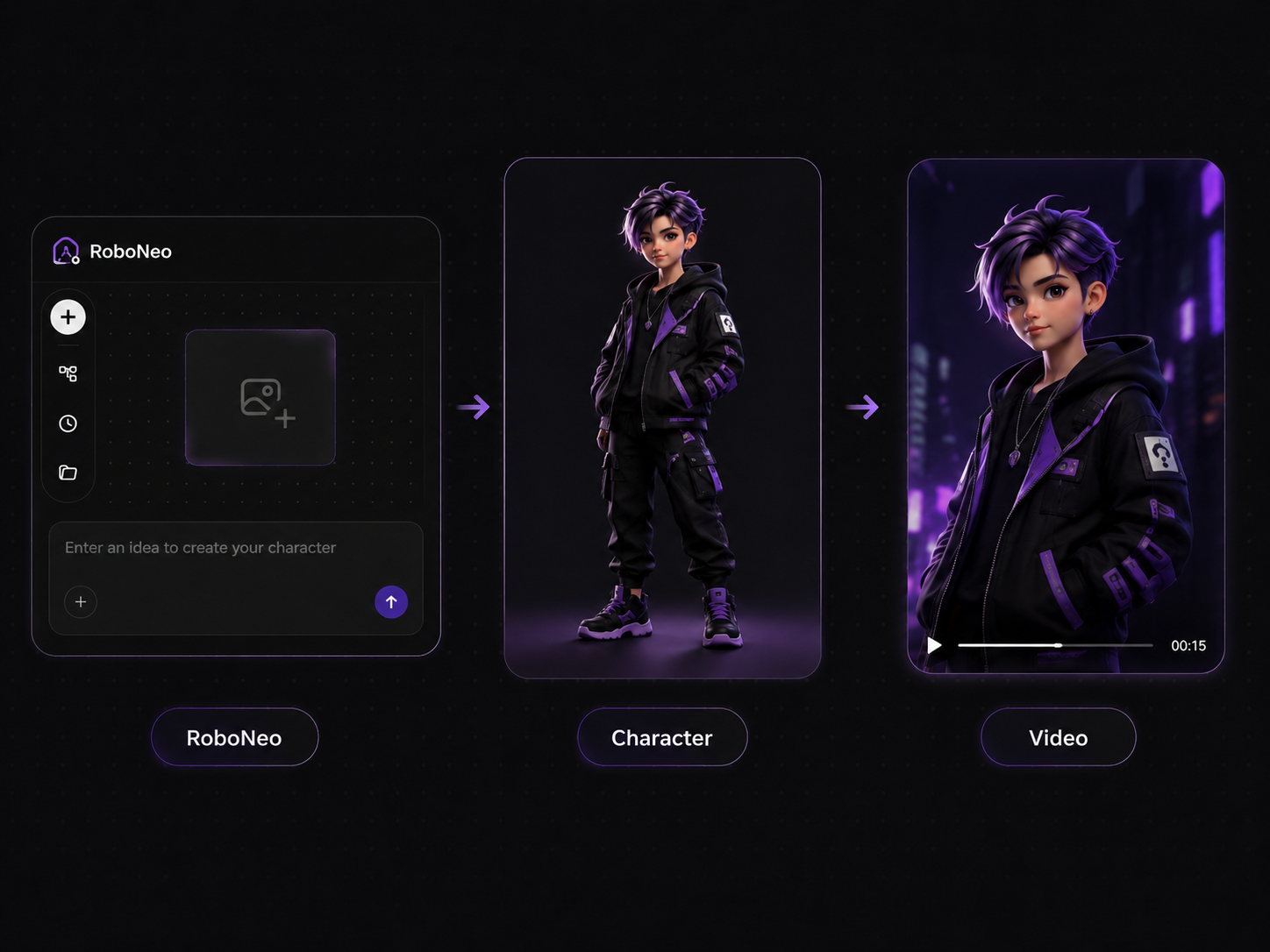
RoboNeo fits teams who want stylized character visuals and short-form video in one workflow, not a mesh-and-rig 3D suite. You can generate anime or stylized looks from text, photos, or clips, then keep working in the same place for motion and edits. If you need game-ready models, rigs, or engine assets, use a dedicated 3D pipeline instead.
Turn Character Images into Video Content
Static characters rarely do enough on their own. RoboNeo’s video features, including morphing transitions and subject-aware video processing, can turn a character image into short-form video. Its royalty-free AI music generator can also add a matching soundtrack for ads and social clips.
Pros and Cons of RoboNeo for 3D Character Creation
Pros
Combines character visuals and video creation in one workflow.
Easy for non-designers to use with prompts and reference images.
Supports useful editing needs like background changes, video morphing, audio cleanup, and music.
Helps teams create multiple variations for faster ad and social content testing.
Cons
Not built for game assets, rigging, or VFX production.
Offers less detailed shape control than professional 3D software.
Teams should check pricing, usage limits, and commercial terms before scaling.
Final videos still need human review for brand consistency and accuracy.
RoboNeo vs Traditional 3D Character Creators
Criteria | RoboNeo | Traditional 3D creator |
Core strength | Stylized character visuals plus video in one workflow | Precise 3D mesh, rigging, and animation control |
Learning curve | Low, prompt and reference based | High, requires modeling skill |
Customization depth | Strong on look and style, lighter on geometry | Deep geometric and rig control |
Video creation | Built in, image-to-video and morphing | Needs separate render or game engine |
Best use case | Social, ads, e-commerce, short-form content | Games, film, VFX, animation production |
Ideal user | Marketers, creators, e-commerce, agencies | 3D artists and technical teams |
Workflow: How to Use RoboNeo to Make a Custom Character
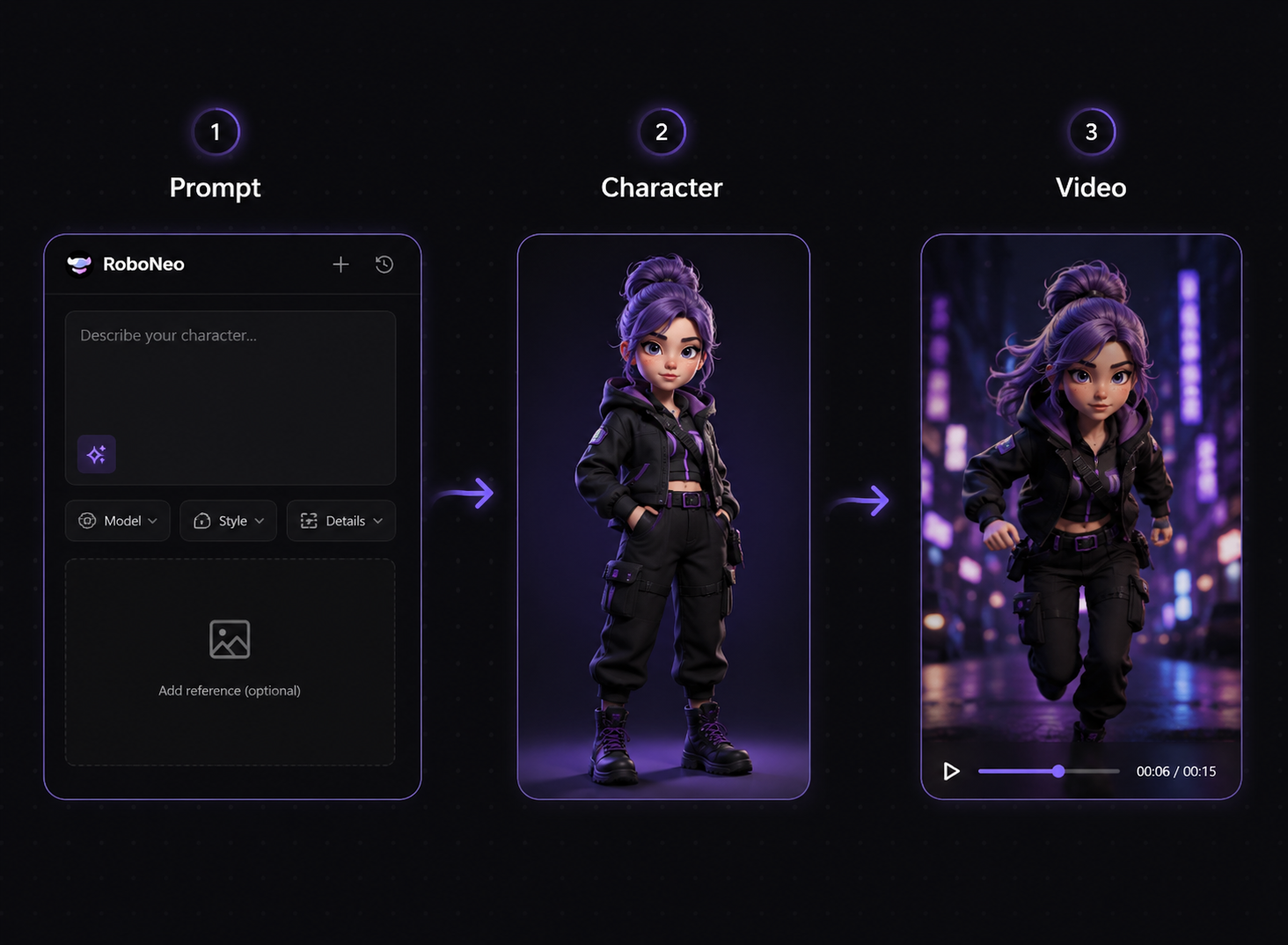
1. Define the Character Concept: Start with the character’s role, personality, key visual traits, and target platform. Clear inputs make the result easier to control.
2. Choose a Visual Style: Decide whether the character should look realistic, stylized 3D, or anime-inspired. The style should match your existing content, not feel like a one-off experiment.
3. Generate the First Visual: Create a first draft from a prompt or reference image. An AI image generator can help test the character’s face, outfit, style, and overall direction before moving into video.
4. Refine for Consistency: Adjust prompts and reference inputs to keep the same face, outfit, and visual tone across new outputs. Generate a small batch first, then compare the results before scaling.
5. Turn the Character Into Video: Use a reference image to video workflow or morphing features to add motion, then add music if needed. Export in the right format and check the video on mobile before publishing.
FAQ
Do 3D character creators require a powerful computer?
It depends on the tool. Traditional 3D software usually needs a stronger computer because it handles modeling, rendering, lighting, and animation locally. AI character creators are often easier to run because much of the generation happens online, making them more practical for marketers, creators, and small teams without advanced hardware.
Can I create both realistic and cartoon-style characters?
Yes. Many 3D character creators support different styles, including realistic, stylized, cartoon, anime-inspired, and game-like characters. The result depends on the tool’s style range, your prompt, and your reference images. For brand content, choose one style direction early so the character stays visually consistent.
Can beginners use a 3D character creator?
Yes. Beginners can use prompt-based or template-based 3D character creators without learning complex modeling tools. The key is to start with a clear character description, then refine the face, outfit, pose, and style step by step. Traditional 3D tools have a steeper learning curve, while AI creative agents are usually easier for non-designers.
How long does it take to create a custom 3D character?
A simple 3D-style character visual can take only a few minutes with an AI tool. A more polished character for ads, social content, or video may take longer because you need to review details, test variations, and check consistency. A fully rigged 3D model for games or VFX can take days or weeks, depending on complexity.
Can I make fantasy or sci-fi characters with a 3D character creator?
Yes. Fantasy and sci-fi characters are common use cases for 3D character creators. You can describe armor, weapons, alien features, robotic parts, glowing effects, or futuristic outfits in the prompt. For better results, keep the design details specific and avoid mixing too many unrelated styles in one character.
Best 3D Character Creator to Make Custom Characters
6 Best AI Video Generators in 2026
Best Prompt for YouTube Script in 2026
Best YouTube Script Generator: From Script Writing to Video Creation