What Is Frame Interpolation: Everything You Need to Know
 RoboNeo TeamAugust 25, 2026
A low-frame-rate video can appear choppy when a player runs across a field, a car passes the camera, or the camera pans across a landscape. Frame interpolation addresses this problem by creating additional frames between the existing ones. The result is smoother motion, although the process cannot improve every aspect of video quality. Understanding how it works, where it helps, and what problems it may introduce makes it easier to decide when to use it.
What Is Frame Interpolation?
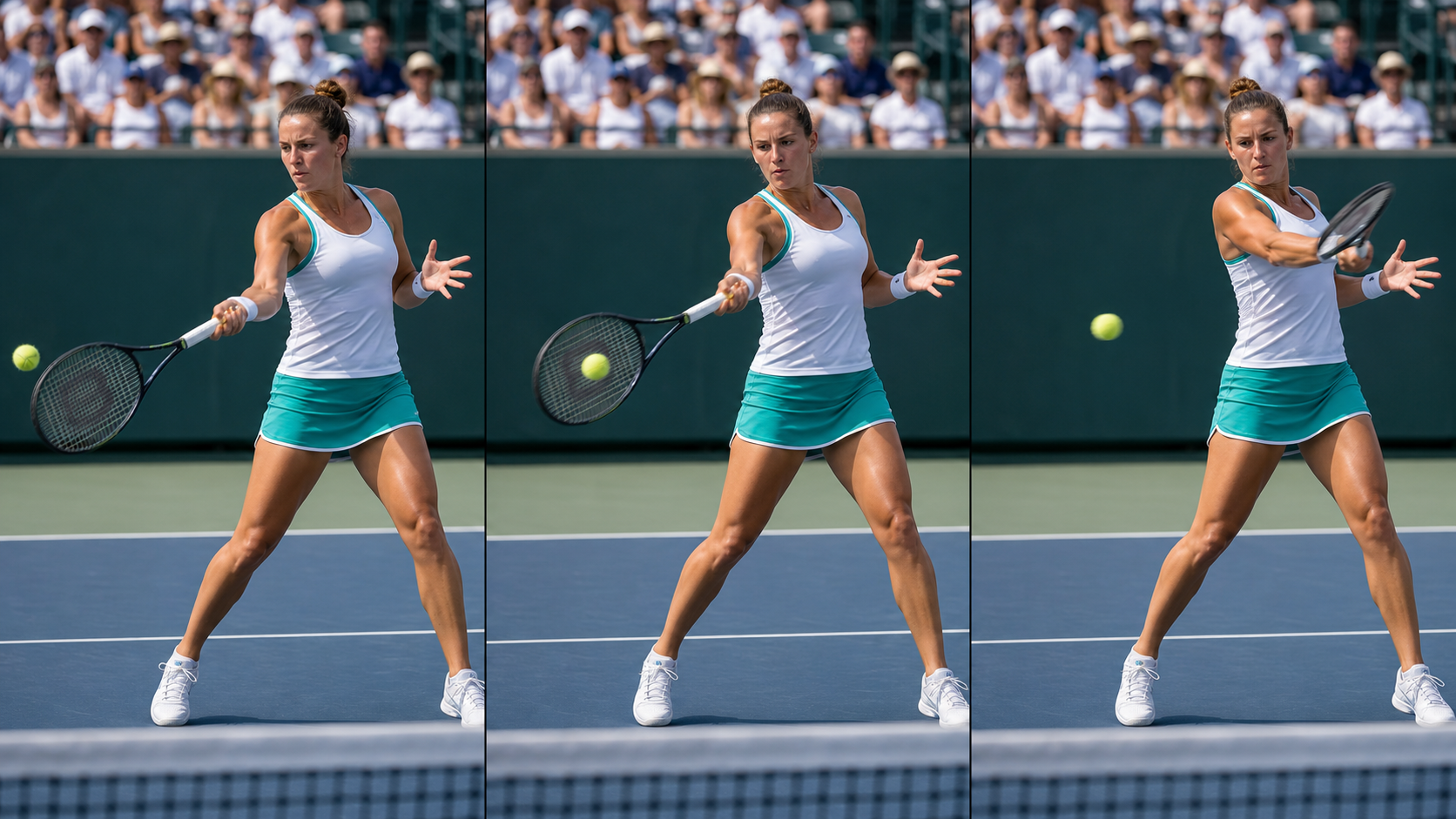
Frame interpolation is a video-processing technique that analyzes consecutive frames and generates new images between them. These additional frames increase the output frame rate, making movement appear smoother.
A 30 FPS video contains 30 frames for every second of footage. Interpolating it to 60 FPS requires the system to create approximately one new frame between each pair of original frames. Rather than copying an existing image, the software estimates what the missing moment should look like.
This technique affects motion, not resolution. A 1080p video remains 1080p after frame interpolation unless a separate enhancement process changes its resolution.
How Does Frame Interpolation Work?
The process begins with two or more neighboring frames. Software compares the position, shape, and direction of moving elements across those images. It then estimates where each element would appear at an intermediate point in time.
Consider footage of a cyclist moving from the left side of the frame toward the center. One frame shows the cyclist near the edge, while the next shows the rider several feet farther ahead. Frame interpolation predicts the position of the cyclist between those two moments and creates a new image to fill the gap.
A typical workflow includes:
Detecting movement between neighboring frames
Estimating the direction and speed of objects
Predicting their intermediate positions
Creating new frames and inserting them into the sequence
Exporting the video at a higher frame rate
Frame Interpolation vs Increasing Frame Rate
Increasing frame rate and frame interpolation are related, but they do not always describe the same process.
Changing a video's playback or export setting from 30 FPS to 60 FPS does not automatically create 60 unique frames. Basic software may simply duplicate each original frame. The output technically has a higher frame rate, but the repeated images do not add new motion information.
Frame interpolation generates different frames based on predicted movement. These new images can make the transition between original frames appear more continuous. The exported file may still be labeled 60 FPS, but its visual improvement comes from generating intermediate content rather than repeating frames.
Frame Interpolation vs Upscaling
Frame interpolation improves temporal resolution, which describes how frequently movement is represented over time. Upscaling improves spatial resolution by increasing the number of pixels in each frame. A closer comparison of how 4K upscaling changes resolution shows why a larger output does not automatically contain all the detail of native high-resolution footage.
A 720p sports recording may look soft and choppy. Using an AI video upscaling tool can prepare the footage for a higher-resolution display, while interpolation from 30 FPS to 60 FPS can make the players' movement appear smoother. Each process addresses a separate problem, and they may be used together when both resolution and motion need improvement.
What Are the Benefits of Frame Interpolation?
The main benefit is greater motion continuity. Extra frames can reduce visible jumps between moments, especially when the original footage has a low frame rate or contains rapid movement.
Smoother Motion in Fast Scenes
Sports broadcasts, racing footage, action sequences, and drone videos often contain fast-moving subjects. At a low frame rate, a tennis ball may seem to jump across the court rather than travel along a continuous path. Additional frames can make that motion easier to follow.
Interpolation may also reduce the impression of judder during camera pans. A wide shot moving across a city skyline can appear uneven at 24 or 30 FPS, particularly on a large screen. Filling the gaps between frames creates a more continuous pan.
However, smoother motion does not mean that motion blur is completely removed. Blur already captured inside an original frame can remain visible.
Better Viewing Experience on High Refresh Rate Displays
A high-refresh-rate screen can update its image 120 or 144 times per second, but low-frame-rate content does not automatically use that capacity. When a 24 FPS film plays on a 120 Hz television, each frame must remain on the screen for multiple refresh cycles.
Frame interpolation can create additional visual information that more closely matches the display's refresh rate. Movement may consequently look clearer and more responsive. Many televisions include a related feature commonly described as motion smoothing.
The effect is not universally preferred. Cinematic footage may lose some of its traditional appearance when motion becomes unusually smooth.
Improving Older Low Frame Rate Videos
Older home videos, early digital recordings, and archival clips may contain fewer frames per second than modern viewers expect. A recording from a family celebration can look especially uneven when someone walks quickly past the camera or the person filming turns toward another subject.
Interpolation can make these moments easier to watch without changing the original event. When combined with noise reduction, color correction, and resolution enhancement, it can become part of a broader restoration workflow.
When Should You Use Frame Interpolation?
Frame interpolation is most useful when uneven movement distracts from the content. The decision should depend on the source footage, the desired look, and the type of motion involved.
Sports and Fast-Moving Videos
Sports footage is one of the clearest use cases. A football moving through the air, a skater crossing the ice, or a racing car entering a turn can be difficult to follow when too few frames capture the action.
Additional frames may improve the visibility of movement during playback or slow-motion editing. Results are usually strongest when subjects remain clearly visible and the background does not change too rapidly.
Gaming and High Frame Rate Content
Players often value smooth motion because it makes fast camera turns and character movement easier to follow. Frame generation technologies can insert predicted images between rendered frames, creating the appearance of a higher frame rate.
Visual smoothness and true rendering performance should still be treated separately. Generated frames do not replace the original frames produced by the game engine, and the processing may introduce latency. Competitive players who depend on immediate input response may prefer a lower native frame rate with less delay over a smoother generated image.
Old Footage Restoration
Low-frame-rate footage can benefit from interpolation when motion appears noticeably discontinuous. A 15 FPS camera recording of a school performance may become more comfortable to watch after conversion to 30 FPS. Some of the best AI video enhancers combine frame interpolation with upscaling, denoising, and other restoration features.
Restoration should remain conservative. If the source includes severe blur, missing frames, heavy compression, or frequent cuts, interpolation may create visible mistakes. Testing a short section before processing an entire recording helps reveal whether the improvement is worthwhile.
Is Frame Interpolation AI-Based?
The answer to "is frame interpolation AI" depends on the method being used. Early interpolation systems relied on mathematical calculations and pixel-level motion estimation. Many modern tools now use artificial intelligence, but traditional approaches are still available.
So, what is AI frame interpolation? It is a form of frame generation in which a trained model analyzes motion, objects, depth, and scene structure to predict intermediate images. The model has learned patterns from large amounts of video data, allowing it to make more informed predictions than basic pixel blending.
How AI Frame Interpolation Improves Results
Traditional interpolation often compares pixel positions across neighboring frames. This method can work well when movement is simple, but it may struggle to understand whether a changing group of pixels represents a hand, a car, or part of the background.
AI models can recognize people, objects, movement directions, and scene changes. When a person turns their head, the system can use the shape of the face and the direction of movement to estimate the intermediate position. This broader understanding may reduce ghosting, duplicated edges, and abrupt transitions.
AI-based processing is particularly valuable for sports clips, gameplay recordings, action scenes, and older low-frame-rate material. Frame interpolation is also one of several AI features used to enhance video quality, alongside upscaling, denoising, stabilization, and motion correction.
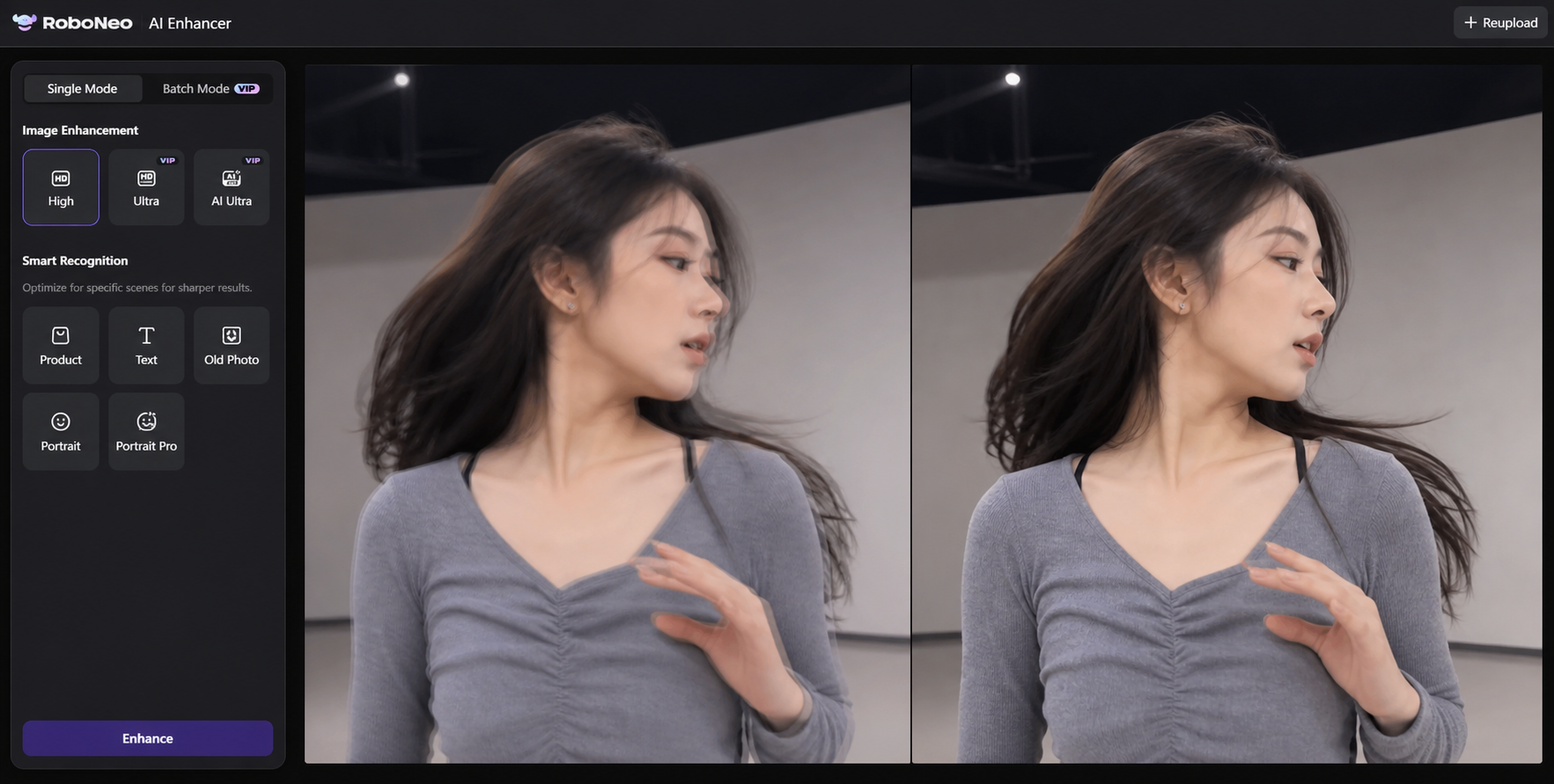
RoboNeo AI Video Enhancer supports AI-assisted video optimization for footage that needs smoother visual performance, clearer details, or broader quality improvement. It can be considered during post-production when completed footage appears less fluid or visually limited, reducing the need to recreate the original recording.
Create Smoother Videos with RoboNeo
Why AI Can Still Produce Errors
AI does not have access to the real missing moment. It predicts that moment from the surrounding frames, which means every generated image is an estimate.
A dancer moving an arm behind another person can confuse the system because part of the movement becomes hidden. Water, smoke, flashing lights, and reflections also change shape in ways that are difficult to track. Under these conditions, AI may distort an object, merge edges, or create a brief unnatural shape.
Limitations and Common Problems
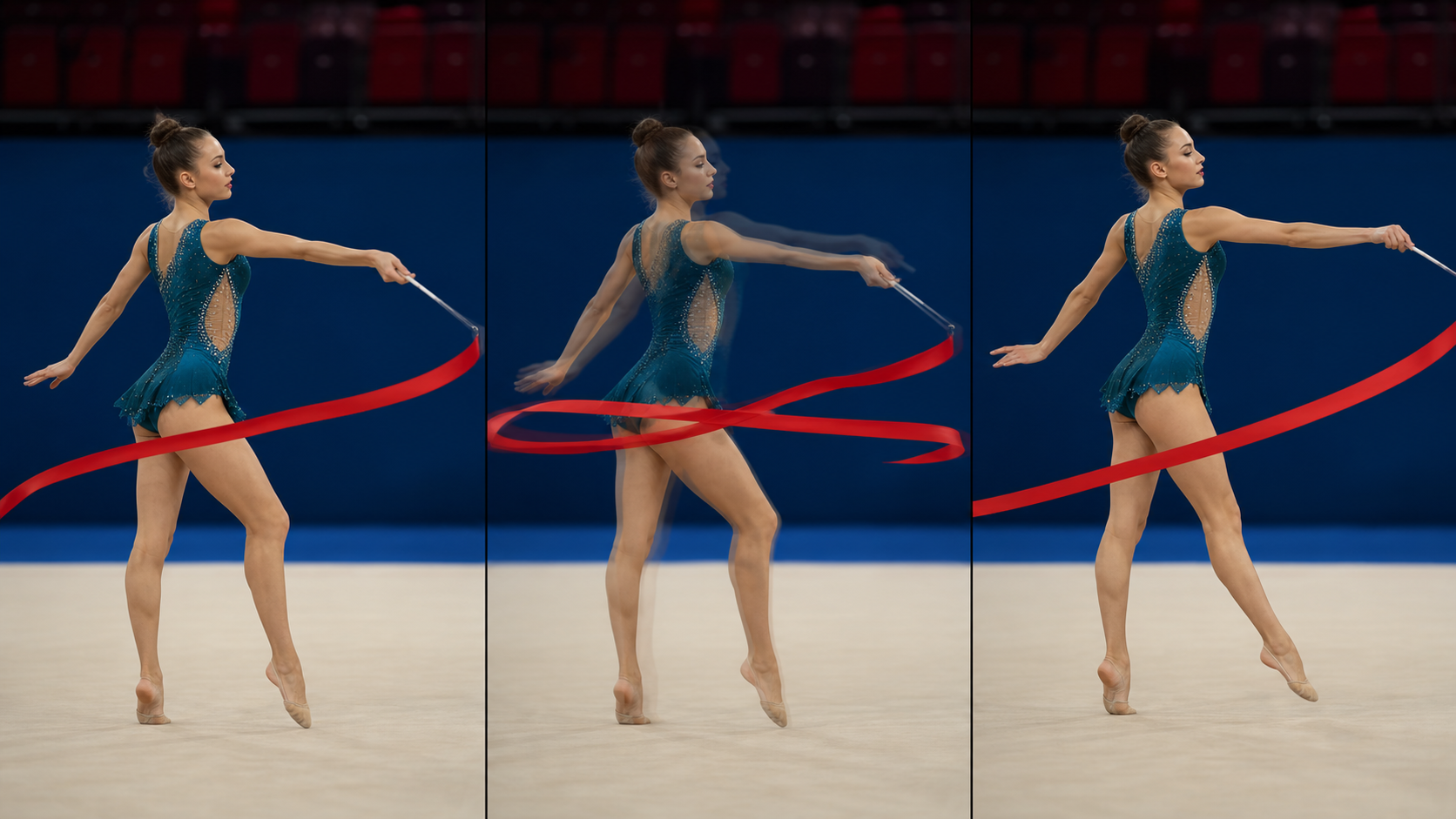
Frame interpolation can improve suitable footage, but a higher output FPS does not guarantee better results. The generated frames must remain visually consistent with the originals.
Motion Artifacts and Unnatural Movement
Motion artifacts appear when the software predicts an intermediate frame incorrectly. Common signs include warped faces, stretched limbs, duplicated objects, flickering edges, and faint trails behind moving subjects.
These problems may only last for a fraction of a second, yet they can become obvious during slow playback. Using a less aggressive frame-rate increase often produces cleaner results than converting directly from a very low frame rate to an extremely high one.
Issues With Complex Scenes
Crowds, fast edits, explosions, moving water, smoke, and handheld camera movement create several overlapping motion patterns. The software may have difficulty determining which pixels belong to each object or where hidden areas should reappear.
Scene changes require particular care. If one shot cuts from a person indoors to a moving car outside, the system should recognize the cut instead of trying to blend the unrelated images. Poor scene detection may generate a distorted transitional frame.
When Frame Interpolation Is Not Necessary
Some videos already have sufficient motion smoothness. Interpolating 60 FPS footage for ordinary playback may increase processing time and file size without producing a meaningful improvement.
Creative intent also matters. Films shot at 24 FPS often rely on a familiar cinematic motion style. Excessive interpolation can produce an overly smooth appearance sometimes called the "soap opera effect." Documentaries, stop-motion animation, and stylized music videos may also lose part of their intended character if every movement is artificially smoothed.
FAQ
Is frame interpolation AI?
Modern frame interpolation often uses AI to analyze movement and predict intermediate images. However, traditional interpolation can also be performed with mathematical algorithms that compare pixels and estimate motion without deep learning.
Does frame interpolation improve video quality?
It improves motion smoothness, which is one aspect of video quality. It does not automatically increase resolution, sharpen details, correct colors, or recover visual information missing from the original footage.
Can frame interpolation increase FPS?
Yes. Frame interpolation can raise the output FPS by creating additional frames between the originals. A 30 FPS video may be converted to 60 FPS, although the source was not genuinely recorded at the higher frame rate.
Is frame interpolation good for movies?
It depends on the film and the viewer's preference. Action scenes may look smoother, but interpolation can change the cinematic appearance of footage shot at 24 FPS. A moderate setting is usually preferable when preserving the original style matters.
Why does frame interpolation sometimes look unnatural?
Unnatural results usually come from incorrect motion prediction. Fast movement, overlapping subjects, camera cuts, smoke, reflections, and complex backgrounds can cause warped objects, ghosting, flickering edges, or inconsistent generated frames.
You May Be Interested
480p vs. 720p: Which Resolution Should You Choose?

How to Turn Long YouTube Videos into TikToks with an AI Video Clip Generator
6 Best Ai Character Generator in 2026: Tested & Compared

How to Choose the Best AI Text to Video Generator in 2026 (+ Our Top Pick)
Best App to Remove Tiktok Watermark in 2026