
How to Turn Long YouTube Videos into TikToks with an AI Video Clip Generator
 RoboNeo TeamApril 3, 2026
What is an AI Video Clip Generator?
An AI video clip generator is an intelligent AI video editing tool designed specifically to automate the video clipping and formatting process. Instead of manually scrubbing a video timeline, this technology does the heavy lifting for you. Here is how the underlying technology works:
- Audio & Transcript Scanning: The AI "listens" to the entire video, transcribing the spoken words and analyzing contextual shifts to understand where a topic begins and ends.
- Identifying High-Retention Moments: By looking for emotional spikes, keywords, laughter, and silences, the AI algorithm pinpoints the most engaging snippets of your video.
- Facial Tracking: Standard cropping ruins horizontal videos because speakers move out of the frame. Advanced AI facial tracking automatically keeps the subject perfectly centered as they move around the screen.
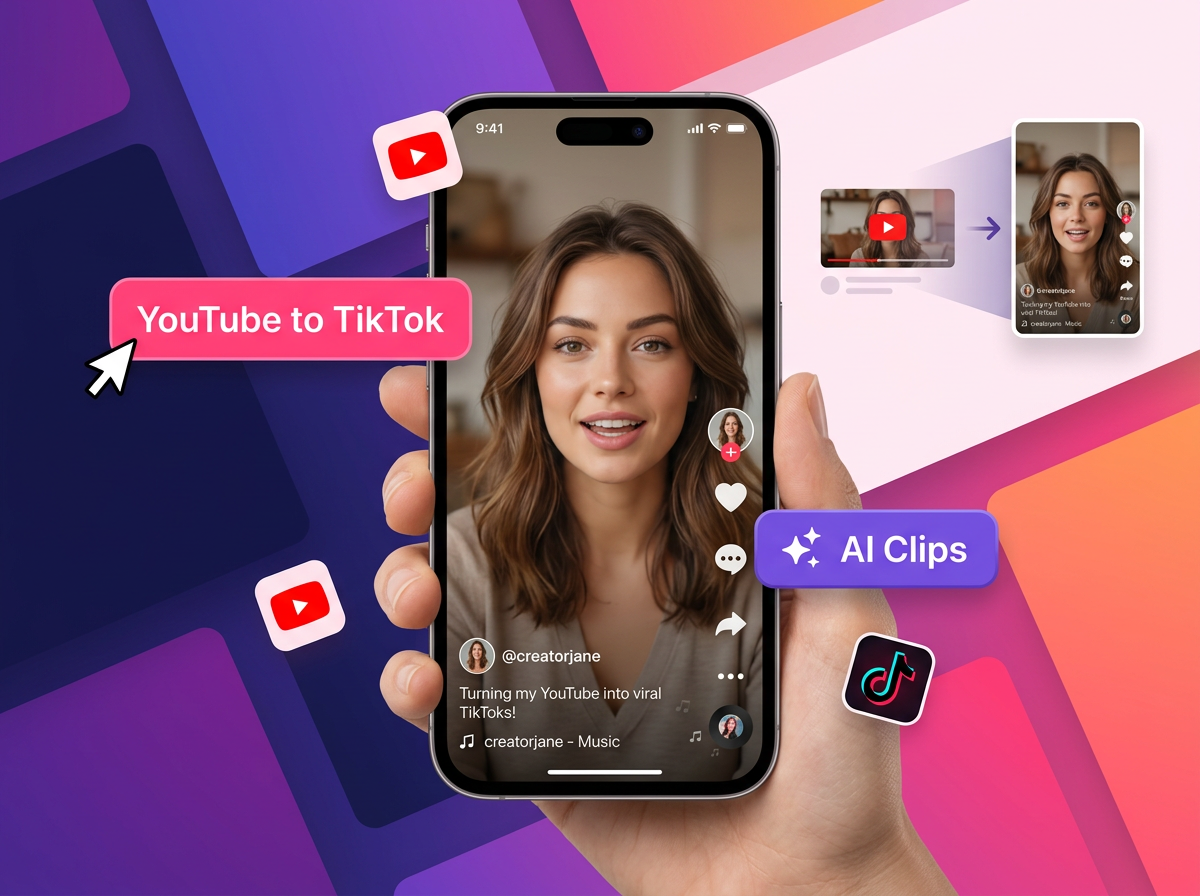
Why Repurpose Long YouTube Videos into TikToks?
Maximize Content ROI
When you spend hours scripting, filming, and editing a long, detailed YouTube video, posting it just once limits its true potential. To repurpose long form video means generating more mileage and greater reach out of a single piece of content without having to film anything new. Think about all the work that goes into just one video: the research, the planning, the multiple takes, and the hours of editing. All of that effort deserves more than just one upload. Essentially, you are multiplying your digital assets, effectively turning one video into five, ten, or even fifteen individual pieces of content. That means more chances for people to discover your work, more opportunities to grow your audience, and more value squeezed out of every hour you put in.
Tap into Powerful Short-Form Algorithms
Long-form YouTube videos typically rely on search intent, browse features, and evergreen discovery. TikTok, on the other hand, relies on a highly aggressive discovery engine known as the "For You" page. The TikTok algorithm is brilliant at pushing hyper-relevant, bite-sized content to massive new audiences, even if those viewers have never heard of you before. Unlike YouTube, where people usually have to search for something specific to find your channel, TikTok can put your content in front of completely new people all on its own. Engaging in a multifaceted approach allows you to capture the viral spread unique to TikTok, putting your brand in front of thousands of people who might never have searched for your YouTube channel directly. By showing up on both platforms, you are playing the game on two different fields at the same time.
Drive Traffic Back to Your Main Channel
Think of your short videos as powerful digital trailers. By clipping a highly engaging story, a meaningful statement, or an incomplete tutorial, you leave the viewer wanting more. Nobody likes a story that just stops in the middle, and that curiosity is exactly what you want to create. A short TikTok clip acts as the ultimate teaser, giving people just enough to get hooked while encouraging them to seek out the full version. This makes it easy to seamlessly direct new viewers back to watch the full-length video on your main YouTube channel. Over time, even a handful of well-placed TikTok clips can send a steady stream of brand new subscribers straight to your channel.
Why RoboNeo is the Best AI Video Clip Generator for Creators
Physics-Based Motion That Actually Looks Real
One of the biggest problems with AI-generated videos is that they often look fake and unnatural. RoboNeo completely solves that problem. Instead of just moving pixels around, RoboNeo's engine simulates real-world physics to ensure every wave ripples, every strand of hair flutters in the breeze, and every fabric drapes with authentic weight.
That means when you clip a moment from your long-form video and turn it into a TikTok, it is not going to look like a cheap slideshow. It is going to look like something you actually filmed. On a platform like TikTok where viewers decide in the first two seconds whether to keep watching or scroll away, that level of realism is not just a nice bonus. It is the difference between going viral and getting ignored.
Cinematic Camera Movements Without the Camera
Great short-form content is not just about what you show. It is about how you show it. RoboNeo empowers you to navigate through your images with professional-grade camera movements, from sweeping drone-style pans to intimate cinematic zooms, with no expensive equipment or complex filming required.
You also get a precision motion brush that lets you animate a drifting cloud or a flickering flame while keeping the rest of your landscape perfectly still, creating a powerful visual contrast that highlights your key subjects and ensures your message never gets lost in the motion. The end result is a clip that feels like it was produced by a full creative team, even if you made it alone in ten minutes.
Built and Optimized for Short-Form Platforms
A lot of video tools are designed for long-form content first and treat TikTok and Reels as an afterthought. RoboNeo is the opposite. It automatically optimizes visuals, aspect ratios, and content pacing for platforms like TikTok, Instagram, Facebook, and X, tailoring each creative to match platform-specific formats and user behaviors so your content performs better without any extra manual adjustments.
On top of that, you can generate multiple creative variations in a single run to support fast A/B testing, quickly comparing styles, messages, and formats to identify your top-performing clips. For creators who post consistently, that kind of speed and flexibility is a total game changer.
Free to Use and Ready for Commercial Content
Getting started with professional-quality video production has never been more accessible. RoboNeo offers a free tier that makes professional video production accessible to everyone. By logging in daily, you earn Cyber Carrots, the platform's creative fuel, which allow you to generate high-impact video content every day at no cost.
And when you are ready to scale up, every asset RoboNeo produces is optimized to capture attention and drive results across modern advertising channels, making it ready for paid social campaigns, brand content, and everything in between. Whether you are a solo creator building an audience or a brand trying to grow fast, RoboNeo gives you the tools to compete at the highest level without breaking the bank.
Best Practices for Seamless YouTube-to-TikTok Conversion
Keep the Hook Strong
The first three seconds of a TikTok dictate its success. If the viewer isn't immediately intrigued, they will swipe away. Ensure that when you use a YouTube to TikTok AI tool, you adjust the start time (if necessary) so that the clip dives right into the most provocative, educational, or entertaining sentence. Cut the fluff.
Ensure Perfect Vertical Framing (9:16)
Standard static cropping often leaves half the speaker's face off the screen or focuses awkwardly on the background. You want your TikTok to look native to the platform, not like a poorly slapped-together edit. RoboNeo’s advanced AI face-tracking guarantees that as the speaker moves across the camera in the original 16:9 YouTube video, the vertical 9:16 frame dynamically follows them.
Add Contextual Elements
To retain viewer attention and keep your watch time high, consider enhancing the base clips. Use the built-in AI tools to integrate relevant emojis pop-ups, strategic B-roll, and visual progress bars. These small elements drastically reset viewer attention spans, making them much more likely to watch until the very end.
How to Turn Long YouTube Videos into TikToks with RoboNeo
Choose the Right YouTube Video
Before you open RoboNeo, you need to be strategic about which video you are going to work with. Podcasts, deep-dive tutorials, vlogs, and interview-style videos all tend to have multiple strong moments that can stand on their own as a TikTok clip. Pull up your channel analytics and look for videos with high audience retention or a spike in watch time at a specific timestamp. That spike usually means something genuinely interesting happened at that moment, and that is exactly the kind of content that stops people from scrolling.
Upload Your Video to RoboNeo
Once you have picked your video, download it and bring it into RoboNeo. Simply describe your goal, and the AI agent plans the workflow, selects the right tools, generates scenes, refines transitions, adds music, and produces a complete video from start to finish. You do not need to manually scrub through a timeline or figure out where to make cuts. The platform's conversational interface means you just tell it what you want, and it handles everything automatically.
Let RoboNeo Enhance the Clip
This is where RoboNeo really stands out. RoboNeo analyzes every frame, detects and tracks objects, applies precise masking, ensures visual consistency, and exports a polished final cut with no manual timeline editing required. On top of that, the platform's lighting and atmosphere tools let you transform the mood of a scene, giving flat footage far more visual energy. On TikTok, where the first two seconds determine everything, that extra layer of polish makes a real difference.
Auto-Generate Trendy Captions
The last step is making sure your clip is fully platform-ready before you hit publish. RoboNeo automatically optimizes visuals, aspect ratios, and content pacing for TikTok, Instagram, Facebook, and X, tailoring each creative to match platform-specific formats without any extra manual adjustments. Your video is automatically formatted in the native 9:16 aspect ratio TikTok requires. You can also generate multiple creative variations in a single run, walking away with an entire batch of content ready to post throughout the week.
Frequently Asked Questions (FAQ)
Can I use the same clips for YouTube Shorts and Instagram Reels?
Does converting a horizontal YouTube video to a vertical TikTok reduce quality?
Standard, non-AI cropping techniques often result in pixelated, blurry footage. However, a premium AI video clip generator utilizes AI upscaling and smart zooming capabilities. This ensures your final vertical content maintains high-resolution visuals regardless of the aggressive framing required for mobile screens.
How much time does an AI video clip generator actually save?
If you were to manually download a video, import it into Adobe Premiere or Final Cut, search for good clips, crop them manually, keyframe movement, and typography captions by hand, a single minute of short-form content could take over an hour. With AI clipping, that hour is reduced to literally minutes—and it's handled entirely in the cloud.