6 Best AI Character Generator in 2026: Tested & Compared
 RoboNeo TeamJuly 9, 2026
Creating one impressive AI character is easy. The harder part is keeping the same face, outfit, and style consistent across images, videos, ads, comics, or brand campaigns. If you want to create your own AI character for real content, consistency matters just as much as visual quality.
This guide compares six AI character generators for 2026, focusing on character consistency, output quality, creative control, ease of use, video support, and commercial-use considerations.
What Is an AI Character Generator?
An AI character generator turns text prompts, reference photos, or rough sketches into a defined character you can reuse. If you want to learn how to create AI characters, start with this basic idea: the goal is not just to make one good image. It is to build a repeatable character identity that stays recognizable across scenes, poses, and campaigns.
AI Character Generator vs AI Avatar Generator
AI character generators and AI avatar generators overlap, but they are not exactly the same. An avatar generator usually creates a stylized version of a real person, often for a profile picture, social account, or talking-head video.
A character generator is broader. It builds original or fictional characters with controllable traits, and the stronger tools maintain that identity across many outputs, which matters for storytelling and branded content.
Common Use Cases for AI Character Generators
Teams use these tools for recurring brand mascots, short-form video hosts, game concept art, comic and anime panels, UGC-style ad creatives, and AI influencer accounts. The shared need is consistency. If the character looks different every time it appears, the story feels weaker and the brand becomes harder to trust.
How to Find the Best AI Character Generator
The best AI character generator depends on what you need to create and how much manual editing your team can handle. A tool may create one strong hero image but still struggle when you need the same character across twenty consistent frames. Before choosing one, test it against your real workflow.
Check Character Quality and Consistency
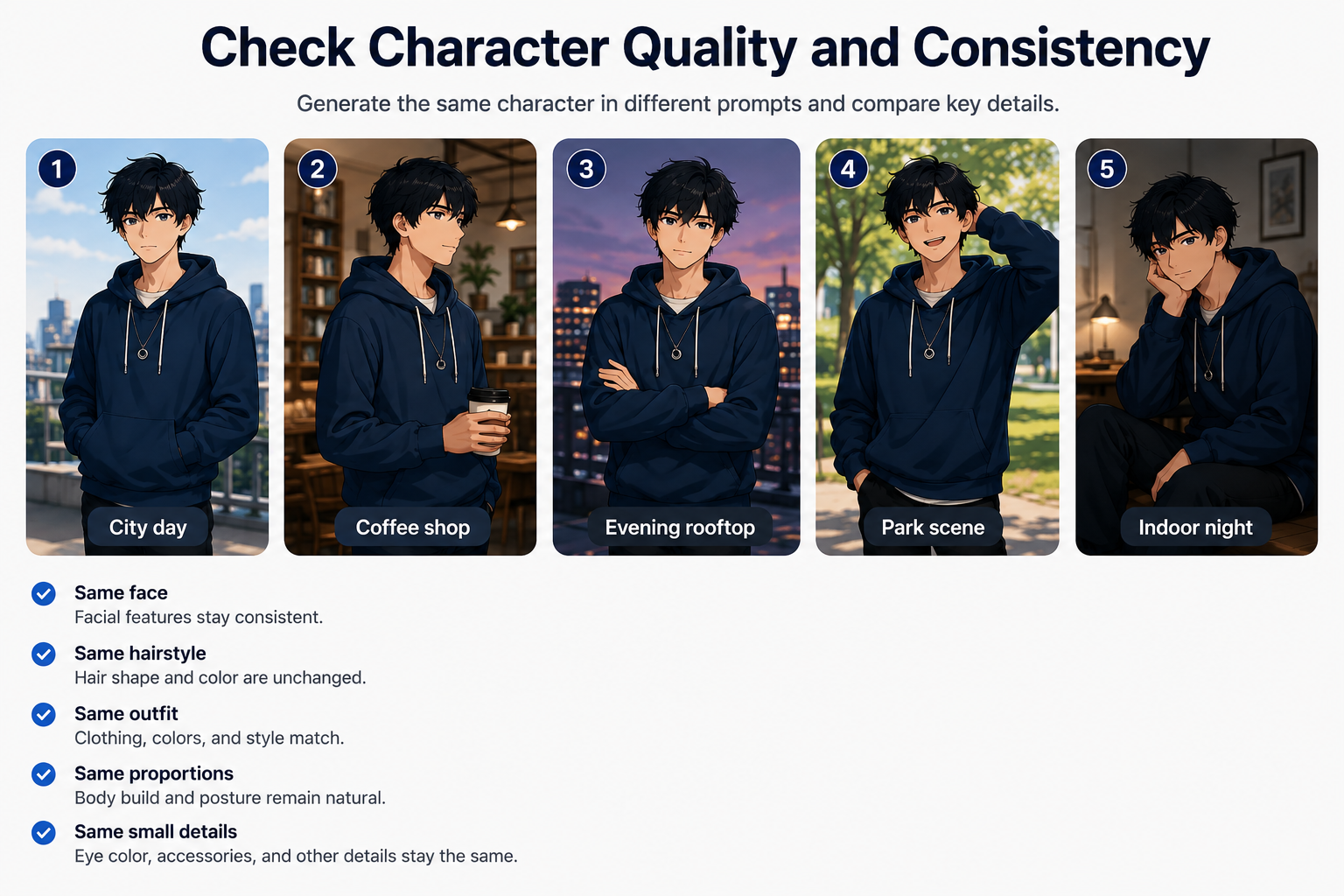
Consistency is the hardest part. Generate the same character in five different prompts and compare face, hairstyle, clothing, and proportions. Watch for drift in small details like eye color or accessories, because those errors are the most expensive to fix at scale.
For videos, also check frame-to-frame stability. If your workflow depends on character movement, motion control can help you test whether the same character stays stable across actions, camera direction, and scene changes.
Review Creative Control and Output Options
Look at how much you can steer the result. Useful controls include reference image input, pose and expression adjustment, style locking, and the ability to refine through plain-language edits instead of starting over. If your goal is to turn a saved character look into motion, a reference image to video workflow is also worth testing.
Output format matters too. Some tools only create still images, while others support short clips, transitions, or 3D assets. Match this to where the work ships, whether that is a TikTok feed, a product page, or a game engine.
Compare Ease of Use, Pricing, and Commercial Rights
Faster iteration usually beats raw feature count for small teams. Check the learning curve, the credit or usage model, and whether commercial rights are clearly granted for paid campaigns.
Pricing changes often, and many AI tools use credit-based plans. Before building your workflow around one platform, check the latest pricing, usage limits, and commercial-use terms on the vendor’s official site.
6 Best AI Character Generators in 2026
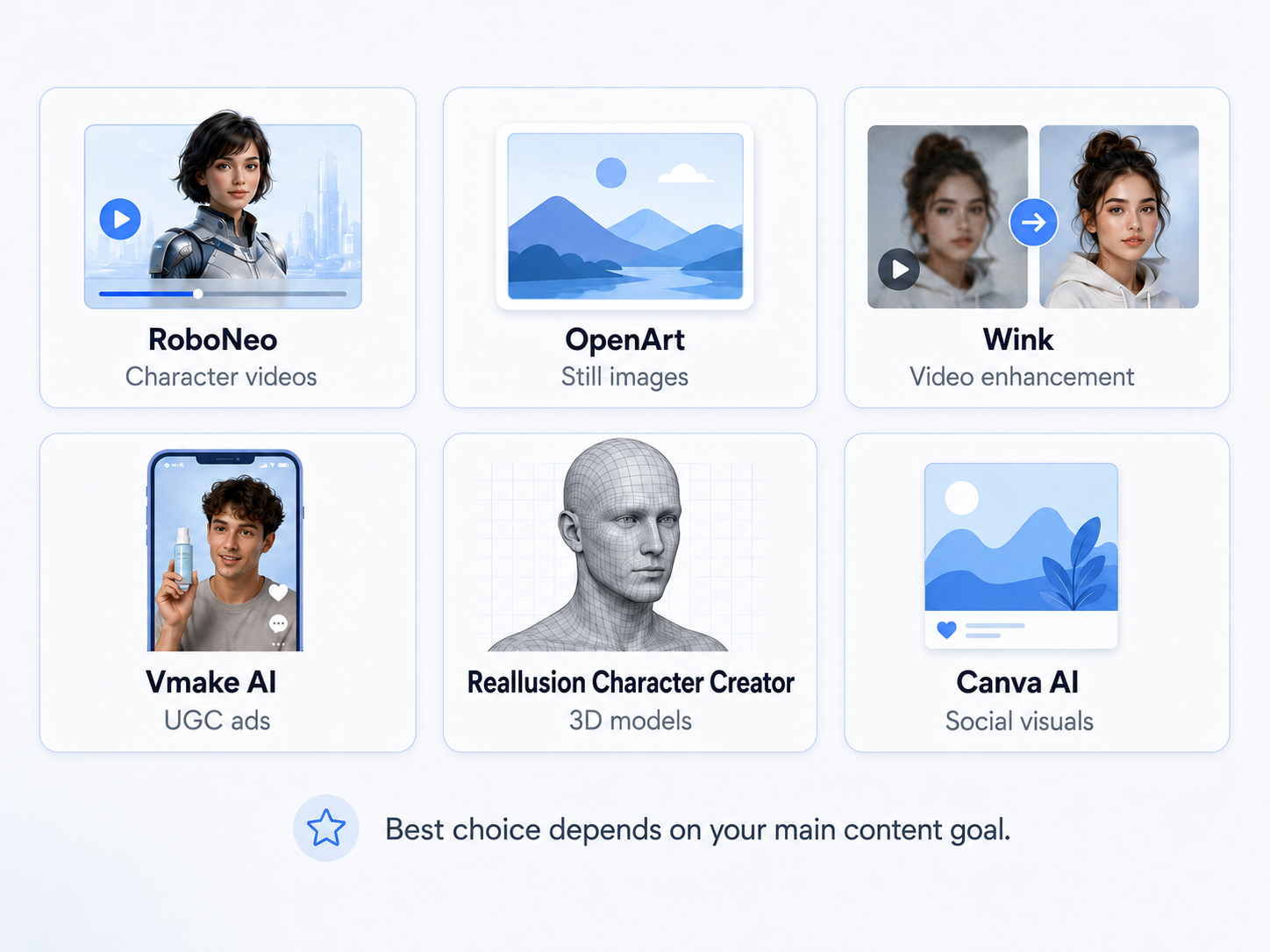
No single tool wins every category. The list below maps each option to a primary strength and the workflow it suits, with short notes on what to verify yourself. Treat the picks as directional guidance and validate each on your own deliverable.
1. RoboNeo: Best for Character Videos
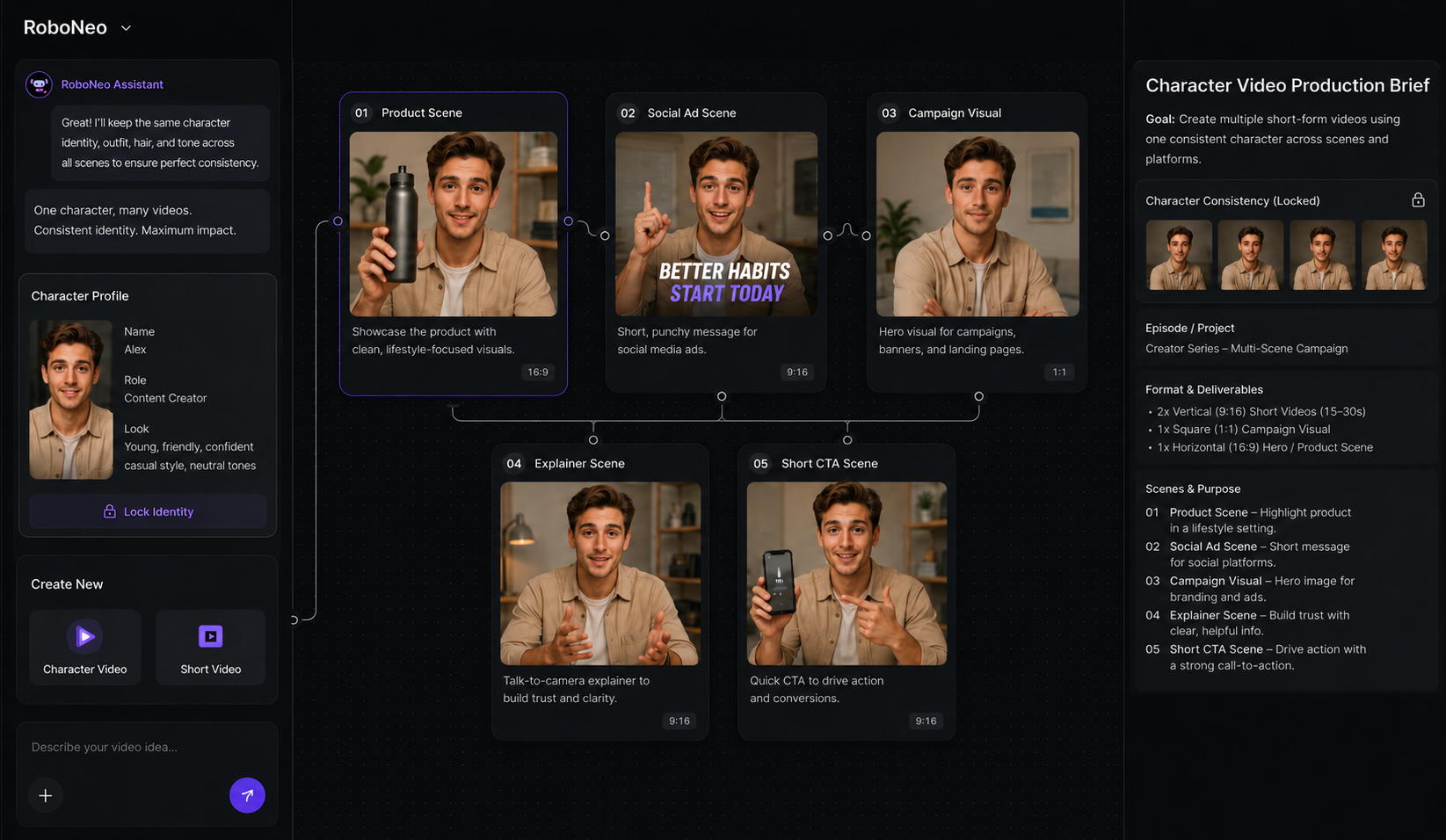
RoboNeo is a strong choice for creators, e-commerce sellers, and growth teams that want to turn AI characters into short-form video content. As an AI video generator, it fits workflows where the character needs to appear across product scenes, social ads, campaign visuals, or platform-ready videos, not just as a single static image.
Its main value is the connection between character creation and video production. For teams that need recurring AI characters in marketing content, RoboNeo can help move from character concept to visual direction and short-form video ideas more smoothly.
Test notes: Generate one character across several scenes, poses, and short video concepts. Check whether the face, outfit, style, and overall identity stay stable when the character moves or appears in different settings.
2. OpenArt: Best for Consistent AI Characters
OpenArt is a good fit for users who mainly need consistent characters across still images. It works well for illustrators, comic creators, storyboard makers, and visual planners who care more about identity control than full video production.
Use case: when you want to create the same character in different poses, outfits, or art styles while keeping the core look recognizable.
Test notes: Build one character, then generate new versions with different angles, expressions, outfits, and backgrounds. Compare small details such as face shape, eye color, hairstyle, and accessories.
3. Wink: Best for Character Video Enhancement
Wink works better as a video enhancement tool than a complete character generator. It can support teams that already have footage or AI-generated clips and want cleaner character details, smoother visuals, or a more polished final look.
Use case: Post-production polish on existing footage, especially when quality is the bottleneck rather than character design.
Test notes: Run a short character clip through the tool and compare the before-and-after result. Check whether face details improve without creating strange artifacts, over-smoothing, or unnatural movement.
4. Vmake AI: Best for UGC Character Videos
Vmake AI is useful for quick UGC-style video creation, especially for e-commerce and paid social testing. It works best when speed and variation matter more than deep character customization.
Use case: When you have one product or message and need several short ad cuts to test.
Test notes: Create two or three ad-style videos for the same product theme. Compare whether the output is usable for paid social, whether the character feels consistent enough, and whether the final video needs heavy editing.
5. Reallusion Character Creator: Best for 3D Characters
Reallusion Character Creator is better suited for professional 3D workflows than quick AI image generation. It fits game studios, animators, and production teams that need rigged characters, detailed customization, and export options for animation pipelines. It gives users deeper control, but it also requires more learning time and a more technical workflow.
Test notes: Create a character and test export compatibility with your animation software, game engine, or production pipeline. Check rigging quality, facial controls, clothing setup, and how much manual adjustment is required.
6. Canva AI: Best for Beginners
Canva AI is a beginner-friendly option for simple character visuals, social posts, and quick creative concepts. It works well for non-designers because the character generation features sit inside a familiar design workspace.
Use Case: best for lightweight use cases, such as simple brand visuals, presentation graphics, and social media content. For complex character consistency, it still needs careful testing.
Test notes: Generate the same character several times for different social layouts or simple campaign visuals. Check whether the character still looks recognizable after changes in pose, background, or design format.
| Tool | Best For | Key Strength | Output Type | Character Consistency | Ease of Use | Cost Level |
| RoboNeo | Character videos | Character-to-video workflow | Images and video | Strong for video workflows, test in motion | Moderate | Mid to high, suited for scaling content |
| OpenArt | Consistent still characters | Identity across images | Images | Strong for stills | Easy | Mid, depends on credits |
| Wink | Video enhancement | Character detail polish | Video polish | Depends on source clip | Easy | Low to mid, good for occasional editing |
| Vmake AI | UGC ad videos | Fast video variations | Short video | Moderate | Easy | Mid, suited for ad testing |
| Reallusion CC | 3D characters | Rigged 3D control | 3D models | Very high | Steep | High, professional workflow |
| Canva AI | Beginners | Easy design workflow | Images | Variable | Very easy | Low, beginner-friendly |
Tips for Using AI Character Generators Effectively
The tool matters less than your process. Even the best AI character workflow needs a clear brief, consistent prompts, and a simple refinement loop, so build a repeatable method before scaling output.
Start With a Clear Character Brief
Before generating, write a short brief for the character. Include age, body type, hairstyle, clothing, color style, and personality so each prompt starts from the same base.
Keep Key Details Consistent
Use the same reference image, prompt wording, or seed when the tool allows it. If you need to change the pose, outfit, or background, adjust one detail at a time. This helps reduce character drift.
Test the Character in Different Scenes
Do not judge the character from one good image. Try different angles, lighting, expressions, and backgrounds to see whether the face and style still look consistent.
Refine Instead of Starting Over
If the result is close, ask for a specific fix instead of generating a completely new version. For example, change the hairstyle, adjust the outfit color, or make the expression softer.
Check Commercial Usage Rights
Before using the character in ads, client work, or public campaigns, check whether the tool allows commercial use. Also review privacy rules if you upload real photos as references.
Conclusion
Match the tool to the content you need to create, not just to the marketing claims. Choose a video-focused tool for character motion, a 3D pipeline for game assets, and an easy all-in-one platform for quick social visuals. Run a short test with your real deliverable, judge consistency and cost per usable asset, and confirm the latest pricing and commercial rights before you scale.
FAQs
Are AI character generators good for game design?
They are useful for early game concepts, character references, outfit ideas, and style exploration. For final game production, you may still need human refinement, rigging, animation, and optimization.
Do I need design skills to use an AI character generator?
Most AI character generators work with simple text prompts. Design skills can help you get better results, but beginners can still create usable characters by describing the style, look, pose, and scene clearly.
What should I include in an AI character prompt?
Include the character type, style, facial features, clothing, pose, mood, lighting, and background. You can also add the use case, such as game concept, avatar, brand mascot, or social media character.
Can I make an AI influencer with an AI character generator?
You can create a consistent character look for social media, brand storytelling, and short videos. Keep the face, style, personality, and tone consistent, and check usage rights before commercial use.
Can AI character generators create characters from photos?
Most tools can use photos as references to create avatars or stylized characters. Use clear photos with good lighting, and make sure you have permission to use the image, especially for commercial projects.
You May Be Interested
Best 3D Character Creator to Make Custom Characters
Character AI Alternative: Better AI Chat Tools
How to Create Anime Character: From Prompt to Art
How to Make a Realistic Avatar in Roboneo: Easy Guide