What Is Upscaling: How It Works and When to Use It
 RoboNeo TeamAugust 25, 2026
A video that looks crisp on your phone can easily turn blurry or pixelated when you put it on a big TV. That's where upscaling steps in—it bumps up lower-resolution footage into a high-def output. It's a total lifesaver for old home movies, recycled social clips, archived work videos, or anything else you just can't reshoot.
While upscaling can definitely spruce up how your video looks, it can't magically bring back details that a high-res camera would have picked up in the first place. Once you get a handle on what upscaling can and can't do, it's much easier to pick the right approach and avoid getting your hopes up.
What Does Upscaling Mean?
In video, upscaling means increasing the output resolution of existing footage. Software, display hardware, or an AI tool adds pixels so that the video can fill a higher-resolution screen or match a larger editing project.
Consider a family recording saved at 720p. It may still look acceptable on a phone, but playing it on a 4K television requires the picture to cover a much larger display area. Upscaling converts the video to a higher output resolution so that it fits the screen with less obvious pixelation.
The additional pixels were not captured by the original camera. They are calculated or predicted during processing. Therefore, the answer to "What does upscale mean?" is straightforward: upscaling enlarges the resolution and may improve the presentation of a video, but it does not turn the source into genuine high-resolution footage.
How Does Video Upscaling Work?

Each video frame contains a fixed number of pixels. When footage is upscaled, the system analyzes those pixels and determines what should appear in the empty spaces created by the larger frame.
Traditional methods calculate new pixel values from the colors and brightness of nearby pixels. If a dark blue pixel sits beside a light blue one, the system may insert a medium blue pixel between them. This produces a smoother image, although small details may remain soft.
AI-based processing examines more than neighboring colors. It can recognize common features such as faces, hair, clothing, lettering, buildings, and trees. The system then predicts how those elements might look at a higher resolution. It can also compare nearby frames, which helps keep details more consistent as people and objects move.
This approach is especially helpful when someone wants to AI upscale a video rather than simply stretch its dimensions. A recording of a school performance, for instance, may show clearer stage edges and more recognizable faces after careful processing.
Different Types of Video Upscaling
Video upscaling generally falls into three categories:
Traditional upscaling: Mathematical calculations add pixels between the original ones. Processing is usually fast, although the result may look slightly soft.
AI upscaling: The system studies faces, textures, objects, and movement before predicting additional visual information. It often works better with complex footage.
Hardware upscaling: A television, game console, media player, or graphics processor enlarges the video while it is being displayed.
The right choice depends on the source and how the finished video will be used. Basic resizing may be enough for a clean 1080p clip placed in a 4K editing timeline. Older or more compressed recordings may benefit from AI processing because they usually need additional work on edges, noise, and textures.
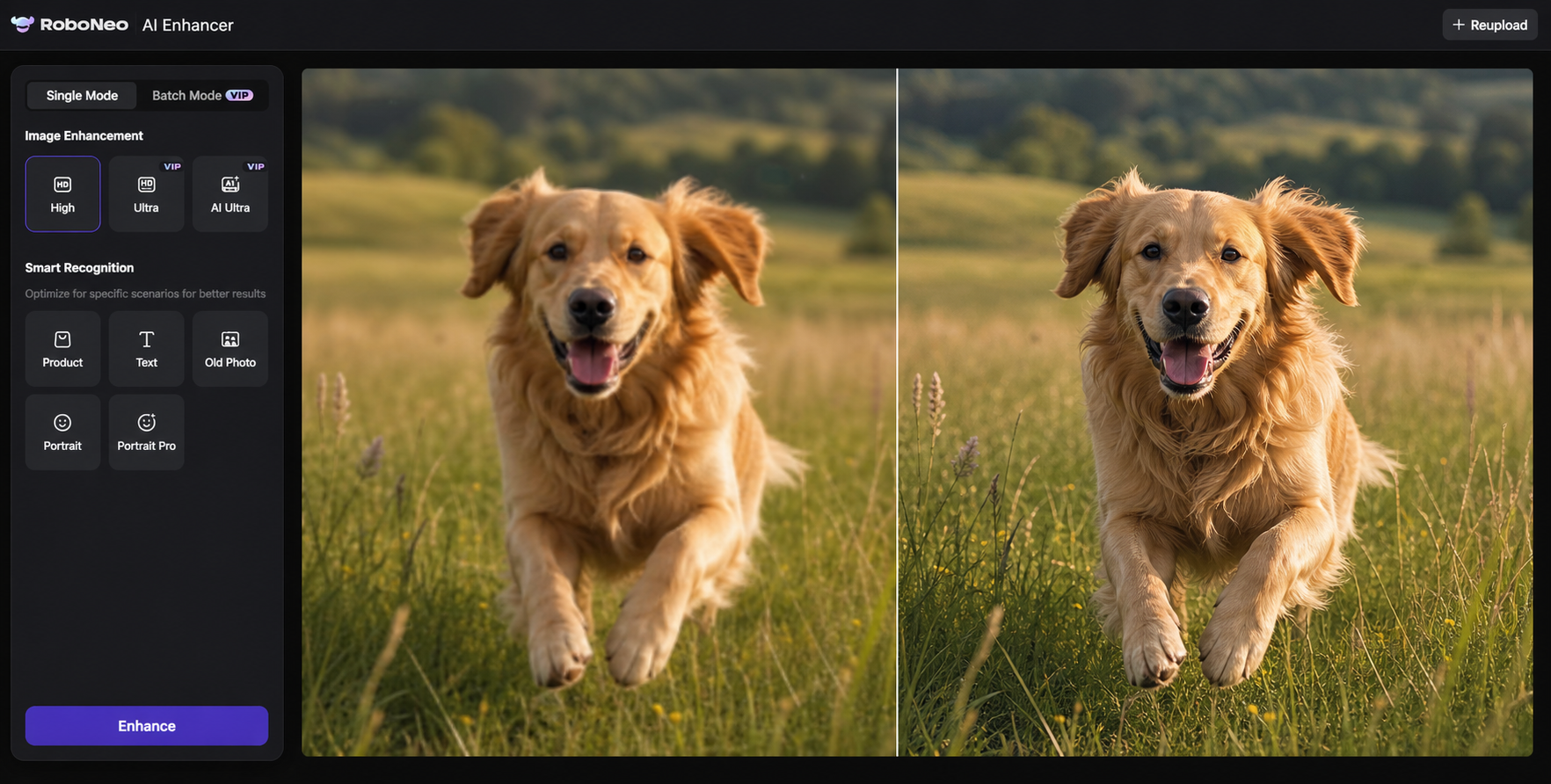
Creators who want to improve existing footage without managing complicated editing settings can use RoboNeo AI Enhancer. It applies AI processing to improve details and make lower-quality videos more suitable for modern displays or later content production.
Upscaling vs Native Resolution
Native resolution refers to the resolution at which a video was originally captured or created. A native 4K recording contains visual information captured directly by a 4K camera. Upscaled 4K starts with a smaller source, often 1080p or 720p, and uses processing to create a 4K-sized output.
Imagine two videos of the same football game. One was recorded in native 4K, while the other was captured at 720p and later enlarged to 4K. Both files may display at 3840 × 2160 pixels, but the native recording will usually preserve more information in distant players, grass, crowd signs, and jersey numbers.
The distinction between native 4K and upscaled 4K matters most when the scene contains fine details or when viewers sit close to a large screen. From a normal viewing distance, a good upscale may still look clean and comfortable to watch.
Upscaling vs Video Enhancement
Upscaling primarily increases resolution. Video enhancement has a broader purpose and may also address noise, weak colors, low contrast, compression blocks, unstable movement, or soft edges.
A dark 720p phone recording from an indoor concert illustrates the difference. Increasing its resolution gives it a larger frame, yet the shadows may still contain grain and the singer may remain difficult to see. Enhancement could first reduce the noise and improve brightness before the footage is upscaled.
These processes often work best together. Cleaning up the source before increasing its size can prevent existing problems from becoming more noticeable.
What Can Upscaling Improve?
Upscaling can make older or smaller videos fit current screens more naturally. Smoother edges, reduced pixelation, and clearer-looking subjects are common improvements. The strongest results usually come from footage that still contains useful visual information.
Improving Video Resolution for Larger Displays
A low-resolution video has to be stretched considerably to fill a 4K television or a large presentation screen. Without effective processing, diagonal lines may look jagged and faces can become blocky.
A 1080p travel documentary shown on a 65-inch television must fill four times as many pixels as the source contains. The television can handle this conversion automatically, but processing the file beforehand may offer better control over sharpness and noise. Understanding how 4K upscaling works also helps explain why a video may look better without becoming identical to native 4K footage.
Screen size influences how noticeable the change will be. Minor improvements can be difficult to see on a phone, while the same difference may stand out immediately on a television or projector.
Improving Older and Low-Quality Videos
Home movies, archived interviews, early digital recordings, and older web videos are common candidates for upscaling. A 480p birthday recording from the early 2000s might show clear memories but rough edges when viewed on a new laptop. Careful processing can make faces easier to recognize and reduce distracting pixel blocks.
Source quality remains important. A clean video copied directly from an old camera generally responds better than a version sent through several messaging apps. Every round of compression may remove detail, so locating the earliest available copy is often the best first step.
When Should You Use Upscaling?
Upscaling is most useful when valuable footage already exists but its resolution no longer suits its intended use. It can save time when reshooting would be expensive, inconvenient, or impossible.
Watching Older Videos on Modern Displays
Old recordings were often created for much smaller televisions and computer monitors. On current high-resolution screens, the same footage may occupy only part of the display or appear heavily pixelated when enlarged.
A family preparing a collection of childhood videos for a reunion could upscale the recordings before playing them on a living-room television. The videos would not gain every detail that an HD camera could have captured, but they could appear cleaner and more consistent across the screen.
Preparing Videos for Online Platforms
Online videos may be viewed on phones, laptops, desktop monitors, or televisions. Higher-resolution output can help older clips fit a current editing project and look more consistent beside newer footage.
A creator updating an old 720p interview for a 1080p YouTube video may upscale the interview so that it fills the project frame. Another creator could prepare a higher-resolution version of a horizontal product demonstration before cropping it into vertical social media clips. Extra output resolution provides more room for reframing, although the source still determines how much detail remains after the crop.
Final export settings also matter. An upscaled video saved with a very low bitrate may lose clarity again, while social platforms can apply additional compression after upload.
Improving Existing Footage Without Reshooting
Some footage captures a moment that cannot be repeated. Weddings, live events, customer interviews, travel scenes, and historical recordings often fall into this category.
An AI video upscaling tool can prepare this material for a new project. A small business creating a tenth-anniversary video might need to include an early product demonstration recorded at 720p. Improving that clip is more practical than rebuilding the original location, finding the same employees, and recreating the event.
Upscaling also helps when a reshoot would interrupt a project schedule. A short section of older footage can often be improved and reused without changing the rest of the production.
What Are the Limitations of Upscaling?

Upscaling can improve presentation, but the original recording still sets the limit. Resolution, compression, lighting, focus, and movement all influence the final result.
Upscaling Cannot Recover Missing Original Details
An algorithm can predict visual information, but it cannot confirm details that were never captured. If a person's face occupies only a few blurred pixels, the software does not know the exact shape of the eyelashes or every line in the skin.
Generated details may look convincing while remaining estimates. This becomes important with security, medical, legal, or historical footage. An unclear license plate cannot be treated as accurate evidence simply because an AI-generated version appears readable.
Results Depend on Source Video Quality
A clean 720p recording may produce a better result than a noisy 1080p file shot in very low light. Compression artifacts, motion blur, camera shake, and missed focus can all reduce the amount of usable information.
Before processing a long video, test a short section containing movement, faces, and fine details. This makes it easier to see whether the chosen settings improve the footage or simply enlarge its existing flaws.
Excessive Processing Can Create Artificial Details
Stronger processing does not always produce a better video. Overly aggressive settings can create waxy skin, bright outlines, unnatural textures, or details that flicker between frames.
A paused image may look sharp while the moving video appears unstable. Watch several continuous sections before exporting, paying close attention to faces, hair, hands, clothing patterns, subtitles, and object edges. Moderate enhancement usually produces a more natural result.
FAQ
Does upscaling improve video quality?
Upscaling can improve the viewing experience by reducing visible pixelation, smoothing edges, and helping footage fit a higher-resolution display. The amount of improvement depends on the original resolution, compression, noise, and sharpness.
Is 4K upscaling the same as native 4K?
No. Native 4K contains visual information captured or created at 4K resolution. Upscaled 4K begins with a lower-resolution source and uses an algorithm to generate the additional pixels needed for a 4K-sized output.
What does 4K UHD upscale mean?
The phrase "4K UHD upscale" means that lower-resolution content has been converted to an output of approximately 3840 × 2160 pixels. It describes the final frame size rather than the native quality of the original footage.
Is AI upscaling better than traditional upscaling?
AI upscaling often handles faces, textures, objects, and compressed footage more effectively. Traditional upscaling remains suitable for fast resizing when the source is already clean and does not require extensive correction.
Can upscaling fix blurry videos?
Slight softness may improve through upscaling and controlled sharpening. Severe motion blur, missed focus, or missing detail cannot be fully restored because the necessary visual information was not captured in the original video.
You May Be Interested
4K vs 1080p: Should You Upscale 1080p Video to 4K?
Best 3D Character Creator to Make Custom Characters

How to Create Stunning Visuals with the Best AI Music Video Generator
6 Best AI Video Generators in 2026
5 Best Free Tools to Remove Watermark from Video in 2026 | RoboNeo