What Is a Film Storyboard? A Guide for Filmmakers
 RoboNeo TeamAugust 22, 2026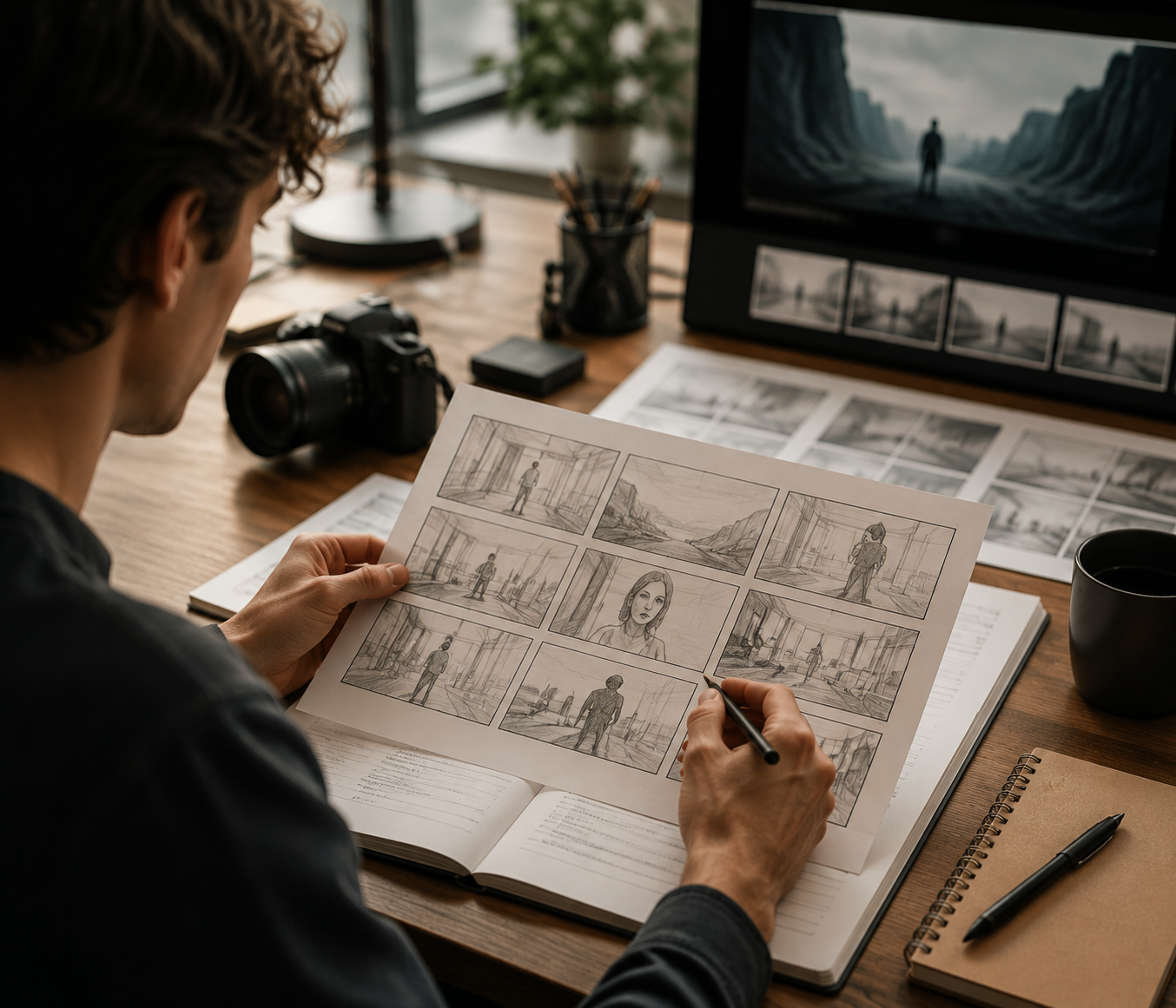
A film storyboard is a visual planning tool that helps filmmakers decide how a story will appear on screen before filming begins. A simple storyboard definition is a sequence of visual panels that shows planned shots, character actions, and scene composition before production starts. By turning script scenes into a sequence of images, it allows directors and production teams to plan camera angles, character movement, composition, and editing flow in advance.
This guide explains what a film storyboard is, what information it usually includes, why filmmakers use it, how to create one step by step, and how it differs from a shot list.
What Is the Purpose of a Film Storyboard?
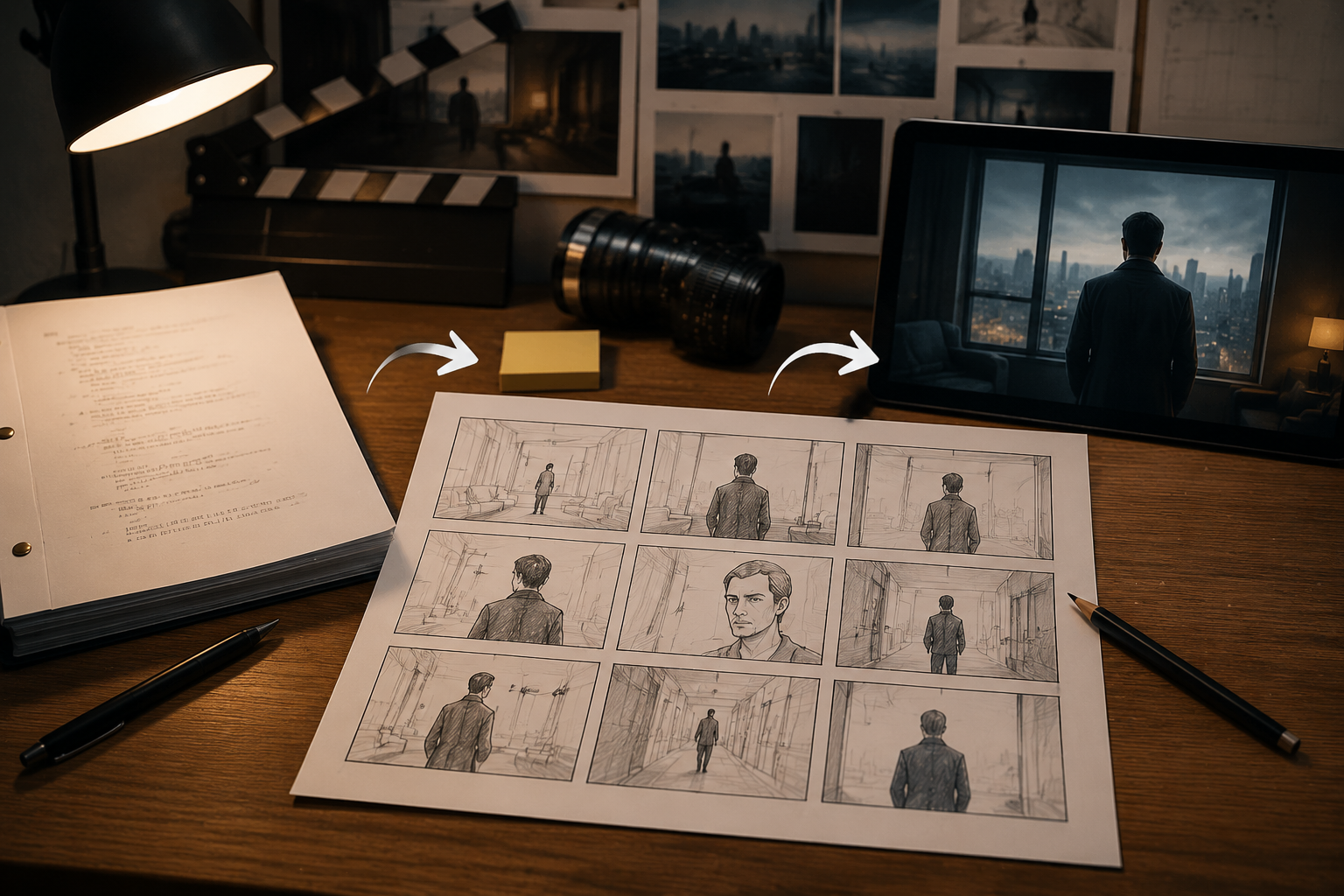
The main purpose of a film storyboard is to transform a written script into a practical visual plan. Understanding what is a storyboard also helps explain why filmmakers use it to organize shots and visual decisions before filming. Instead of making important camera decisions during production, filmmakers can review the scene structure beforehand and identify possible issues before filming starts.
A storyboard also helps creators understand how individual scenes work together as part of a complete visual story. When developing a video project, planning the relationship between characters, actions, and camera choices early can make the final production process more efficient.
Plan Shots Before Filming
Before cameras start rolling, filmmakers need to decide how each moment should be captured. A storyboard makes it possible to test shot size, camera angle, framing, character positions, and shot order without relying only on imagination.
A conversation between two characters may appear simple in a script, but the storyboard can show whether the scene needs a wide shot to establish the room, medium shots for the dialogue, or close-ups to highlight emotional reactions. For scenes involving several characters, complex movement, or changing camera positions, continuous panels help the team understand how one shot should connect with the next.
Keep the Production Team Aligned
A storyboard provides a shared visual reference for directors, cinematographers, actors, production designers, and VFX teams. Written descriptions can sometimes create different interpretations, while images make the intended composition and movement easier to understand.
A production team preparing a fantasy scene with a digital creature can use storyboard panels to decide where the actor should look, where the creature appears in the frame, and how the camera movement should support the interaction.
Find Problems Before Production Begins
Some production problems are difficult to notice until a scene is visualized. A storyboard can reveal unclear movement, repeated shots, missing visual information, or transitions that do not connect naturally.
Making changes at this stage is usually easier than adjusting a complete scene after filming has started. A revised panel can solve a visual problem before it affects the shooting schedule, budget, or final edit.
What Does a Film Storyboard Include?
A film storyboard does not need to look like a finished illustration. Its purpose is to communicate important visual decisions clearly so the production team understands how the scene should be created.
Scene and Shot Information
Most storyboards include basic information that connects each panel with the rest of the production process. Scene numbers and shot numbers help match storyboard panels with the script, shot list, and filming schedule, which is also an important part of planning a video script before production.
A clear script structure gives filmmakers a stronger foundation when deciding how each scene should be visualized and divided into individual shots.
Framing and Visual Composition
Each storyboard panel usually shows the key visual elements of a shot, including camera distance, character placement, environment, and important objects.
A wide shot helps establish the relationship between characters and their surroundings. A medium shot often focuses on conversations or physical actions, while a close-up draws attention to emotions or important details.
The drawing itself does not need to be highly detailed. A simple sketch can work well as long as the team understands the intended composition and visual focus.
Movement, Dialogue, and Sound
Storyboards often include notes that explain movement and production details. Arrows can show camera movement, character movement, or object movement, but these markings should remain consistent throughout the project.
Panels may also include dialogue, sound cues, transitions, or other notes that affect the scene. These details support the visual plan without replacing the complete screenplay.
Why Do Filmmakers Use Storyboards?
Filmmakers use storyboards because many creative and technical decisions become easier when a scene is viewed visually. A storyboard helps answer important questions before production, such as where the camera should be placed, how characters move through the space, and whether different shots will create a smooth sequence.
For smaller productions, storyboards can also improve efficiency. A creator filming a short video in a limited location can decide the required shots beforehand instead of spending extra time testing different angles during filming.
Film Storyboard Examples for Different Scenes
Looking at different storyboard examples helps explain how filmmakers use panels in real production situations.
Dialogue Scene
A restaurant conversation between two characters can begin with a wide shot showing both people sitting across the table. The next panels may move into medium shots during the conversation and close-ups when one character experiences an important emotional change.
The storyboard helps determine when the audience should focus on the relationship between the characters and when a specific reaction deserves attention. If the same camera setup appears multiple times, the team can reference the existing shot number instead of creating unnecessary duplicate panels.
Action Scene
Action scenes require careful planning because movement, camera position, and timing must remain consistent.
A chase through a crowded train station needs clear information about where each character moves, which direction they travel, and how the camera follows the action. Additional storyboard panels can show the beginning, middle, and result of the movement, helping different shots maintain spatial continuity.
Visual Effects or Animation Scene
Visual effects and animation projects often depend heavily on storyboards because some elements are created later in the production process.
When an actor interacts with a digital character, the storyboard can define the character’s position, the actor’s eye line, movement timing, and the relationship between real and virtual elements. These panels can later be developed into an animatic with temporary sound and timing to test the scene rhythm.
For animation and illustrated projects, early visual planning is especially valuable because it helps creators organize scenes before moving into full production. Similar planning methods are also used in workflows such as creating an anime movie, where story structure and visual development need to work together.
How to Create a Film Storyboard Step by Step
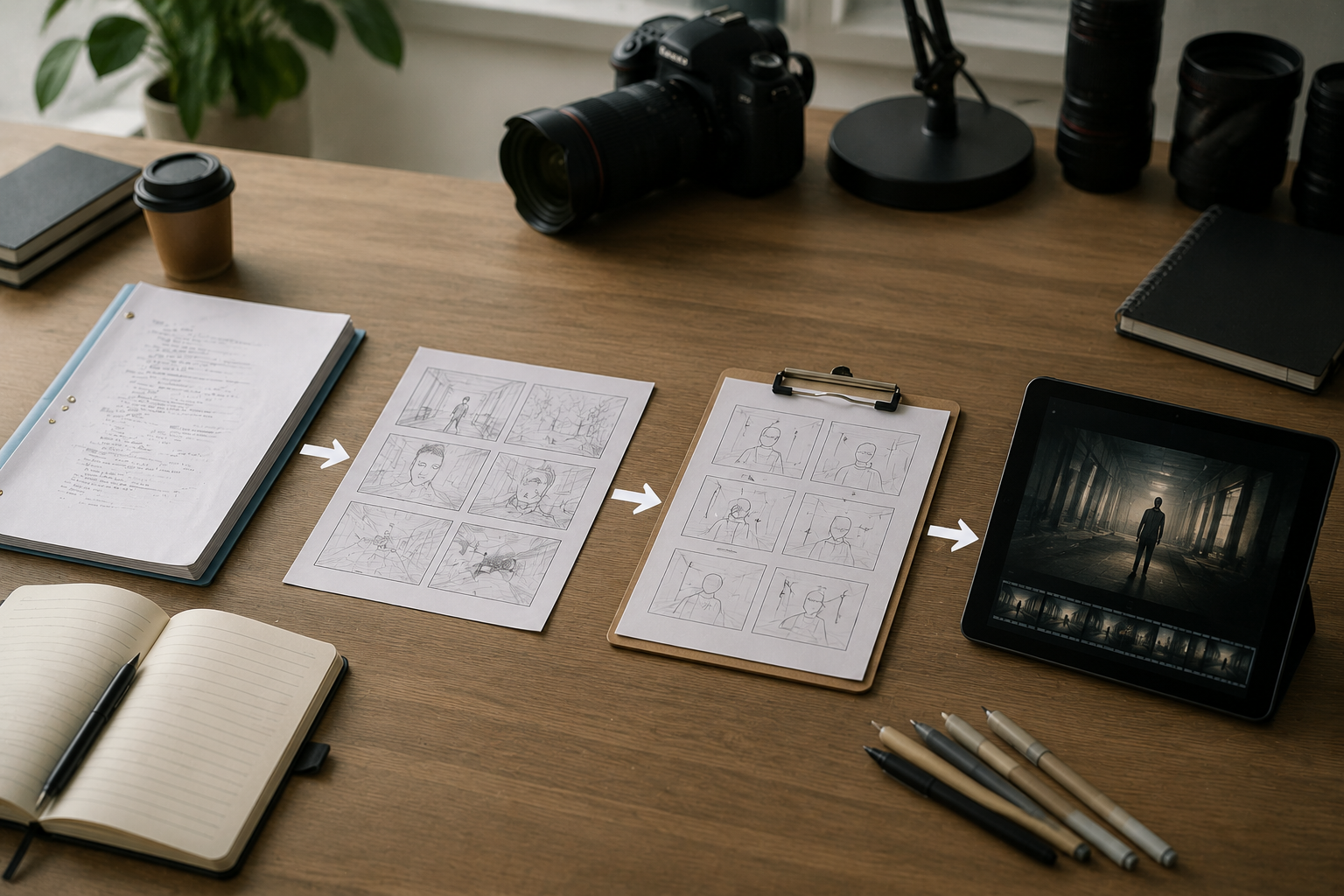
Creating a storyboard starts with understanding what the audience needs to see. The first draft should focus on visual storytelling decisions rather than artistic quality.
Step 1: Break the Script Into Visual Beats
Read the scene and identify important visual changes, including character entrances, key actions, information reveals, emotional changes, and the final moment of the sequence.
A new panel should represent a meaningful change in what viewers see. A new line of dialogue does not always require another panel if the camera position and visual information remain unchanged.
Step 2: Choose the Essential Shots
Each shot should have a clear purpose. Decide whether the audience needs to understand the location, follow an action, or focus on a character’s emotion.
Removing repeated or unnecessary shots can make the final sequence clearer and easier to produce.
Step 3: Set the Panel Size and Aspect Ratio
The final video format affects storyboard composition. A widescreen film, vertical social media video, and animated project may require different approaches to framing.
Common formats include 16:9 for standard video, 2.39:1 for cinematic widescreen, and 9:16 for vertical content. Deciding the aspect ratio early helps filmmakers plan how much space characters and backgrounds need.
Step 4: Sketch the Main Composition
Storyboard panels can be created with simple drawings, photos, digital references, or AI-generated images. The goal is not to create polished artwork but to communicate the shot clearly, and AI image tools can help creators explore early visual ideas.
The most important elements are the subject’s position, camera viewpoint, movement direction, and relationship between objects in the scene.
Creators who are not confident in drawing can still create effective storyboards using simple shapes, reference images, or digital materials. AI creative tools can also help explore different visual styles during early planning.
Step 5: Add Movement and Production Notes
After the composition is clear, add notes for camera movement, character actions, dialogue, sound, duration, and transitions.
Using consistent symbols throughout the storyboard prevents confusion during production. A camera movement arrow and a character movement arrow should never be used interchangeably.
Step 6: Review the Complete Sequence
After arranging all panels in order, review the storyboard as a complete sequence. Check whether the action flows naturally, whether camera changes make sense, and whether any shots repeat the same information.
Creators can also use AI video tools to create an early visual version of a storyboard concept. RoboNeo can transform scripts, scene descriptions, and visual references into short video drafts that help creators review overall direction, character movement, and visual style. These generated videos work as creative previews, while the storyboard and shot list remain the main references for production planning.
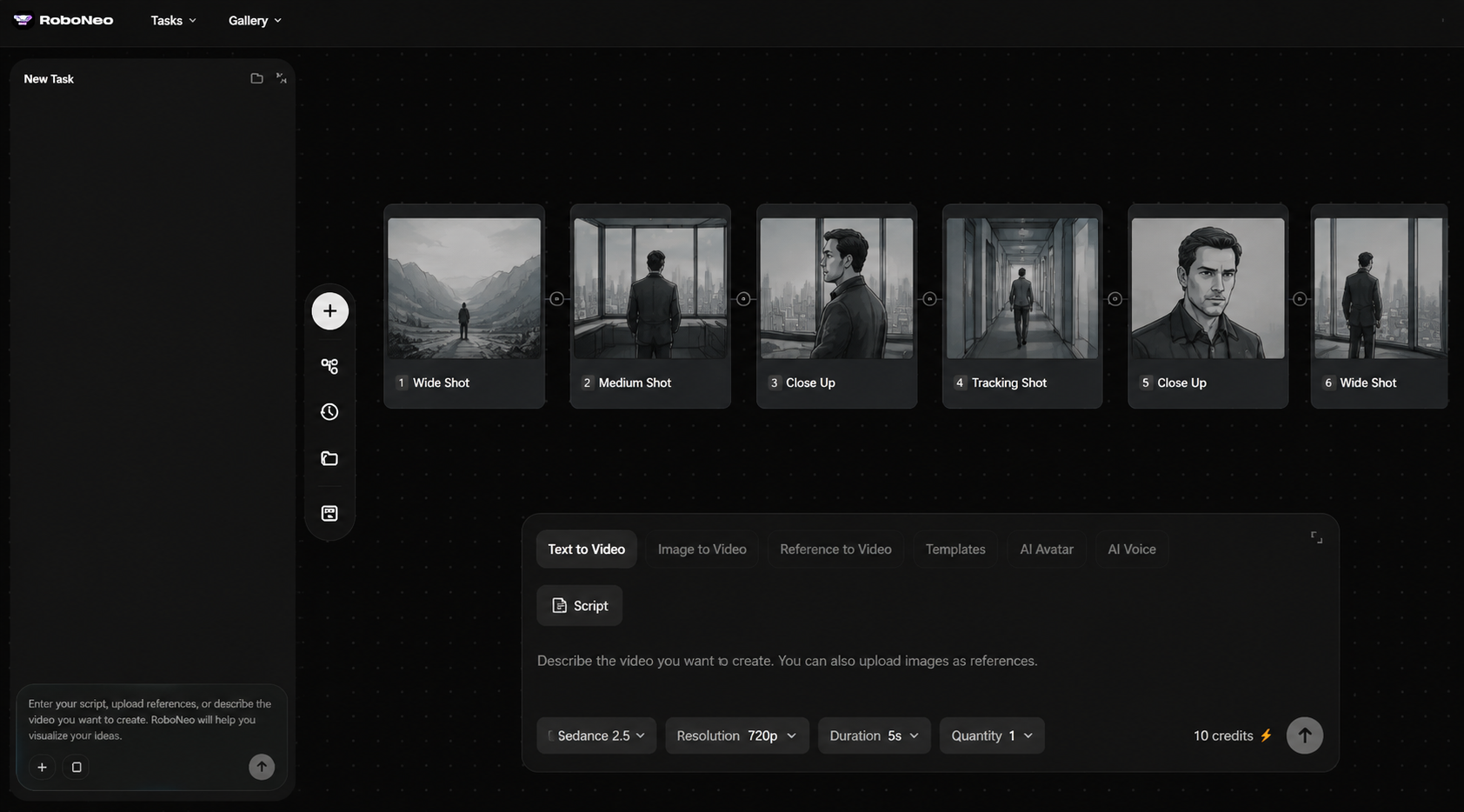
Animate Storyboards with RoboNeo
How Is a Storyboard Different From a Shot List?
A storyboard and a shot list are often used together, but they serve different purposes.
A storyboard focuses on the visual experience of the audience by showing composition, movement, and shot progression. A shot list focuses on production execution by recording filming details, equipment needs, locations, and shooting order.
| Comparison | Storyboard | Shot List |
| Main Purpose | Visualize the scene | Organize filming tasks |
| Format | Drawings or image panels | Text or spreadsheet |
| Main Information | Composition, movement, framing | Camera, equipment, location, order |
| Best Use | Complex scenes, action, animation, VFX | Production planning and scheduling |
| Main Limitation | Requires time to create | Does not show visual flow |
FAQ
Is a storyboard necessary for every film?
Not every project requires a complete storyboard. Simple interviews, fixed-camera conversations, or low-complexity scenes may only need a shot list. Action sequences, animation, and visual effects projects usually benefit from more detailed planning.
Do you need drawing skills to make a storyboard?
Professional drawing skills are not required. Stick figures, simple shapes, photos, and digital references can communicate camera position, character movement, and scene structure effectively.
Does every storyboard panel represent one shot?
Usually, one panel represents one important shot or visual moment. When a single shot contains significant movement changes, multiple panels can be used to show the progression.
Who creates the storyboard for a film?
The director may create the storyboard independently or work with a storyboard artist, cinematographer, or production designer. Larger productions often use dedicated storyboard artists.
How detailed should a film storyboard be?
The required level of detail depends on the project. Simple scenes may only need basic framing and character positions, while action, animation, and VFX scenes require clearer movement paths and spatial relationships.
You May Be Interested
4K vs 1080p: Should You Upscale 1080p Video to 4K?
How to Use an AI Video Generator Online to Create Viral Content
How to Choose the Best AI Text to Video Generator in 2026 (+ Our Top Pick)
3 Best Background Noise Removal Apps for 2026
5 Best Free Tools to Remove Watermark from Video in 2026 | RoboNeo