How to Create an Anime Movie: From Story to Animation
 RoboNeo TeamAugust 22, 2026
Creating an anime movie requires more than drawing characters or generating animated scenes. A complete production needs a clear story, consistent characters, planned shots, animation, sound design, and final editing. Whether you are making a short anime film alone or working with a team, the process usually follows three stages: pre-production, production, and post-production.
This guide explains how anime movies are made, from developing the first idea to creating finished animation, and how modern AI tools can help creators turn stories into animated videos.
Understand How an Anime Movie Is Made
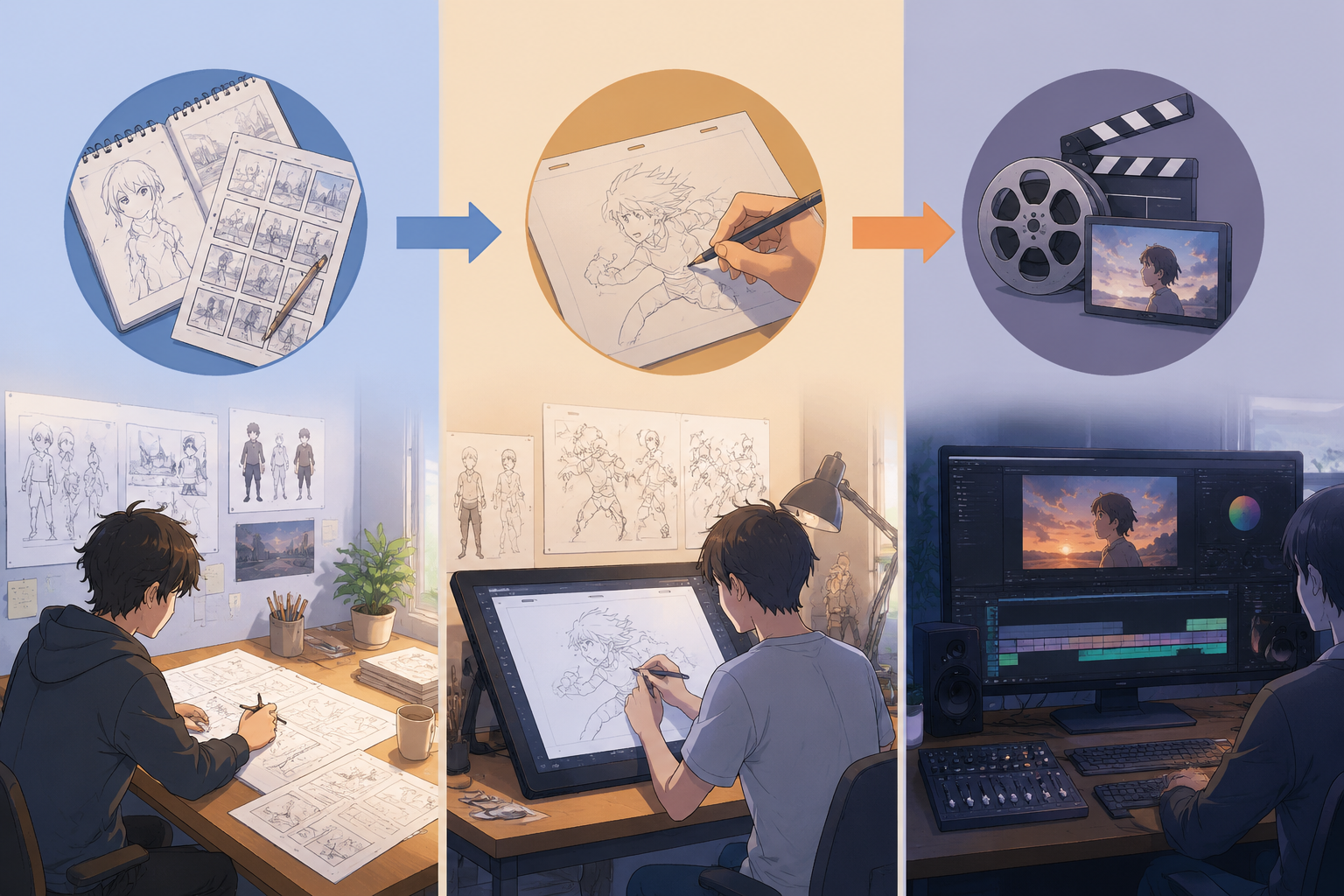
To understand how is anime made, it helps to divide the process into three connected stages. Decisions made early in production directly affect the workload later. A detailed character design created during planning can save time during animation, while an unclear story may require major changes after scenes are already completed.
Pre-production
Pre-production focuses on deciding what the anime movie will tell and how it will look. The process usually includes story development, scriptwriting, character design, background design, storyboarding, and animatic creation.
At this stage, creators solve major storytelling problems before animation begins. Changing a scene in a storyboard only requires editing drawings, while changing the same scene after hundreds of animation frames are completed can require significant extra work.
Production
Production turns planned scenes into actual animation. Traditional 2D anime production often includes layout, key animation, in-between animation, clean-up, coloring, and background art.
A character running through a city street may require separate work for body movement, facial expressions, clothing motion, background movement, and lighting effects. Every element needs to match across different shots so the character remains visually consistent.
3D anime production follows a different workflow, involving modeling, rigging, materials, animation, lighting, and rendering. The goal is still the same: creating believable movement and a unified visual style.
Post-production
Post-production combines individual scenes into a complete movie. Dialogue recording, music, sound effects, subtitles, visual effects, and color adjustments are added during this stage.
A quiet emotional scene may need softer background music and subtle environmental sounds, while an action sequence may require stronger impacts, movement effects, and faster editing. These final adjustments help control the audience’s experience.
Plan the Anime Story
Before writing a full script, define the foundation of the anime movie. The story idea, target audience, visual style, and runtime all influence how much animation is realistic to produce.
For independent creators, a short film between 3 and 10 minutes is often a practical starting point. A smaller project allows more attention to important moments instead of spreading limited time across too many characters and locations.
Define the Main Idea
A strong anime story begins with a clear central conflict. A useful logline should explain who the main character is, what they want, what prevents them from achieving it, and what happens if they fail.
A simple idea such as "a young inventor wants to repair a forgotten robot before his village loses power" already creates a character goal, a challenge, and a reason for the audience to care.
This core idea should guide later decisions. If a scene does not develop the character, increase the conflict, or reveal important information, it may not need to appear in the final movie.
Build the Characters and Anime World
Characters need more than appearance. Their personality, motivation, weaknesses, relationships, and emotional changes determine how the audience connects with them. An AI character generator can help test whether a design remains recognizable across different scenes and poses.
The anime world also needs clear rules. A fantasy story may define how magic works, while a science-fiction story may establish the limits of technology. The most effective worldbuilding supports the story instead of adding unnecessary information.
A common mistake is spending months designing detailed locations or history that never appears on screen. Focus on the parts of the world that directly affect the characters and events.
Choose the Runtime and Visual Style
The animation style should match the available resources. Traditional 2D animation offers a hand-drawn look, while 3D animation can simplify repeated movements and camera changes. An AI anime generator provides another option for creators who want to produce scenes without building a full animation pipeline.
The visual direction should also be decided early, including color style, character design, lighting, and overall atmosphere.
Turn the Story Into an Anime Script
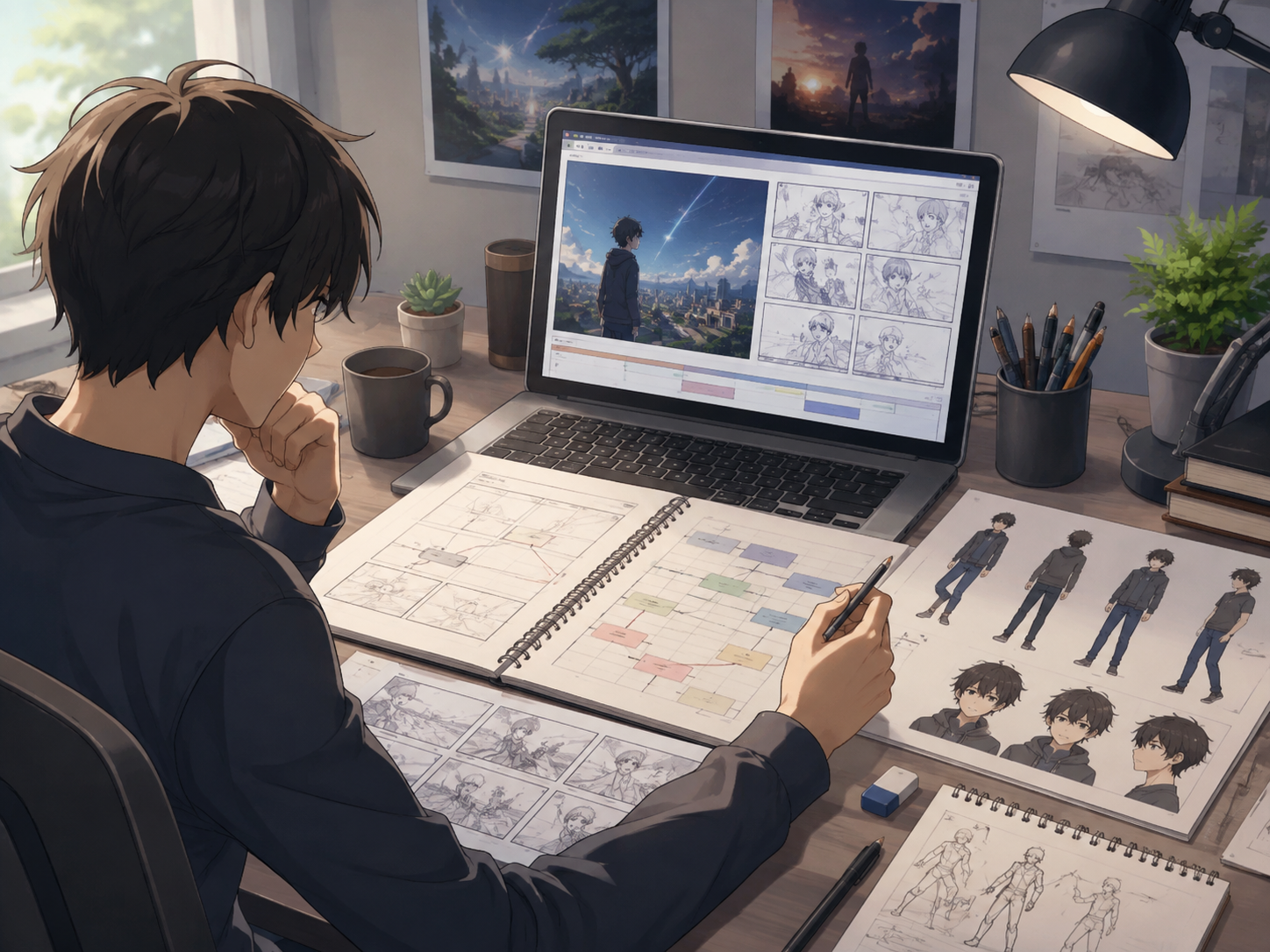
A story idea becomes production-ready only after it is converted into a script. An anime script explains where each scene happens, which characters appear, what they do, what they say, and how the scene contributes to the overall story.
Outline the Story Structure
Most anime movies follow a basic structure with an opening, development, climax, and resolution.
The opening introduces the character and the situation that changes their normal life. The development increases challenges and forces the character to make difficult decisions. The climax creates the most important conflict, while the resolution shows the result and emotional change.
A clear structure prevents the story from feeling like a collection of unrelated scenes.
Break the Story Into Scenes
Before animation starts, divide the script into individual scenes. This is also a key step when creating an AI video from a script, as each scene needs clear visual direction. Each scene should include important production information:
Scene location and characters
Main action and emotional changes
Dialogue and sound requirements
Estimated duration
Camera angle and movement
A scene where a character discovers an old photograph may only need a close-up shot, a short reaction, and background music. Planning this detail early helps avoid unnecessary animation work.
Write Action and Dialogue
Animation depends heavily on visual storytelling. Action descriptions should show what the audience will see rather than explaining every emotion directly.
Dialogue should sound natural for each character and support the scene. If a character looks nervous while avoiding eye contact, the animation may already communicate the feeling without requiring a long explanation.
Creators without scriptwriting experience can also use RoboNeo to organize story ideas, characters, scenes, and dialogue before production begins.
Create the Anime Animation Video
Learning how to create anime involves turning the finished script and scene plan into animated shots. The production method depends on the creator’s experience, budget, and desired visual result.
Create Animation With Traditional Tools
Traditional animation starts with layouts and key poses that define major movements. Additional frames are created between key poses, followed by clean-up, coloring, and visual effects.
Consistency is one of the biggest challenges. A character appearing in multiple scenes should maintain the same face shape, hairstyle, clothing, and proportions. Even small differences can make the final movie feel disconnected.
Generate Anime Scenes With RoboNeo
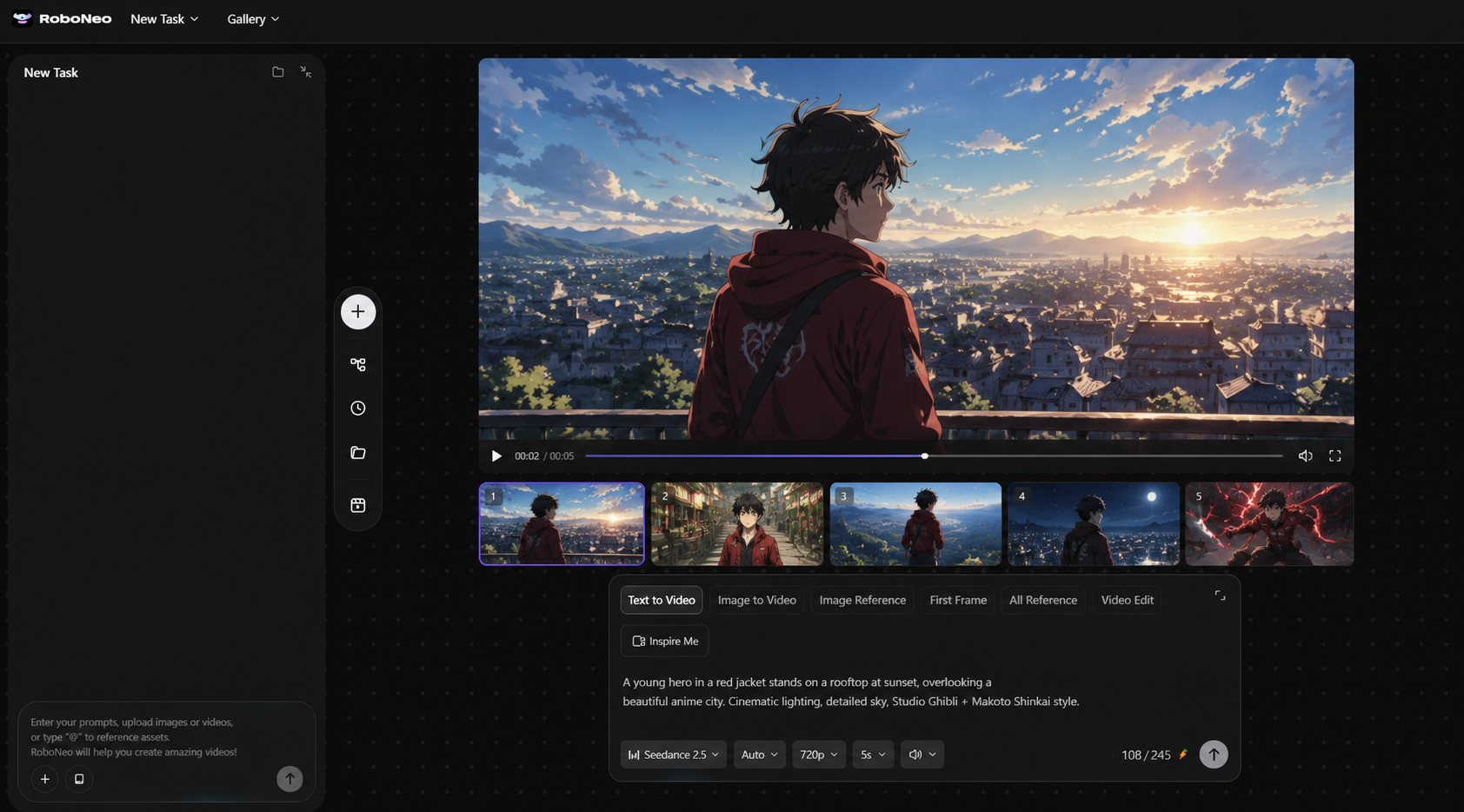
Creators who do not have experience with frame-by-frame animation can use RoboNeo to transform scripts, character references, and scene descriptions into animated videos.
With RoboNeo, individual shots can be generated and combined into a longer anime video, making it suitable for animated short films, concept trailers, and story demonstrations.
For better results, each scene description should include key visual information:
Character appearance and clothing
Environment and important objects
Action and emotion
Camera angle and movement
Lighting, mood, and duration
A consistent character description across scenes helps reduce changes in appearance. A hero wearing a red jacket in one shot should not suddenly appear with different clothing or facial features in the next scene.
Review and Refine Each Scene
Generated or animated scenes should be checked before combining them into the final movie. Look for problems with faces, hands, movement, clothing, objects, and background details.
A character walking through a doorway may need adjustment if the movement direction changes between shots. Fixing individual scenes before editing the full movie is usually faster than correcting problems after everything is combined.
Add Sound and Edit the Anime Movie
Visuals alone do not create a complete anime movie. Sound and editing shape the rhythm, emotion, and overall storytelling.
Record Dialogue and Add Sound
Voice acting should match the character’s personality and emotional state. A serious character may speak slowly and carefully, while an energetic character may use faster expressions.
Sound effects also make scenes feel more realistic. Footsteps, wind, doors opening, object impacts, and environmental sounds add depth to the animation.
Edit the Complete Movie
The final editing stage connects all scenes together. Watch the entire movie from beginning to end and check whether the story is easy to follow, the pacing feels natural, and important moments receive enough attention.
Small issues such as sudden background changes, inconsistent colors, incorrect subtitles, or uneven audio levels should be corrected before publishing.
Export and Publish
Before release, choose suitable settings for the target platform, including resolution, aspect ratio, frame rate, video format, and audio quality.
A final review on different devices is important. A scene that looks clear on a computer monitor may appear too dark on a phone screen, and subtitle size may need adjustment for smaller displays. If the exported animation looks soft on a larger display, AI video upscaling can improve resolution and reduce visible noise before release.
FAQ
How long does it take to create an anime movie?
The production time depends on the movie length, animation style, complexity, and team size. A simple AI-assisted short film may be completed within weeks, while a detailed traditional anime production can take months or longer.
Can one person create an anime movie?
Yes. Individual creators can produce anime movies by reducing the number of characters, locations, and complex action scenes. AI tools, reusable assets, and simplified designs can also reduce production demands.
Do you need to know how to draw to make anime?
No. Drawing skills are useful for traditional animation, but creators can also work with 3D models, animation software, existing assets, or AI-generated scenes. Storytelling and visual planning remain important regardless of the method.
How many frames does an anime movie need?
The total number of frames depends on runtime and frame rate. Anime productions often hold drawings for multiple frames, while fast movements require more individual images to create smoother motion.
Can AI generate a complete anime movie?
AI can help create scripts, character designs, backgrounds, and animation scenes, but a complete anime movie still requires human decisions about story structure, consistency, editing, and sound. Creating and reviewing shorter scenes before combining them is usually the most reliable approach.
You May Be Interested
480p vs. 720p: Which Resolution Should You Choose?
New from RoboNeo: Agent Team. The AI That Hired You a Whole Creative Squad
6 Best Ai Character Generator in 2026: Tested & Compared
How to Choose the Best AI Text to Video Generator in 2026 (+ Our Top Pick)
Best TikTok Script Generator in 2026