Animatic vs. Storyboard: What Is the Difference?
 RoboNeo TeamAugust 22, 2026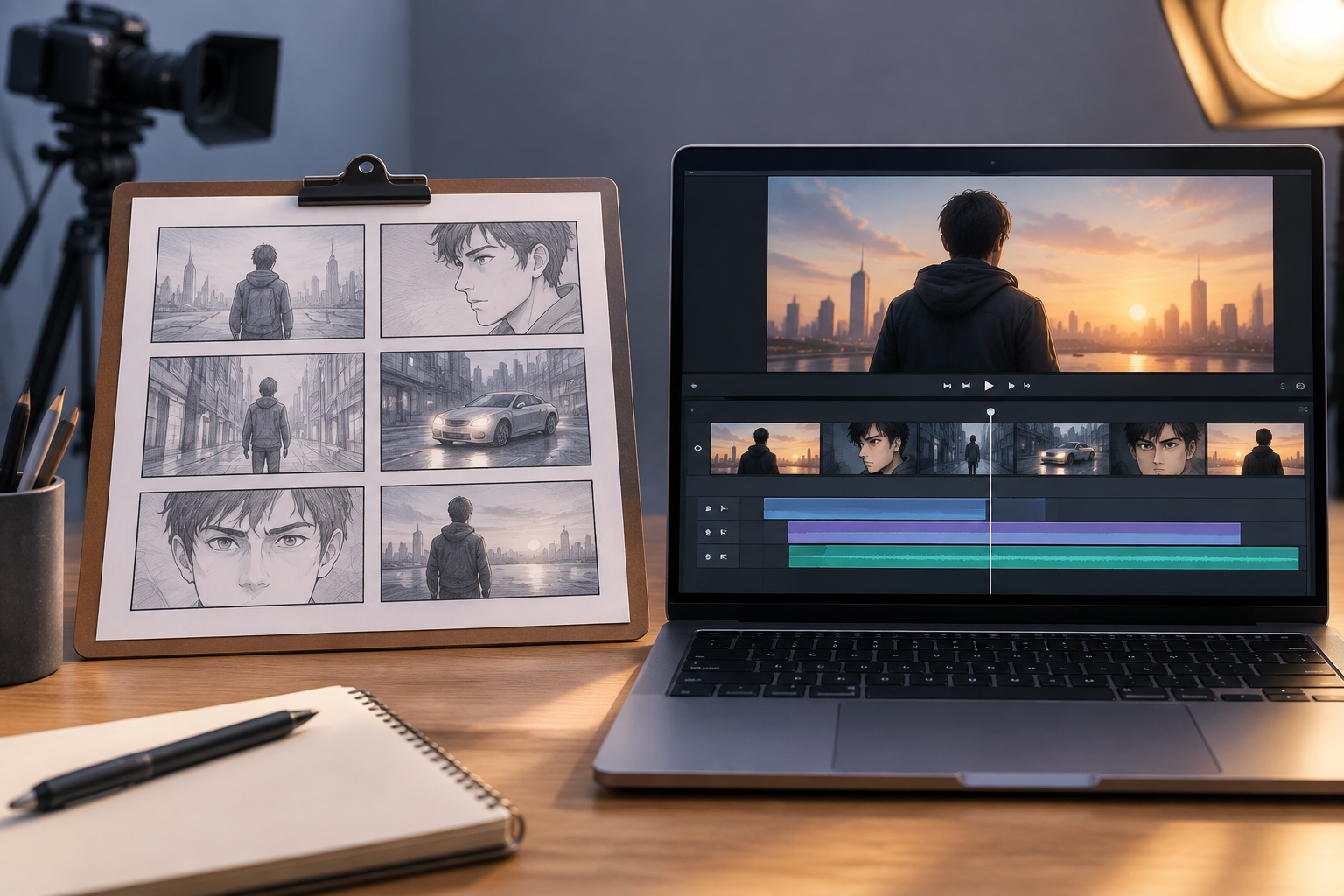
A storyboard uses static images to plan what each shot will show, while an animatic places those images on a timeline to test timing, editing, movement, and sound. Both help creators find problems before production, but they answer different questions.
This guide explains their strengths and limitations, and helps you choose the right approach for your project.
What Is an Animatic?
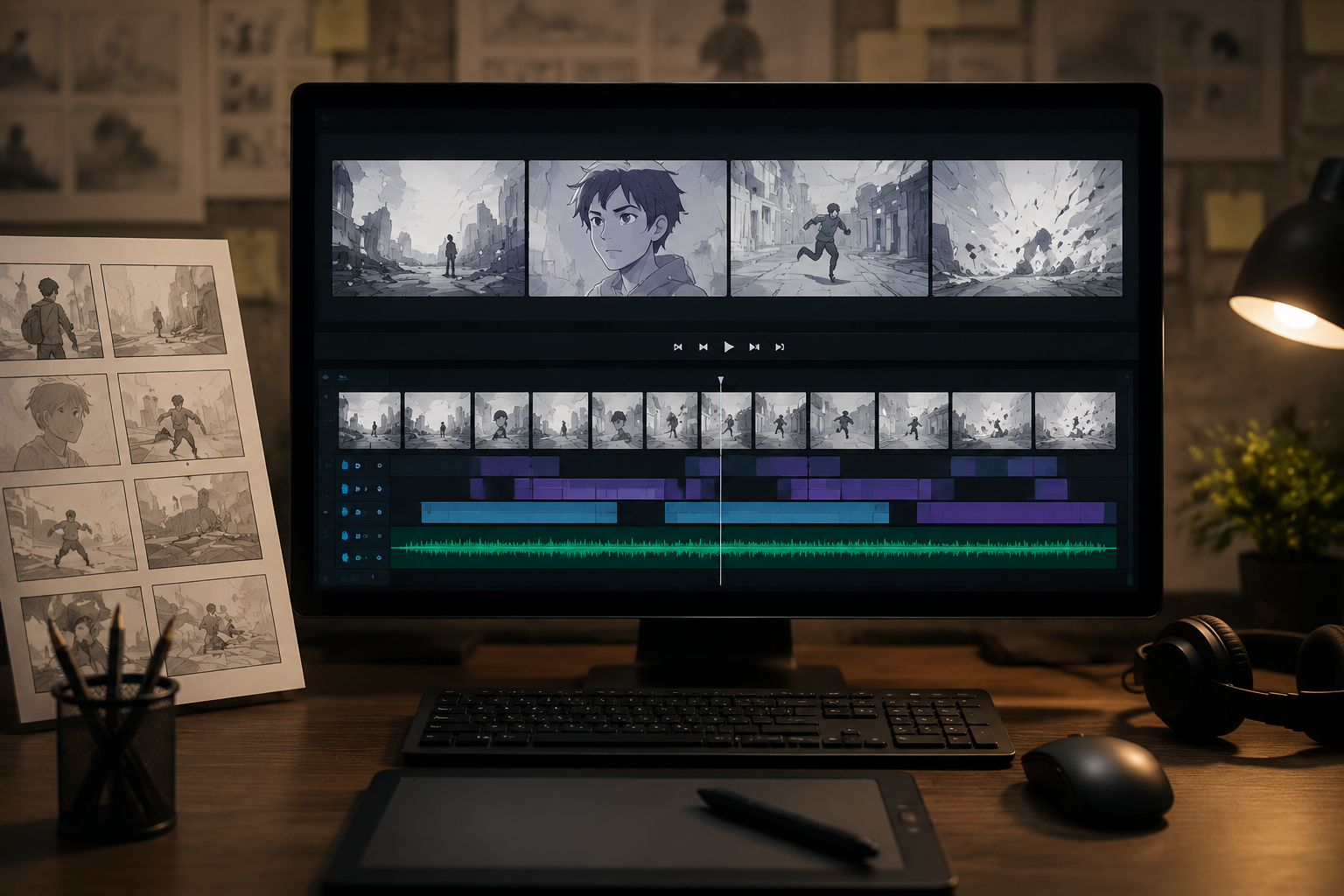
An animatic is a rough video preview made from storyboard panels, concept art, photographs, simple 3D renders, or generated visual assets. These materials are arranged on a timeline, with a planned duration assigned to each shot. Temporary dialogue, sound effects, music, camera moves, zooms, and basic transitions may also be included.
Final visual quality is not the main concern at this stage. Instead, an animatic allows the team to watch the story unfold over time. A sequence that appears clear in separate drawings may feel rushed, slow, or confusing once the shots are played together.
Advantages of an Animatic
Timing becomes much easier to evaluate when the panels are placed on a timeline. Directors and editors can see whether an action has enough screen time, whether dialogue pauses feel natural, and whether the complete video stays within its required length.
Consider a 30-second advertisement in which the product must appear within the first five seconds. A static plan can show the correct shot order, but only an animatic can reveal whether the opening action delays the product introduction.
An animatic can also expose problems such as:
Actions that happen too quickly to understand
Dialogue with insufficient pauses
Scenes that remain on screen longer than necessary
Abrupt transitions between shots
Music cues that do not match important visual moments
Because an animatic can be played like a rough video, directors, animators, editors, and clients often find it easier to review than separate drawings. Adjusting the timeline during the planning stages of a short film is usually less expensive than rebuilding finished shots.
Limitations of an Animatic
Creating an animatic takes more time than preparing a storyboard alone. Panels must be organized, shot durations need to be adjusted, and temporary audio may require editing. When a drawing changes, the timeline and soundtrack may need to be updated as well.
Rough visuals can also create the wrong expectations. A client unfamiliar with pre-production may judge unfinished drawings as if they represent the final style. Clear communication is therefore important when presenting the animatic.
Although it can test structure and pace, an animatic cannot accurately demonstrate final animation quality, actor performance, materials, lighting, or visual effects. These remain among the broader limitations of current AI video generation when generated clips are used for previsualization. A character sliding across a panel may communicate direction and duration, but it does not show how convincing the finished movement will be.
Best Use Cases for an Animatic
Animatics are particularly useful when timing directly affects the result. Animation, action scenes, music videos, advertisements, comedy sequences, visual effects shots, and short videos with strict duration limits often benefit from a timed preview.
A music video editor, for instance, may need a character’s movement to end on a specific beat. Static panels show the intended action, while an animatic confirms whether the movement fits the music.
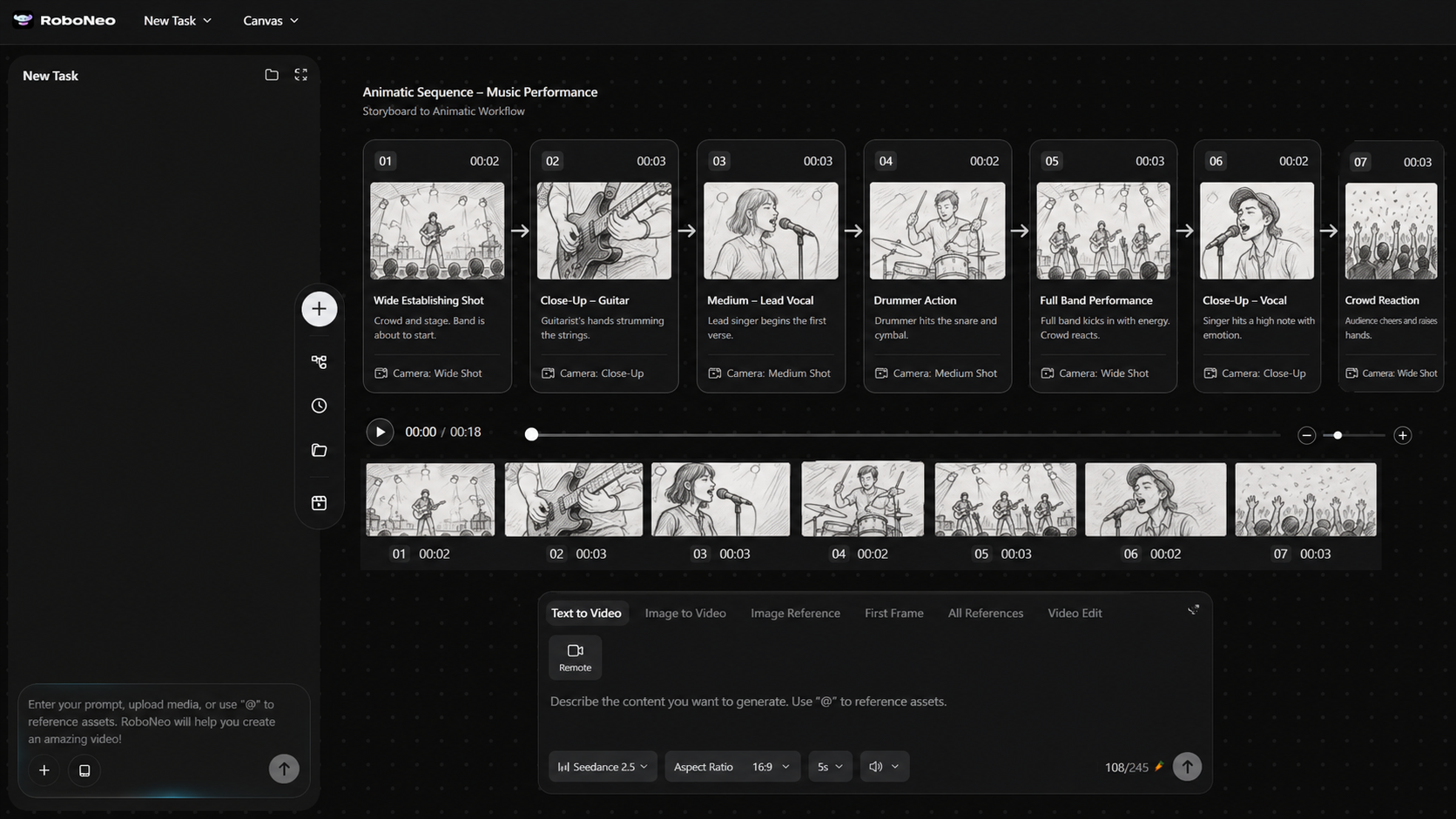
When drawings cannot communicate character or camera movement clearly, RoboNeo can generate test clips from descriptions of the characters, setting, action, composition, and camera direction. Selected material can then be added to the timeline to evaluate movement and shot transitions. At this stage, generated footage should remain a previsualization reference rather than be treated as the finished video.
What Is a Storyboard?
A storyboard is a sequence of static panels arranged in story order. Each panel normally represents one shot or an important action. Depending on the production, it may include a shot number, framing, camera angle, character position, action notes, dialogue cues, or arrows that indicate movement.
The purpose of a storyboard is to define what will be filmed or created and how the visuals will be organized. It gives directors, cinematographers, designers, animators, and other team members a shared visual plan before production starts.
Advantages of a Storyboard
Storyboards are generally faster to produce and revise than animatics. A creator can redraw a panel, change the shot order, or remove an unnecessary angle without editing a timeline or rebuilding the temporary soundtrack.
Composition and spatial relationships are also easier to examine in a set of static images. The team can compare camera angles, decide where characters should stand, and check whether enough coverage has been planned for editing. When generated images are used, maintaining a consistent style across storyboard sequences also helps the team follow characters and locations from one panel to the next.
During the preparation of a cooking tutorial, the storyboard might include a wide shot of the presenter, a close-up of the ingredients, and an overhead view of the mixing bowl. These panels allow the crew to prepare the camera positions and equipment before arriving on set.
Limitations of a Storyboard
Static images cannot fully represent shot duration, dialogue rhythm, musical changes, or the overall feeling of an edit. A sequence may look logical on the page but still feel slow when every planned shot is given its intended screen time.
Arrows and notes can suggest movement, yet different viewers may interpret them differently. One person might expect a slow camera pan, while another imagines a quick movement. Complex action, sound-driven scenes, and precisely timed sequences therefore require more than static drawings.
Best Use Cases for a Storyboard
A storyboard works well when the immediate goal is to confirm story order, composition, and the practical shooting plan. Interviews, tutorials, product demonstrations, straightforward short films, and early concept presentations may not need a complete animatic.
Storyboarding can also serve as the first stage of a more complex production. Once the team approves the main shots, the selected panels can be transferred to a timeline. This workflow keeps early revisions simple while leaving room for more precise timing tests later.
Animatic vs. Storyboard: Key Differences
The central distinction is that a storyboard presents the visual design of individual shots, whereas an animatic tests how those shots work over time. A useful comparison of animatics and storyboards should also consider sound, revision speed, cost, and the type of feedback required.
| Factor | Storyboard | Animatic |
| Format | Static sequence of panels | Timed audiovisual sequence |
| Primary purpose | Plan shots and composition | Test timing, editing, and sound |
| Visual detail | Rough sketches to polished panels | Usually uses storyboard panels or simple assets |
| Revision speed | Faster to revise | Requires timeline and possible audio changes |
| Production time | Relatively short | Longer because timing and sound must be added |
| Relative cost | Lower | Higher, but may reduce later rework |
| Best stage | Early visual planning | After the main shot plan is established |
| Typical projects | Interviews, tutorials, presentations, simple shoots | Animation, action, music videos, ads, VFX scenes |
Neither format automatically replaces the other. Storyboards and animatics often form two stages of the same planning process rather than competing alternatives.
How to Choose Between a Storyboard and an Animatic
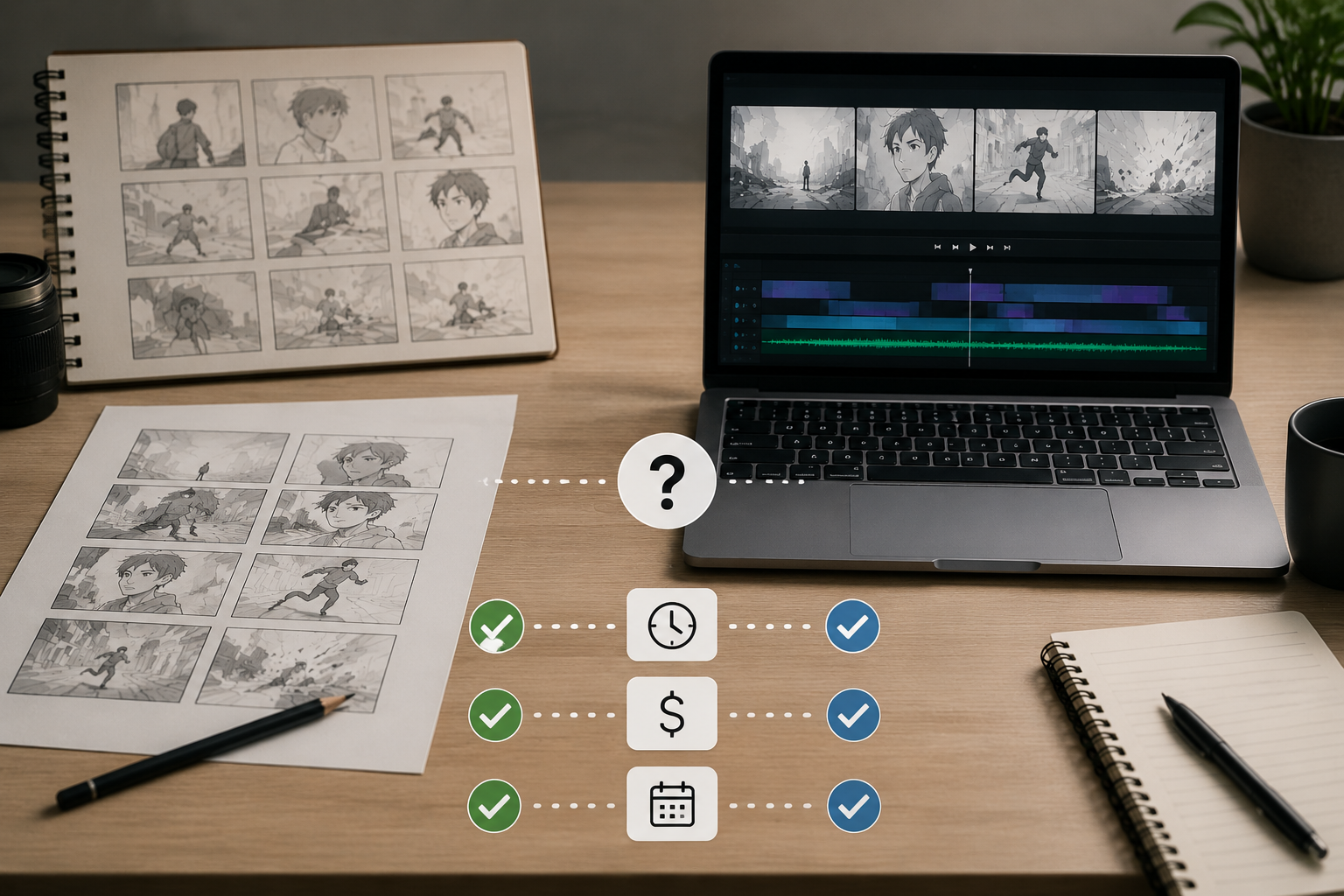
The choice depends on the problem the project needs to solve. When the main uncertainty concerns framing or shot coverage, a storyboard may be enough. When duration, sound, or movement could change the result, an animatic provides a more reliable test.
Budget and schedule matter, but potential rework should also be considered. Spending additional time on previsualization can be worthwhile when a mistake would require rebuilding animation, rescheduling actors, or returning to an expensive filming location.
Choose a Storyboard When You Need Visual Clarity
A storyboard should come first when the team needs to confirm shot content, composition, camera position, character placement, or filming coverage. Videos with simple action and flexible timing can often be planned with storyboard panels and a shot list.
A product demonstration recorded at a desk may only require a presenter shot, several close-ups, and a final product view. If the actions can be repeated easily, detailed timing tests may add little value.
Choose an Animatic When Timing Affects the Result
An animatic becomes valuable when a scene depends on music beats, comedy pauses, rapid action, dialogue length, or a strict running time. Rather than estimating the pace from drawings, the team can watch the proposed edit and adjust it before production.
Even a ten-second social media advertisement may need an animatic when it contains several rapid transitions, on-screen text, and a final call to action. A text-to-video workflow can also help turn written scene directions into rough visual clips for timing tests. Video length alone does not determine which method is necessary.
Use Both for Complex or Expensive Projects
Animation, advertising, visual effects sequences, multi-character stories, and costly shoots often benefit from using both a storyboard and an animatic. The storyboard establishes the visual design first. Approved panels are then placed on a timeline to test duration, sound, and editing.
The decision should not depend on whether a project appears "professional". What matters is how difficult an error would be to correct after production begins. As the financial or practical cost of reshooting increases, the value of testing both the storyboard and animatics also increases.
FAQ
Does a storyboard always come before an animatic?
Usually, because an animatic is often built from approved storyboard panels. However, creators can also arrange photographs, concept art, simple 3D renders, generated assets, or test footage directly on a rough timeline.
Is an animatic the same as animation?
No. An animatic mainly uses static panels and limited movement to test timing and editing. Finished animation includes completed character movement, performance, transitions, lighting, materials, and other visual details.
Can live-action projects use animatics?
Yes. Action scenes, advertisements, music videos, and visual effects sequences can use animatics to preview camera movement, shot order, and duration. This planning may reduce the risk of discovering major editing problems after filming.
How detailed should storyboard drawings be?
They should contain enough detail for the team to understand the characters, action, composition, and purpose of the shot. Simple sketches may work for an internal production, while client or investor presentations usually require clearer and more consistent panels.
Can I skip the animatic for a short video?
Yes, if the shots are simple, the timing is flexible, and reshooting would be easy. However, an animatic can still help with a short video that depends on precise beats, complex action, multiple generated clips, or rapid transitions.
You May Be Interested
480p vs. 720p: Which Resolution Should You Choose?
New from RoboNeo: Agent Team. The AI That Hired You a Whole Creative Squad
6 Best Ai Character Generator in 2026: Tested & Compared
6 Best AI Video Generators in 2026
Best TikTok Script Generator in 2026