How to Write Script for a Youtube Video
 RoboNeo TeamJuly 4, 2026
A YouTube script is the foundation of every video that actually holds attention. It shapes what you say, when you say it, and why viewers keep watching beyond the first few seconds. Without it, videos tend to drift, editing becomes messy, and the core message gets lost.
This guide breaks down what makes a strong YouTube script, how to write one step by step, and how AI tools can speed up the process. It is designed for creators, marketers, and small teams who want a repeatable system, not a one-time lucky hit.
What Makes a Good YouTube Script
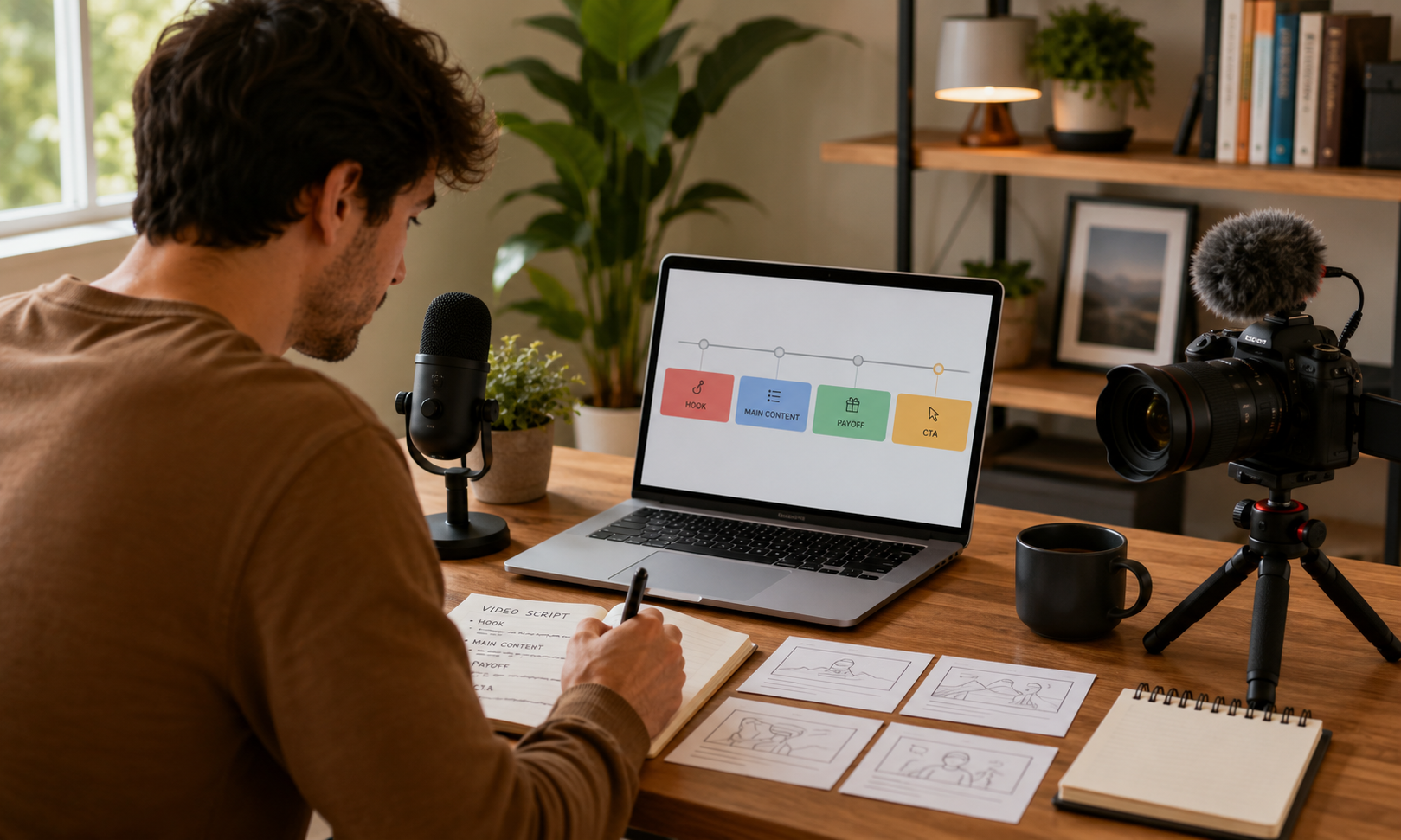
A strong YouTube script grabs attention quickly and keeps it going. Good YouTube script writing usually comes down to a few core principles:
Hook (first 5-15 seconds) — Start with the payoff right away. Tell viewers what they will get or why it matters. Skip long intros or channel branding at the start. You earn that attention later.
Clear single promise — Every video should focus on a single idea. If a viewer cannot summarize your video in one sentence, the script is too broad.
Conversational tone — Write for how people actually speak. Use short sentences, contractions, and direct language like “you.” Read it out loud. If it sounds unnatural, revise it.
Tight pacing and retention hooks — Remove anything that does not move the video forward. Use curiosity gaps like “I made one mistake that changed everything” and refresh attention every 20 to 40 seconds with visual or topic shifts.
Logical structure — A reliable spine: hook → context/stakes → main content (steps, points, or story beats) → payoff → call to action.
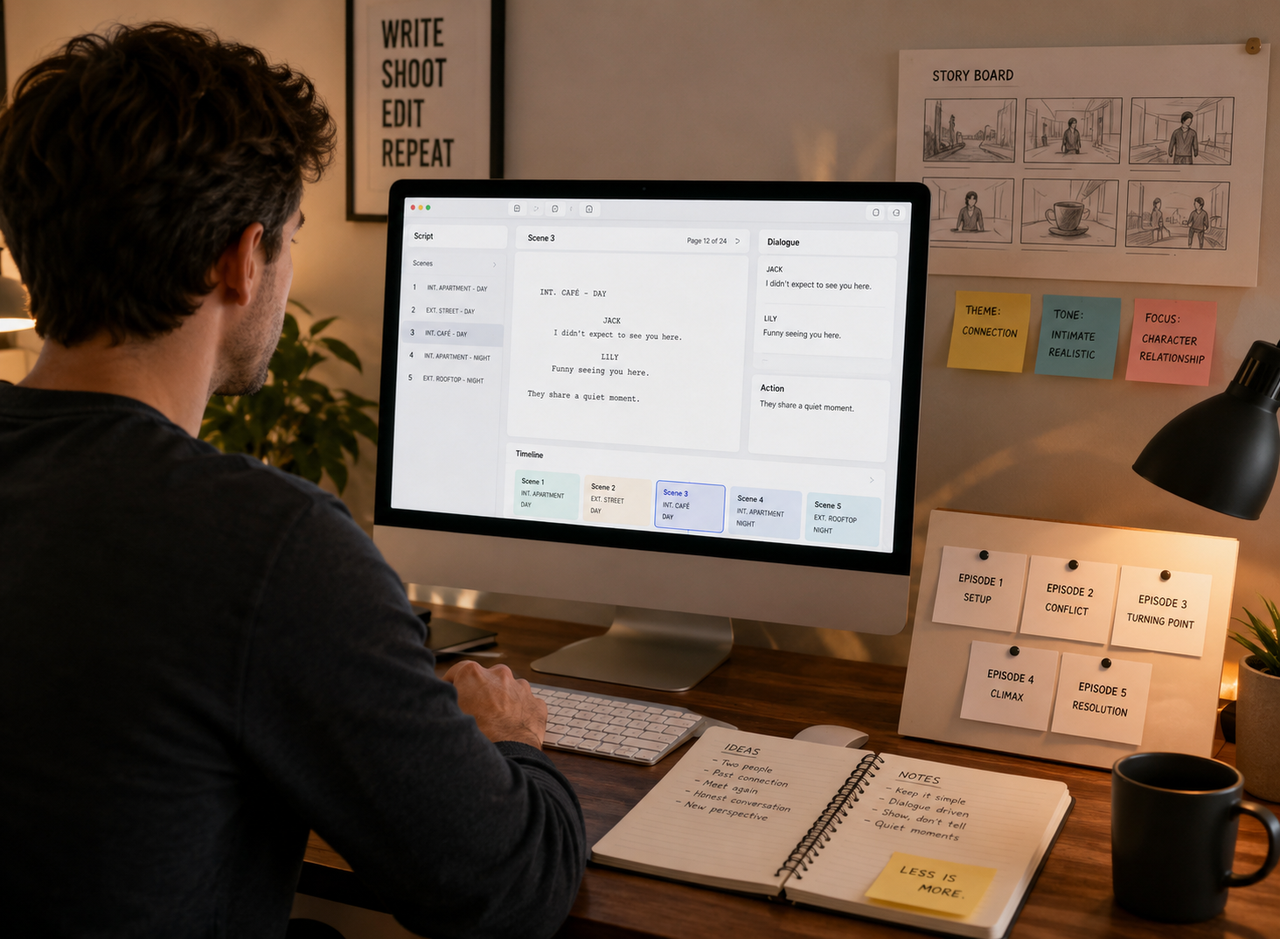
Show it, don't just tell — Write with the visuals in mind. Note B-roll, demonstrations, on-screen text, and examples. If the script will later enter a text-to-video workflow, these visual notes make each scene easier to turn into a draft clip. The script and the footage should reinforce each other.
Pattern of value — Do not save all the value for the end. Deliver useful information throughout the video so viewers feel rewarded for staying.
Natural CTA — Place your CTA after delivering value. Tie it to the topic instead of interrupting the flow early.
A simple workflow is to outline first, write the hook last once the core idea is clear, then read the script out loud and cut about 20 percent for clarity and pacing.
Best AI Tools for Writing YouTube Video Scripts
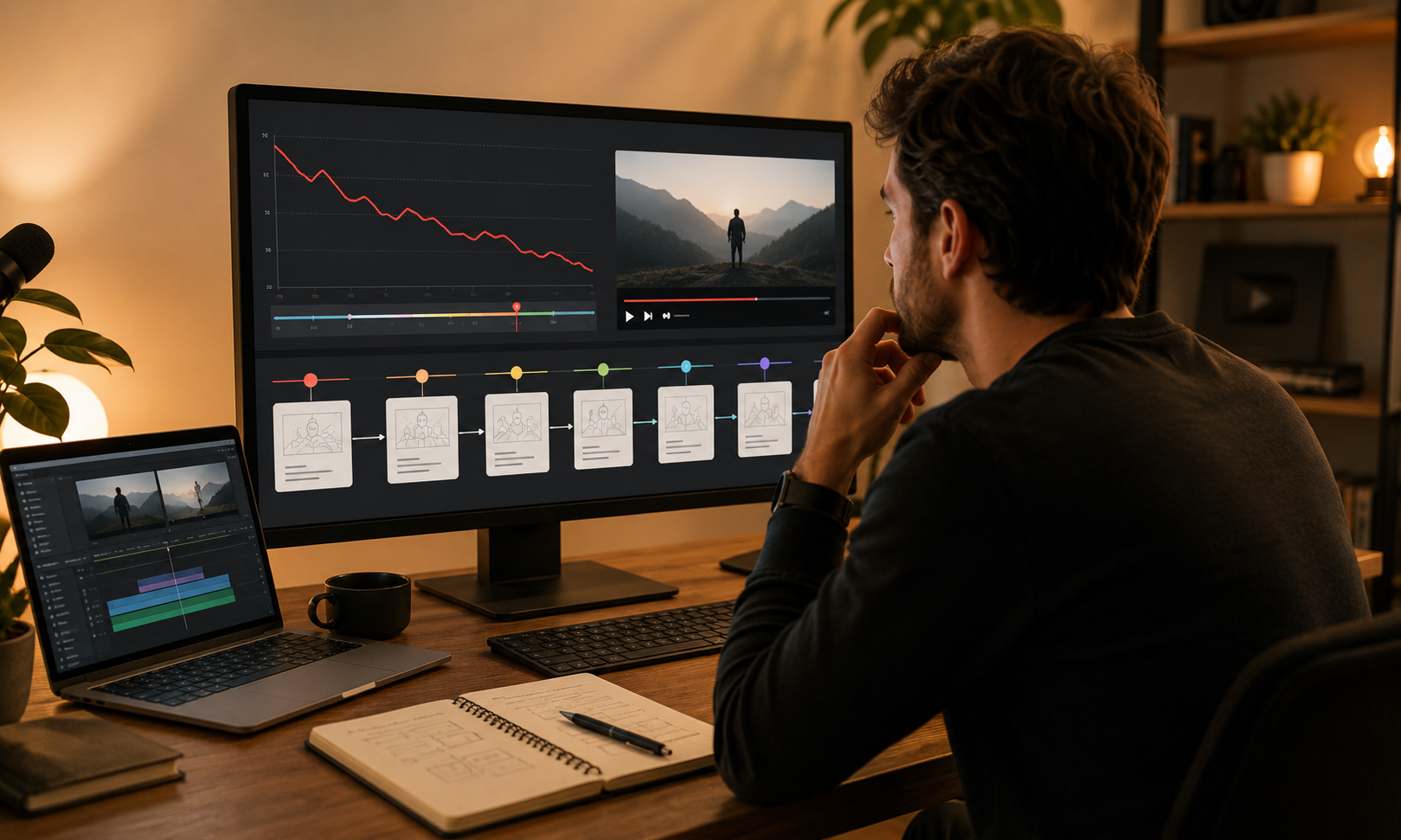
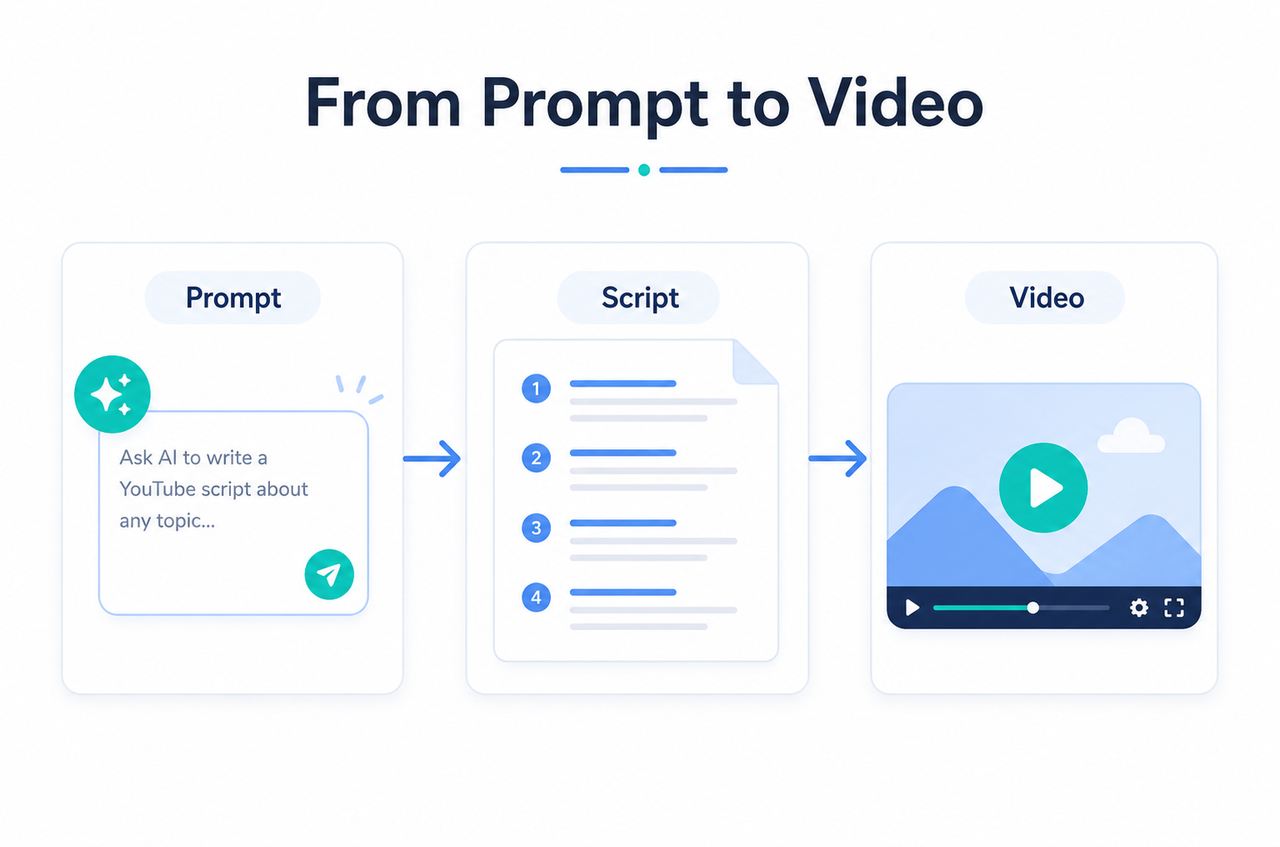
Writing a strong script is often the hardest part of making a video. The right tools can make the process easier by helping you brainstorm ideas, organize your outline, and turn a rough concept into a cleaner draft. For creators who get stuck before the first line, best prompt for YouTube script offers a practical starting point for testing hooks, scene ideas, and talking points before recording.
Reboneo
RoboNeo is an all-in-one AI content platform built for creators who want to move from idea to finished video script in one place. Instead of switching between multiple tools, it generates hook-first outlines, full scripts, and scene breakdowns in a single workflow. This makes it especially useful for solo creators and small teams producing content at scale.
ChatGPT
A flexible all-purpose tool for brainstorming ideas, building outlines, and rewriting scripts in a more natural tone. It works best when you give it clear context, such as audience, format, and goal.
Claude
Strong at producing long-form, natural-sounding writing. It is especially useful for scripts that need to sound smooth when read aloud with minimal editing.
Jasper
A marketing-focused AI tool with built-in templates for video scripts, hooks, and CTAs. Best for teams that want structured, brand-consistent output.
Copy.ai
A beginner-friendly tool that focuses on speed and templates. It is useful for quickly generating short-form scripts or content variations.
Notion AI
Best for users already organizing content in Notion. It allows you to plan, write, and refine scripts in the same workspace.
Key Comparision Table
| Tool | Best For | Key Strength | Rating |
| Reboneo | Solo creators & small teams who want idea-to-script in one place | All-in-one flow: hooks, full scripts, and scene-ready breakdowns | ⭐⭐⭐⭐⭐ |
| ChatGPT | Versatile, general-purpose scripting | Flexible brainstorming, outlining, and rewriting | ⭐⭐⭐⭐⭐ |
| Claude | Long-form, natural-sounding scripts | Reads well aloud, follows detailed instructions | ⭐⭐⭐⭐ |
| Jasper | Marketers wanting brand-consistent output | Built-in video script & hook templates | ⭐⭐⭐⭐ |
| Copy.ai | Beginners batching short-form ideas fast | Template-driven presets for hooks & scripts | ⭐⭐⭐⭐ |
| Notion AI | Creators who already plan in Notion | Script, outline & notes in one workspace | ⭐⭐⭐ |
How to Create a Youtube Video Script Step by Step with RoboNeo
This process shows how to move from idea to a record-ready script. Each step includes a checkpoint so you can fix issues before moving forward.
Step 1: Start with your topic and angle
Enter your idea into RoboNeo and define your target audience and goal, such as education, entertainment, or sales. A clear angle keeps the script focused on one core promise.
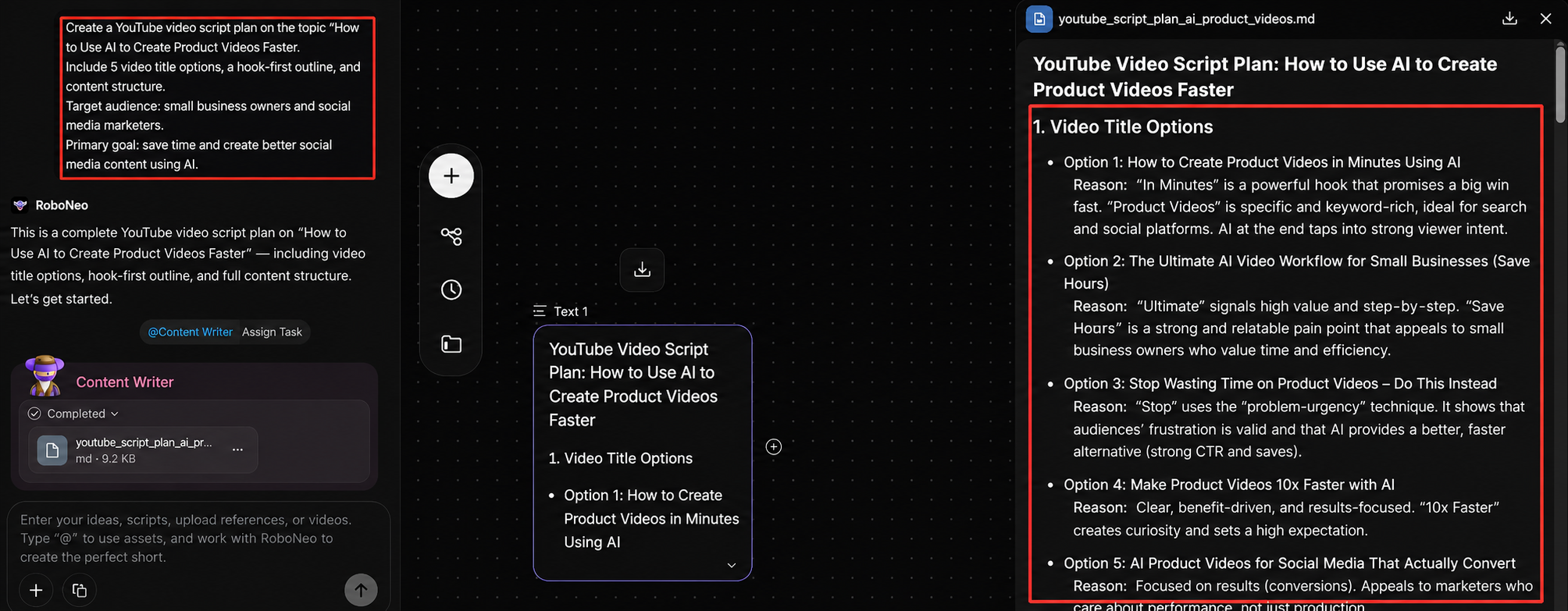
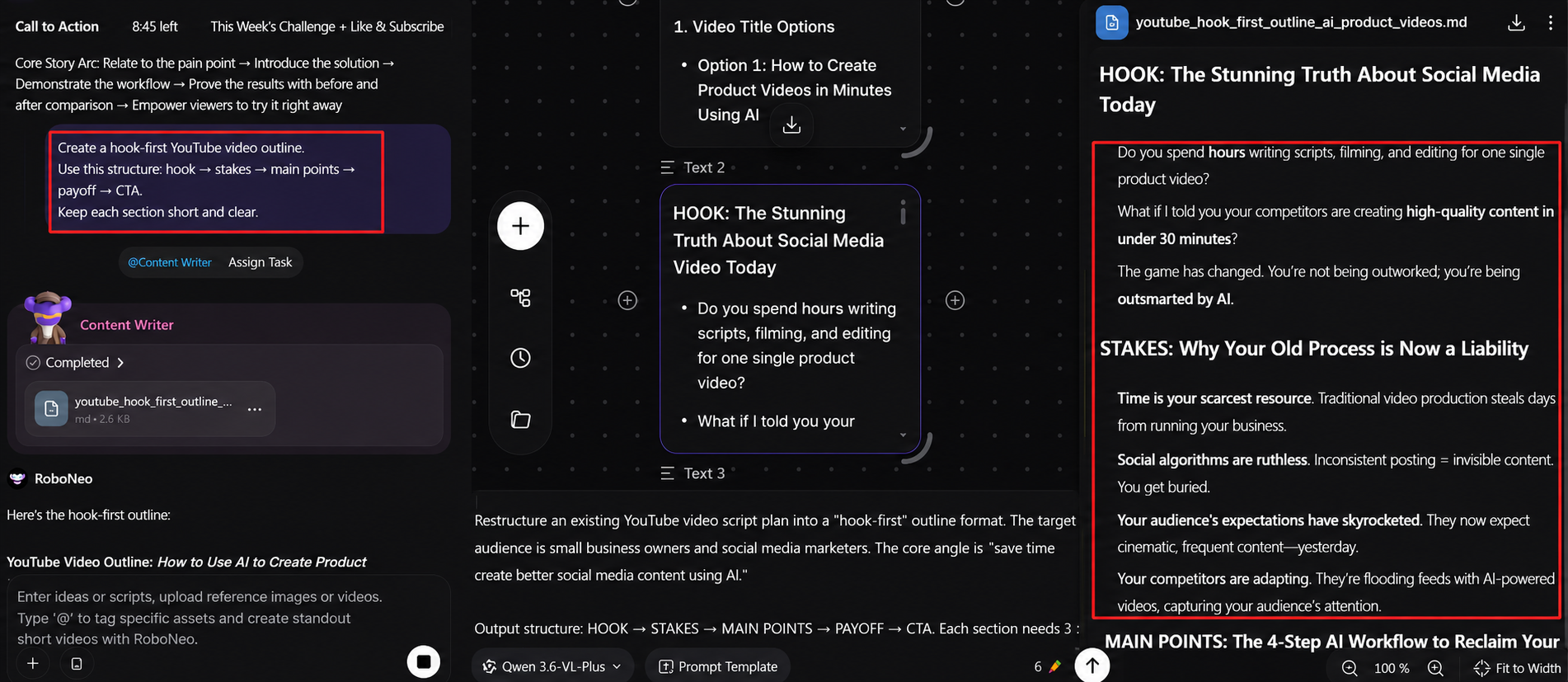
Step 2: Generate a hook-first structure
Ask RoboNeo to build an outline that starts with the hook instead of the introduction. A strong structure usually follows hook → stakes → main points → payoff → CTA.
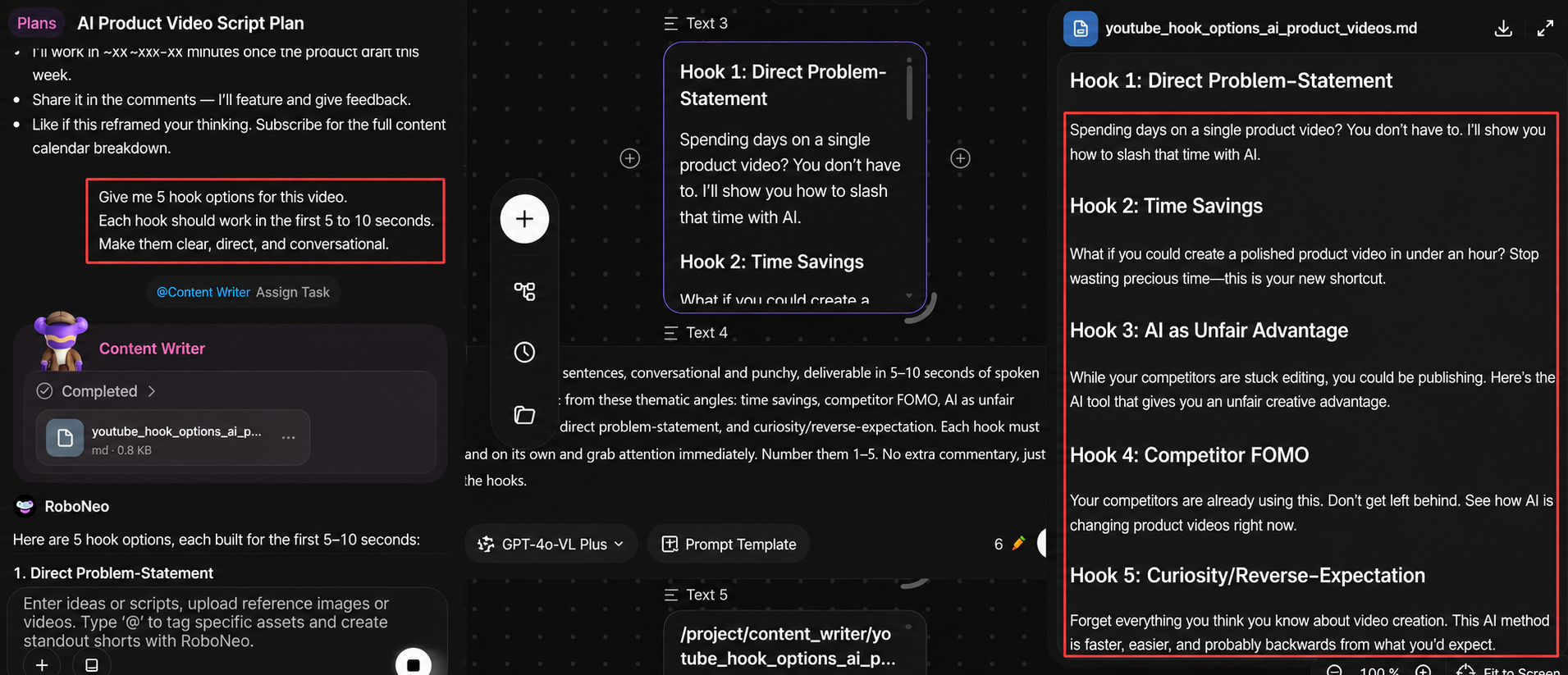
Step 3: Write the hook
Generate multiple hook options and choose the one that clearly delivers the payoff within the first 5 to 10 seconds. Always read it out loud before finalizing.
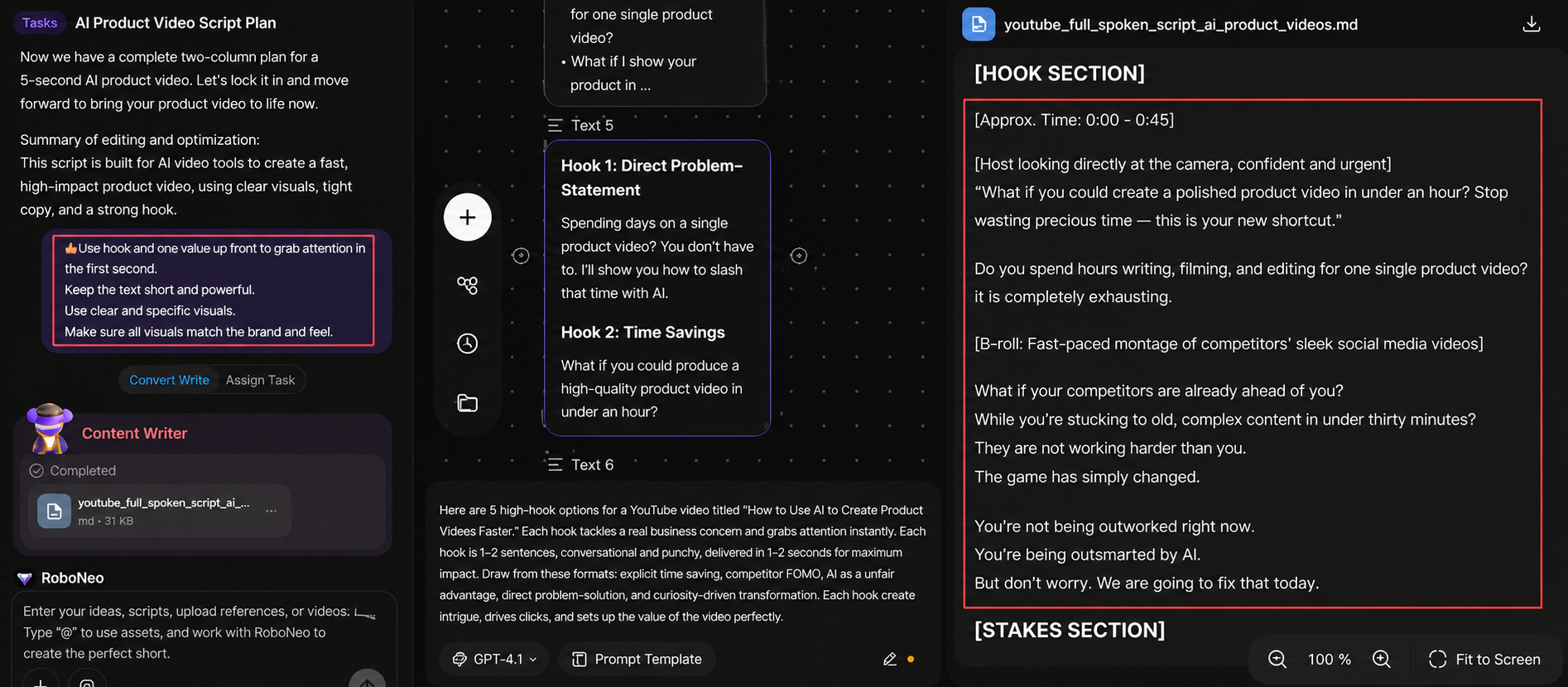
Step 4: Draft the full script
Expand the outline into a full script. Keep sentences short and conversational. If anything feels stiff, refine it until it sounds natural when spoken.
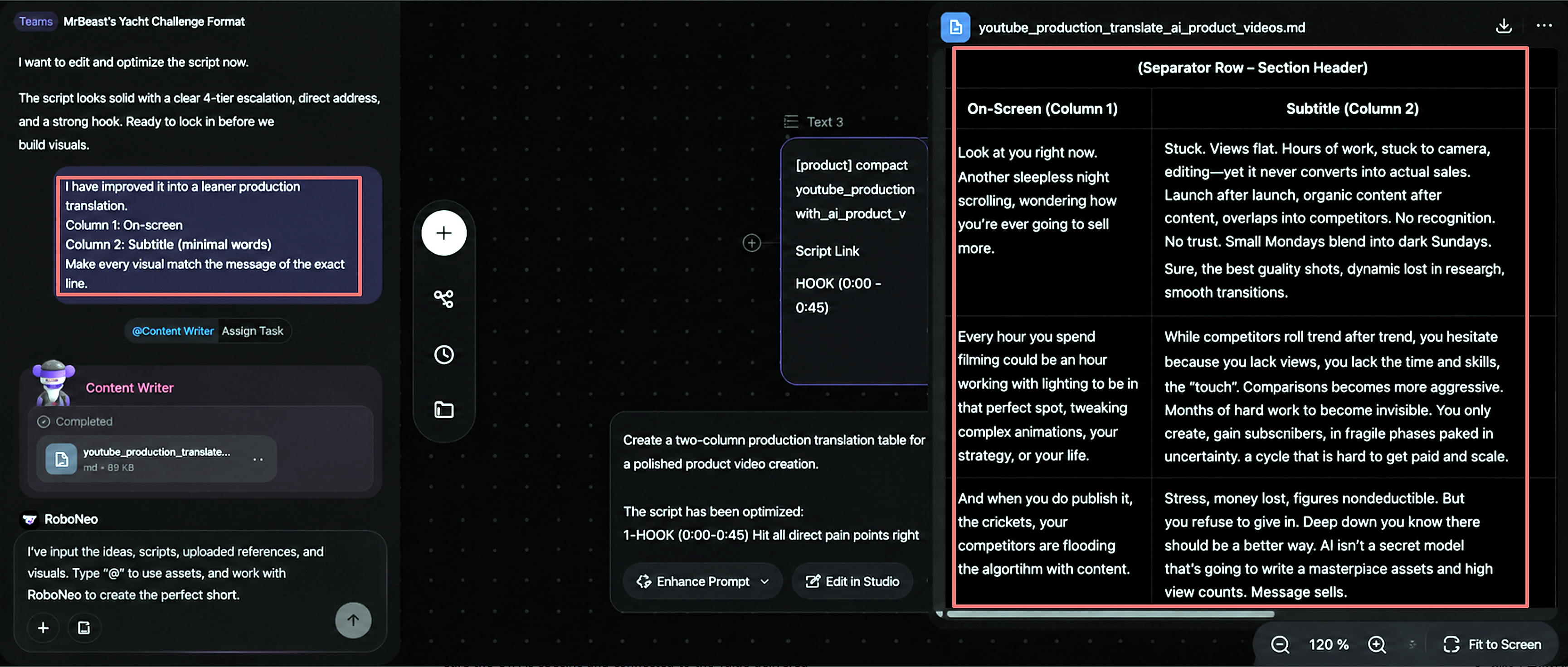
Step 5: Add scene and visual prompts
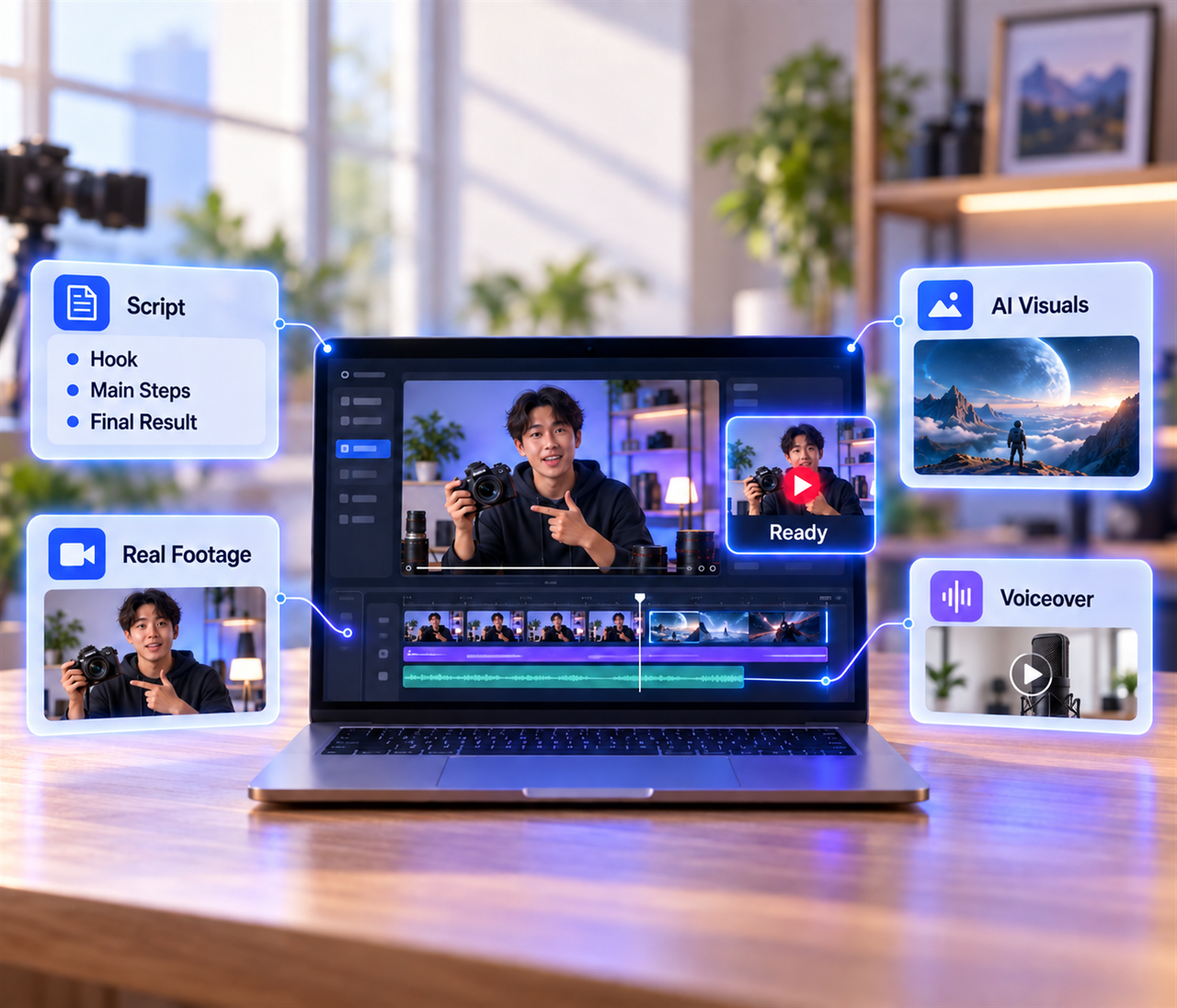
This is where RoboNeo stands out — generate scene-ready breakdowns and visual prompts alongside the script, so you know what to film or create with AI-generated visuals for each line.
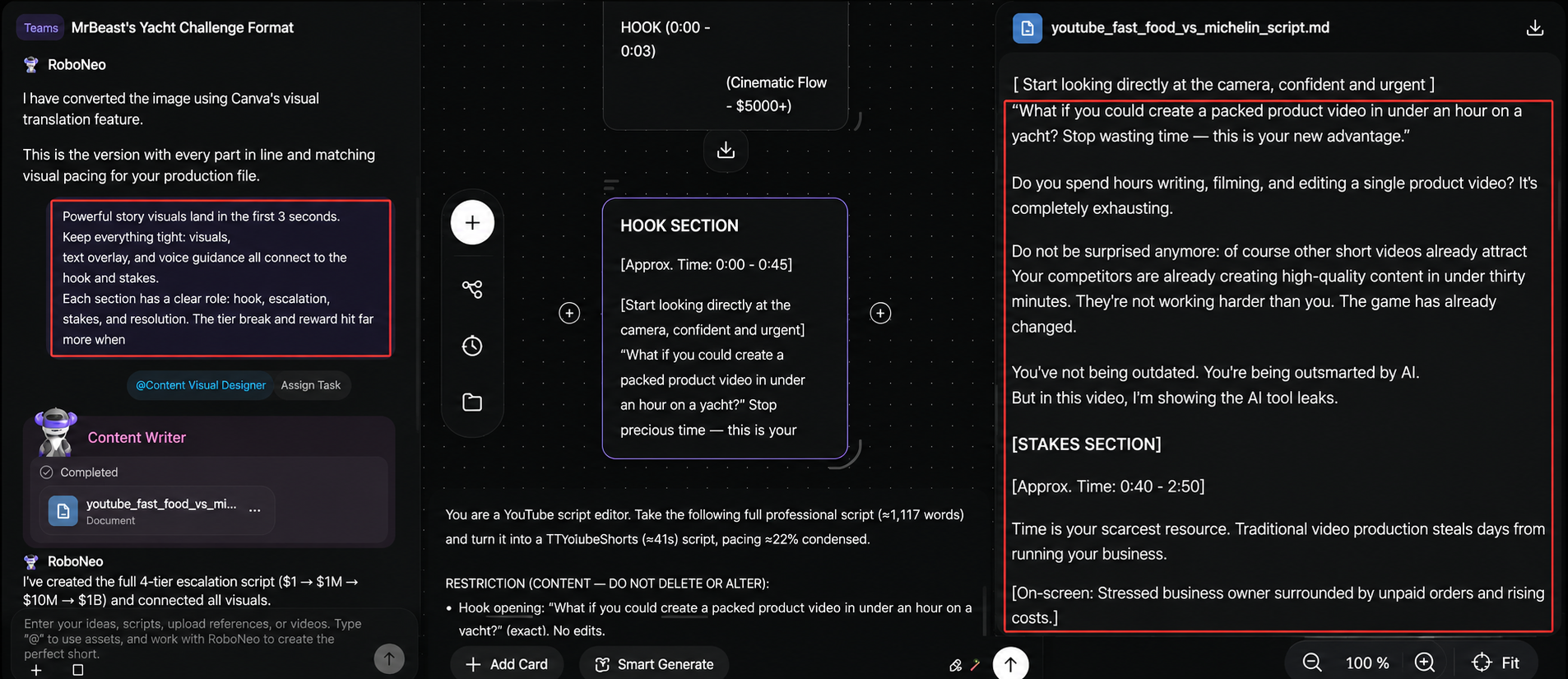
Step 6: Review, trim, and finalize CTA
Read the script out loud, remove anything unnecessary, and aim to reduce length by about 20 percent. Make sure the CTA is specific and connected to the value delivered
Before recording, confirm three things: it sounds natural, it matches your intended runtime, and every section supports the main goal.
Hot YouTube Video Script Case Study Breakdown
Theory only goes so far. Studying real viral videos is one of the fastest ways to improve scriptwriting.
How to Analyze a YouTube Script
If you want to understand a video’s structure, start by reviewing its transcript or captions. Focus on hook design, pacing, transitions, and call to action instead of copying wording.
Case Study 1: MrBeast — "$1 vs $1,000,000,000 Yacht!" (The Escalating-Stakes Structure)

This is hands-down MrBeast's most-studied format. The whole video keeps cranking up the stakes: it starts with a $1 yacht, then a $1 million one, then $10 million, climbing higher and higher — until the big reveal of the $1 billion yacht at the very end.
How the script works:
Open (first few seconds): Deliver on the title's promise right away, using the sheer gap in the numbers ($1 vs. $1B) as the hook.
Middle: Don't rely on a single climax — keep raising the stakes the entire way through instead of saving it all for one big moment at the end.
End: Save the biggest payoff for last so viewers have to stick around to see it.
Case Study 2: MrBeast's "Meet, Then Beat Expectations" Opening Formula
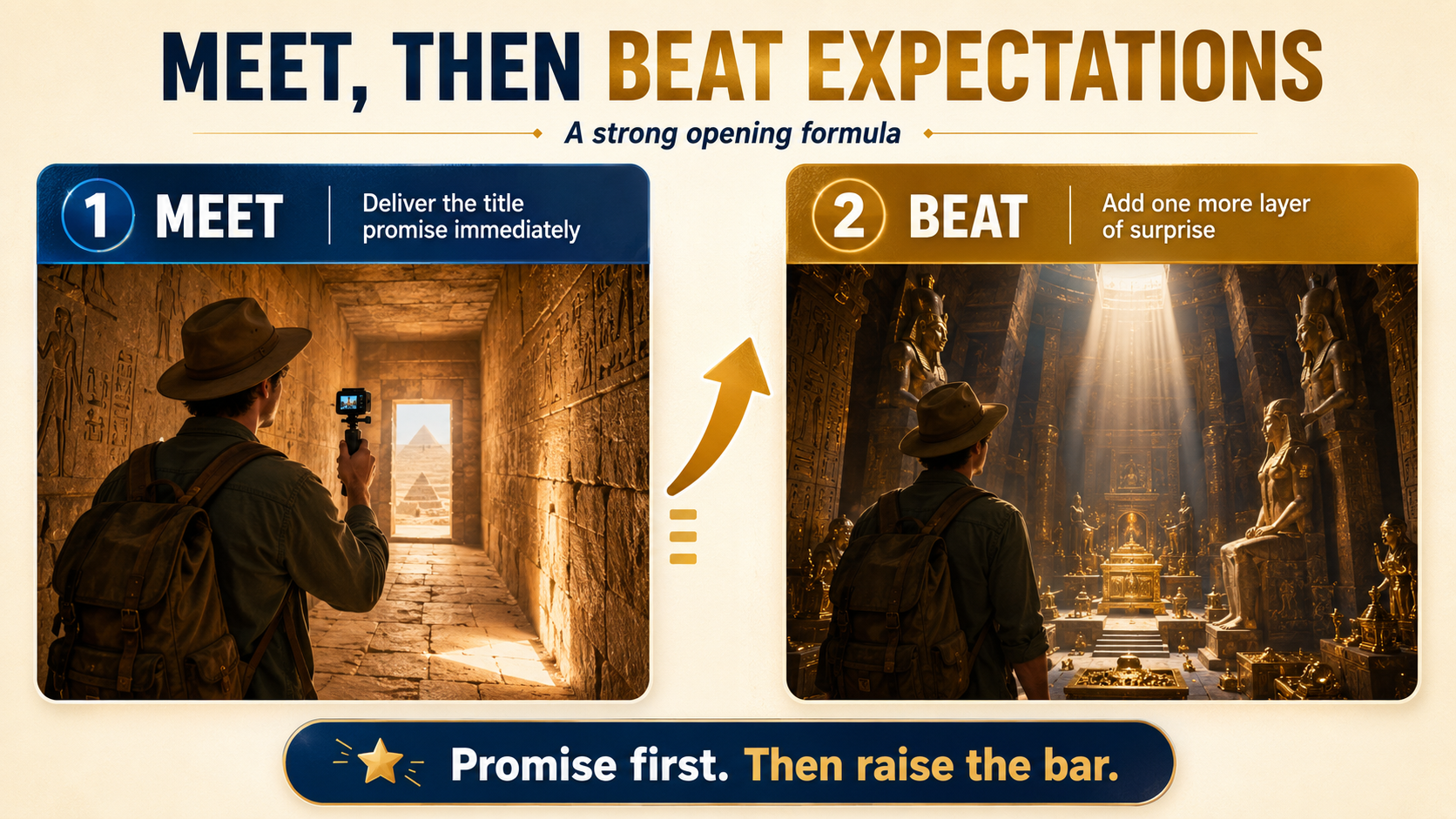
This is a go-to opening move for top creators. Take “I Spent 100 Hours Inside the Pyramids” as an example. The title promises he is inside the pyramids, so the first shot should show him there right away.
How the script works:
Step 1 — Meet the expectation: Pay off the title promise immediately.
Step 2 — Beat the expectation: Add something extra, like exclusive access or a never-before-seen area.
That positive gap is what hooks viewers: the video delivers what they expected, then gives them more.
The takeaway: don’t waste the opening on a slow build-up. Hook viewers fast, focus on the people and their struggles, cut every dull moment, and build toward a satisfying payoff.
Checklist Before You Hit Record
Run this short list before you hit record to avoid reshoots and wasted edits.
The hook states a clear payoff within the first 15 seconds.
Each main point connects to the next with a transition.
Spoken word count matches the target runtime.
Visual or B-roll notes are included
The CTA names one specific action.
All facts, names, and links are verified.
Any AI-assisted sections are rewritten in your own voice.
The script sounds natural when spoken aloud
FAQ
What should a YouTube script include?
A YouTube script should include a hook, a clear video goal, ordered main points, scene or B-roll notes, and a specific call to action. Optional extras are timing markers and pronunciation notes. Keep one idea per section so the flow stays easy to follow and edit.
What is the best way to start a YouTube script?
Start by writing the hook, since the first 5 to 15 seconds determine retention. State the payoff, ask a question, or show the result viewers want. Draft a few versions, then pick the clearest one. Set your goal and target viewer first so the opening has a clear direction.
Can I use a YouTube script generator?
Yes, a script generator can speed up outlines and hook ideas, and many tools are designed for creators. Treat the output as a first draft. Always edit for accuracy, cut filler, and rewrite key sections in your own voice so the final video sounds authentic.
Should I script every word of a YouTube video?
Not always. Tutorials and YouTube ad scripts often benefit from a full word-for-word script, especially when the video needs a clear hook, offer, and CTA. Vlogs and reaction videos usually work better with a bullet outline so the delivery feels more natural. Choose based on format. If you tend to ramble or need precise timing, a full script gives more control.
How long should a YouTube video script be?
Size the script based on runtime using roughly 130 to 150 spoken words per minute. A 60-second short needs about 130 to 150 words, while an 8-minute video may run 1,000 to 1,200 words. Read it aloud and time it to make sure pacing works in practice before recording.
How do I make an AI-assisted script sound like me?
Rewrite the hook, key sections, and CTA in your own words after the AI draft. Add personal examples and phrases you actually use. Read it aloud and cut anything you would not naturally say. Keep the structure, but the voice should sound like you.
You May Be Interested
How to Make a YouTube Gaming Video: A Simple Beginner Guide
How to Write a Video Script: 7 Steps for Beginners
Best YouTube Script Generator: 5 Tools for Better Scripts
Best Prompt for YouTube Script in 2026
How Long Does It Take to Write a Script? A Practical Guide
How to Make a YouTube Video With AI: 4 Simple Steps