
Change Photo Background to White
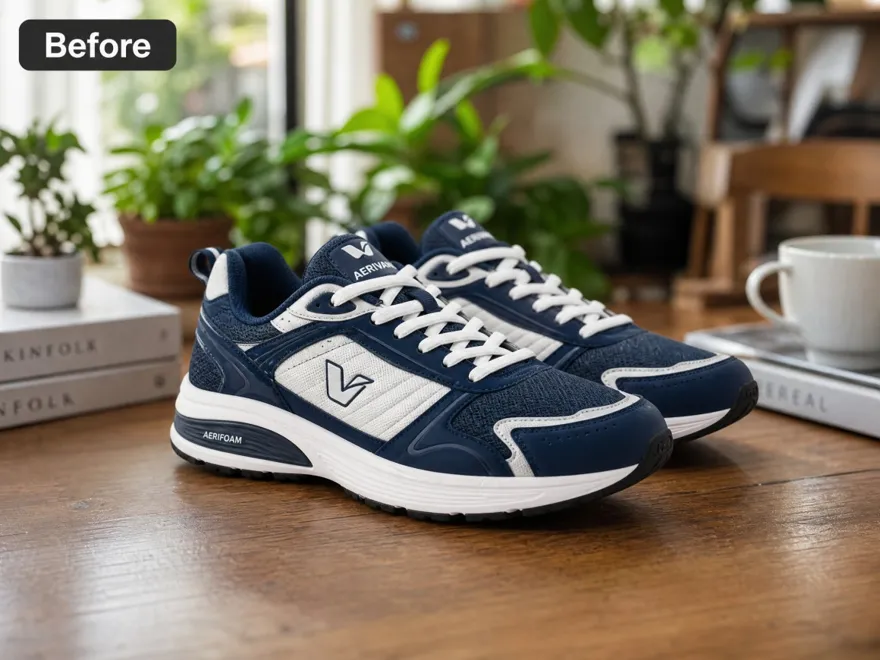
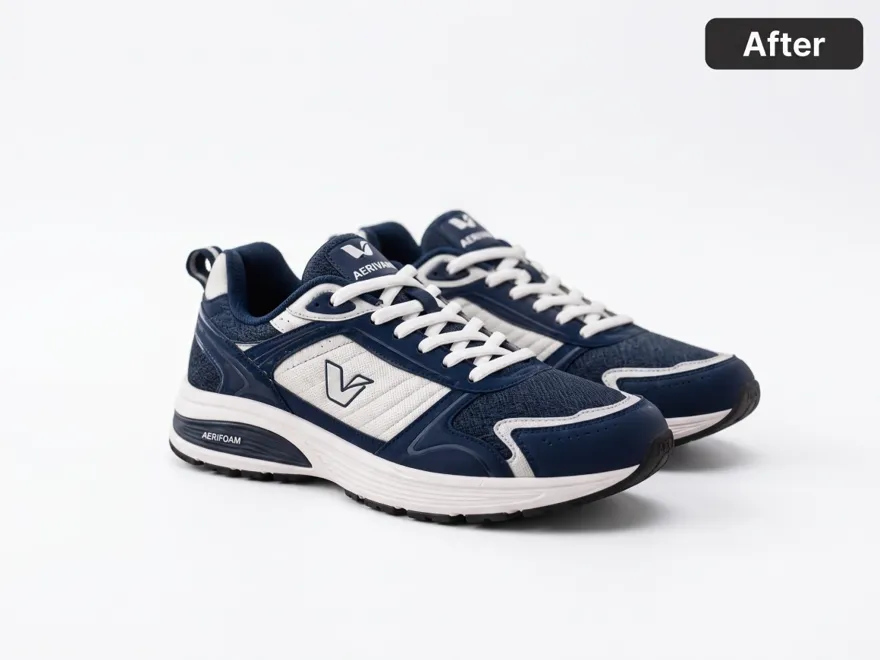
How to Change a Photo Background to White
Upload Your Photo
Upload a JPG, JPEG, or PNG from your device. A clear, well-lit subject helps RoboNeo separate the person or product before you change the background to white.
Change the Background to White
RoboNeo isolates the main subject and adds a solid white background behind it. The original room, tabletop, or outdoor setting is replaced with a clean white bg.
Review Edges and White Colour
Check hair, packaging edges, and contact shadows on the white background. Adjust if leftover colour remains, or if the subject blends into the new white background colour.
Download or Continue With a Batch
Download the white background photo when it looks clean. For catalogs, upload more images and change each photo background to white with the same treatment.
Change Photo Background to White in RoboNeo

Get a Clean White Bg Behind Your Subject
RoboNeo isolates the person or product and places it on a solid white background. The original scene becomes a clean white bg, so the subject stays in focus. Use this when a listing, catalog, or profile needs you to change a photo background to white.

Change the Photo Background to White Colour
The subject stays in the composition while the surroundings change to white colour. Labels, edges, hair, and product shapes remain visible for review. You can change a photo background to white colour without tracing outlines by hand or booking another shoot.

Keep One White Background Across a Catalog
Marketplace and catalog images often need the same white background across many SKUs. RoboNeo helps you change photo backgrounds to white in one workspace, so listings share a consistent white bg instead of mixed rooms, tabletops, and leftover background colour.

Batch Change Backgrounds to White Colour
Process up to 30 JPG, JPEG, or PNG files in one batch when a catalog needs the same white background colour. Review the white bg on each result, then download the set. This shortens prep time for listings, decks, and campaign assets.
White Background Photos for Everyday Use
Ecommerce Main Images
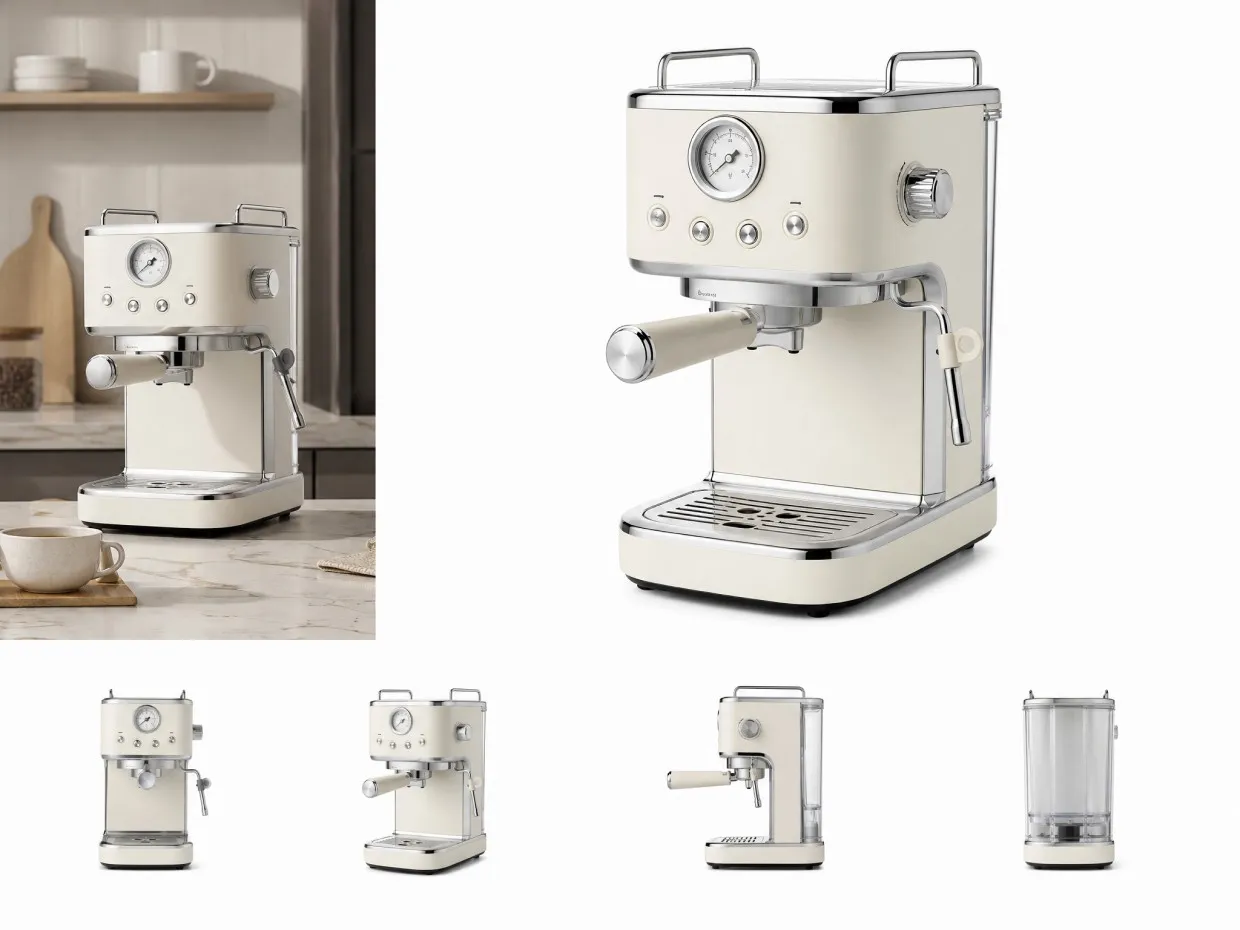
Online sellers often have a usable product shot with a kitchen counter or busy room behind it. Change the photo background to white before uploading a listing so the item stays the focus in thumbnails. A clean white bg also helps a catalog look consistent and closer to common marketplace main-image expectations.



Frequently Asked Questions
How do I change a photo background to white?
What is a white bg versus a transparent background?
A white background is a solid white backdrop behind the subject. A white bg photo is ready for listings and profiles. A transparent PNG has no colour behind the subject at all.
Can I change a photo background to white colour or white color?
Yes. You can change a photo background to white colour or white color, including a pure white background often written as #FFFFFF. Check each marketplace for padding and shadow rules.
Can I change a portrait background to white, not only a product?
Yes. Portraits, product shots, and team photos can all use a white background. Keep the face, clothing, and product details unchanged, then review hair and edges on the white bg.
What photos work best for a white background?
A sharp, well-lit photo with the full subject visible works best. Dark clothing, white packaging, and fine hair may need a closer review so they do not blend into the white background colour.
Is this the same as a white background remover?
This page helps you change a photo background to white. A white background remover takes an existing white bg away. Choose the page that matches whether you need white added or removed.
Keep the Subject. Change the Background to White.
A useful photo does not need a messy room behind it. Upload the image to RoboNeo, change the photo background to white, and prepare a cleaner white bg for listings, profiles, and catalogs.
What Users Say About Changing Backgrounds to White
I needed to change my product photo background to white for the store. The kitchen counter was gone, the white bg looked clean, and I could upload the listing the same day.
A white background made my profile photo easier to reuse. I did not have to learn extra software, and the face still looked like the original picture on the new white bg.
We needed the same white background colour across a small catalog. Batch processing saved time, and the products no longer sat on four different tabletops.
Client decks look cleaner when every product sits on a white background. I review the edges, download the set, and drop the white bg files into layouts without extra masking.
I change photo backgrounds to white for my website and ads. The process is fast, and I do not need a studio just to get a simple white background colour.