
AI YouTube Shorts Generator Online
RoboNeo is an AI YouTube Shorts generator for creators looking to turn story ideas into engaging short-form videos. With AI-assisted scripting, storyboard creation, visual asset generation, and video production in one connected workspace, the entire creative process becomes easier to organize, from the first concept to the final clips.
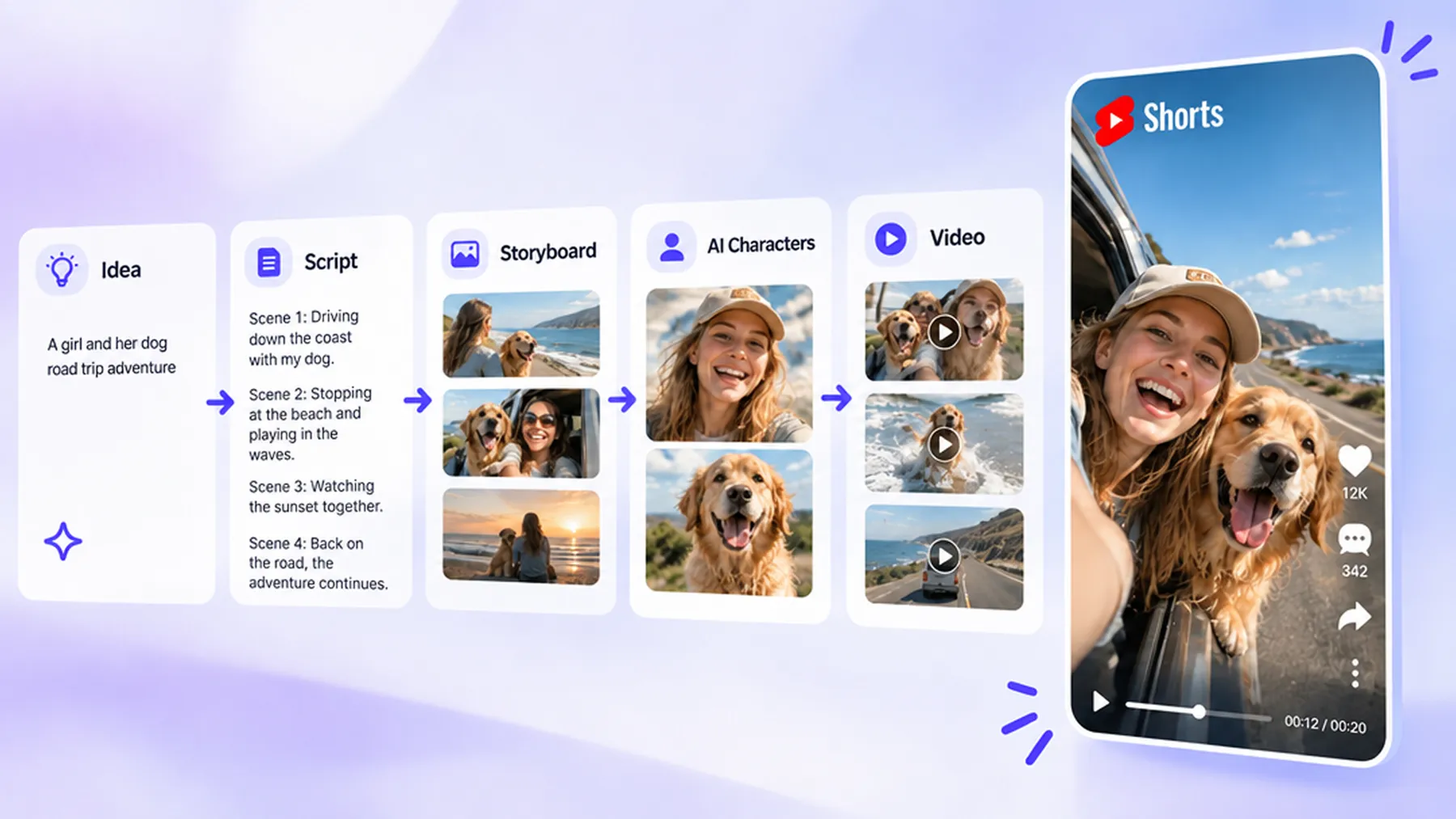
How to Create YouTube Shorts With AI
Enter Your Video Idea
Visit RoboNeo and describe the short video you want to create with this YouTube Shorts AI generator. Start with a story idea, a character concept, or a simple creative brief. If you need inspiration, choose a sample template to help shape your direction.
Confirm the Story and Style
Let the AI Agent develop your idea into a story structure and script. Review the proposed direction, choose a visual style, and adjust the story framework before moving into production.
Generate Characters and Storyboards
Create character visuals, scenes, and other assets based on your script. RoboNeo can organize these elements into storyboard shots with visual descriptions, camera movements, dialogue, and sound details to guide video creation.
Generate Your Video Clips
Turn your storyboard shots into video clips using a video model. Select a 9:16 aspect ratio for YouTube Shorts and set the clip duration, such as 10 or 15 seconds, according to the model's available options.
Review, Edit, and Export
Arrange the generated clips into a complete YouTube Short using RoboNeo's video editor. Trim unnecessary moments, adjust the pacing, and add audio or text where needed. Preview the finished video and export it for YouTube.
Create YouTube Shorts With a Connected AI Workflow
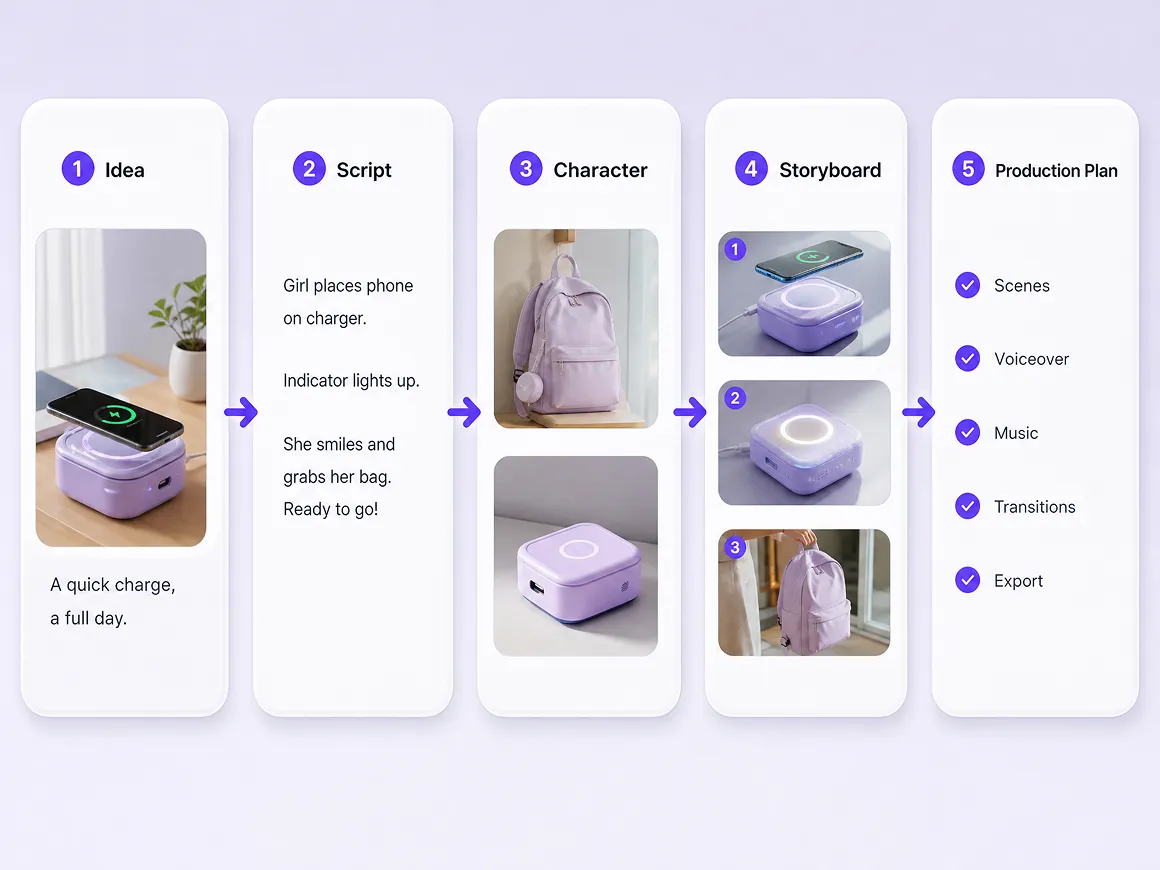
Turn Creative Ideas Into a Production-Ready Plan
RoboNeo's AI Agent breaks down a video idea into story development, character design, scripts, storyboards, and production tasks. This automated workflow helps YouTube Shorts creators move from an initial concept to a structured production plan without manually organizing every step.
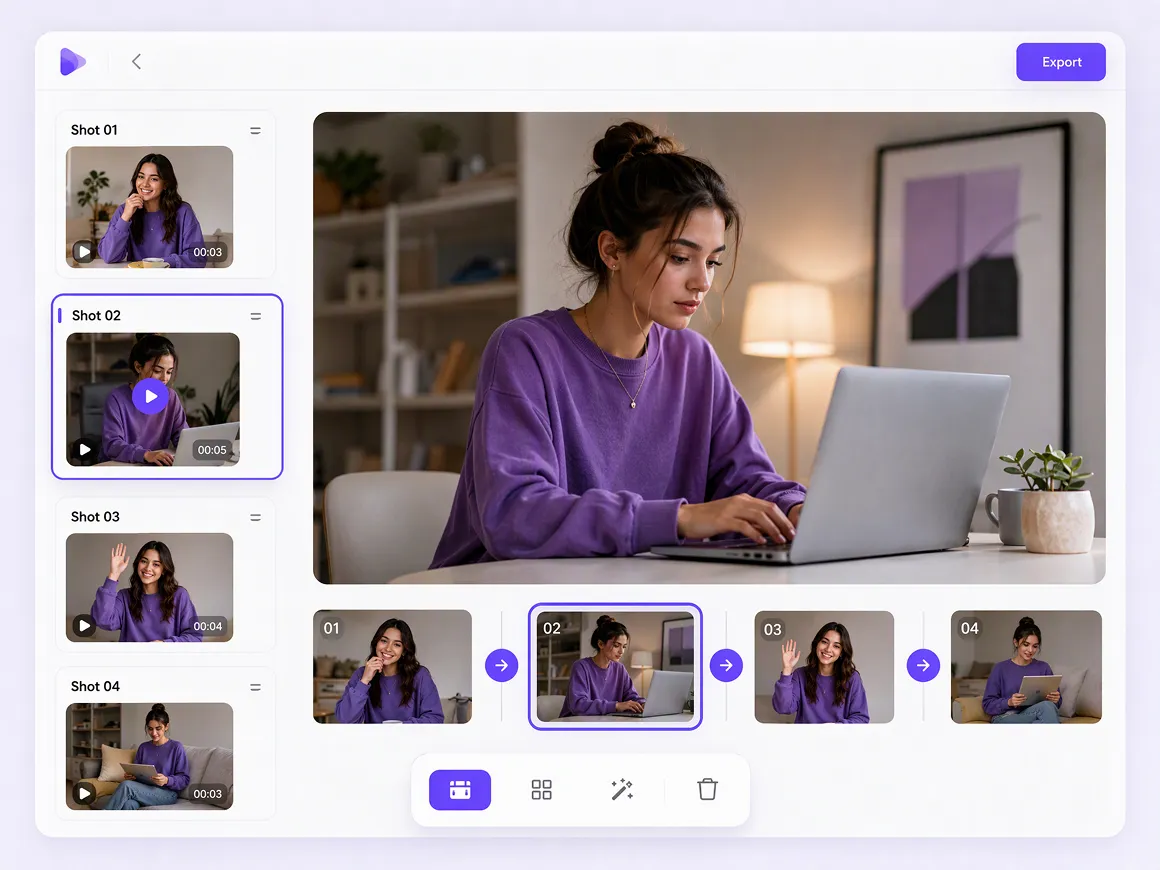
Keep Every Shot Visible and Under Control
Scripts, characters, scenes, and storyboards come together on an infinite canvas. Creators can review individual shots, adjust visual elements, revise scripts, and revisit previous generations, making it easier to refine video sequences and keep each scene aligned with the creative vision.
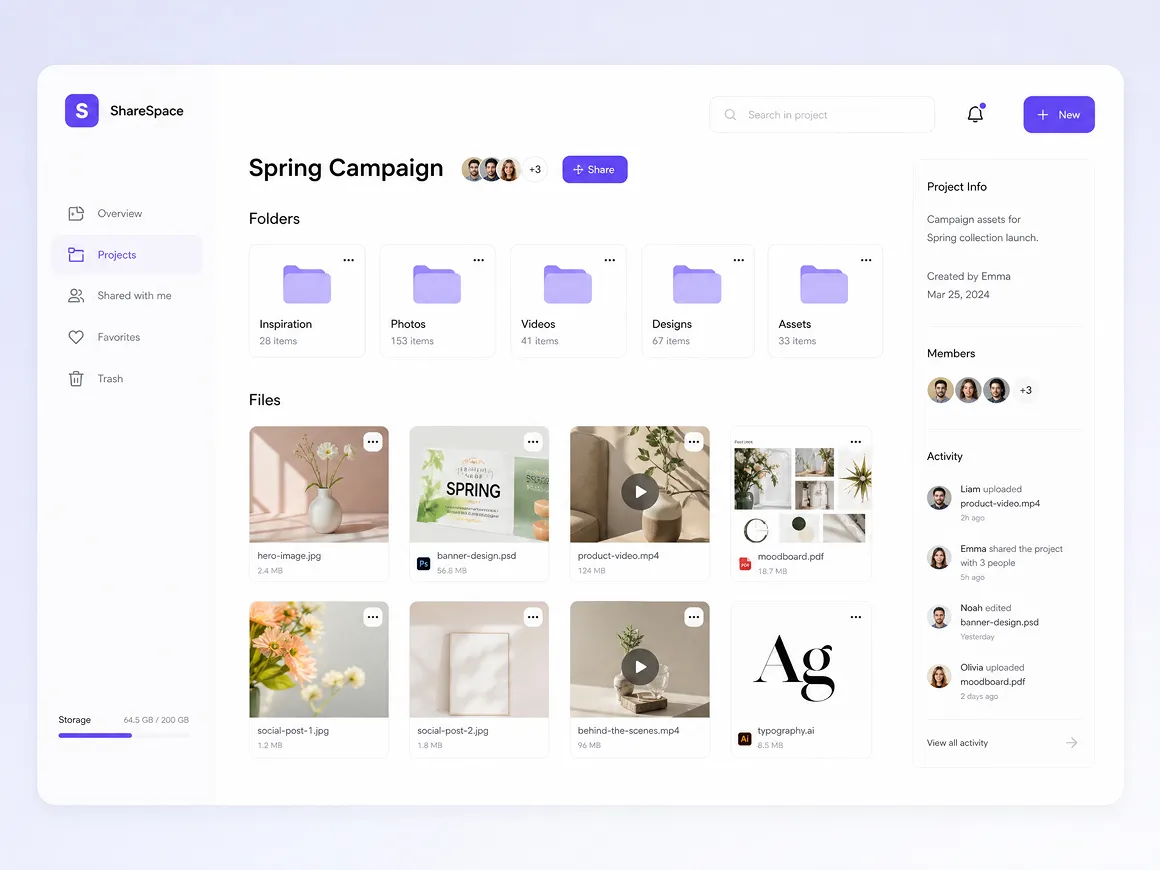
Organize Creative Assets for Smoother Collaboration
Keep character references, scene designs, storyboards, and generated clips organized within one project workspace. Reusable assets, saved workflows, and project sharing help creators and teams manage revisions, revisit earlier work, and coordinate the production of story-driven YouTube Shorts.
Generate Vertical Clips From Text or Images
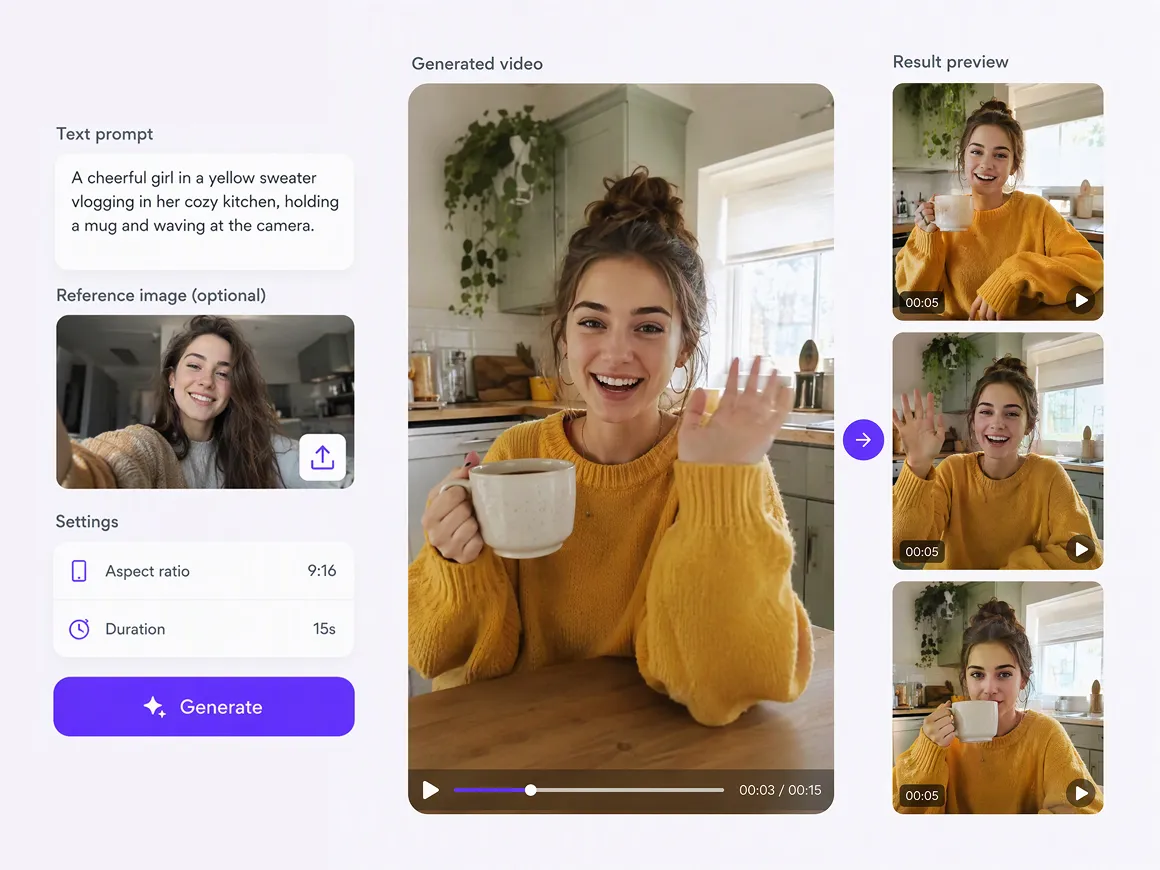
Turn text prompts and reference images into video clips with supported AI models. A 9:16 aspect ratio helps prepare content for vertical viewing, while available resolution, duration, and generation settings give creators more control over how their YouTube Shorts take shape.
Who Can Use an AI YouTube Shorts Generator?
Story-Driven Shorts for Creators
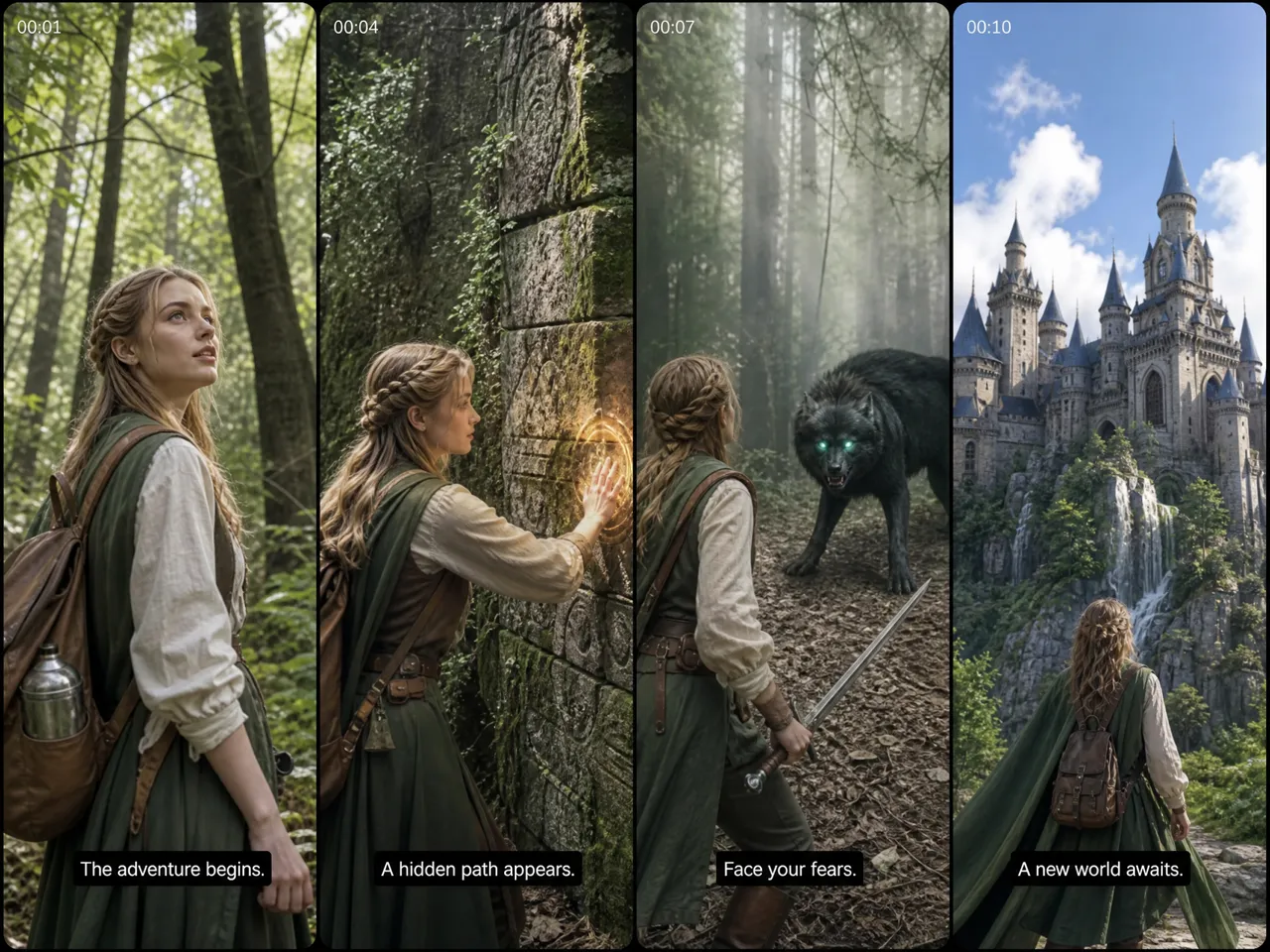
For any YouTube Shorts creator developing mini-dramas, character stories, or serialized content, turning an initial idea into a script, storyboard, and supporting visuals can make production easier to organize. This connected workflow helps structure storylines and individual shots before video generation.
Frequently Asked Questions
What is an AI YouTube Shorts generator?
Should I generate images first or create videos directly from prompts?
It depends on your project. Text-to-video works for generating scenes directly from descriptions, while image-to-video lets you use a reference image to guide the result. RoboNeo supports both workflows.
What can I do if an AI-generated scene doesn't match my idea?
You can revise the prompt, adjust storyboard content, or regenerate relevant assets. RoboNeo also lets you edit creative content through its canvas and AI Agent workflow, helping you refine specific elements.
Can I create a YouTube Short with multiple connected scenes?
Yes. RoboNeo supports script-to-storyboard workflows that organize a story into individual shots, with scene descriptions, camera movements, and other production details. You can then generate video clips from storyboard assets.
Do AI-generated YouTube Shorts need an AI disclosure?
YouTube requires disclosure for certain realistic, meaningfully altered or AI-generated content. AI-generated scripts or outlines alone generally don't require disclosure. Check YouTube's current guidelines for your specific content.
How long should a YouTube Short be?
YouTube Shorts can be up to three minutes long, subject to YouTube's format and eligibility requirements. The ideal length depends on your story, pacing, and audience, so focus on delivering the main idea without unnecessary scenes.
What aspect ratio should I use for a YouTube Short?
A vertical 9:16 aspect ratio is a common choice for YouTube Shorts. RoboNeo supports 9:16 video generation with compatible models, helping you create clips designed for vertical viewing.
Never Run Out of YouTube Shorts Ideas
A fresh YouTube Shorts concept doesn't have to start with a blank page. Explore story templates, develop new plot ideas, and build on reusable creative assets to keep your next short-form project moving.
What Creators Say About RoboNeo
I wanted a clearer way to turn story ideas into YouTube Shorts. Having scripts, storyboards, and visual assets organized in one workspace makes the creative process easier to manage.
Creating YouTube Shorts often involves several rounds of revisions. Being able to review storyboards and adjust individual creative elements gives our team a more structured way to develop each scene.
When developing story-driven YouTube Shorts, I need to keep track of characters, scenes, and video clips. RoboNeo helps me organize these creative assets in one workspace instead of managing them separately.
Turning a short story idea into scripts, storyboards, and video clips is much easier when everything is connected. RoboNeo gives me a more organized starting point for creating YouTube Shorts without planning every production step from scratch.
I often need to revise scenes and visual details before my YouTube Shorts are ready. Managing character references, adjusting storyboards, and regenerating content in one workspace makes the production process easier to handle.