
AI Character Generator
Turns text prompts into polished characters in multiple styles, with easy edits for stories, games, ads, and videos.
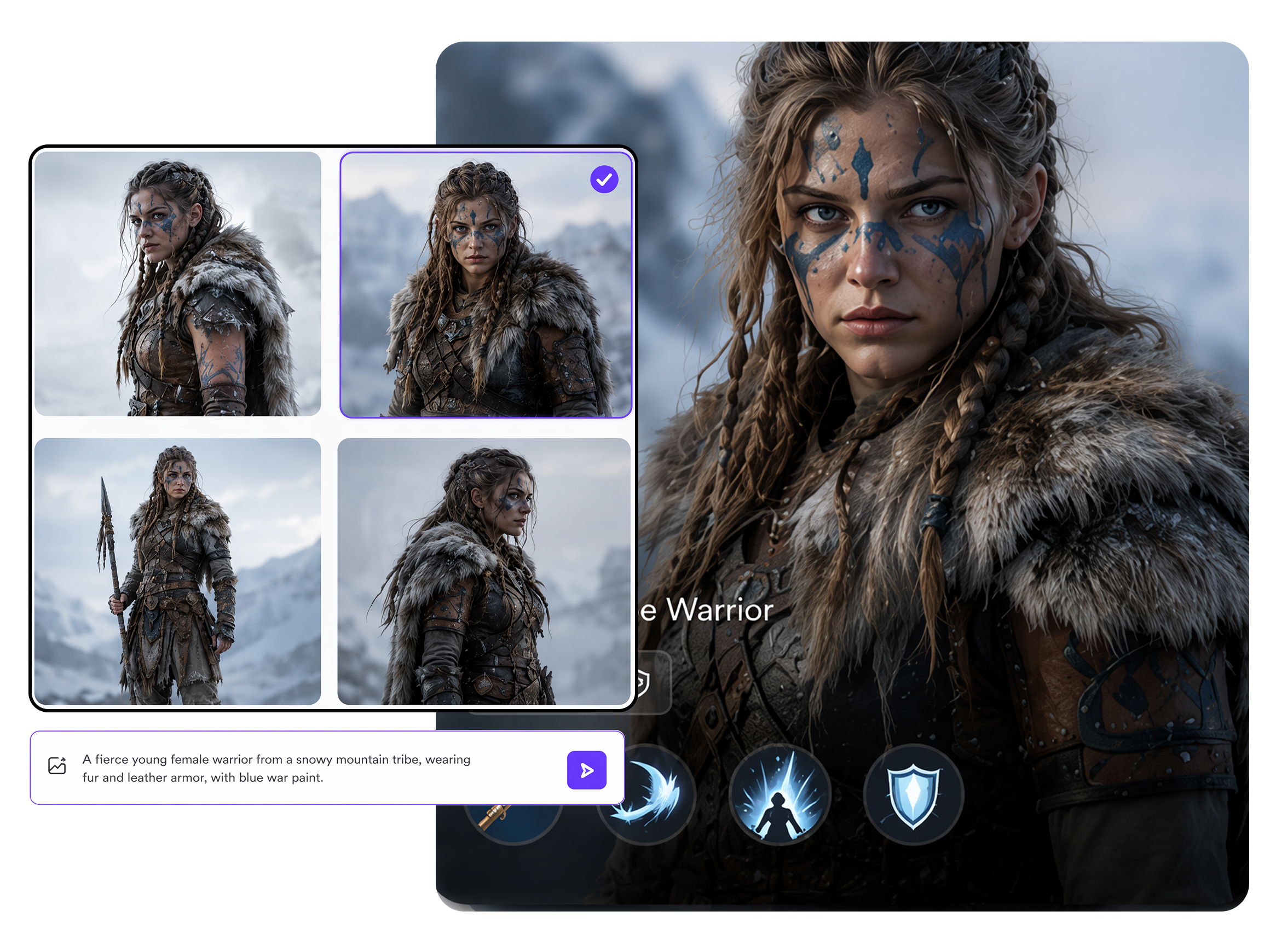
How to Create an AI Character with RoboNeo
Describe Your Character
Enter a prompt describing the character’s appearance, clothing, expression, and visual style.
Generate and Refine
Generate the character and review the result. Adjust details such as the outfit, hairstyle, expression, or background.
Save Your Character
Choose the final version and save or download the image.
What Stands Out in Character Generation
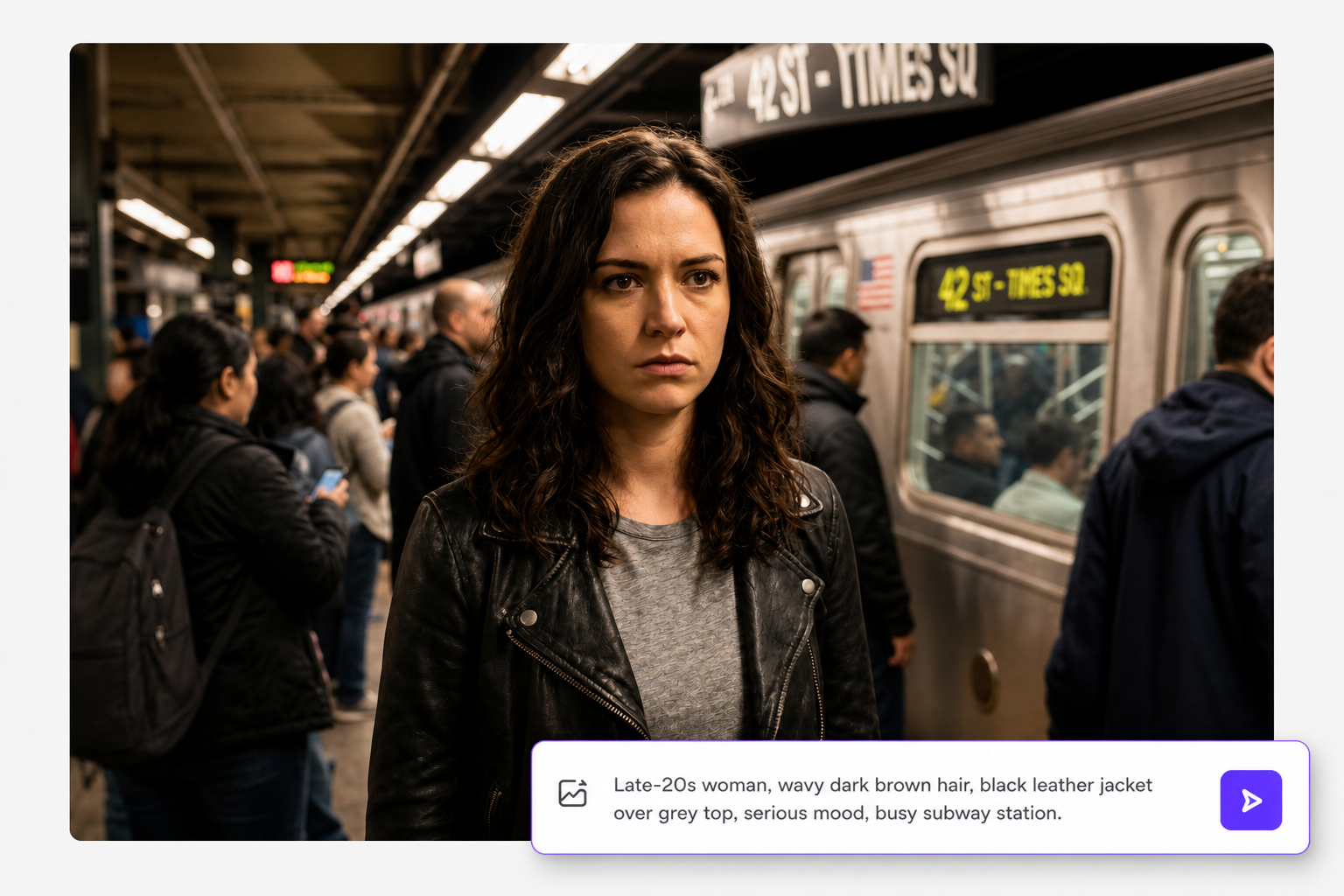
Turn Simple Prompts Into Clear Characters
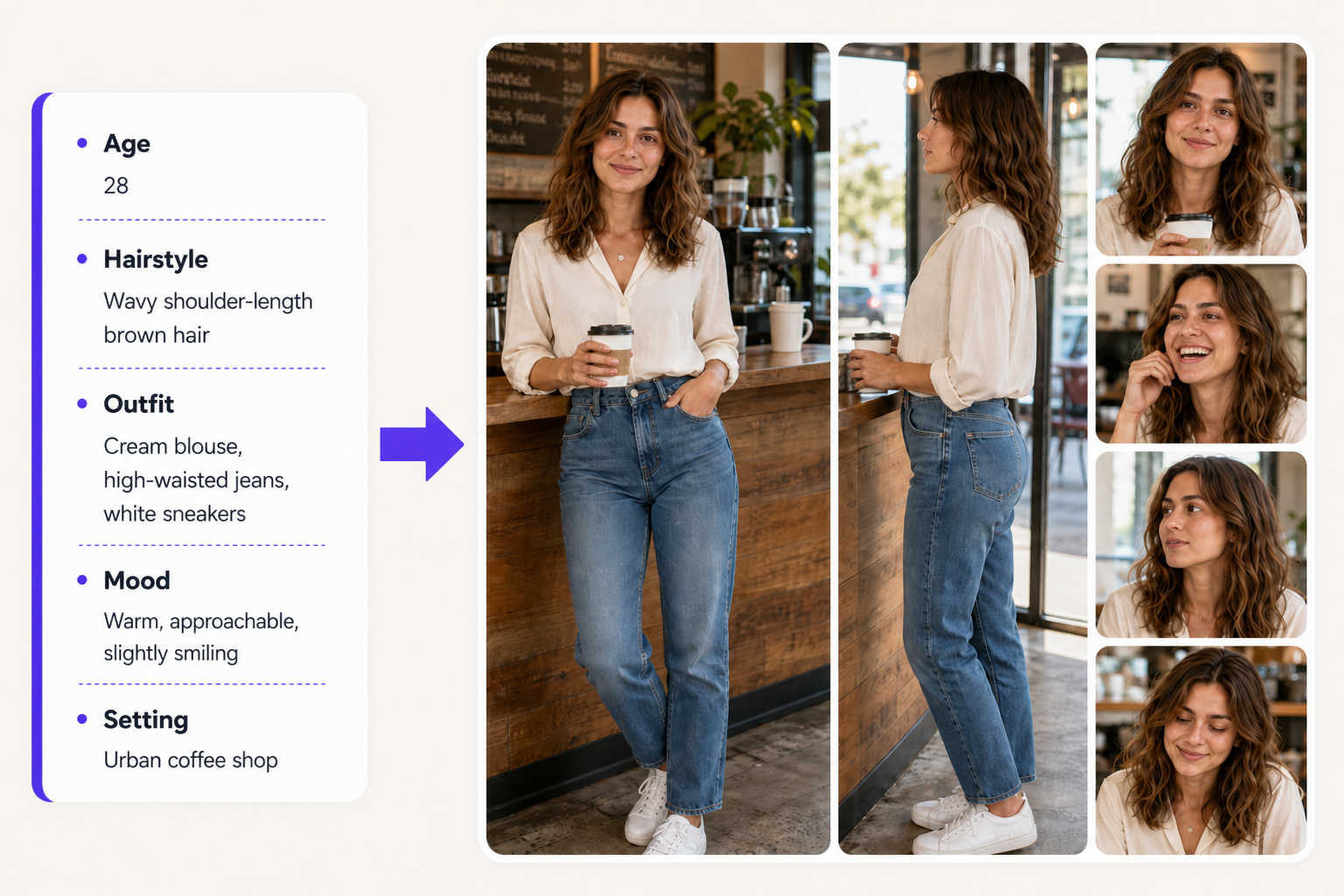
Write a short prompt describing age, facial features, hairstyle, outfit, mood, and setting, and RoboNeo turns it into a usable character visual.
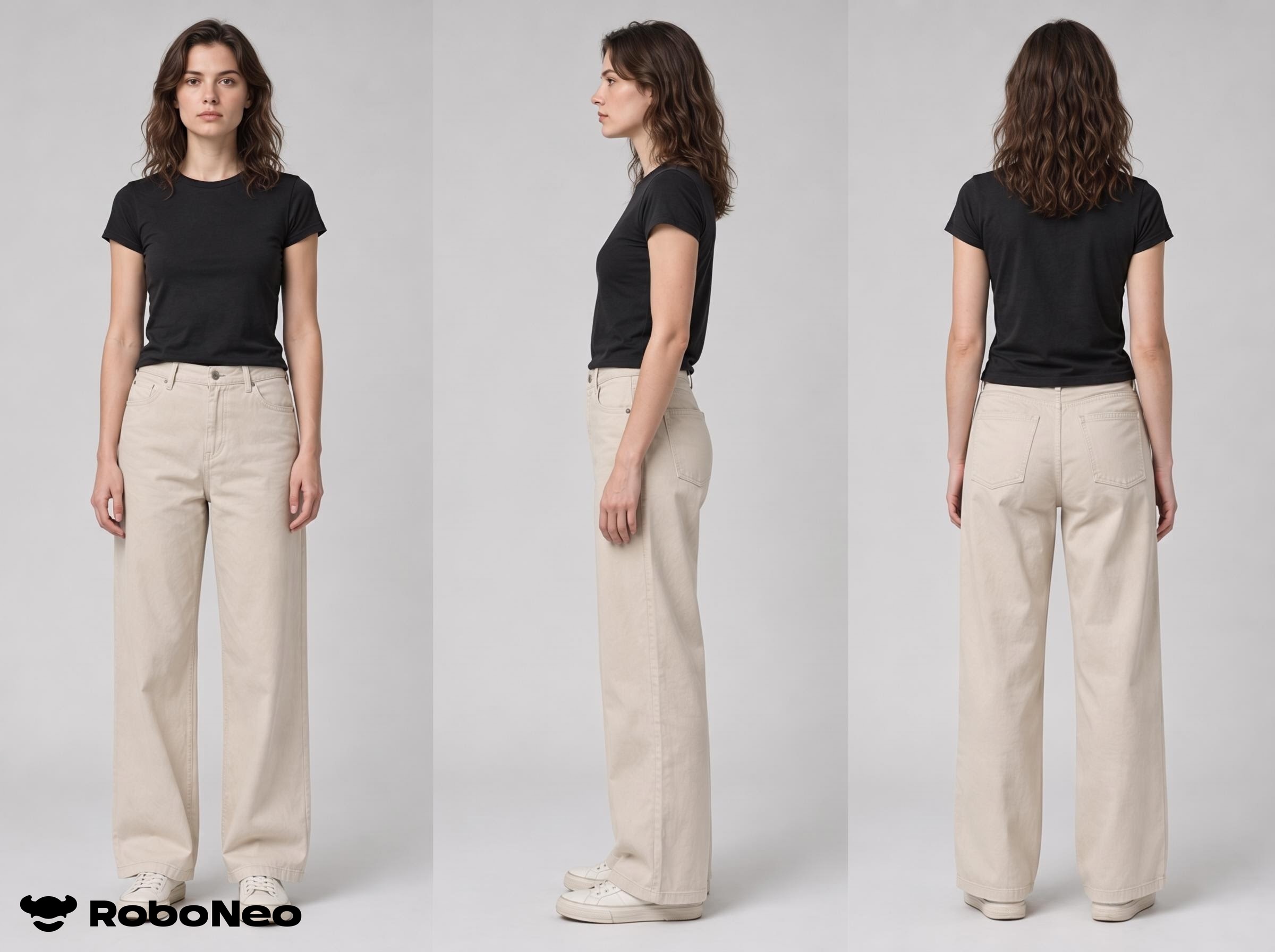
Create One Character in Many Visual Styles
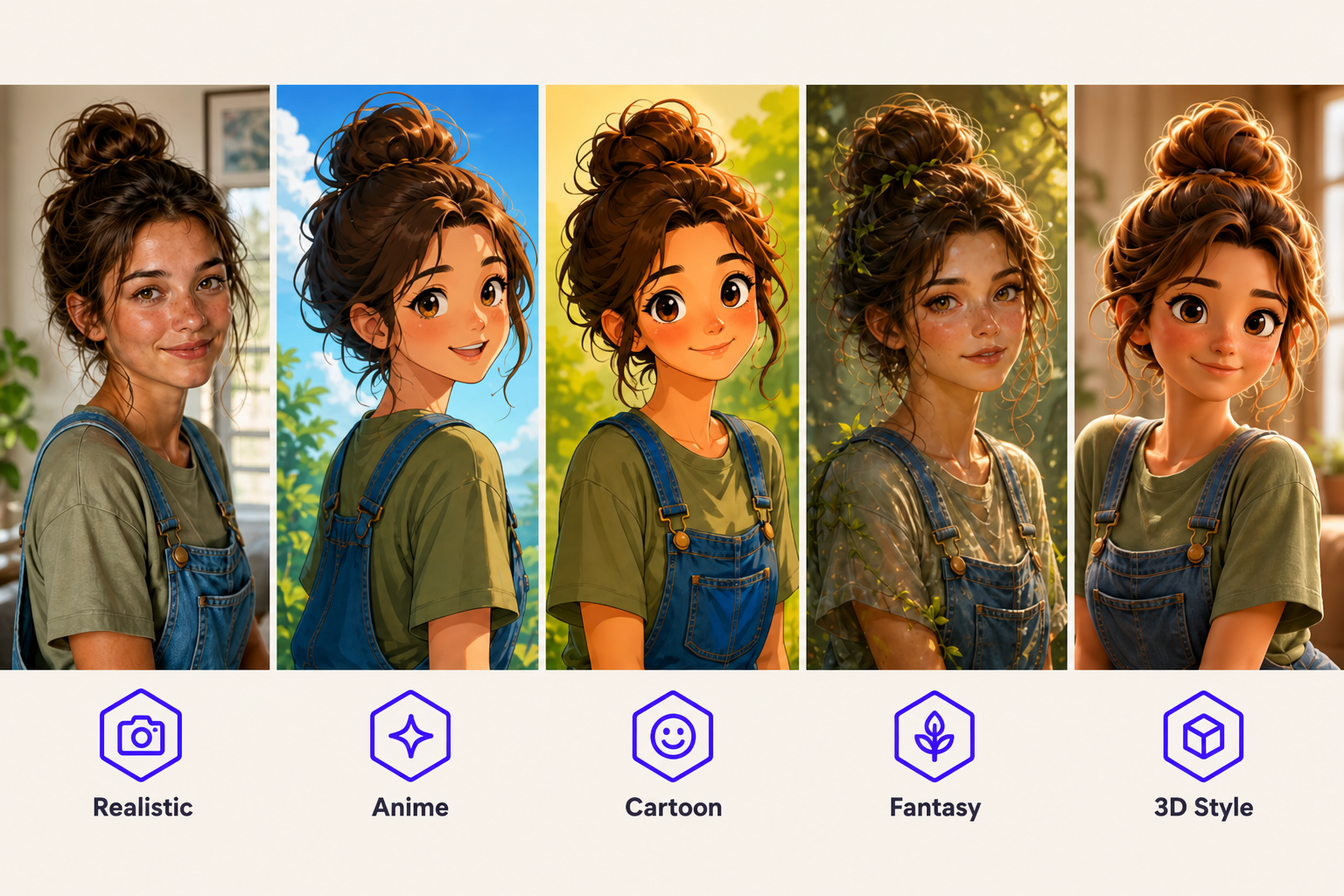
Generate the same core character in realistic, anime, cartoon, or fantasy styles from one workflow, complete with consistent front, side, and back character turnarounds. Creative teams can match characters to different campaigns, stories, or audiences — and keep every angle consistent — without rebuilding from scratch.
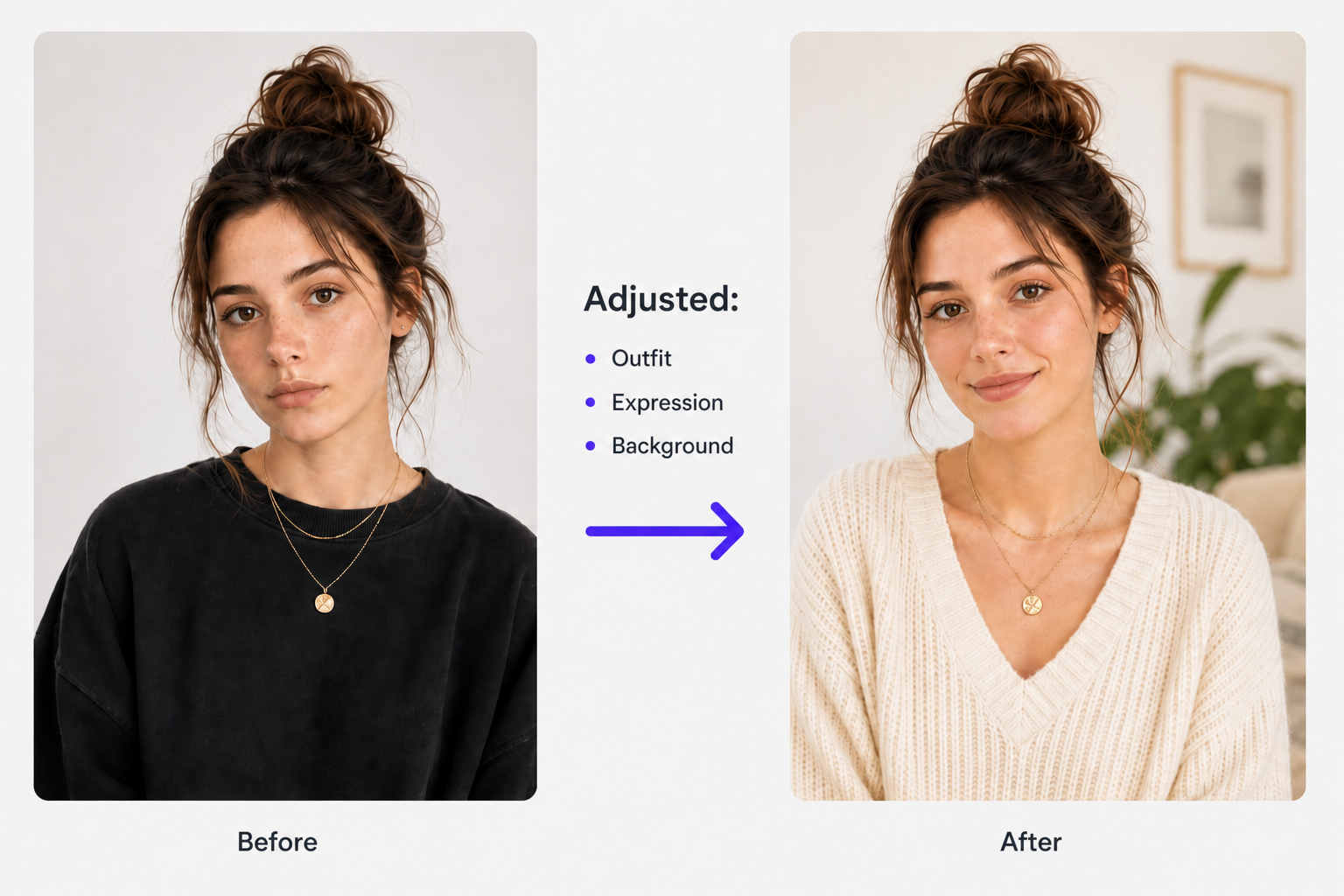
Edit Specific Details Without Starting Over
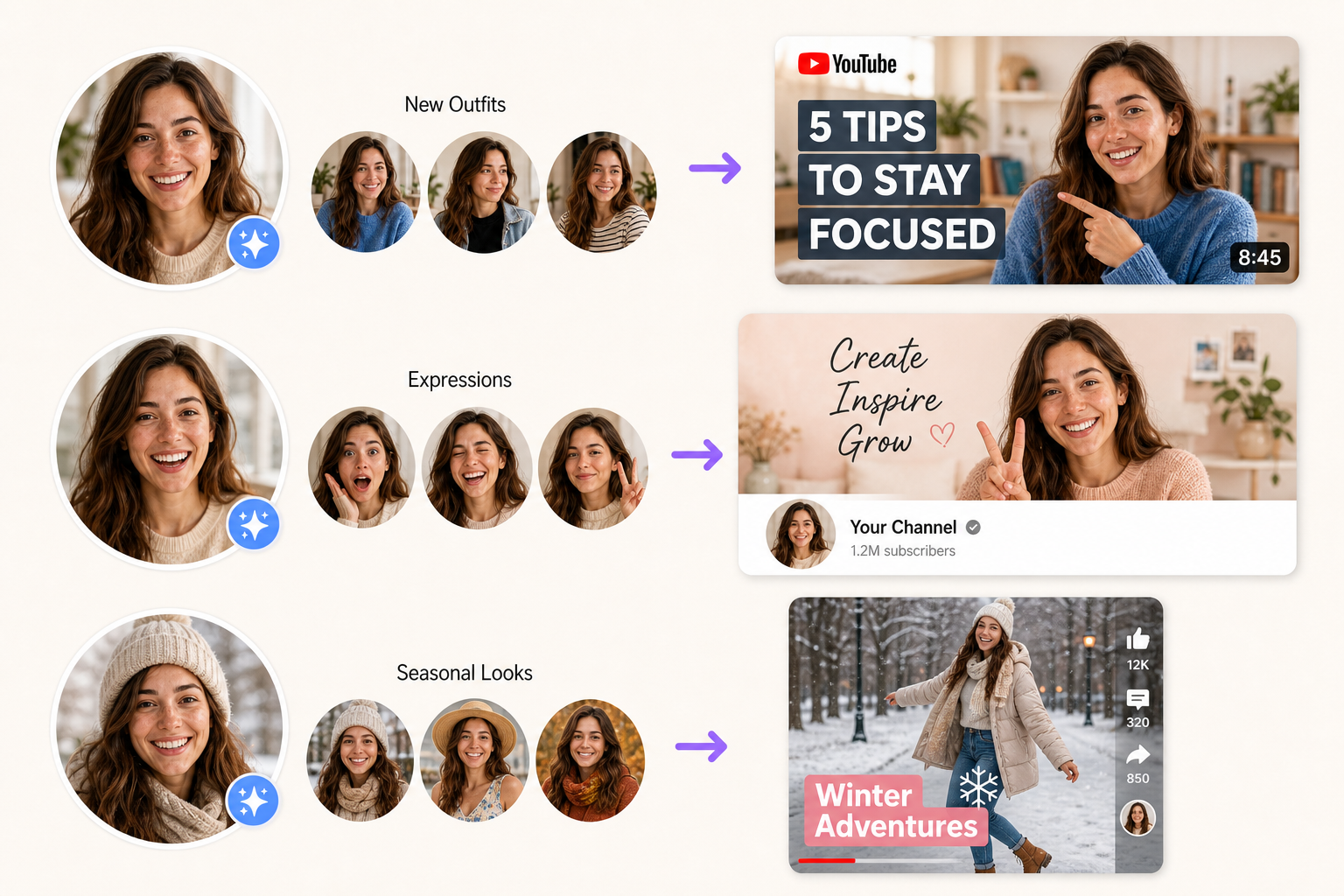
When one part feels off, you can refine clothing, expression, pose, background, or lighting without rebuilding the full character. This saves time for teams reviewing concepts, reduces unnecessary rework, and makes it easier to polish a character until it fits the project.
Take Characters Into Images and Videos Fast
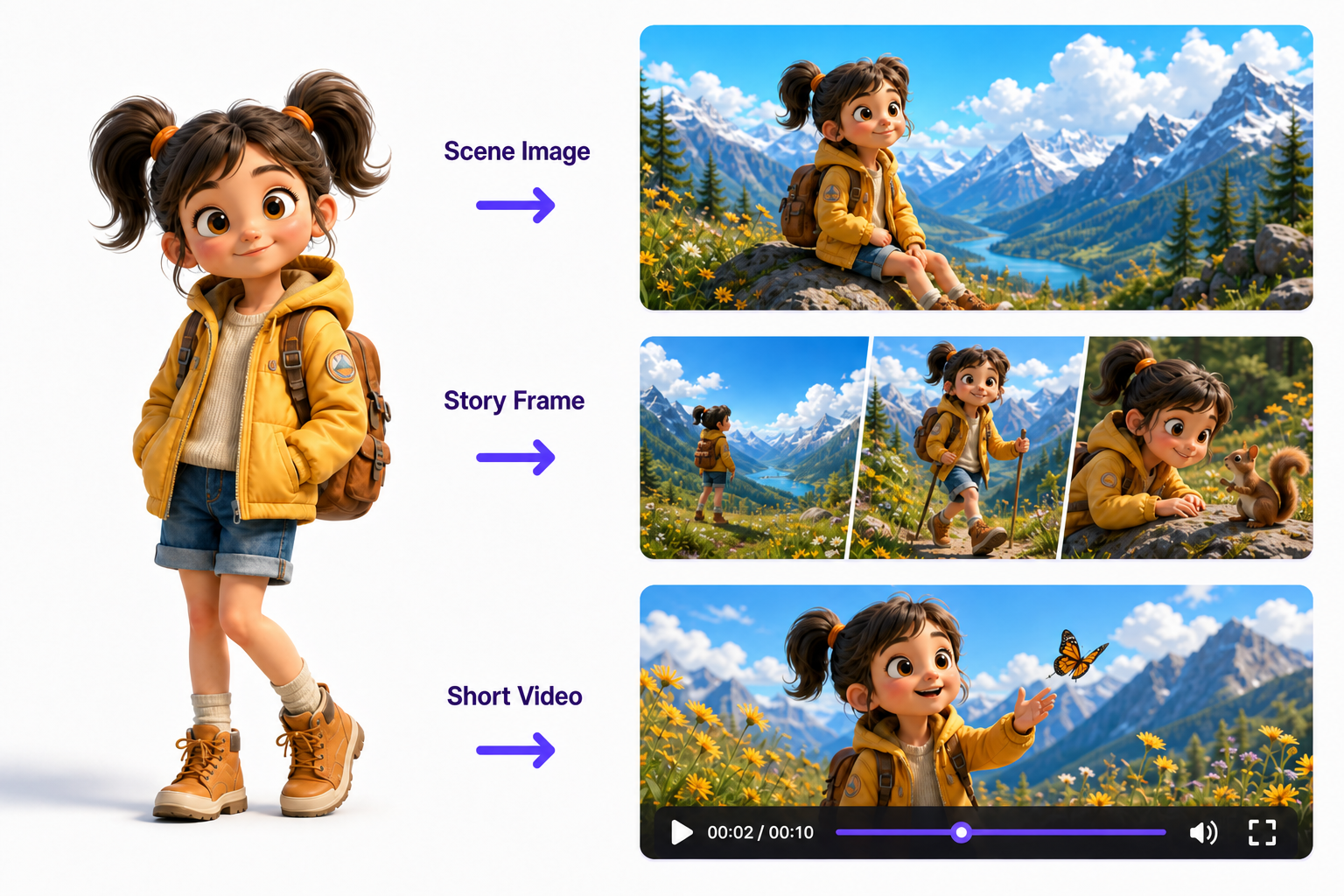
A finished character does not have to end as a standalone image. Move into scene creation, image-based storytelling, and short-form video in the same workflow—from concept to publishable visual content.
From Story Characters to Brand Mascots
Short Dramas and Storyboards
Writers and short-drama teams can turn early character ideas into clear visual references before scripts and scenes are finalized. Building the lead, supporting cast, and alternate looks upfront makes casting discussions faster, keeps storyboards consistent, and helps everyone work from the same creative direction.
FAQ about AI Character Creator
Can I generate multiple characters in one image?
What should I do if a face or hand looks wrong?
Simplify the prompt, remove conflicting details, or generate another version. Clearly describing the pose, camera angle, and visible hands may improve the result, although complex anatomy can sometimes require several attempts.
What character styles can I generate?
RoboNeo’s AI character generator supports realistic, anime, cartoon, fantasy, mascot, and 3D-inspired characters. Choose one clear style and add lighting, composition, color, and mood details for more focused results.
Can I use the same character in different scenes?
Yes, although consistency may vary between generations. Reuse the same reference image, prompt details, clothing, and defining features, then check each result for changes in the face, proportions, or overall appearance.
Can I turn my AI character into a video?
After creating a character image, use RoboNeo’s image-to-video tools to add motion and develop scenes, short dramas, social clips, or other character-led video content.
Can I use RoboNeo characters commercially?
Commercial rights depend on the specific feature, model, and applicable terms. Check the latest licensing rules before publishing paid content, and avoid using protected characters, artwork, brands, or real people without permission.
Create Your Next Character with RoboNeo AI
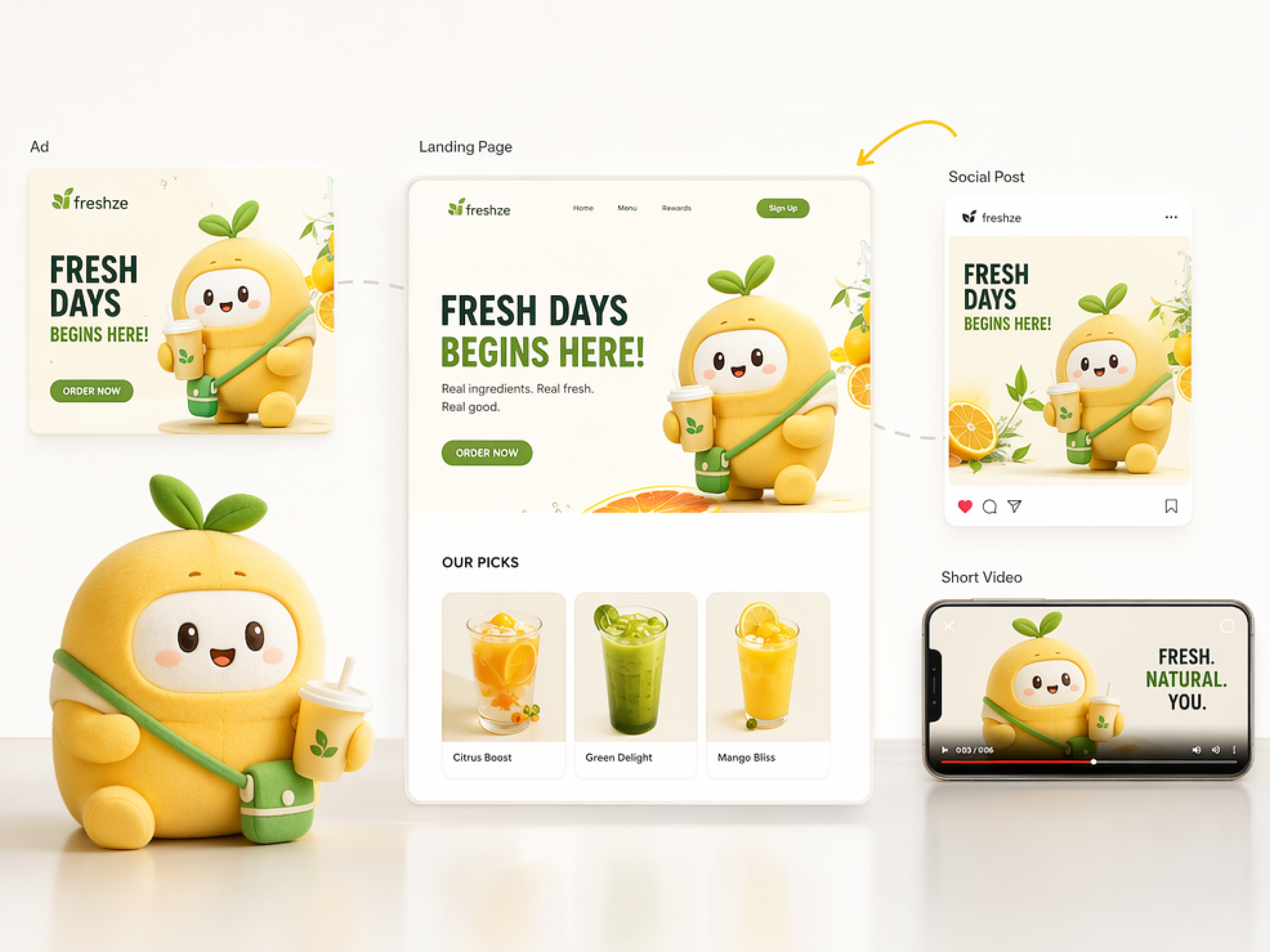
Turn a simple text prompt into a polished character for stories, games, campaigns, and social content. Describe your idea, explore different looks, refine the details, and bring your character to life with RoboNeo.
What Users Say About RoboNeo’s AI Character Creator
I used RoboNeo to test a few looks for my lead character before laying out the scenes. I had to adjust the prompt once or twice, but it was still much faster than searching through reference images and trying to piece together a consistent direction.
RoboNeo helped our small team explore several NPC ideas while the game was still in its early stages. We used the strongest concepts in our pitch deck, then passed them to our artist as visual references for clothing, mood, and overall character style.
We needed a recurring campaign character but did not have the budget for another photoshoot. RoboNeo made it easy to compare outfits and expressions, and the final concept gave our social posts a more consistent look across different formats.